
1. Prodott Aktarview
The Lenovo Go Wireless Active Noise Cancelling Headset (Model 4XD1C99221) is designed for clear communication and immersive audio, especially optimized for Microsoft Teams. It features multiple connection options, advanced noise cancellation, and intuitive controls.

Image 1.1: Lenovo Go Wireless Headset in use, highlighting Microsoft Teams certification.
2. Kontenut tal-Pakkett
Ivverifika li l-oġġetti kollha huma preżenti fil-pakkett:
- Lenovo Go Wireless Active Noise Cancelling Headset (Black)
- USB Type-A Receiver
- 1.3m USB Type-C Cable
- Borża
- Manuals/Warranty Card
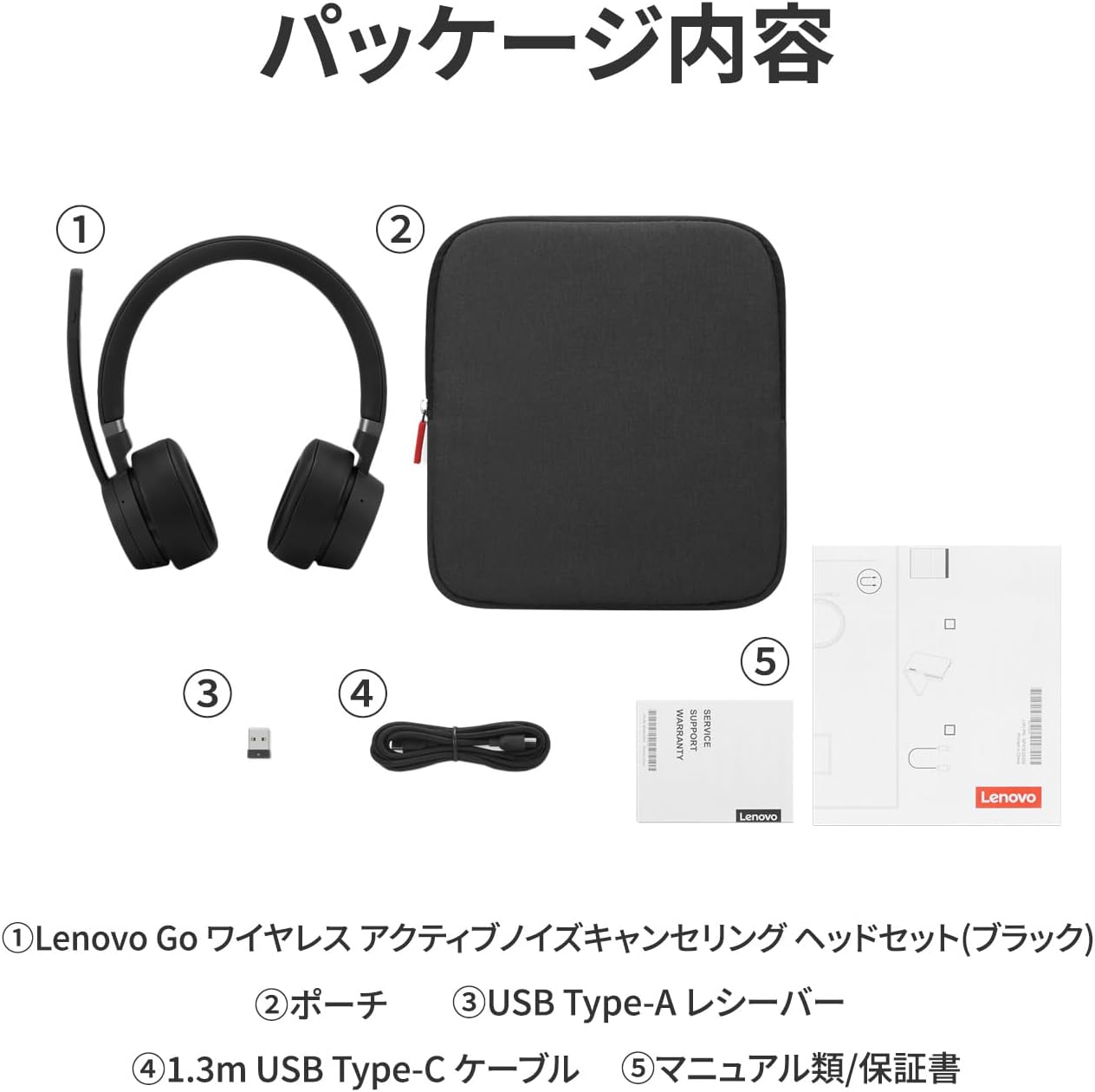
Image 2.1: Contents of the Lenovo Go Wireless Headset package.
3. Setup u Konnessjoni
The headset offers three connection methods:
- Direct Bluetooth 5.0 Wireless Connection: Pair directly with your device via Bluetooth.
- USB Type-A Receiver Bluetooth 5.0 Connection: Use the included USB Type-A receiver for a stable Bluetooth 5.0 connection.
- Konnessjoni USB tat-Tip Ċ bil-Fili: Connect using the included 1.3m USB Type-C cable.
Ħardwer Meħtieġa: PC with Bluetooth 5.0 or USB Type-C port.
Softwer Meħtieġ: Microsoft Windows 10 or later.

Immaġni 3.1: Fuqview of available connection methods.
3.1. Tqabbil tal-Bluetooth
- Press and hold the Power On/Off and Bluetooth pairing button located on the bottom of the left earcup until the LED indicator flashes, indicating pairing mode.
- On your device, navigate to Bluetooth settings and select "Lenovo Go Headset" to connect.
3.2. Konnessjoni bil-fili
- Connect the headset to your device using the provided USB Type-C cable.
- Note: When connected via USB Type-C cable, audio output will be monaural. Media control buttons (play, pause, skip) may not function if connected to three devices simultaneously via Bluetooth 5.0 and USB Type-C cable.
4. Istruzzjonijiet Operattivi
4.1. Kontrolli u Buttuni
The headset features various buttons for easy control:
- Earcup tax-xellug: Teams button (side), Power On/Off & Bluetooth Pairing button (bottom), ANC On/Talk-Through/ANC Off button (side).
- Earcup tal-lemin: Volume +/-, Call Answer/End, and Media Control buttons (Play, Pause, Skip Forward, Skip Back).
- Boom Microphone Tip: Buttuna Mute/Unmute.

Image 4.1: Headset button layout and functions.
4.2. Użu tal-mikrofonu
- The boom microphone can be rotated 180 degrees to be positioned on either the left or right side of your mouth.
- To mute the microphone, raise the boom arm. A dedicated mute/unmute button is also located at the tip of the boom.

Image 4.2: Microphone rotation and mute functionality.
4.3. Noise Cancellation and Talk-Through Mode
- Kanċellazzjoni Attiva tal-Ħoss (ANC): The headset features ANC with 4 microphones to reduce ambient noise, helping you focus.
- Kanċellazzjoni tal-Ħoss Ambjentali (ENC): The microphone system uses 2 ENC microphones to ensure your voice is clear to others by suppressing background noise.
- Talk-Through Mode: Activate this mode to hear external sounds, such as announcements or conversations, without removing the headset. This is useful in open-plan offices or when you need to be aware of your surroundings.

Image 4.3: Active Noise Cancellation in action.

Image 4.4: Talk-Through Mode for situational awareness.

Image 4.5: Noise-cancelling microphone for clear communication.
4.4. Integrazzjoni tat-Timijiet tal-Microsoft
The headset is Microsoft Teams certified, offering enhanced functionality:
- The purple LED at the bottom of the Teams button flashes to notify you of scheduled meetings or missed calls in Teams.
- Pressing the Teams button can bring the minimized Teams application to the foreground on your desktop.
5. Batterija u Iċċarġjar
- Tip ta 'batterija: Polimeru tal-jone tal-litju
- Kapaċità tal-batterija: 610mAh
- Ħin tal-Iċċarġjar: Madwar sagħtejn għal ħlas sħiħ.
- Ħajja tal-batterija:
- Approximately 35 hours for music playback.
- Approximately 22 hours for talk time.
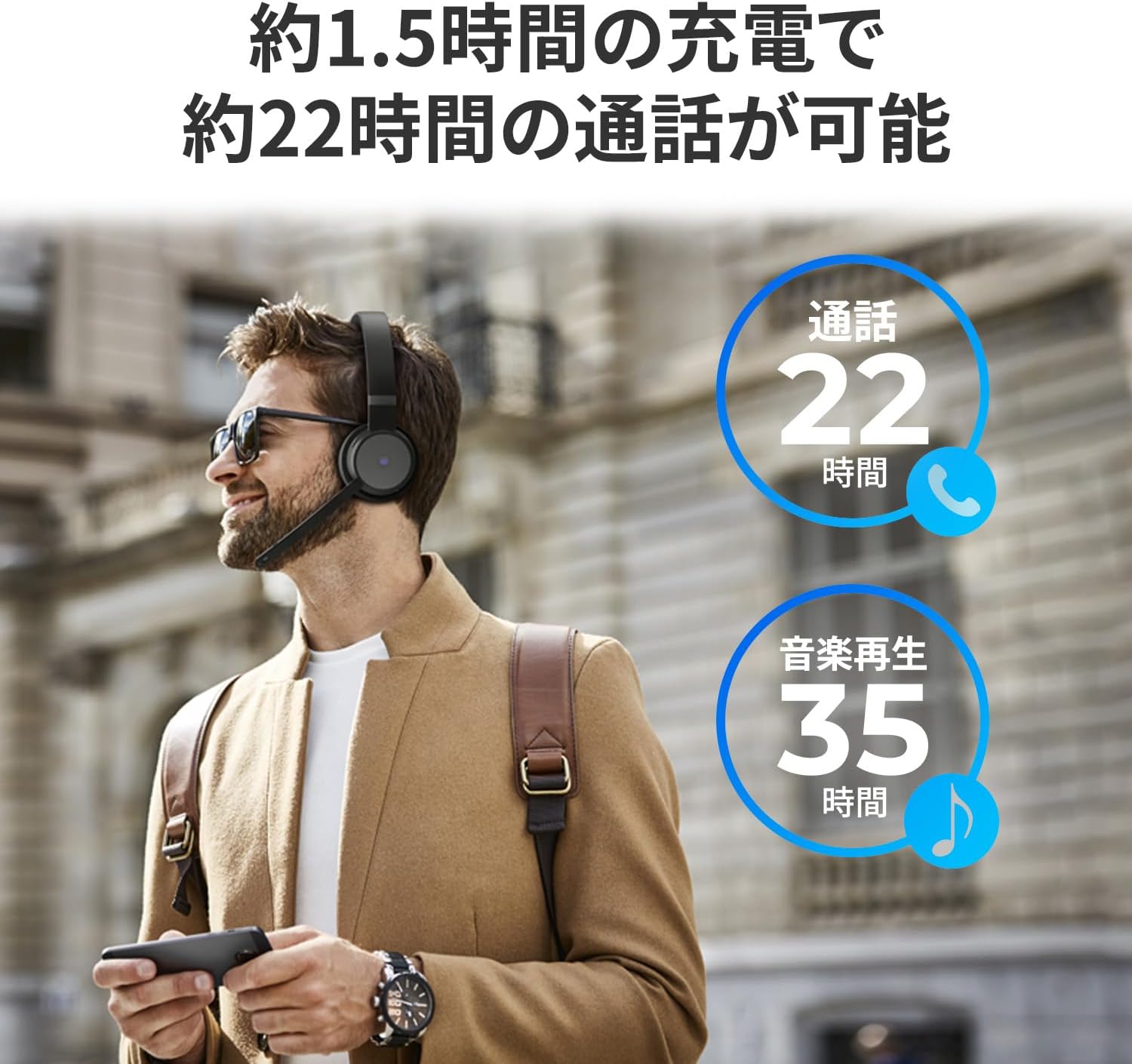
Image 5.1: Battery life for talk time and music playback.
6. Manutenzjoni
To ensure optimal performance and longevity of your headset:
- Keep the headset clean and dry. Avoid exposure to extreme temperatures or humidity.
- Store the headset in the provided pouch when not in use to protect it from dust and scratches.
- Iċċarġja l-batterija regolarment, anke jekk ma tintużax ta' spiss, biex iżżomm il-batterija f'saħħitha.
6.1. Aġġornamenti tas-Software
The headset is compatible with Lenovo Go Central software. This software allows for firmware updates and various setting changes to enhance your headset's functionality.
Download Lenovo Go Central software from: https://support.lenovo.com/docs/LenovoGo
7 Issolvi l-problemi
If you encounter issues with your headset, consider the following:
- Ebda Ħoss/Kwalità tal-Awdjo Fqira:
- Ensure the headset is properly connected (Bluetooth or wired).
- Iċċekkja l-livelli tal-volum kemm fuq il-headset kif ukoll fuq l-apparat konness tiegħek.
- Verify that the headset is selected as the audio output device in your system settings.
- Mikrofonu Mhux Jaħdem:
- Ensure the microphone is not muted (boom arm down, mute button off).
- Iċċekkja s-settings tad-dħul tal-mikrofonu fuq l-apparat tiegħek.
- Confirm the headset is selected as the input device.
- Kwistjonijiet ta' Konnessjoni Bluetooth:
- Kun żgur li l-headset jinsab fil-modalità ta' tqabbil.
- Move closer to your device (Bluetooth range is approximately 10m).
- Iddiżattiva u erġa' attiva l-Bluetooth fuq l-apparat tiegħek.
- Remove the headset from your device's paired list and re-pair.
- Microsoft Teams Specific Issues:
- Ensure Microsoft Teams is updated to the latest version.
- Verify headset selection within Teams audio settings.
8. Speċifikazzjonijiet
| Numru tal-Mudell | 4XD1C99221 |
| Isem tal-Prodott | Lenovo Go Wireless Active Noise Cancelling Headset (Black) |
| Dimensjonijiet (Headset) | 187mm (Headband top to earcup bottom) x 156mm (Max width) |
| Earpad Diameter | 72mm |
| Tul tal-mikrofonu | 120mm |
| Piż (Unità Prinċipali) | Appross. 230g |
| Sewwieq tal-Ispeaker | 40mm |
| Rispons tal-Frekwenza tal-Ispeaker | 20Hz ~ 20KHz |
| Impedenza tal-Ispeaker | 32Ω |
| Rispons tal-Frekwenza tal-Mikrofonu | 100Hz ~ 8KHz |
| Noise Cancelling (Mic) | ANC/ENC Support (2 ENC mics, 4 ANC mics) |
| Livell tal-Pressjoni tal-Ħoss (SPL) | 107 +/- 3 dB |
| Distorsjoni | <3% |
| Konsum tal-Enerġija | 5V/1A |
| Temperatura operattiva | 0℃ ~ 40℃ |
| Umdità Operattiva | 90% jew inqas |
| Teknoloġija bla fili | Bluetooth 5.0 |
| Firxa ta' Komunikazzjoni Bluetooth | 10m |
| Ċertifikazzjonijiet | CB, CE, BQB, FCC, RSS, MIC, VCCI, JRF, AITI, SRRC, cTUVus, CEC, DOE, Nrcan, ANF, BOCRA, CITRA, ARECOM, ICASA, MINCOM, IFETEL NOM 208, WPC, SDPPI, SIRIM, NTC, IMDA, KC, NCC, MIC, DWLF&M, NTRA, NCA, ANRT, NCC, TRA, PTA, CRA, ARTP, KVALITET, RAMATEL, ANATEL, SUBTEL, CONATEL |
9. Garanzija u Appoġġ
9.1. Informazzjoni dwar Garanzija
Dan il-prodott jiġi ma 'a garanzija ta 'sena mid-data tax-xiri. Jekk jogħġbok irreferi għall-Karta tal-Garanzija inkluża għal termini u kundizzjonijiet dettaljati.
9.2. Partijiet ta 'sostituzzjoni
Numru tal-Prodott: 4XD1C99221
Numru tal-Parti ta' Sostituzzjoni: 5H31C99233
9.3. Appoġġ għall-Klijent
For further assistance, technical support, or to download the Lenovo Go Central software, please visit the official Lenovo support websit: