
1. Introduzzjoni
This manual provides essential information for the installation, operation, and maintenance of your ASUS TUF Gaming NVIDIA GeForce RTX 4080 Super OC Edition Graphics Card. Designed with the NVIDIA Ada Lovelace architecture, this graphics card offers advanced performance for gaming and demanding applications.
Il-karatteristiċi ewlenin jinkludu:
- Powered by NVIDIA DLSS 3, ultra-efficient Ada Lovelace architecture, and full ray tracing capabilities.
- 4th Generation Tensor Cores for up to 4x performance with DLSS 3.
- 3rd Generation RT Cores for up to 2x ray tracing performance.
- OC mode clock speed of 2640 MHz (Default mode: 2610 MHz).
- Axial-tech fans with increased airflow for enhanced cooling.
- Dual Ball Fan Bearings for extended lifespan.
- Military-grade Capacitors for improved power rail durability.
- Metal Exoskeleton for structural rigidity and heat dissipation.
- Auto-Extreme precision automated manufacturing for higher reliability.
- GPU Tweak III software for performance tuning and monitoring.
2. Kontenut tal-Pakkett
Ivverifika li l-oġġetti kollha huma preżenti fil-pakkett tal-prodott tiegħek:
- ASUS TUF-RTX4080S-O16G-GAMING Graphics card
- Karta tal-ġbir
- Speedsetup Manual (Quick Start Guide)
- Adapter cable (1 to 3)
- Detentur tal-karta grafika TUF
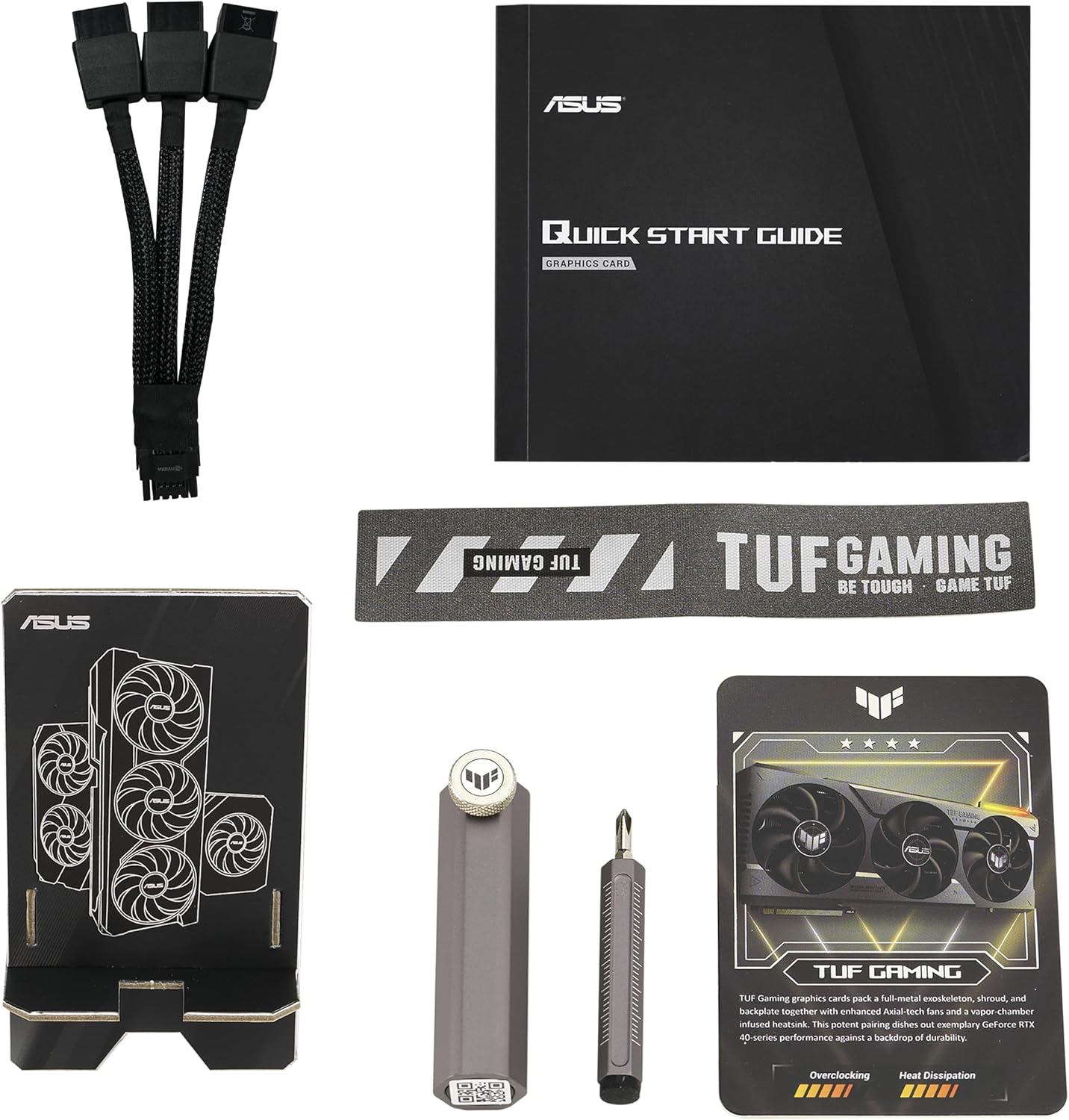
Image: Package contents including the graphics card, quick start guide, adapter cable, collection card, and a screwdriver tool.
3. Setup u Installazzjoni
3.1 Rekwiżiti tas-Sistema
- Motherboard konformi mal-PCI Express b'slott grafika wieħed x16.
- Minimum recommended power supply unit (PSU) wattage. Refer to the "Pair with a PSU" section for guidance.
- Sistema operattiva: Windows 10/11 64-bit jew Linux 64-bit.
- Minimum 16GB system memory recommended.
3.2 Installazzjoni Fiżika
- Ipprepara s-sistema tiegħek: Itfi l-kompjuter tiegħek u skonnettja l-kejbils kollha. Iftaħ il-kaxxa tal-kompjuter tiegħek.
- Locate the PCIe x16 slot: Identifika slott PCI Express x16 disponibbli fuq il-motherboard tiegħek.
- Remove expansion slot covers: Remove the necessary expansion slot covers from your computer case. This graphics card typically occupies 3 to 4 slots.
- Daħħal il-karta grafika: Carefully align the graphics card with the PCIe x16 slot and press it firmly until it is securely seated. Ensure the retention clip on the motherboard engages.
- Żomm il-karta f'post sigur: Fasten the graphics card to the computer case using the screws from the expansion slot covers.
- Qabbad il-kejbils tad-dawl: Connect the required power cables from your power supply unit to the graphics card. The ASUS TUF Gaming RTX 4080 Super OC Edition requires a 12VHPWR (12+4 pin) power connector. Use the included adapter cable if your PSU does not have a native 12VHPWR connector.
- Install GPU holder: Utilize the included TUF Graphics card holder to provide additional support and prevent sag, especially given the card's weight and size.
- Agħlaq il-każ: Ladarba l-kard tkun installata u mixgħula sew, agħlaq il-kaxxa tal-kompjuter tiegħek.

Image: Illustration of pairing the graphics card with a compatible power supply unit (PSU).
3.3 Installazzjoni tas-sewwieq
- Qabbad id-displej: Connect your monitor to one of the DisplayPort 1.4a or HDMI 2.1a outputs on the graphics card.
- Ixgħel: Ixgħel il-kompjuter tiegħek.
- Niżżel is-sewwieqa: Żur l-NVIDIA uffiċjali websit (www.nvidia.com/sewwieqa) or the ASUS support page for your specific model to download the latest graphics drivers.
- Installa s-sewwieqa: Segwi l-istruzzjonijiet fuq l-iskrin biex tlesti l-installazzjoni tas-sewwieq. Jista' jkun meħtieġ li terġa' tibda s-sistema.

Image: Display output ports on the graphics card, including DisplayPort 1.4a and HDMI 2.1a.
4. It-Tħaddim tal-Karta tal-Grafika
4.1 Modi ta' Prestazzjoni
Your graphics card supports different performance modes. The OC mode provides a boost clock of 2640 MHz, while the default mode operates at 2610 MHz. These modes are typically managed automatically by the driver or can be adjusted using ASUS GPU Tweak III software.
4.2 GPU Tweak III Software
The ASUS GPU Tweak III software allows for intuitive performance tweaking, thermal controls, and system monitoring. You can download this utility from the official ASUS support websit.
- Overclocking: Adjust clock speeds and voltage for enhanced performance.
- Kontroll tal-fann: Customize fan curves for optimal cooling and noise levels.
- Monitoraġġ: View real-time statistics such as GPU temperature, clock speed, and usage.

Image: ASUS GPU Tweak III software interface for performance and thermal management.
5. Manutenzjoni
Manutenzjoni xierqa tiżgura l-lonġevità u l-prestazzjoni ottimali tal-karta grafika tiegħek.
5.1 Tindif
- Tneħħija tat-Trab: Naddaf it-trab mill-fannijiet u s-sink tas-sħana perjodikament bl-użu ta' arja kkompressata. Kun żgur li s-sistema tkun mitfija u skonnettjata qabel ma tnaddafha.
- Xfafar tal-fann: Gently clean fan blades with a soft brush if necessary, being careful not to apply excessive force.

Image: Axial-tech fans designed for enhanced airflow and cooling.

Image: Large heatsink design for effective thermal management.
5.2 Aġġornamenti tas-Sewwieqa
Regularly update your graphics drivers to ensure optimal performance, stability, and access to the latest features and game optimizations. Refer to the NVIDIA websit għall-aktar sewwieqa attwali.
6 Issolvi l-problemi
Jekk tiltaqa' ma' problemi bil-karta grafika tiegħek, ikkunsidra l-passi li ġejjin għas-soluzzjoni tal-problemi:
- L-ebda Output tal-Wiri:
- Kun żgur li l-kejbil tal-monitor huwa konness sew kemm mal-karta grafika kif ukoll mal-monitor.
- Ivverifika li l-karta grafika tkun imdaħħla sew fl-islott tal-PCIe.
- Check that all power cables are correctly connected to the graphics card and the power supply.
- Ittestja b'kejbil tad-displej jew monitor differenti jekk possibbli.
- Instabbiltà jew Ħabtiet tas-Sistema:
- Kun żgur li s-sewwieqa tal-grafika tiegħek huma aġġornati.
- Check for adequate power supply wattage. Insufficient power can lead to instability.
- Monitor GPU temperatures using software like GPU Tweak III. Overheating can cause crashes.
- If overclocked, revert to default settings to check for stability.
- Prestazzjoni Fqira fil-Logħob/Applikazzjonijiet:
- Verify that the latest graphics drivers are installed.
- Check in-game settings to ensure they are appropriate for your system configuration.
- Ensure the graphics card is operating in OC mode if desired, and not throttled by temperature or power limits.
- Agħlaq applikazzjonijiet fl-isfond mhux meħtieġa.
7. Speċifikazzjonijiet
| Karatteristika | Speċifikazzjoni |
|---|---|
| Isem tal-Mudell | TUF-RTX4080S-O16G-GAMING |
| Koproċessur tal-Grafika | NVIDIA GeForce RTX 4080 SUPER |
| Chipset Brand | NVIDIA |
| Daqs tar-RAM tal-Karta tal-Grafika | 16 GB GDDR6X |
| Veloċità tal-Memorja | 2640 MHz (modalità OC) / 2610 MHz (modalità predefinita) |
| Riżoluzzjoni Massima tal-Iskrin | 7680x4320 Pixel |
| Interface tal-Output tal-Vidjo | HDMI 2.1a, DisplayPort 1.4a (3x DisplayPort, 2x HDMI) |
| Piż tal-oġġett | 6.6 liri (madwar 2.99 kg) |
| Dimensjonijiet tal-Prodott (LxWxH) | 13.7 x 5.9 x 2.9 pulzieri (madwar 34.8 x 15.0 x 7.4 ċm) |
| Manifattur | ASUS |
8. Garanzija u Appoġġ
ASUS products are manufactured to the highest quality standards. For detailed warranty information, please refer to the warranty card included in your product package or visit the official ASUS support websit.
For technical support, driver downloads, and FAQs, please visit the ASUS support websit:
When contacting support, please have your product model number (TUF-RTX4080S-O16G-GAMING) and serial number ready.