
1. Introduzzjoni
Grazzi tax-xiriasing the LDNIO BC AU BS Portable Outdoor Bluetooth Speaker. This manual provides essential information for the safe and efficient operation of your device. Please read it thoroughly before use and retain it for future reference.
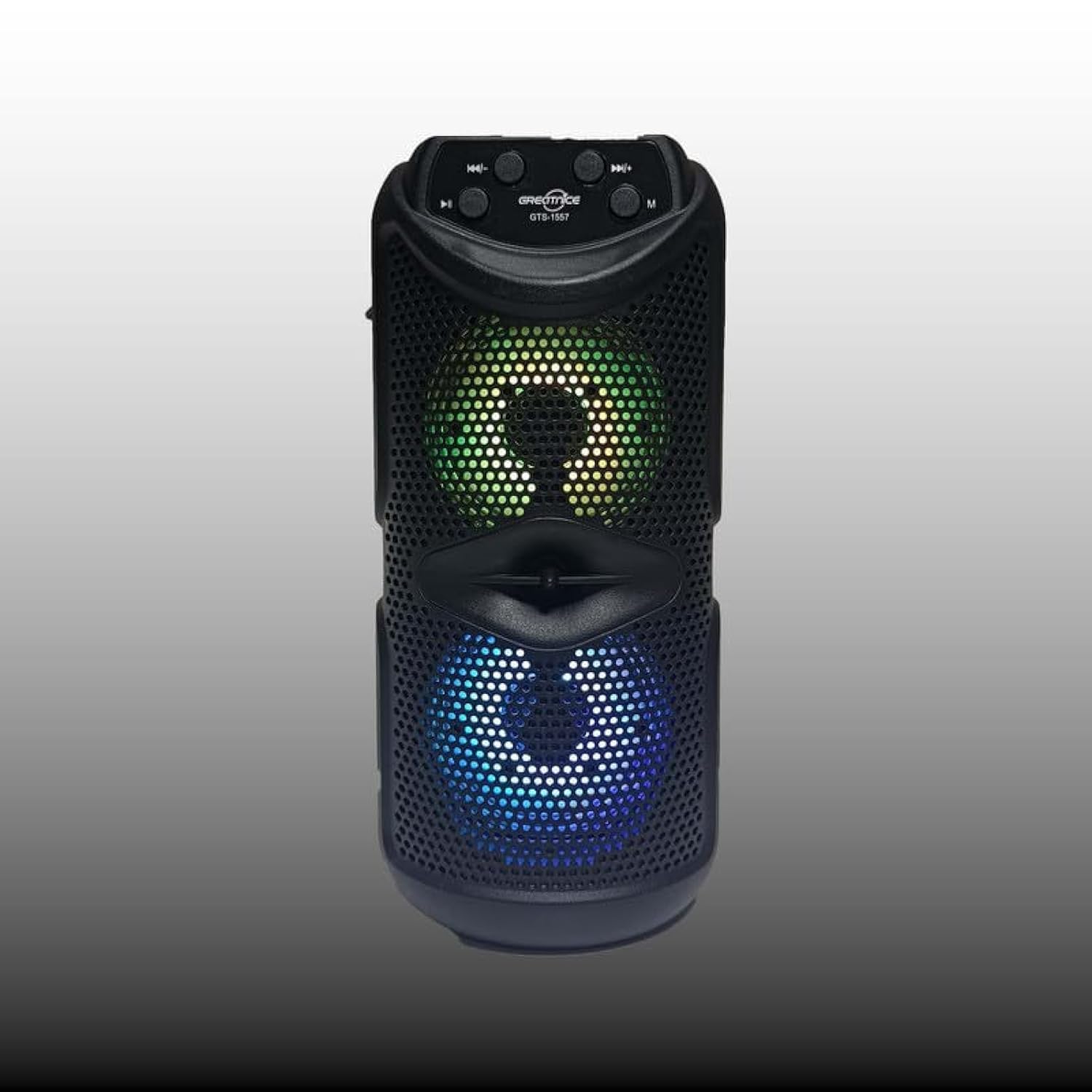
Figura 1.1: Quddiem view of the LDNIO BC AU BS Portable Outdoor Bluetooth Speaker. This image displays the speaker's main body, control panel at the top, and the dual speaker grilles with internal lighting visible.
2. Karatteristiċi tal-prodott
- Ħoss ta' kwalità għolja: 10W output for clear and powerful audio.
- Konnettività Wireless: Bluetooth for seamless audio streaming.
- Multi-functional Playback: Supports FM radio, USB drive, and TF card playback.
- Stereo bla fili veru (TWS): Connect two speakers for an enhanced stereo experience.
- Funzjoni tal-karaoke: Integrated support for karaoke.
- Dawl Dinamika: Color-changing lights for bass boost and visual appeal.
- Disinn portabbli: Easy-to-carry handle, suitable for outdoor use.
- Ħajja twila tal-batterija: Up to 8 hours of use on a single charge.
- Kelliema Doppji: Features dual 4-inch subwoofers for rich sound.
3. Kontenut tal-Pakkett
Jekk jogħġbok iċċekkja l-pakkett għall-oġġetti li ġejjin:
- LDNIO BC AU BS Portable Outdoor Bluetooth Speaker
- Cable tal-Iċċarġjar tal-USB
- Manwal għall-Utent (dan id-dokument)
Jekk xi oġġetti huma nieqsa jew bil-ħsara, jekk jogħġbok ikkuntattja lill-bejjiegħ tiegħek.
4. Informazzjoni dwar is-Sigurtà
- Tesponix l-ispiker għal temperaturi estremi, dawl tax-xemx dirett, jew umdità għolja.
- Evita li twaqqa’ jew tissuġġetta lill-kelliem għal impatti qawwija.
- Tiżżarmax jew tippruvax issewwi l-ispiker int stess. Dan jannulla l-garanzija.
- Keep the speaker away from water and other liquids to prevent electric shock or damage.
- Use only the provided or a certified charging cable.
- Clean the speaker with a soft, dry cloth. Do not use abrasive cleaners.
5. Setup
5.1 Iċċarġjar tal-Ispeaker
- Qabbad il-kejbil tal-iċċarġjar USB mal-port tal-iċċarġjar tal-ispiker.
- Qabbad it-tarf l-ieħor tal-kejbil USB ma' adapter tal-enerġija USB kompatibbli (mhux inkluż) jew mal-port USB tal-kompjuter.
- Id-dawl indikatur tal-iċċarġjar jixgħel, tipikament aħmar, waqt l-iċċarġjar.
- Once fully charged, the indicator light will change color or turn off (refer to specific model behavior). A full charge provides up to 8 hours of playback.
5.2 Tixgħel/Jitfi
- Biex tixgħel, agħfas u żomm il-buttuna Buttuna tal-qawwa (usually marked with ⏻) for a few seconds until you hear an audible prompt or see the indicator lights activate.
- Biex tintefa, agħfas u żomm il-buttuna Buttuna tal-qawwa again for a few seconds until the speaker powers down.
5.3 Tqabbil tal-Bluetooth
- Kun żgur li l-ispiker huwa mixgħul u fil-modalità Bluetooth. Jekk le, agħfas il-buttuna Buttuna tal-modalità (M) to switch to Bluetooth mode. The Bluetooth indicator light will flash, indicating it's ready for pairing.
- Fuq l-apparat mobbli tiegħek (smartphone, tablet, laptop), attiva l-Bluetooth u fittex apparati disponibbli.
- Select "LDNIO BC AU BS" (or similar name) from the list of found devices.
- Ladarba jkun imqabbad, l-ispiker se joħroġ konferma li tinstema', u d-dawl indikatur tal-Bluetooth jieqaf iteptep u jibqa' mixgħul solidu.
- Issa tista' ddoqq l-awdjo mit-tagħmir tiegħek permezz tal-ispiker.
5.4 Modi Oħra ta' Daqq
- Radju FM: Agħfas il- Buttuna tal-modalità (M) to switch to FM radio. Use the Previous/Next Track buttons to scan for stations.
- Karta USB/TF: Insert a USB drive or TF (MicroSD) card into the respective port. The speaker will automatically switch to USB/TF mode and begin playing audio files.
- TWS (True Wireless Stereo): To pair two LDNIO BC AU BS speakers for stereo sound, ensure both speakers are on and in Bluetooth mode. On one speaker, press and hold the buttuna TWS (if available, or a specific pairing button) until it enters TWS pairing mode. The speakers will connect automatically.
6. Istruzzjonijiet Operattivi

Figura 6.1: Close-up of the speaker's control panel and illuminated dual speakers. The control panel typically includes buttons for power, mode, play/pause, and track navigation/volume.
6.1 Funzjonijiet tal-buttuni
- Buttuna tal-Enerġija (⏻): Agħfas u żomm biex tixgħel/itfi.
- Buttuna tal-Modalità (M): Short press to switch between Bluetooth, FM, USB, and TF card modes.
- Buttuna tal-Logħob/Pawża (⏸): Agħfas qasir biex tilgħab jew twaqqaf l-awdjo.
- Previous Track / Volume Down Button (⏮): Agħfas qasir għat-trakka ta' qabel. Agħfas u żomm biex tnaqqas il-volum.
- Next Track / Volume Up Button (⏭): Agħfas qasir għat-trakka li jmiss. Agħfas u żomm biex iżżid il-volum.
6.2 Kontroll tal-Volum
Adjust the volume by pressing and holding the Volum Up (⏭) jew Volum 'l isfel (⏮) buttons. You can also control the volume from your connected device.
6.3 Modi ta 'Dawl
The speaker features color-changing lights. Specific controls for light modes may vary. Typically, a dedicated Buttuna tad-dawl or a long press on the Buttuna tal-modalità (M) can cycle through different light patterns or turn them off.
6.4 Funzjoni tal-Karaoke
To use the karaoke function, connect a microphone (not included) to the designated microphone input port on the speaker. Adjust the microphone volume as needed using the speaker's controls or the microphone's own controls.
7. Manutenzjoni
- Tindif: Wipe the speaker's exterior with a soft, dry, lint-free cloth. Do not use liquid cleaners or aerosols.
- Ħażna: Meta ma tkunx qed tużah għal perjodi twal, aħżen l-ispiker f'post frisk u niexef, 'il bogħod mix-xemx diretta u minn temperaturi estremi.
- Kura tal-batterija: Biex ittawwal il-ħajja tal-batterija, evita li tiċċarġja kompletament il-batterija ta’ spiss. Iċċarġja l-ispiker regolarment, anke jekk ma jkunx qed jintuża.
8 Issolvi l-problemi
| Problema | Kawża Possibbli | Soluzzjoni |
|---|---|---|
| L-ispiker ma jixgħelx. | Il-batterija hija eżawrita. | Iċċarġja l-ispiker kompletament. |
| L-ebda ħoss. | Il-volum huwa baxx wisq; l-apparat mhux imqabbad; modalità mhux korretta. | Increase volume on speaker and device; ensure proper Bluetooth pairing; switch to correct playback mode (Bluetooth, USB, TF, FM). |
| Tqabbil Bluetooth ifalli. | L-ispiker mhux fil-modalità ta' tqabbil; l-apparat wisq 'il bogħod; interferenza. | Ensure speaker is in Bluetooth pairing mode (flashing indicator); move device closer to speaker; restart both devices. |
| Riċeviment ħażin tar-radju FM. | Sinjal dgħajjef. | Irriloka l-ispiker f'żona b'riċeviment aħjar. |
9. Speċifikazzjonijiet
- Isem tal-Mudell: BC AU BS
- Tip ta' Kelliem: Barra, Portabbli
- Konnettività: Wireless (Bluetooth)
- Qawwa tal-Ħruġ Massimu tal-Ispeaker: 10 Watts
- Dijametru tas-subwoofer: Doppju ta' 4 pulzieri
- Konfigurazzjoni tal-Kanal tal-Ħsejjes Surround: 2
- Karatteristiċi Speċjali: Bluetooth, Portable, Wireless, FM Radio, USB Playback, TF Card Playback, TWS, Karaoke Function, Color-changing Lights
- Apparati Kompatibbli: Laptop, Smartphone, Tablet
- Tip ta 'Immuntar: Mejda
- Dimensjonijiet Approssimattivi tal-Pakkett: 12 x 12 x 8 ċm
- Piż Approssimattiv tal-Pakkett: 2 kg
10. Garanzija u Appoġġ
LDNIO products are designed to provide reliable performance. For warranty information, please refer to the warranty card included with your purchase or contact your local retailer. For technical support or inquiries, please visit the official LDNIO websit jew ikkuntattja lid-dipartiment tas-servizz tal-konsumatur tagħhom.