
FIFINE K688W
FIFINE AmpliTank K688W Dynamic USB/XLR Microphone User Manual
Model: K688W | Brand: FIFINE
1. Introduzzjoni
Grazzi tax-xiriasing the FIFINE AmpliTank K688W Dynamic USB/XLR Microphone. This microphone is designed for high-quality audio capture in various applications, including gaming, streaming, podcasting, and professional recording. Please read this manual carefully to ensure proper setup and operation.

Immaġni: Il-FIFINE AmpliTank K688W microphone demonstrating its sound capture capabilities with a visual representation of sound waves.
2. Kontenut tal-Pakkett
Iċċekkja li l-oġġetti kollha elenkati hawn taħt huma inklużi fil-pakkett tiegħek:
- FIFINE AmpliTank K688W Microphone Body
- Kejbil USB-C għal USB-A (2.5m)
- Adapter tal-Kamin minn 3/8" għal 5/8"
- Manwal tal-Utent (Ġappuniż)
Note: A microphone stand and XLR cable are not included and must be purchased separately.

Immaġni: Il-FIFINE AmpliTank K688W microphone and its included accessories: USB cable and screw adapter, alongside the user guide.
3. Prodott Aktarview (Components and Controls)
Familiarize yourself with the microphone's components and controls:

Immaġni: Wara view tal-FIFINE AmpliTank K688W microphone, highlighting the XLR output terminal and USB connection port.
- XLR Output Terminal: For connecting to audio interfaces, mixers, or other professional audio equipment.
- USB Connection Port (USB Type-C): For direct connection to computers or game consoles.
- Jack tal-headphones ta' 3.5mm: Għal monitoraġġ tal-awdjo f'ħin reali.
- Microphone Volume Control (Gain Knob): Adjusts the microphone's input sensitivity. (USB mode only)
- Headphone Jack Volume Control: Adjusts the monitoring volume through the 3.5mm headphone jack. (USB mode only)
- Buttuna Mute b'Indikatur LED: Toggles microphone mute. LED indicates mute status. (USB mode only)
4. Setup
4.1 Konnessjoni USB
For direct connection to a computer (Windows/Mac OS) or game console (PS4/PS5):
- Connect the USB-C end of the provided USB cable to the microphone's USB port.
- Connect the USB-A end of the cable to an available USB port on your computer or game console.
- The device will automatically recognize the microphone.
- Select "FIFINE K688W" as your input and output device in your system's sound settings or application settings.

Immaġni: Il-FIFINE AmpliTank K688W microphone connected to a laptop via its USB-C port, illustrating plug-and-play functionality.
4.2 XLR Connection
For connecting to professional audio equipment (audio interfaces, mixers):
- Connect a standard XLR cable (not included) to the XLR output terminal on the microphone.
- Qabbad it-tarf l-ieħor tal-kejbil XLR ma' input XLR fuq l-interface awdjo jew il-mixer tiegħek.
- Ensure your audio interface or mixer is properly configured to receive input from the connected XLR channel.
- Adjust gain levels on your audio interface/mixer as needed.

Immaġni: Dettaljata view tal-FIFINE AmpliTank K688W's connectivity panel, showing both USB and XLR ports for versatile audio setups.
5. Istruzzjonijiet Operattivi
5.1 Gain Control (USB Mode Only)
The gain knob on the microphone allows you to adjust the input sensitivity. Rotate the knob clockwise to increase gain and counter-clockwise to decrease it. Adjust this to achieve an optimal recording level without clipping or distortion.
5.2 Mute Function (USB Mode Only)
Press the touch-sensitive mute button on top of the microphone to instantly mute or unmute the audio input. The LED indicator will change color to show the microphone's status (e.g., green for active, red for muted).
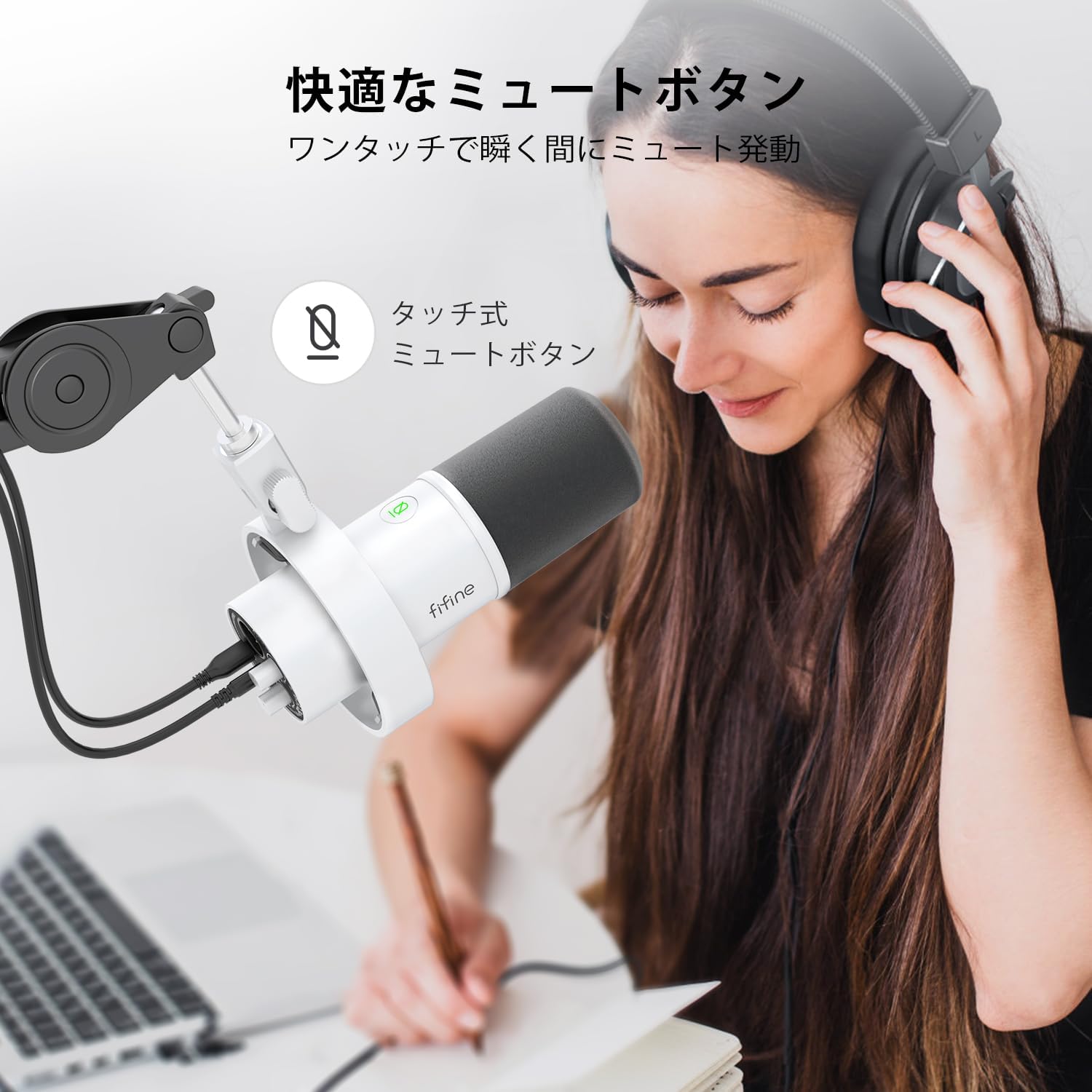
Image: A user interacting with the touch-sensitive mute button on the FIFINE AmpliTank K688W microphone, demonstrating its ease of use.
5.3 Headphone Monitoring (USB Mode Only)
Connect your headphones to the 3.5mm headphone jack on the microphone to monitor your audio in real-time with zero latency. Use the dedicated headphone volume knob to adjust the monitoring level to your preference.
6. Manutenzjoni
- Żomm il-mikrofonu nadif billi timsaħ b'ċarruta ratba u niexfa.
- Evita li tesponi l-mikrofonu għal temperaturi estremi, umdità, jew dawl tax-xemx dirett.
- Aħżen il-mikrofonu f'kaxxa protettiva meta ma tkunx qed tintuża biex tevita t-trab u l-ħsara.
- Do not attempt to disassemble the microphone, as this will void the warranty.

Immaġni: Il-FIFINE AmpliTank K688W microphone mounted on a boom arm, showcasing its integrated metal body design suitable for various recording environments.
7 Issolvi l-problemi
| Problema | Kawża Possibbli | Soluzzjoni |
|---|---|---|
| No sound output (USB) |
|
|
| No sound output (XLR) |
|
|
| Awdjo mgħawweġ |
|
|
| Ħoss fl-isfond eċċessiv |
|
|
8. Speċifikazzjonijiet
| Karatteristika | Dettall |
|---|---|
| Mudell | K688W |
| Brand | FIFINE |
| Tip ta 'mikrofonu | Dinamika |
| Mudell Polari | Unidirezzjonali (Kardjoid) |
| Konnettività | USB (Type-C), XLR |
| Rispons ta' Frekwenza | 70Hz - 15KHz |
| Proporzjon tas-sinjal għall-istorbju (S/N) | 75 dB |
| Tip ta' Enerġija | Elettriku bil-wajer (imħaddem bil-USB) |
| Apparati Kompatibbli | PC (Windows/Mac OS), Game Consoles (PS4/PS5), Audio Mixers, Audio Interfaces, Smartphones (with adapter, not included) |
| Karatteristiċi Speċjali | Volume Control, Mute Function, Headphone Monitoring |
| Kulur | Abjad |
| Materjali | Plastik, Metall |
| UPC | 850052511821 |
9. Garanzija u Appoġġ
9.1 Informazzjoni dwar Garanzija
Dan il-prodott jiġi ma 'a Garanzija ta' 1 snin mill-manifattur from the date of purchase. The warranty covers defects in materials and workmanship under normal use.
Il-garanzija ma tkoprix:
- Ħsara kkawżata minn użu ħażin, abbuż, aċċident, jew negliġenza.
- Ħsara minn tiswijiet jew modifiki mhux awtorizzati.
- Ilbes u kedd normali.
9.2 Appoġġ għall-Klijent
If you encounter any issues with your FIFINE AmpliTank K688W microphone, such as packaging damage, color discrepancies, or product defects, please contact FIFINE Japan customer support immediately. Provide your purchase details and a description of the issue for prompt assistance.
For further support, please visit the official FIFINE websit.

Image: Information regarding FIFINE's customer support process, including steps to contact them via Amazon and their operating hours.
Ask a question about this manual
Ask about setup, troubleshooting, compatibility, parts, safety, or missing instructions. Manuals+ will review the question and use this page’s manual context to help answer it.