
Introduzzjoni
Grazzi tax-xiriasing the MUSE M-19 GL Alarm Clock Radio. This manual provides essential information for the safe and efficient operation of your device. Please read it thoroughly before use and retain it for future reference.
Istruzzjonijiet tas-Sigurtà
- Tesponix l-unità għax-xita jew għall-umdità biex tevita nar jew xokk elettriku.
- Aċċerta ruħek li jkun hemm ventilazzjoni xierqa; timblokkax xi fetħiet tal-ventilazzjoni.
- Poġġi l-unità fuq wiċċ stabbli u ċatt.
- Evita li tpoġġi l-unità ħdejn sorsi tas-sħana bħal radjaturi, reġistri tas-sħana, stufi, jew apparat ieħor (inkluż amplifiers) li jipproduċu sħana.
- Uża biss aċċessorji/aċċessorji speċifikati mill-manifattur.
- Spluggja dan l-apparat waqt maltempati tas-sajjetti jew meta ma jintużax għal perjodi twal.
- Irreferi l-manutenzjoni kollha lil persunal tas-servizz kwalifikat.
- Dispose of batteries responsibly. Do not expose batteries to excessive heat.
Kontenut tal-Pakkett
- MUSE M-19 GL Alarm Clock Radio
- Adapter tal-Qawwa AC
- Manwal għall-Utent
Prodott Overview
The MUSE M-19 GL is a compact alarm clock radio featuring a clear 1.8-inch LCD display. It includes an FM tuner and multiple alarm functions, designed for bedside use.
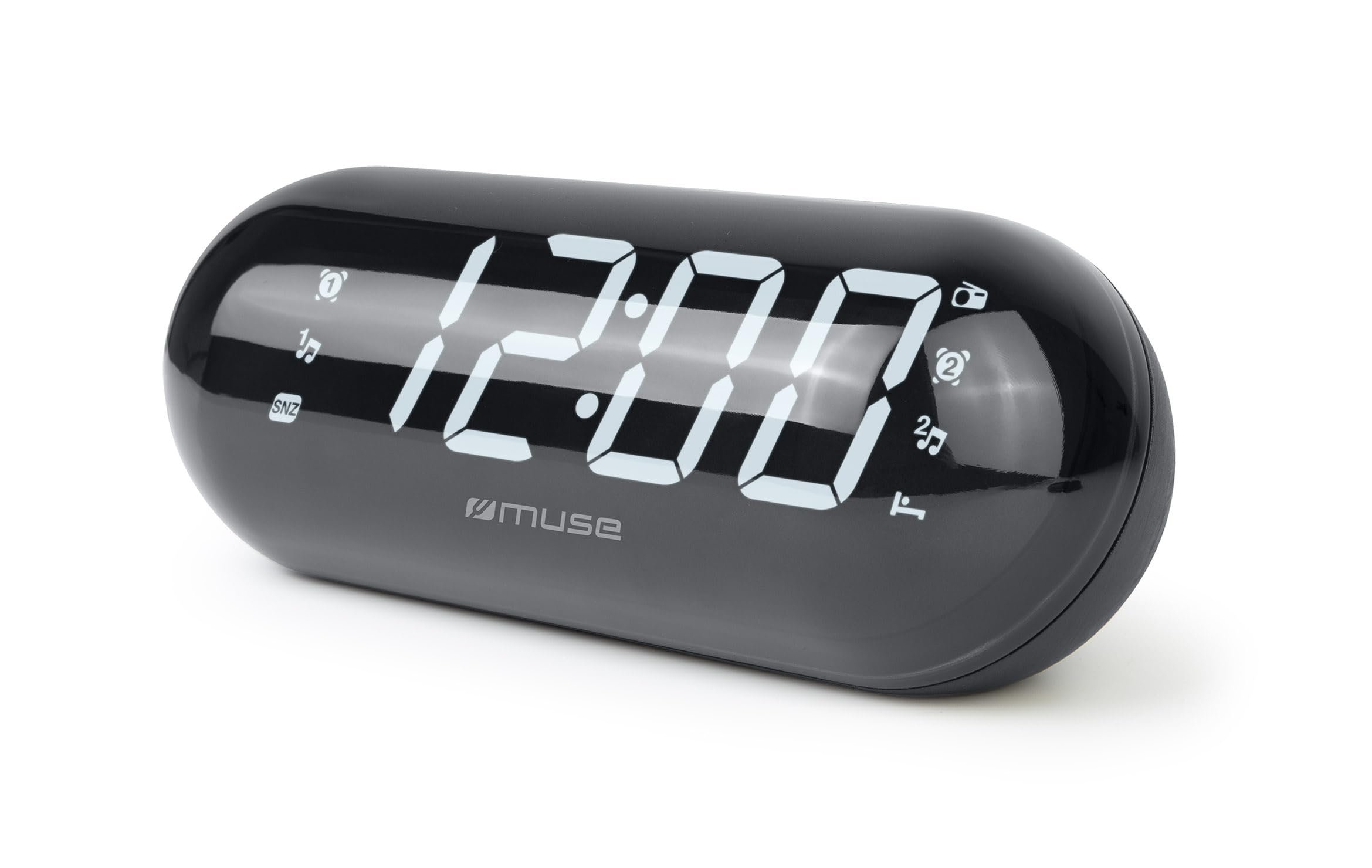
Image: The MUSE M-19 GL Alarm Clock Radio with its digital display showing '12:00', positioned on a wooden bedside table next to a bed.
Familiarize yourself with the buttons and display indicators for optimal use. Specific button functions will be detailed in the 'Operating' section.
Setup
1. It-Tħaddim tal-Apparat
- Qawwa AC: Connect the provided AC power adapter to the DC IN jack on the back of the unit, then plug the adapter into a standard wall outlet. The display will light up.
- Backup tal-batterija: Għaż-żamma tas-settings tal-ħin u tal-allarm waqt qtugħ tad-dawltage, insert 2 x AAA batteries (not included) into the battery compartment on the bottom of the unit. Ensure correct polarity (+/-).
2. Issettjar tal-Ħin
- Agħfas u żomm il- IL-ĦIN IPPOST button (location may vary, refer to device diagram if available) until the hour digits flash.
- Uża l- SIEGĦA u MINUTA buttuni biex taġġusta l-ħin.
- Agħfas IL-ĦIN IPPOST għal darb'oħra biex tikkonferma u toħroġ mill-modalità tal-issettjar tal-ħin.
Operazzjoni
1. Radio Operation (FM Tuner)
- Ixgħel/Itfi: Agħfas il- RADJU ON/OFF buttuna biex tixgħel jew titfi r-radju.
- Tune Frequency: Uża l- INTONA + or MELONIJA - buttons to manually adjust the FM frequency. Press and hold for automatic scanning to the next available station.
- Issettja Presets: To save a station, tune to the desired frequency, then press and hold the Issettjat minn qabel button until the preset number flashes. Use INTONA + or MELONIJA - biex tagħżel numru minn qabel (1-20), imbagħad agħfas Issettjat minn qabel mill-ġdid biex tikkonferma.
- Recall Presets: Agħfas fil-qosor il- Issettjat minn qabel buttuna biex tiċċaqlaq bejn l-istazzjonijiet salvati.
2. Funzjonijiet ta 'allarm
The M-19 GL features dual alarms (Alarm 1 and Alarm 2).
- L-issettjar ta' Allarm:
- Agħfas u żomm il- ALLARM 1 or ALLARM 2 Agħfas il-buttuna sakemm iċ-ċifri tas-sigħat jteptep.
- Uża l- SIEGĦA u MINUTA buttuni biex tissettja l-ħin tal-allarm mixtieq.
- Agħfas il- ALLARM 1 or ALLARM 2 button again to select the alarm source (Buzzer or Radio). An indicator will appear on the display.
- Agħfas il- ALLARM 1 or ALLARM 2 Agħfas il-buttuna darba oħra biex tikkonferma u tattiva l-allarm.
- Funzjoni Snooze: Meta l-allarm jinstema ', agħfas il-buttuna SNOOZE button to temporarily silence it for approximately 9 minutes.
- Waqqaf Allarm: Biex titfi l-allarm għall-ġurnata, agħfas il-buttuna ALLARM ON / OFF button. The alarm icon will disappear from the display.
- Disable Alarm Permanently: Agħfas il- ALLARM ON / OFF button repeatedly until the alarm icon for the respective alarm (1 or 2) is no longer displayed.
Manutenzjoni
Tindif
Imsaħ l-unità b'ċarruta ratba u niexfa. Tużax prodotti tat-tindif jew solventi li joborxu, għax jistgħu jagħmlu ħsara lill-finitura.
Sostituzzjoni tal-batterija
If the time display is blank or incorrect after a power outage, the backup batteries may need replacement. Open the battery compartment on the bottom of the unit, remove the old AAA batteries, and insert new ones, observing correct polarity.
Issolvi l-problemi
| Problema | Kawża Possibbli | Soluzzjoni |
|---|---|---|
| Ebda enerġija/Wiri mitfi | AC adapter not connected or power outage. | Ensure AC adapter is securely plugged in. Check power outlet. Replace backup batteries if needed. |
| Ir-riċeviment tar-radju huwa fqir | Sinjal dgħajjef jew antenna mhux estiża. | Extend the FM wire antenna fully. Reposition the unit for better reception. |
| L-allarm ma ħossx | L-allarm mhux issettjat jew il-volum huwa baxx wisq. | Verify alarm time and activation (alarm icon on display). Increase radio volume if alarm source is radio. |
| Il-ħin mhux korrett | Time not set or backup batteries are depleted. | Reset the time. Replace backup batteries. |
Speċifikazzjonijiet
- Mudell: M19GL
- Wiri: 1.8-inch LCD, Digital
- Tuner tar-Radju: FM with 20 Presets
- Sors tal-Enerġija: AC (main), 2 x AAA batteries (backup, not included)
- Dimensjonijiet (L x W x H): 15 x 3.81 x 10 ċm (5.9 x 1.5 x 3.9 pulzieri)
- Piż: 300 gramma (0.66 lbs)
- Materjal: Plastic (structure), LCD (display)
- Kulur: Iswed
- Karatteristiċi Speċjali: Alarm, Snooze, Integrated Speaker
Garanzija u Appoġġ
This MUSE M-19 GL Alarm Clock Radio comes with a garanzija ta' sentejn kontra difetti fil-manifattura mid-data tax-xiri. Jekk jogħġbok żomm il-prova tax-xiri tiegħek għal talbiet ta' garanzija.
For technical support or warranty inquiries, please refer to the contact information provided with your purchase documentation or visit the official Muse websit.