
1. Introduzzjoni
Thank you for choosing the SIHOO S300 Ergonomic Office Chair. This manual provides detailed instructions for assembly, operation, adjustment, and maintenance to ensure optimal performance and longevity of your chair. Please read this manual thoroughly before use and retain it for future reference.
2. Informazzjoni dwar is-Sigurtà
Your SIHOO S300 chair is designed with safety in mind and meets US BIFMA standards for backrest strength, seat impact, and caster durability. It uses an SGS certified gas cylinder for reliability.
- Kun żgur li l-partijiet kollha huma mwaħħla sew qabel l-użu.
- Toqgħodx fuq is-siġġu.
- Avoid using the chair on uneven surfaces.
- Żomm it-tfal 'il bogħod mill-partijiet li jiċċaqalqu waqt l-aġġustament.
- Do not use the chair if any part is damaged or missing. Contact support for replacement parts.
3. Istruzzjonijiet tal-Assemblea
The SIHOO S300 chair is designed for easy assembly. A detailed instruction manual, necessary tools, auxiliary parts, and gloves are included in the package.
3.1 Disimballaġġ
Carefully remove all components from the packaging. Verify that all parts listed in the included manual are present.
3.2 Assemblaġġ Pass Pass
Follow the step-by-step instructions provided in the separate assembly manual. It is recommended to assemble the chair on a soft, clean surface to prevent scratches.

Immaġni: Fuqview of SIHOO S300 office chairs in an office setting, illustrating the assembled product.
4. Karatteristiċi tal-prodott
- Disinn Ergonomiku: Developed based on over 10 years of research into human ergonomics and sitting posture to reduce fatigue during long working hours.
- Integrated Headrest and Backrest: Provides effective support for the neck and back with a simple, unique aesthetic.
- 6D Linked Armrests: Offers multi-directional arm support with smooth operation, including height, rotation, and forward/backward adjustments.
- Pressure-Free Seat Cushion: Waterfall-shaped seat cushion maximizes contact area and minimizes pressure, promoting smooth blood circulation.
5. Aġġustamenti
5.1 Backrest Height Adjustment
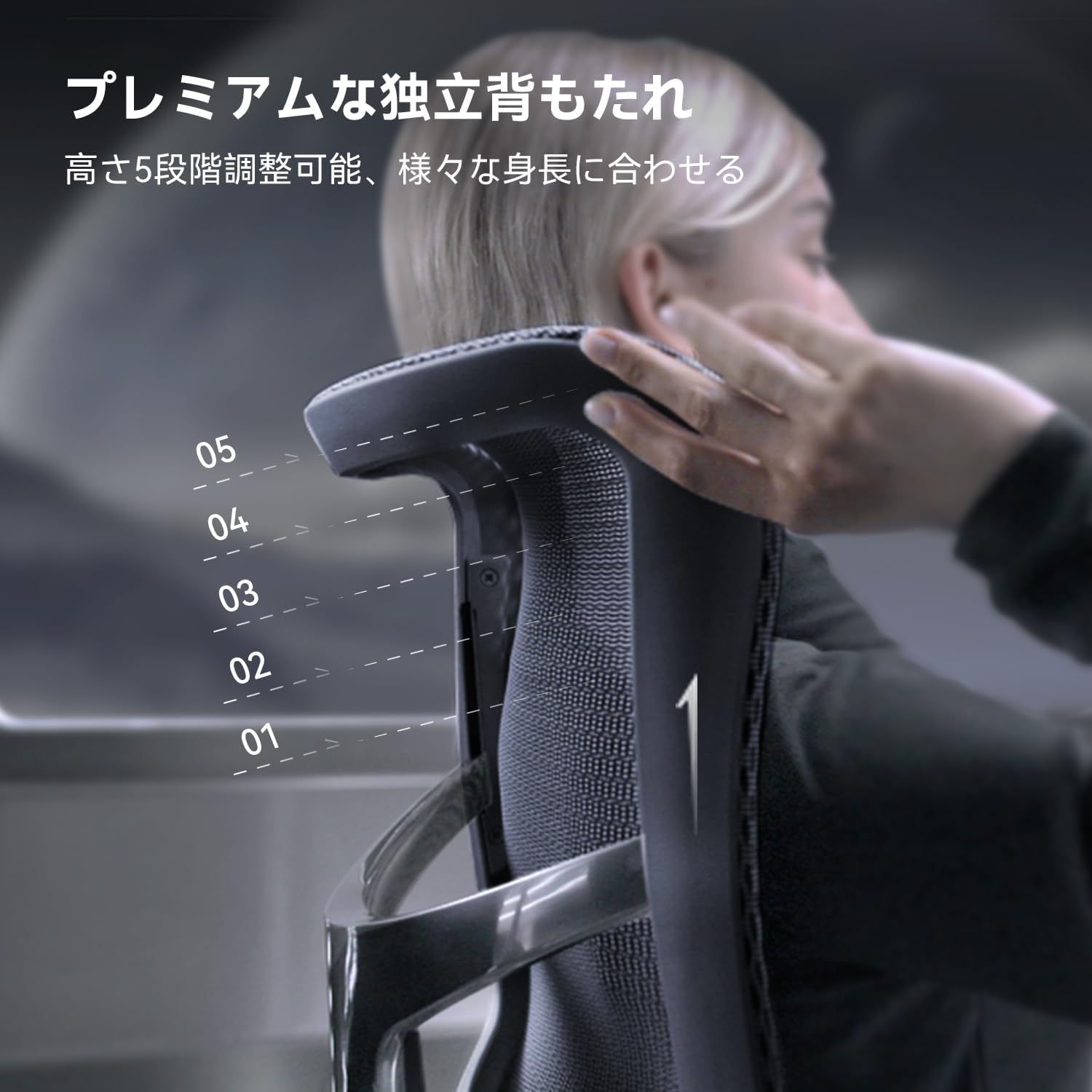
The backrest can be adjusted to 5 different height positions (7cm range) to accommodate various body heights.
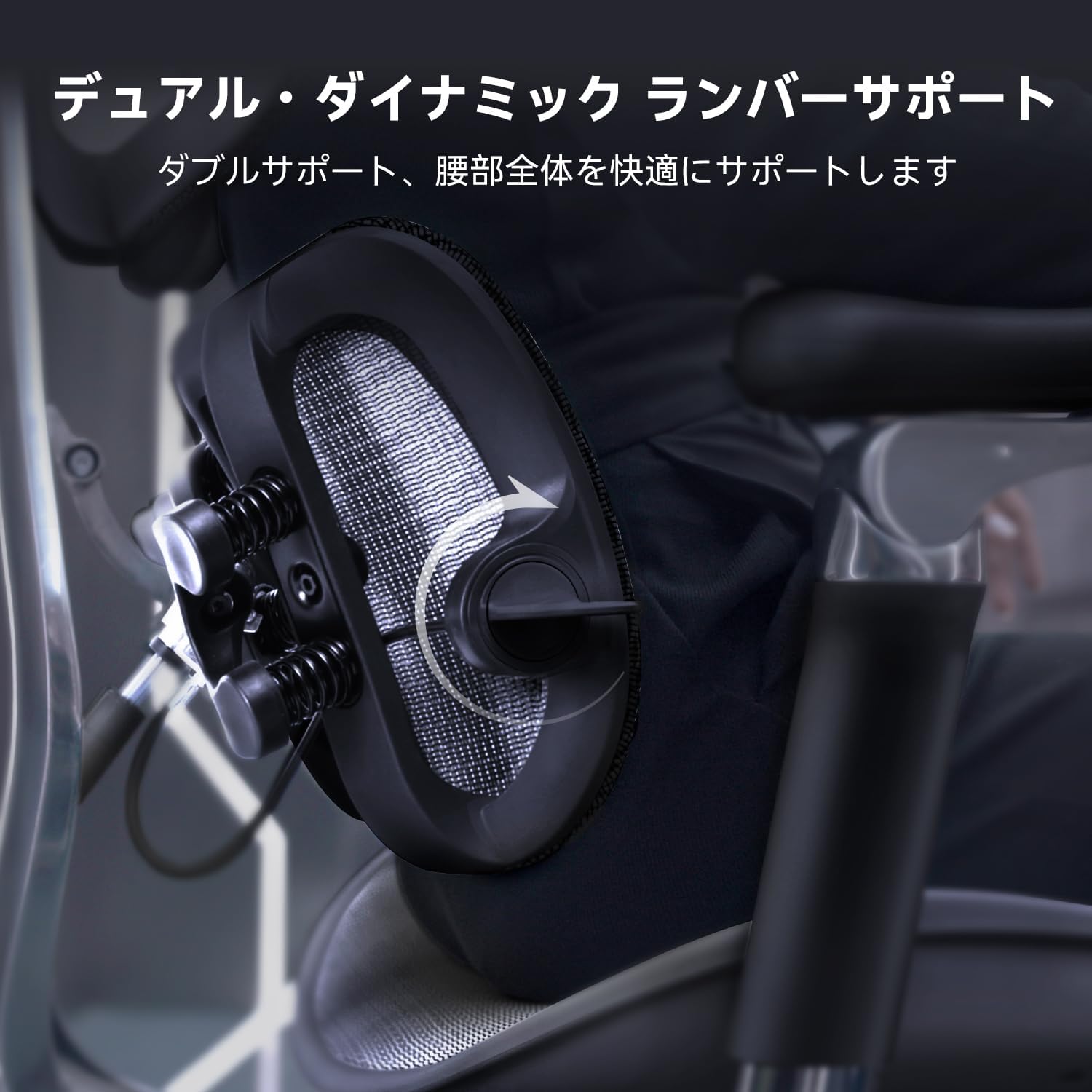
Image: Close-up of the backrest showing the 5-stage height adjustment mechanism. Adjust the backrest by lifting it to the desired position.
5.2 Automatic Adaptive Lumbar Support
The automatic adaptive lumbar support mimics the natural curve of the waist. Its 6D automatic deformation function provides comprehensive support for different body types, reducing strain on the waist and shoulders.
Immaġni: Dettaljata view of the dual dynamic lumbar support system, showing its flexible design for automatic adaptation.
5.3 6D Linked Armrest Adjustment
The 6D linked armrests offer multiple adjustment options:
- Aġġustament Għoli: 6.5cm range.
- Rotazzjoni: 75° left and right.
- Flip-up: 35° upward.
- Quddiem/Lura: 5cm adjustment.
These adjustments allow for precise positioning to provide comfortable arm support during work or leisure.

Image: Illustrations demonstrating the various adjustments of the 6D armrests, including height, rotation, and forward/backward movement.
5.4 Reclining Adjustment
The chair features 3 stages of reclining functionality, allowing adjustment up to a maximum of 130 degrees. This is ideal for relaxing during breaks or for a quick nap.

Image: A person demonstrating the reclining function of the chair, showing the chair in a reclined position.
5.5 Aġġustament tal-Fond tas-Sedil
The seat depth can be adjusted by 5cm using a single lever. This allows users to customize the seat position to their body type and sitting preference, ensuring proper thigh support.

Image: Close-up of the seat base showing the lever for 5cm seat depth adjustment.
6. It-Tħaddim tal-Kontrolli
All adjustment controls are conveniently located on the side of the seat cushion, allowing for easy, one-handed operation. These controls manage height, seat depth, reclining, and recline tension.

Image: Close-up of the control levers located under the seat, indicating their functions for various adjustments.
7. Manutenzjoni
- Iċċekkja regolarment il-viti u l-boltijiet kollha biex tiżgura li huma ssikkati.
- Clean mesh surfaces with a soft, damp drapp u deterġent ħafif. Evita cleaners li joborxu.
- Wipe metal parts with a dry cloth to prevent rust.
- Evita li tesponi s-siġġu għad-dawl tax-xemx dirett jew għal temperaturi estremi biex tevita d-degradazzjoni tal-materjal.
8 Issolvi l-problemi
- Ħsejjes ta' tgergir: Check for loose connections and tighten all bolts. Applying a small amount of lubricant to moving parts may help.
- Diffikultà fl-Aġġustament: Ensure no obstructions are present. Refer to the specific adjustment section for correct operation.
- It-Tbandil tas-Siġġu: Verify that the base and casters are correctly installed and all connections are secure.
- For persistent issues, please contact SIHOO customer support.
9. Speċifikazzjonijiet
| Karatteristika | Dettall |
|---|---|
| Brand | IVA |
| Mudell | S300 |
| Kulur | Light Gray (based on current product variant) |
| Materjal | Polypropylene (frame), Polyester (seat material) |
| Dimensjonijiet tal-Prodott (P x W x H) | 70 ċm x 70 ċm x 117 ċm |
| Piż tal-oġġett | 26.3 kg |
| Backrest Style | Dahar Solidu |
| Stil tad-dirgħajn | 6D Linked Armrests (Note: Product specifications may list 'Armless' for certain configurations, but this model features 6D adjustable armrests as described in the features section.) |
| Caster Style | Caster |
| Reclining Stages | 3 |
| Karatteristika Speċjali | Appoġġ lura |
| Pajjiż ta' Oriġini | Iċ-Ċina |
Nota: L-ispeċifikazzjonijiet huma soġġetti għal bidla mingħajr avviż.
10. Garanzija u Appoġġ
The SIHOO S300 Ergonomic Office Chair comes with a Garanzija ta 'kwalità ta' 3 snin mid-data tax-xiri.
If you encounter any product defects or have questions, please contact our Japanese support team. Our team is dedicated to providing prompt and courteous assistance.
For support, please refer to the contact information provided in your purchase documentation or visit the official SIHOO websit.


