
1. Introduzzjoni
Thank you for choosing the Conambo K10C Bluetooth Headset. This manual provides detailed instructions for setting up, operating, and maintaining your headset to ensure optimal performance and longevity. The K10C headset features Bluetooth 5.2 connectivity, CVC8.0 dual-mic noise cancellation, and comes with a 750mAh charging case for extended talk time.
2. Kontenut tal-Pakkett
Jekk jogħġbok ivverifika li l-oġġetti kollha huma preżenti fil-pakkett tiegħek:
- Conambo K10C Bluetooth Headset
- Każ tal-Iċċarġjar ta '750mAh
- Kejbil tal-Iċċarġjar tat-Tip C
- 9 Pieces Ear Tips (various sizes)
- Manwal għall-Utent (dan id-dokument)
3. Prodott Aktarview
Familiarize yourself with the components and controls of your Conambo K10C headset and charging case.

Figura 3.1: Conambo K10C Headset with labeled controls. This image displays the headset with callouts indicating the Power On/Off switch, Volume +/- buttons, Mute button, and the area for activating Siri/Google Assistant. It also highlights the Qualcomm QCC3040 Chip and IPX4 Water Resistance.

Figura 3.2: Conambo K10C Headset securely placed within its charging case. The charging case features a digital LED display for battery status.
4. Iċċarġjar
Ensure your headset and charging case are fully charged before first use.
4.1 Iċċarġjar tal-Headset
Place the headset into the charging case. The headset will begin charging automatically. The LED display on the charging case will show the battery level.
4.2 Iċċarġjar tal-Każ tal-Iċċarġjar
Connect the provided Type-C cable to the charging port on the case and to a USB power source. The LED digital display will indicate the charging progress. A full charge takes approximately 3 hours.
The 750mAh charging case provides up to 64 additional hours of talk time, extending the headset's 16 hours to a total of 80 hours.
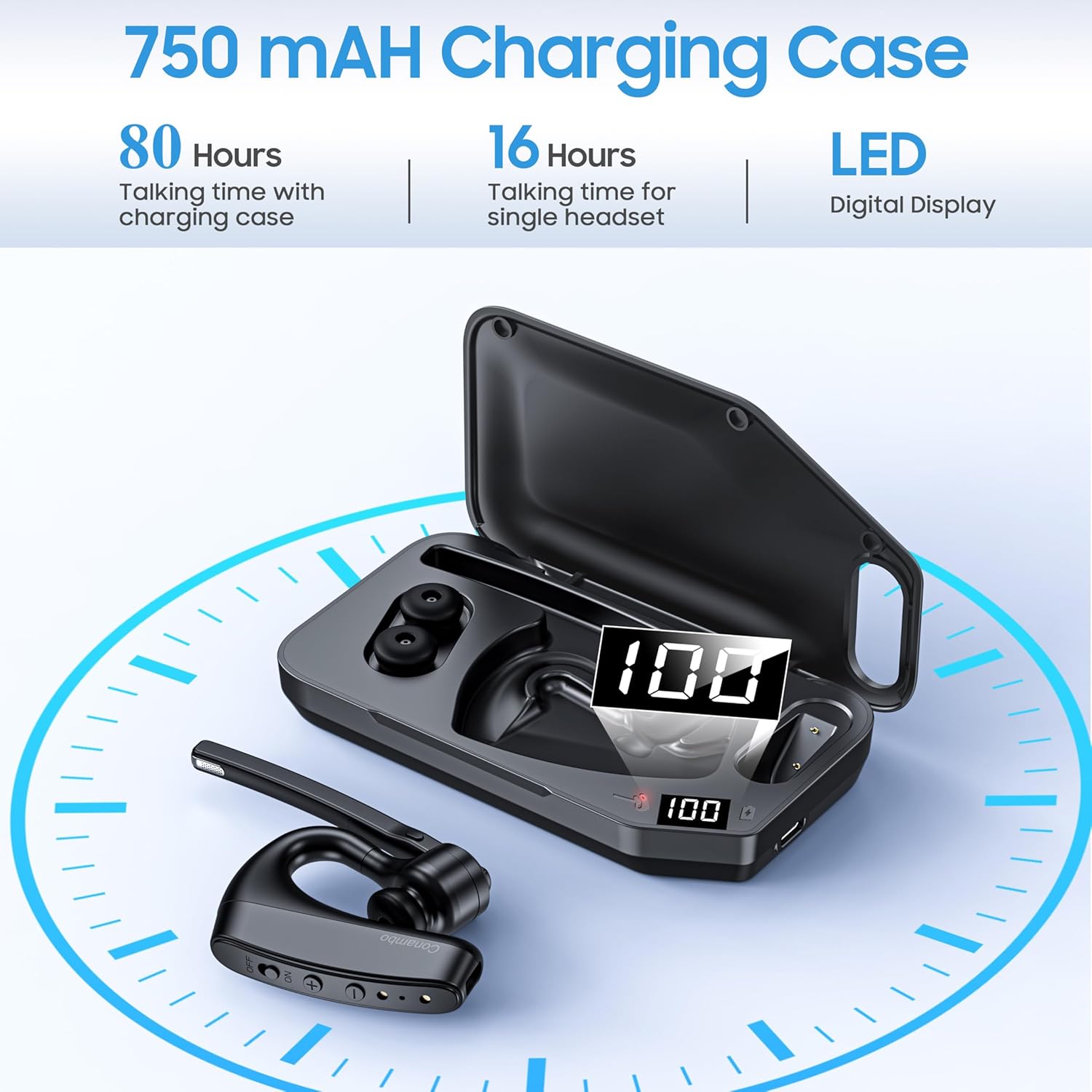
Figura 4.1: Fuqview of the 750mAh charging case, highlighting its capacity to provide 80 hours of total talk time (16 hours from headset, 64 hours from case) and its LED digital display for battery status.
5. Tqabbil
Follow these steps to pair your Conambo K10C headset with your device.
5.1 It-tqabbil inizjali
- Kun żgur li l-headset huwa ċċarġjat u mitfi.
- Press and hold the Power On/Off button until the indicator light flashes red and blue, indicating pairing mode.
- Fuq l-apparat tiegħek (smartphone, laptop, tablet), attiva l-Bluetooth u fittex apparati disponibbli.
- Select "K10C-CBOX" from the list of found devices.
- Once connected, the indicator light on the headset will flash blue slowly.
5.2 Multipoint Technology
The K10C headset supports multipoint technology, allowing it to connect to two Bluetooth devices simultaneously. After pairing with the first device, disable Bluetooth on that device, then pair with the second device. Re-enable Bluetooth on the first device, and the headset should connect to both.
The headset utilizes Bluetooth 5.2 for a faster, more efficient, and stable connection, with an operating range of up to 59 feet (18 meters).

Figura 5.1: The Conambo K10C headset demonstrating multipoint technology, connecting to both a smartphone and a laptop simultaneously. This image also highlights fast pairing and a 59ft/18m range.
6. Operazzjoni
6.1 Power On/Off
- Qawwa Mixgħul: Slide the Power On/Off switch to the 'ON' position. The indicator light will flash blue.
- Itfi: Slide the Power On/Off switch to the 'OFF' position. The indicator light will turn off.
6.2 Ġestjoni tas-Sejħiet
- Tweġiba/Tmiem Sejħa: Agħfas il-buttuna b'diversi funzjonijiet darba.
- Irrifjuta Sejħa: Agħfas u żomm il-buttuna Multi-funzjoni għal 2-il sekonda.
6.3 Funzjoni Mute
The headset features an independent mute button on the microphone boom.
- During a call, press the mute button once to activate/deactivate mute.

Figura 6.1: A user demonstrating the one-button mute feature on the Conambo K10C headset, emphasizing easy call management.
6.4 Kontroll tal-Volum
- Agħfas il-buttuna '+' biex iżżid il-volum.
- Agħfas il-buttuna '-' biex tnaqqas il-volum.
6.5 Attivazzjoni tal-Assistent tal-Vuċi
Hold the mute button for 3 seconds to activate your device's voice assistant (Siri or Google Assistant).
6.6 Kanċellazzjoni tal-Istorbju
The Conambo K10C headset incorporates CVC8.0 Dual Mic and ENC (Environmental Noise Cancellation) technology. This system is designed to reduce up to 96% of background noise, ensuring clear voice quality during calls, even in noisy environments.
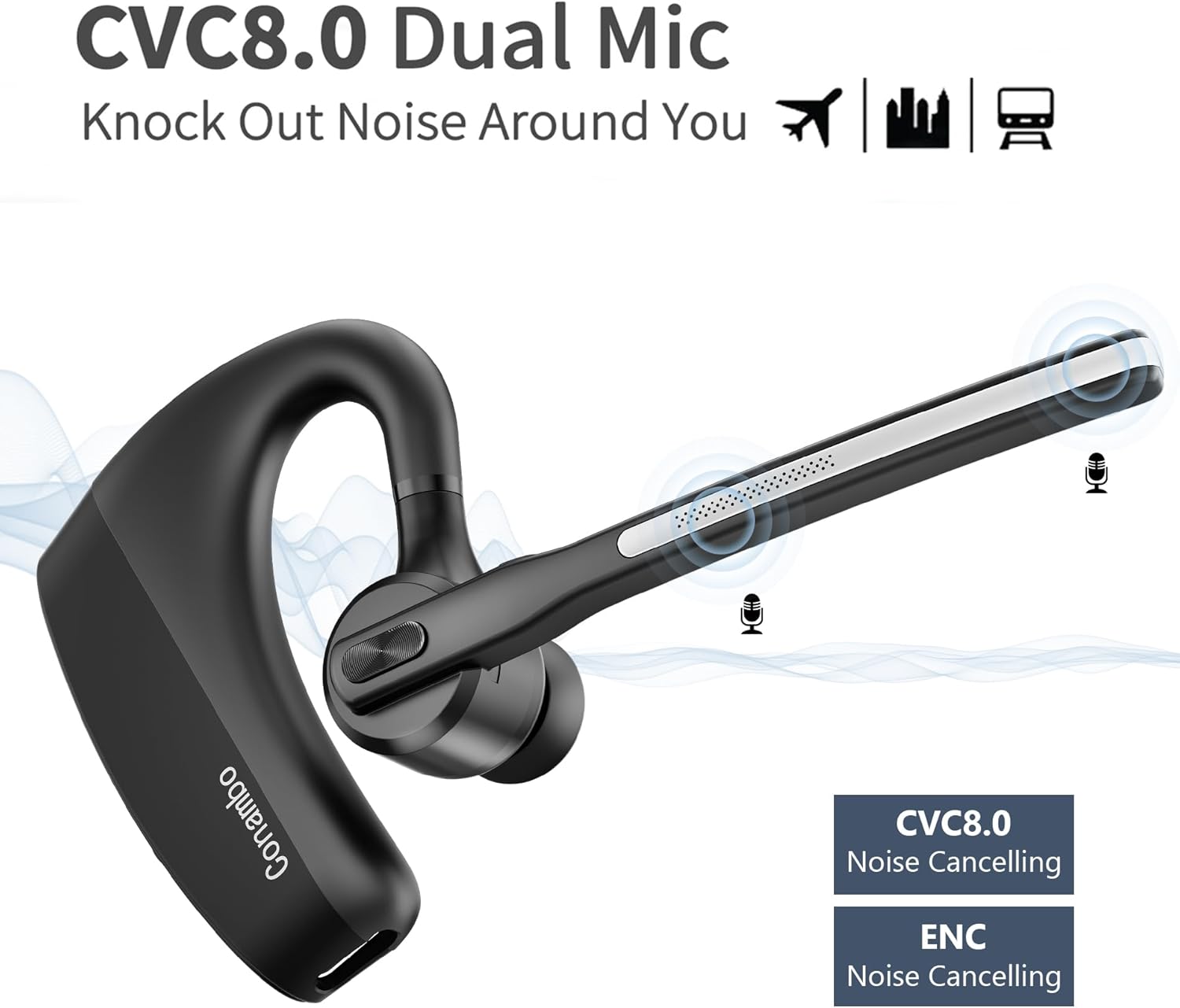
Figura 6.2: Visual representation of the CVC8.0 Dual Mic and ENC Noise Cancelling technology in the Conambo K10C headset, illustrating its ability to block out surrounding noise.
7. Manutenzjoni
Proper maintenance helps extend the life of your headset.
7.1 Tindif
- Gently wipe the headset and charging case with a soft, dry, lint-free cloth.
- For ear tips, remove them and clean with a mild soap solution if necessary, then rinse thoroughly and dry completely before reattaching.
- Avoid using harsh chemicals, abrasive cleaners, or getting moisture into any openings.
7.2 Ħażna
- Meta ma tkunx qed tuża l-headset, aħżen il-kaxxa tal-iċċarġjar tagħha biex tipproteġiha mit-trab u l-ħsara.
- Aħżen f'post frisk u niexef, 'il bogħod minn temperaturi estremi u dawl tax-xemx dirett.
8 Issolvi l-problemi
Jekk tiltaqa' ma' problemi bil-headset tiegħek, irreferi għall-problemi u s-soluzzjonijiet komuni li ġejjin.
| Problema | Soluzzjoni |
|---|---|
| Il-headset ma jixgħelx. | Ensure the headset is charged. Check the charging case battery level. |
| Ma tistax tqabbad mat-tagħmir. | Ensure the headset is in pairing mode (flashing red and blue). Turn off and on your device's Bluetooth. Forget previous pairings on your device and try again. |
| L-ebda ħoss jew volum baxx. | Adjust the volume on both the headset and your connected device. Ensure the headset is properly connected. |
| Kwalità ħażina tas-sejħa. | Ensure the headset is within range of your device. Avoid physical obstructions. Check for interference from other wireless devices. |
| Il-funzjoni tal-mute mhux qed taħdem. | Ensure you are pressing the dedicated mute button on the microphone boom. |
If problems persist, try restarting both the headset and your connected device. For further assistance, please refer to the support information.
9. Speċifikazzjonijiet
| Karatteristika | Dettall |
|---|---|
| Isem tal-Mudell | K10C-CBOX |
| Teknoloġija tal-Konnettività | Bluetooth 5.2 |
| Teknoloġija tal-Komunikazzjoni mingħajr Fili | Bluetooth |
| Kontroll tal-Ħoss | Active Noise Cancellation (CVC8.0 Dual Mic) |
| Tip ta' Sewwieq Awdjo | Sewwieq Dinamika |
| Medda Bluetooth | 18 Metru (59 pied) |
| Ħajja tal-batterija tal-headset | Sa 16 siegħa talk time |
| Kawża tal-Iċċarġjar Kapaċità tal-Batterija | 750 mAh |
| Charging Case Additional Talk Time | Sa 64 sigħat |
| Total Talk Time (with case) | Sa 80 sigħat |
| Ħin tal-Iċċarġjar | Madwar sagħtejn |
| Livell ta 'Reżistenza għall-Ilma | Reżistenti għall-Ilma (IPX4) |
| Apparati Kompatibbli | Cellphones, Laptops, Tablets, iPhone |
| Tip ta' Kontroll | Kontroll tal-buttuna |
| Materjal | Plastik |
| Piż tal-oġġett | 7.2 uqija |
10. Garanzija u Appoġġ
The Conambo K10C Bluetooth Headset typically comes with a 2-year warranty. Please refer to your purchase documentation for specific warranty terms and conditions.
For technical support or warranty claims, please contact Conambo customer service through the retailer where the product was purchased or visit the official Conambo websit għal informazzjoni ta' kuntatt.