
SONICAKE QAM-50
Kombo tal-Kitarra Mini Sonicake AmpManwal tal-Utent tal-Lifier QAM-50
Model: QAM-50 | Brand: SONICAKE
1. Introduzzjoni
Welcome to the user manual for the Sonicake Mini Guitar Combo Amplifier QAM-50. This portable, all-in-one amplifier is designed to provide a versatile and high-quality practice experience for guitarists. It combines multiple amplifier models, effects, a drum machine, and Bluetooth connectivity in a compact and lightweight design.

Image: The Sonicake Mini Guitar Combo Amplifier QAM-50, a compact and portable guitar ampaktar ħaj.
2. Karatteristiċi ewlenin
The Sonicake Amp Toast offers a range of features to enhance your practice and playing experience:
- Dual 2.5-inch stereo speakers with passive bass diaphragms for rich sound.
- 9-watt b'kanal wieħed amplifier suitable for bedroom practice.
- 6 Klassiku Amplifier models: Clean (x2), Overdrive (x2), and Higain (x2).
- 6 Built-in Effects: Modulation (Chorus/Tremolo), Delay (Analog/Digital), and Reverb (Room/Plate).
- 40 high-quality drum patterns with Tap tempo control for practice.
- Versatile power options: 9V battery power or AC adapter.
- Tuner integrat għal irfinar preċiż tal-istrumenti.
- Bluetooth audio connectivity for streaming backing tracks.
- Auxiliary input (Aux In) for connecting external audio devices.
3. Prodott Aktarview u Kontrolli
Familiarize yourself with the various controls and connections on your Sonicake Amp Toast to maximize its functionality.
Immaġni: Minn fuq għal isfel view of the Sonicake Amp Toast showing the labeled front panel controls.
3.1 Kontrolli ta' Front Panel
| Nru. | Kontroll | Deskrizzjoni |
|---|---|---|
| 1 | INPUT | 6.35mm jack for connecting your guitar. |
| 2 | TAP / ▶️ | Tap tempo for drum machine; Play/Pause for Bluetooth audio. |
| 3 | MOD | Controls the Modulation effect (Chorus/Tremolo). |
| 4 | DEWMIEN | Controls the Delay effect (Analog/Digital). |
| 5 | REVERB | Controls the Reverb effect (Room/Plate). |
| 6 | Buttuna tal-Qawwa | Dawwar il- amplifier On/Off. |
| 7 | Indikatur Bluetooth | Jindika l-istatus tal-konnessjoni Bluetooth. |
| 8 | AMP Selettur | Selects between 6 amplifier models (Clean 1, Clean 2, OD 1, OD 2, Higain 1, Higain 2). |
| 9 | HOLD (Tuner) | Press and hold to activate the built-in tuner. |
| 10 | HOLD (Style) | Press and hold to change drum pattern style. |
| 11 | TAMBUR VOL | Adjusts the volume of the drum machine. |
| 12 | QIBDA | Controls the input gain/distortion level. |
| 13 | TON | Adjusts the overall tonal character. |
| 14 | MASTER | Jikkontrolla l-volum tal-output ġenerali tal- ampaktar ħaj. |
Immaġni: Wara view of the Sonicake Amp Toast showing the labeled connection ports.
3.2 Konnessjonijiet tal-Panew ta' wara
| Nru. | Konnessjoni | Deskrizzjoni |
|---|---|---|
| 15 | 9V DC IN | Power input for 9V DC adapter. |
| 16 | TELEFONiċi | 3.5mm headphone output for silent practice. |
| 17 | KAJN IN | 3.5mm auxiliary input for connecting external audio sources. |
| 18 | USB | Port USB għall-provvista tal-enerġija. |
4. Setup
4.1 Tixgħel
Il- Amp Toast offers flexible power options:
- 9V DC Adapter: Connect a compatible 9V DC power adapter to the 9V DC IN port (15).
- Qawwa tal-Bus tal-USB: Connect a USB cable to the USB port (18) and a power source (e.g., computer, USB wall adapter).
- Batteriji AA: Open the battery compartment on the bottom of the unit and insert 6 AA batteries.

Image: Diagram illustrating the three power supply options: 9V DC adapter, USB cable, and 6 AA batteries.
Once powered, press the Power Button (6) to turn on the ampaktar ħaj.
4.2 Konnessjoni tal-Kitarra Tiegħek
Insert your guitar cable into the INPUT jack (1) on the front panel of the ampaktar ħaj.
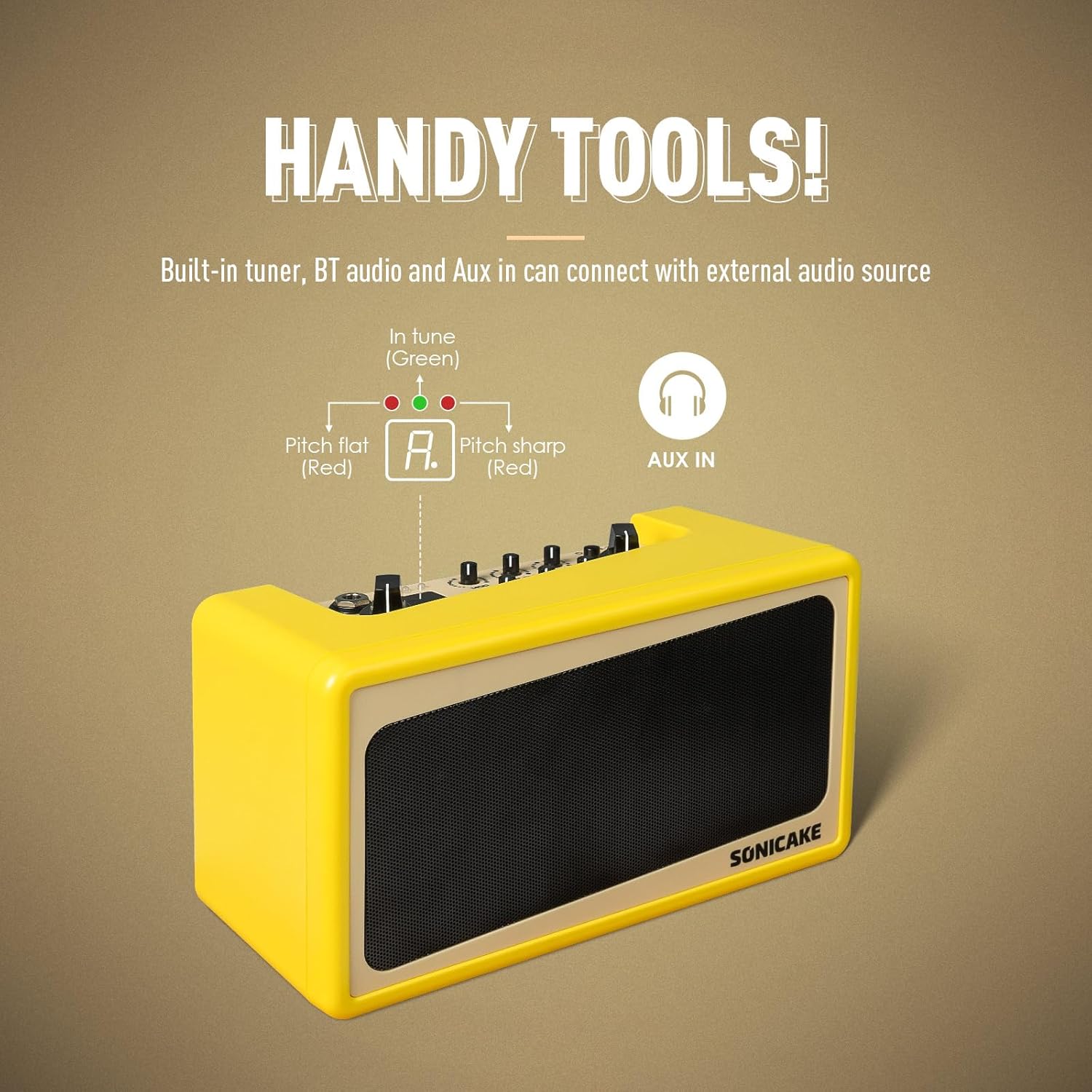
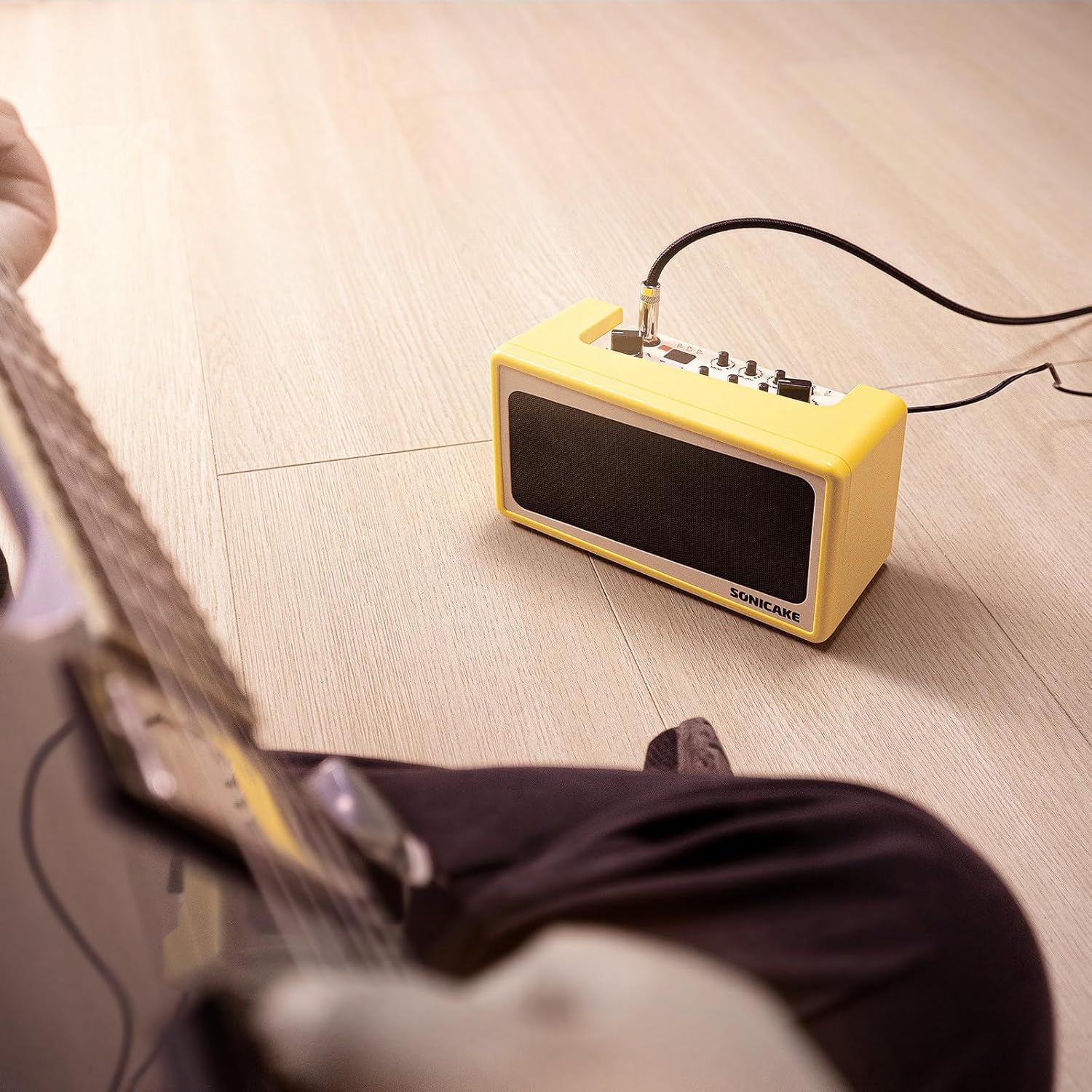
Image: A guitar connected to the Sonicake Amp Toast, ready for practice.
5. Istruzzjonijiet Operattivi
5.1 AmpMudelli u Effetti tal-Lififier
Il- Amp Toast features a variety of amplifier models and effects to shape your sound.

Image: Visual representation of the amplifier models and effects (Mod, Delay, Reverb) available on the Amp Toast.
5.1.1 AmpMudelli lifier
Uża l- AMP Selector (8) to choose from six classic ampmudelli ta 'lifier:
- Clean 1 & 2: For pristine, uncolored guitar tones.
- Overdrive 1 & 2: For classic rock and blues tones with natural breakup.
- Higain 1 & 2: For modern, high-gain distortion suitable for heavier genres.
5.1.2 Effetti
Adjust the dedicated knobs for each effect:
- MOD (3): Controls the intensity of Chorus or Tremolo.
- DELAY (4): Controls the level of Analog or Digital Delay.
- REVERB (5): Controls the amount of Room or Plate Reverb.
5.2 Drum Machine
The built-in drum machine provides 40 high-quality patterns for rhythm practice.
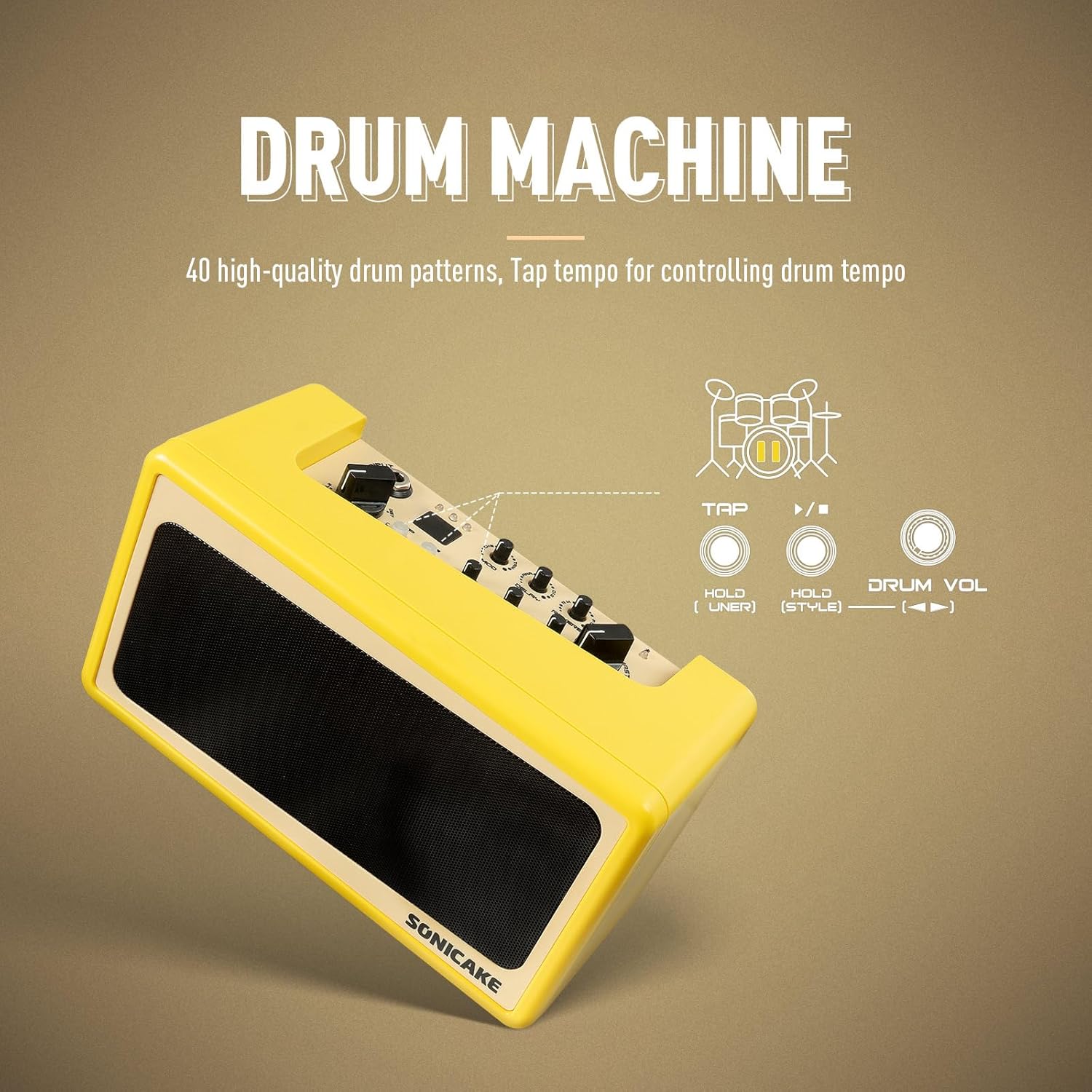
Image: Diagram showing the drum machine controls, including Tap tempo and Drum Volume.
- Press the TAP / ▶️ button (2) to start/stop the drum pattern.
- Tap the TAP / ▶️ button (2) multiple times to set the tempo.
- Adjust the DRUM VOL knob (11) to control the drum volume.
- Press and hold the HOLD (Style) button (10) to cycle through different drum pattern styles.
5.3 Bluetooth Audio and Aux In
Connect external audio devices to play along with your favorite music.

Image: A smartphone wirelessly connected to the Amp Toast via Bluetooth, indicating audio streaming capability.
- Bluetooth: Turn on Bluetooth on your audio device and pair with "SONICAKE AMP TOAST". The Bluetooth Indicator (7) will confirm connection. Use the TAP / ▶️ button (2) to play/pause.
- Aux In: Connect an audio cable from your external device's headphone output to the AUX IN port (17) on the rear panel.
5.4 Tuner Inkorporat
The integrated tuner allows for quick and accurate guitar tuning.

Image: Diagram showing the tuner indicator lights (red for flat/sharp, green for in tune) and the Aux In port.
Press and hold the HOLD (Tuner) button (9) to activate the tuner. The indicator lights will guide you to the correct pitch: red for flat/sharp, green for in tune.
6. Manutenzjoni
To ensure the longevity and optimal performance of your Sonicake Amp Toast, follow these maintenance guidelines:
- Tindif: Uża drapp ratba u niexfa biex tnaddaf il-barra tal- amplifier. Avoid using abrasive cleaners, solvents, or waxes.
- Ħażna: Aħżen il- amplifier f'post frisk u niexef 'il bogħod mix-xemx diretta u minn temperaturi estremi.
- Umdità: Protect the unit from high humidity and moisture, which can damage electronic components.
- Kura tal-batterija: Jekk qed tuża batteriji, neħħihom jekk l-unità ma tkunx se tintuża għal perjodu estiż biex tevita t-tnixxija.
- Ventilazzjoni: Tiżgura ventilazzjoni xierqa madwar il- amplifier biex jipprevjeni sħana żejda.
7 Issolvi l-problemi
If you encounter issues with your Sonicake Amp Toast, refer to the following common problems and solutions:
7.1 L-ebda Ħruġ tal-Ħoss
- Iċċekkja l-Enerġija: Tiżgura l- amplifier is properly powered on and connected to a power source (AC adapter, USB, or charged batteries).
- Livelli tal-Volum: Verify that the MASTER volume knob (14) is turned up. Also check the GAIN (12) and TONE (13) knobs.
- Konnessjoni tal-Kitarra: Ensure your guitar cable is securely plugged into the INPUT jack (1).
- Headphones: If headphones are connected to the PHONES jack (16), sound will not come from the speakers. Disconnect headphones if you want speaker output.
- Integrità tal-Cable: Test with a different guitar cable to rule out a faulty cable.
7.2 Poor Sound Quality / Distortion
- L-issettjar tal-gwadann: If the sound is distorted when using a clean amp model, reduce the GAIN knob (12).
- Amp Għażla tal-Mudell: Ensure you have selected an appropriate amplifier model (8) for your desired tone.
- Interferenza Esterna: Mexxi l- ampŻomm l-apparat 'il bogħod minn apparati elettroniċi oħra li jistgħu jikkawżaw interferenza.
- Livell tal-batterija: If using batteries, low battery power can affect sound quality. Replace or recharge batteries.
7.3 Kwistjonijiet ta' Konnessjoni Bluetooth
- Mod ta 'tqabbil: Tiżgura l- amplifier is in Bluetooth pairing mode (if applicable, usually indicated by a blinking Bluetooth LED).
- Prossimità tal-Apparat: Keep your Bluetooth device close to the ampaktar ħaj.
- Tinsa l-Apparat: On your audio device, 'forget' the Amp Toast from your Bluetooth list and try pairing again.
- Irristartja l-Apparati: Turn off and on both the amplifier and your Bluetooth audio device.
8. Speċifikazzjonijiet
Technical specifications for the Sonicake Mini Guitar Combo Amplifier QAM-50:
| Karatteristika | Dettall |
|---|---|
| Numru tal-Mudell | QAM-50 |
| Output Wattage | 9 Watts |
| Sors tal-Enerġija | AC adapter, 9V battery, USB bus power |
| Piż tal-oġġett | 2.84 liri (madwar 1.29 kg) |
| Dimensjonijiet tal-Prodott | 8.6 x 4.7 x 3.7 pulzieri (21.8 x 11.9 x 9.4 ċm) |
| Kulur | Isfar |
| Apparati Kompatibbli | Kitarra |
| Tip ta' Konnettur | 3.5mm Jack, 6.35mm Jack |
| AmpMudelli lifier | 6 (Clean x2, Overdrive x2, Higain x2) |
| Effetti | Modulation (Chorus/Tremolo), Delay (Analog/Digital), Reverb (Room/Plate) |
| Mudelli tat-Tnabar | 40 high-quality patterns |
| Karatteristiċi Addizzjonali | Built-in tuner, Bluetooth audio, Aux In |
9. Garanzija u Appoġġ
For detailed warranty information, product registration, and technical support, please refer to the official SONICAKE webis-sit jew ikkuntattja lis-servizz tal-konsumatur tagħhom direttament. Żomm l-irċevuta tax-xiri tiegħek bħala prova tax-xiri għal kwalunkwe talba ta' garanzija.
Ask a question about this manual
Ask about setup, troubleshooting, compatibility, parts, safety, or missing instructions. Manuals+ will review the question and use this page’s manual context to help answer it.