
1. Introduzzjoni
This manual provides detailed instructions for the setup, operation, and maintenance of your Caupureye TL2000 Timelapse Camera. Designed for capturing long-term events, this camera offers versatile shooting modes, durable construction, and extended battery life, making it ideal for various outdoor and indoor projects.
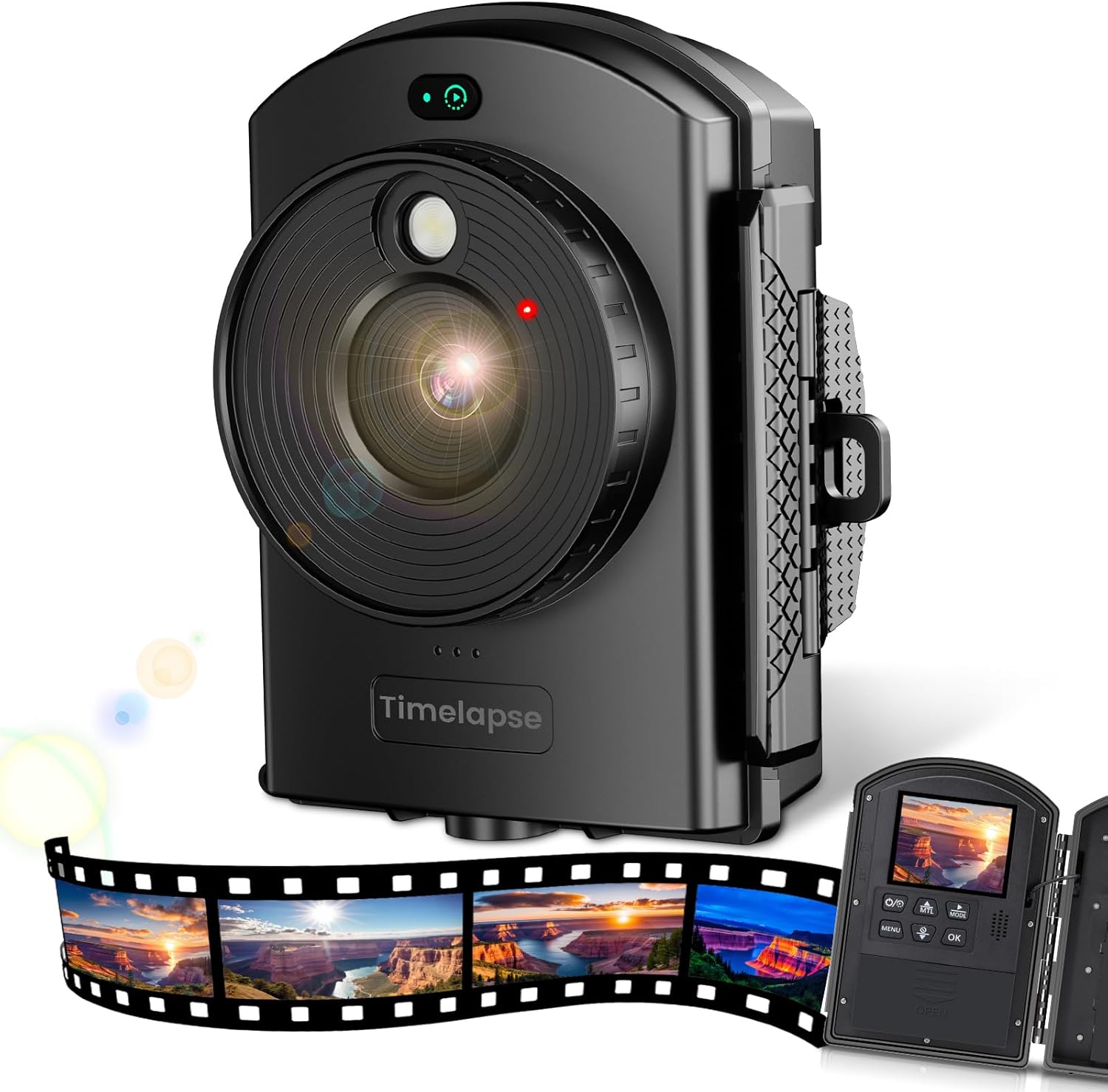
Figure 1: Caupureye TL2000 Timelapse Camera and example time-lapse footage.
2. Karatteristiċi tal-prodott
- Precise Framing with Infrared Positioning: The camera features an external time-lapse button and infrared positioning lights to assist in accurate subject centering, even when the back cover is closed. This simplifies framing and allows for immediate shooting.
- Modi ta' Sparar versatili: Offers four distinct shooting modes. In Timelapse mode, photos or videos are automatically compiled into a single video. Timing mode provides individual photos and video clips for greater flexibility.
- High-Quality Capture: Records 1080P videos and captures 2MP photos, ensuring clear documentation of outdoor projects or natural scenes.
- Flexible Power Options for Long-Term Projects: Operates on 4 AA batteries for shorter sessions or 12 AA batteries for extended use. In Time Lapse Photo mode (10 FPS, 2MP, 5-minute intervals), the camera can operate for up to 180 days, suitable for projects like outdoor construction or plant growth. (Batteries not included)
- Weather-Resistant and Adaptable: With an IP66 rating, the camera is designed to withstand harsh weather conditions. It includes two brackets, an elastic rope, and a strap for diverse mounting options. A tripod mount is also available (tripod not included). A 64GB TF card is included for immediate use.
3. X'hemm fil-Kaxxa
Ivverifika li l-komponenti kollha huma preżenti meta tiftaħ il-kaxxa:
- Caupureye TL2000 Timelapse Camera
- Karta TF 64GB
- Parentesi mmuntati mal-ħajt
- Clip-on bracket
- Ċinga aġġustabbli
- Kejbil tat-Tip Ċ
- Kurdun Elastiku
- Screws & Dowels (for wall mount)

Figure 2: Included accessories and camera.
4. Gwida ta' Setup
4.1. Installazzjoni tal-batterija
- Open the camera's back cover by unlatching the side clips.
- Insert 4 or 12 AA batteries into the designated slots, ensuring correct polarity.
- Close the back cover securely until the clips latch.
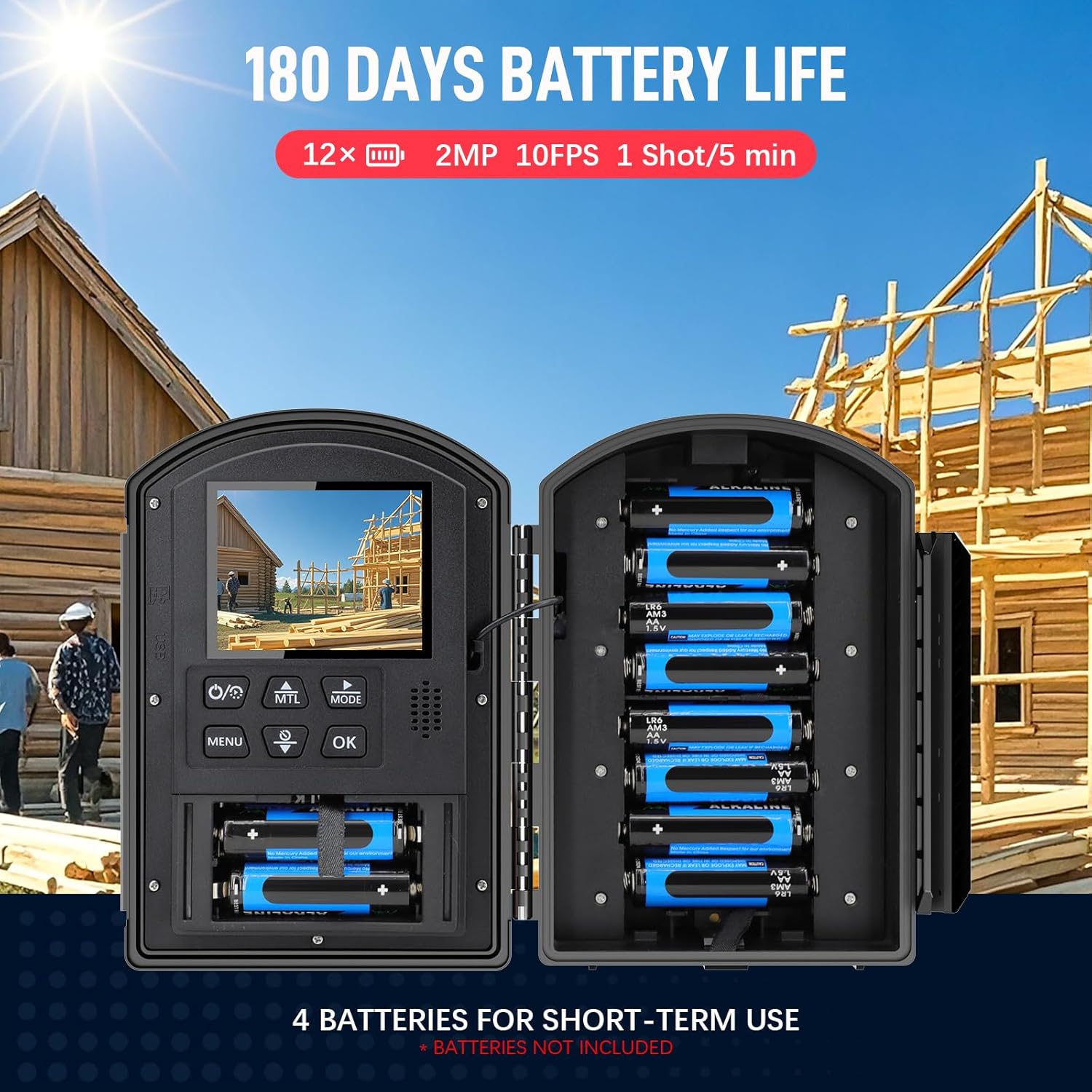
Figure 3: Battery installation for extended operation.
4.2. Daħħal il-Karta TF
- Sib is-slott tal-kard tat-TF fuq il-ġenb tal-kamera.
- Insert the provided 64GB TF card until it clicks into place.
4.3. Għażliet ta 'Immuntar
The camera comes with various accessories for flexible mounting:
- Wall-mounted bracket: Use screws and dowels to secure the bracket to a flat surface.
- Clip-on bracket: Attach to poles, fences, or other suitable objects.
- Ċinga aġġustabbli: Wrap around trees or larger structures.
- Muntatura ta' tripod: The camera features a standard 1/4-inch tripod thread for compatibility with most tripods (not included).

Figure 4: Diverse mounting possibilities for the camera.
4.4. Video Guide: How to Set Up Automatic Time-Lapse Shooting
Video 1: A step-by-step guide on configuring the camera for automatic time-lapse recording, demonstrating menu navigation and setting adjustments.
5. Istruzzjonijiet Operattivi
5.1. Tixgħil / Mitfi
Press and hold the power button (usually marked with a circle and a vertical line) to turn the camera on or off.
5.2. Navigating Menus and Settings
Use the MENU button to access settings. Navigate through options using the UP/DOWN arrow buttons and confirm selections with the OK button.
5.3. Modi ta 'Sparar
The camera supports the following modes:
- Timelapse Mode: Automatically captures a series of photos or video segments and compiles them into a single time-lapse video.
- Mod tal-Ħin: Captures individual photos or video clips at set intervals, providing raw footage for later editing.

Figure 5: Explanation of Timelapse and Timing modes.
5.4. Adjusting Focus and Positioning
The camera features manual focus. Rotate the lens ring to achieve sharp focus on your subject. Utilize the infrared positioning light to precisely aim the camera before closing the cover and starting a time-lapse sequence.

Figure 6: Steps for setting up and starting a time-lapse with infrared positioning.
5.5. Video Guide: Product Overview
Vidjo 2: Ħarsa fil-qosorview of the camera's features and design, highlighting its capabilities and ease of use.
6. Speċifikazzjonijiet
| Karatteristika | Dettall |
|---|---|
| Isem tal-Mudell | TL2000 Timelapse Camera |
| Dimensjonijiet tal-Pakkett | 9.61 x 5.67 x 3.78 pulzieri |
| Piż tal-oġġett | 1.8 libbra (0.82 Kilogrammi) |
| Karatteristika Speċjali | Żmien żejjed |
| Veloċità Max tax-Shutter | 30s |
| Tip ta 'Shutter | Shutter tal-Pjan Fokali |
| Komponenti Inklużi | 64GB TF Card, Wall-mounted bracket, Clip-on bracket, Adjustable strap |
| Klassifikazzjoni tal-IP | IP66 (Reżistenti għat-Temp) |
| Battery Life (Time Lapse Photo Mode) | Up to 180 days (with 12 AA batteries, 10 FPS, 2MP, 5-minute intervals) |
7 Issolvi l-problemi
7.1. Il-Kamera Mhux Tixgħel
- Kun żgur li l-batteriji huma mdaħħla b'mod korrett bil-polarità xierqa.
- Check if batteries are fully charged or replace with new ones.
- Verify the battery compartment is securely closed.
7.2. Ma nqabdu l-ebda Stampi/Vidjows
- Confirm the TF card is properly inserted and not full.
- Check the selected shooting mode and interval settings.
- Ensure the camera is powered on and the time-lapse sequence has been initiated.
7.3. Kwalità Fqira tal-Immaġni
- Adjust the manual focus ring on the lens for sharpness.
- Naddaf il-lenti b'ċarruta ratba u li ma tagħmilx fibri.
- Check exposure settings and adjust if images are too dark or bright.
8. Garanzija u Appoġġ
If you encounter any issues or are not satisfied with your Caupureye TL2000 Timelapse Camera, please reach out to our after-sales support team. Contact information is typically provided in the packaging or on our official website. We are committed to providing prompt assistance and addressing your concerns.