
Twissijiet Importanti dwar is-Sigurtà
WARNING: THIS ESC IS NOT A TOY. It is a high-power electronic component for use by knowledgeable hobbyists. Misuse can cause property damage, personal injury, or fire.
- NEVER short-circuit the battery terminals (+ and -). This will cause extreme heat, fire, or explosion.
- DISCONNECT the battery immediately after use.
Prodott Overview
The ZTW Beast SL 120A G2 ESC is a high-performance, sensorless brushless speed controller designed for 1/10 scale RC cars, SCT trucks, and buggies. It provides robust and smooth power delivery, ensuring accelerated speed and superior climbing ability for your model.

Immaġni: Fuqview of the ZTW Beast SL 120A G2 ESC, highlighting its 32-bit processor, 120A/760A burst current, 2-4S LiPo compatibility, and 6V/3A Switching BEC.
Karatteristiċi Ewlenin
- 120A High-Performance Output: Efficiently handles 2S, 3S, and 4S LiPo batteries, delivering robust power to sensorless brushless motors.
- 6V/3A Switching BEC (SBEC): Provides a stable 6V/3A power supply to the receiver and servos, preventing voltage brownouts.
- Water-Resistant & Splash-Proof: Features a conformal coated PCB for protection against puddles, splashes, and morning dew. Note: Not fully waterproof; submersion will cause damage and is not covered by warranty.
- 32-Bit Processor & Smart Protections: Advanced microprocessor ensures ultra-responsive throttle control. Includes low-voltage cutoff, over-heating, and signal loss protection.
- Wide Compatibility & Easy Setup: Suitable for 1/10 Scale RC Cars, SCT Trucks, and Buggies. Pre-configured for plug-and-play operation with customization options via programming.
Setup u Installazzjoni
Identifikazzjoni tal-Komponent
Before installation, familiarize yourself with the ESC's components and connectors.

Image: ZTW Beast SL 120A G2 ESC showing pre-installed XT90 Male Connector (Amass), 4.0mm Gold Bullet Connectors (Female), JR Signal Wire (250mm), Built-in Cooling Fan, On/Off Switch, and 12AWG silicone power wires.
ESC Programming with LED Program Card G2
To program your ZTW Beast G2 series ESC using the LED Program Card G2, follow these steps:
- Connect the ESC to the battery. Power on the ESC.
- Plug the ESC signal wire into the right socket of the LED Program Card. Wait for two seconds until the LED on the card is on. The card is now ready for programming.
- Agħfas il- MENU button to navigate through the main menu options.
- Agħfas il- VALUR button to select a sub-menu option for the currently selected main menu item.
- Agħfas il- OK button to confirm your selection. The ESC programming for that parameter is now complete.
- To reset an ESC value, press the RESET buttuna l-ewwel, imbagħad agħfas OK biex tikkonferma r-reset.
Video: Instructions on how to set parameters for the ZTW Beast G2 Series ESC using the LED Program Card.
Kalibrazzjoni tat-throttle
Throttle calibration is essential for proper operation, especially for first-time use or after replacing the transmitter. Follow these steps:
- Connect the ESC's motor wires to your corresponding motor connectors.
- Plug the ESC's signal wire into the throttle channel of your receiver.
- Ixgħel it-trasmettitur tiegħek.
- With the ESC's power off, press and hold the ESC's power button until the blue LED light turns on and you hear a long motor beep. Then release the ESC's power button. A solid red light will indicate your ESC has entered throttle calibration mode.
- Push the throttle stick to the maximum forward position. The ESC's blue and red LED lights will blink three times and then stay on, accompanied by a motor beep, confirming that the forward throttle has been set.
- Move the throttle stick to the full reverse position. The ESC's blue LED light will blink three times, then stay on with two motor beeps, confirming that the reverse throttle is set.
- Finally, return the throttle to the neutral position. The ESC's blue LED light will blink three times, followed by three motor beeps, indicating that throttle calibration has been successfully completed.
Video: Detailed procedure on how to perform throttle calibration for the ZTW Beast G2 Series ESC.
Istruzzjonijiet Operattivi
The ZTW Beast SL 120A G2 ESC is designed for optimal performance in 1/10 scale RC vehicles. Once properly installed and calibrated, the ESC provides precise control and power management.
Modi ta' Tmexxija
The ESC supports various running modes, which can be configured using the LED Program Card G2:
- Forward/Brake (Fwd-Brk): Allows forward movement and braking.
- Forward/Brake/Reverse (Fwd-Brk-Rev): Enables forward movement, braking, and reverse.
- Forward/Reverse (Fwd-Rev): Provides forward and reverse movement without braking.
Rotazzjoni tal-Mutur
Motor rotation can be set to Clockwise (CW) or Counter-Clockwise (CCW) to match your vehicle's drivetrain configuration.
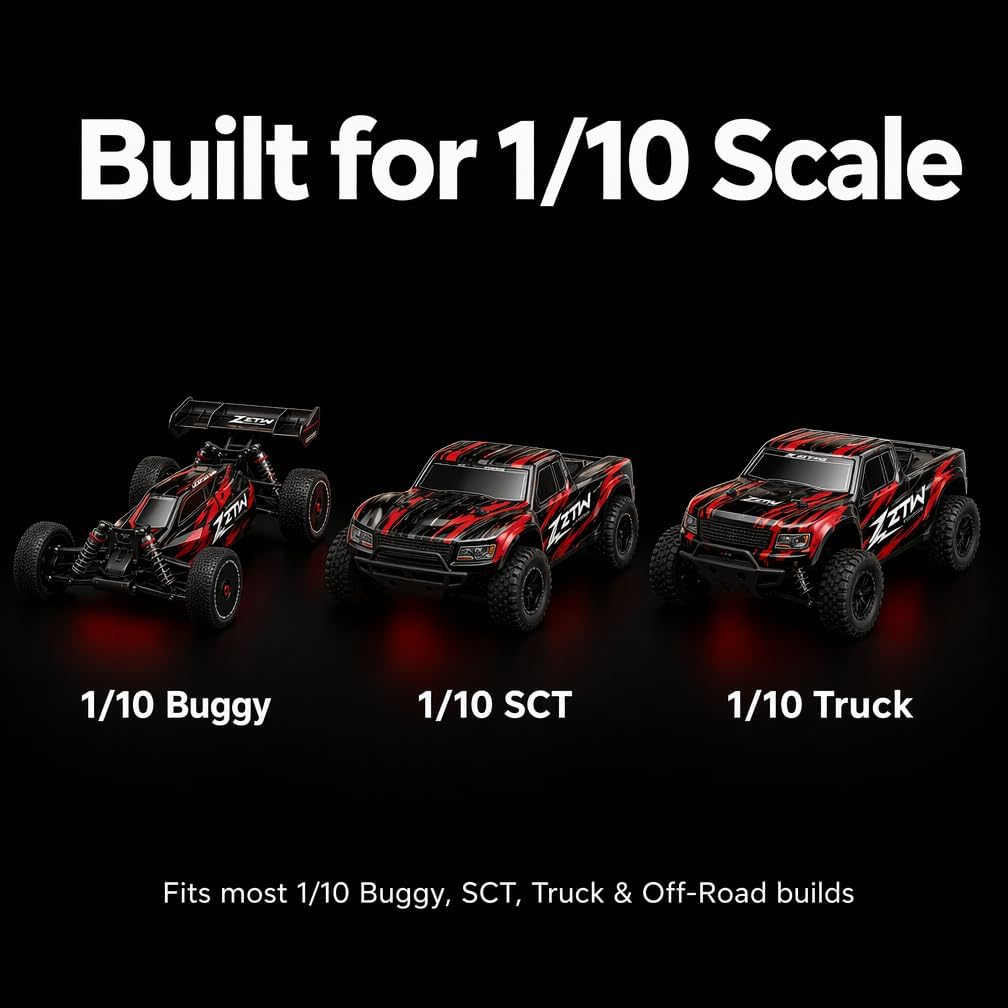
Immaġni: Eżamples of 1/10 scale RC Buggy, SCT Truck, and Truck, demonstrating the wide compatibility of the ZTW Beast SL 120A G2 ESC.
Manutenzjoni u Kura
Proper maintenance ensures the longevity and optimal performance of your ZTW Beast SL 120A G2 ESC.
- Tindif: Regularly clean the ESC to remove dirt, dust, and debris. Use a soft brush or compressed air. Avoid using solvents or harsh chemicals.
- Reżistenza għall-Ilma: While the ESC is water-resistant and splash-proof due to its conformal coated PCB, it is not designed for submersion. After exposure to wet conditions, ensure the ESC is thoroughly dried before storage or next use.
- Spezzjoni: Periodically inspect all wires, connectors, and the cooling fan for any signs of wear, damage, or loose connections. Replace damaged components immediately.
- Ħażna: Aħżen l-ESC f'ambjent niexef u frisk 'il bogħod mix-xemx diretta u minn temperaturi estremi.

Image: An RC truck operating on a wet, muddy track, illustrating the water-resistant capabilities of the ESC in challenging conditions.
Issolvi l-problemi
The ZTW Beast SL 120A G2 ESC is equipped with smart protection features to safeguard your investment. If you encounter issues, consider the following:
- Vol baxxtage Cutoff: If the ESC stops operating or reduces power, it may be due to the low-voltage cutoff activating to protect your LiPo battery. Recharge or replace the battery.
- Protezzjoni Termali: If the ESC overheats (e.g., due to excessive load or poor ventilation), it will automatically shut off at 105°C. Allow the ESC to cool down before resuming operation. Ensure adequate airflow around the ESC.
- Locked Rotor Detection: This feature prevents motor burnout if the motor rotor becomes locked. If activated, check for obstructions or damage to the motor or drivetrain.
- Protezzjoni mit-Telf tas-Sinjal: In case of signal loss from the receiver, the ESC will perform a safe auto-shutdown to prevent runaway. Verify your transmitter and receiver connection and battery levels.

Image: ZTW Beast SL 120A G2 ESC with icons representing its multiple protection systems: low voltage cutoff, thermal protection, locked rotor detection, and signal loss protection.
Speċifikazzjonijiet
| Karatteristika | Valur |
|---|---|
| Dimensjonijiet tal-Prodott | 2.2 x 1.5 x 1.3 pulzieri |
| Piż tal-oġġett | 4.5 uqija |
| ASIN | B0CMLBHVBM |
| Numru tal-Mudell tal-Oġġett | ZTW Beast SL 120A G2 ESC |
| Età Rakkomandata mill-Manifattur | 12 xhur u aktar |
| Manifattur | ZTW |
Garanzija u Appoġġ
For specific warranty information and support inquiries regarding your ZTW Beast SL 120A G2 ESC, please refer to the documentation included with your product or contact ZTW customer service directly. Please note that damage resulting from submersion in water is not covered by the product warranty.