
COCOCAM ZY-C2
COCOCAM 2PCS Solar Camera Outdoor Wireless User Manual
Mudell: ZY-C2
1. Introduzzjoni
Thank you for choosing the COCOCAM 2PCS Solar Camera Outdoor Wireless. This manual provides detailed instructions for the installation, operation, and maintenance of your new security cameras. Please read this manual thoroughly before use to ensure proper functionality and safety.

Image: Two COCOCAM ZY-C2 solar cameras, showcasing their design and integrated solar panels.
2. X'hemm fil-Kaxxa
Jekk jogħġbok iċċekkja l-kontenut tal-pakkett tiegħek biex tiżgura li l-oġġetti kollha huma preżenti:
- 2 x COCOCAM ZY-C2 Solar Security Cameras
- 2 x Solar Panels (integrated or separate, depending on model variant)
- 2 x Parentesi tal-Immuntar
- Viti tal-Immuntar u Plugs tal-Ħajt
- Cable tal-Iċċarġjar tal-USB
- Manwal għall-Utent (dan id-dokument)
3. Prodott Aktarview
The COCOCAM ZY-C2 is a high-performance outdoor security camera designed for comprehensive surveillance. Key features include:
- Riżoluzzjoni QHD ta' 2K: Delivers crisp 3MP image quality for clear video monitoring.
- Flexible 360° Coverage: Features 355° pan and 120° tilt rotation, controllable via the Cloudage/Cococam app, ensuring no blind spots.
- Solar Powered & 100% Wireless: Equipped with a solar panel and 5200mAh rechargeable batteries for continuous power, eliminating the need for frequent charging.
- Sejbien tal-Mozzjoni bl-AI: Optimized algorithms enhance human-like recognition, reducing false alarms. Supports optional paid features for pet, car, and package recognition.
- Viżjoni bil-lejl bil-kulur: Provides clear, full-color video even in low-light conditions, alongside traditional infrared night vision.
- Awdjo 2-Way: Mikrofonu u kelliem integrati jippermettu komunikazzjoni f'ħin reali.
- IP66 Reżistenti għat-Temp: Designed to withstand various weather conditions, operating reliably from -25°C to 60°C (-13°F to 140°F).
- Antenni doppji: 4DBi dual antennas ensure stronger and more stable 2.4GHz Wi-Fi reception.

Image: The camera's dual solar panel design, illustrating 365-day power capability.

Image: Comparison of color night vision and infrared night vision, highlighting the camera's low-light capabilities.
4. Gwida ta' Setup
4.1 Iċċarġjar tal-batterija
Although solar-powered, it is recommended to fully charge the camera's internal battery via the USB port before the first use. Connect the camera to a 5V/2A USB power adapter (not included) using the provided USB cable. The charging indicator light will show the charging status.
4.2 Installazzjoni tal-App u Ħolqien ta' Kont
- Download the 'Cloudage' or 'Cococam' app from your smartphone's app store (iOS or Android).
- Iftaħ l-app u rreġistra kont ġdid bl-indirizz elettroniku tiegħek.
- Segwi l-istruzzjonijiet fuq l-iskrin biex tlesti l-proċess tar-reġistrazzjoni.
4.3 It-tqabbil tal-kamera mal-Wi-Fi
- Kun żgur li n-netwerk Wi-Fi tiegħek huwa 2.4GHz. Il-kamera ma tappoġġjax Wi-Fi ta' 5GHz.
- In the app, tap '+' or 'Add Device' to add a new camera.
- Select the appropriate camera model or scan the QR code on the camera.
- Follow the in-app instructions to connect the camera to your Wi-Fi network. This typically involves generating a QR code on your phone screen for the camera to scan.
- Once connected, you will hear a confirmation sound from the camera, and it will appear in your app's device list.
4.4 Installazzjoni Fiżika
Choose a suitable outdoor location for installation, ensuring the solar panel receives adequate direct sunlight throughout the day. The camera can be mounted on a wall or ceiling.
- Immarka l-punti tat-tħaffir billi tuża l-bracket tal-immuntar bħala mudell.
- Agħmel toqob u daħħal tappijiet tal-ħajt jekk meħtieġ.
- Waħħal il-parentesi tal-immuntar mal-wiċċ bil-viti.
- Waħħal il-kamera mal-bracket tal-immuntar u aġġusta l-angolu tagħha għall-aħjar viewing.
- Ensure the solar panel is positioned to maximize sun exposure.

Image: An outdoor mounted camera illustrating its pan and tilt range for comprehensive monitoring.
5. Istruzzjonijiet Operattivi
5.1 Ħaj View u Kontroll PTZ
Open the Cloudage/Cococam app and select your camera from the device list to access the live viewMinn hawn, tista':
- Pan/Mejjel: Drag your finger across the screen to remotely adjust the camera's horizontal (355°) and vertical (120°) viewangoli.
- Żum diġitali: Pinch to zoom in or out on the live feed for more detail.
- Ritratt/Reġistrazzjoni: Capture still images or record video clips directly to your phone.
5.2 AI Motion Detection and Alerts
The camera uses advanced AI to detect motion and send instant alerts to your smartphone.
- Ippermetti/Itfi: Navigate to camera settings in the app to enable or disable motion detection.
- Aġġustament tas-Sensittività: Aġġusta s-sensittività tad-detezzjoni biex timminimizza l-allarmi foloz.
- Sejbien tal-Bniedem: Enable AI human detection for more accurate alerts.
- Paid Features: Optional paid features allow for recognition of pets, cars, and packages.
- Alert Methods: Configure push notifications, light warnings, sound warnings, or audible/light warnings via the app.
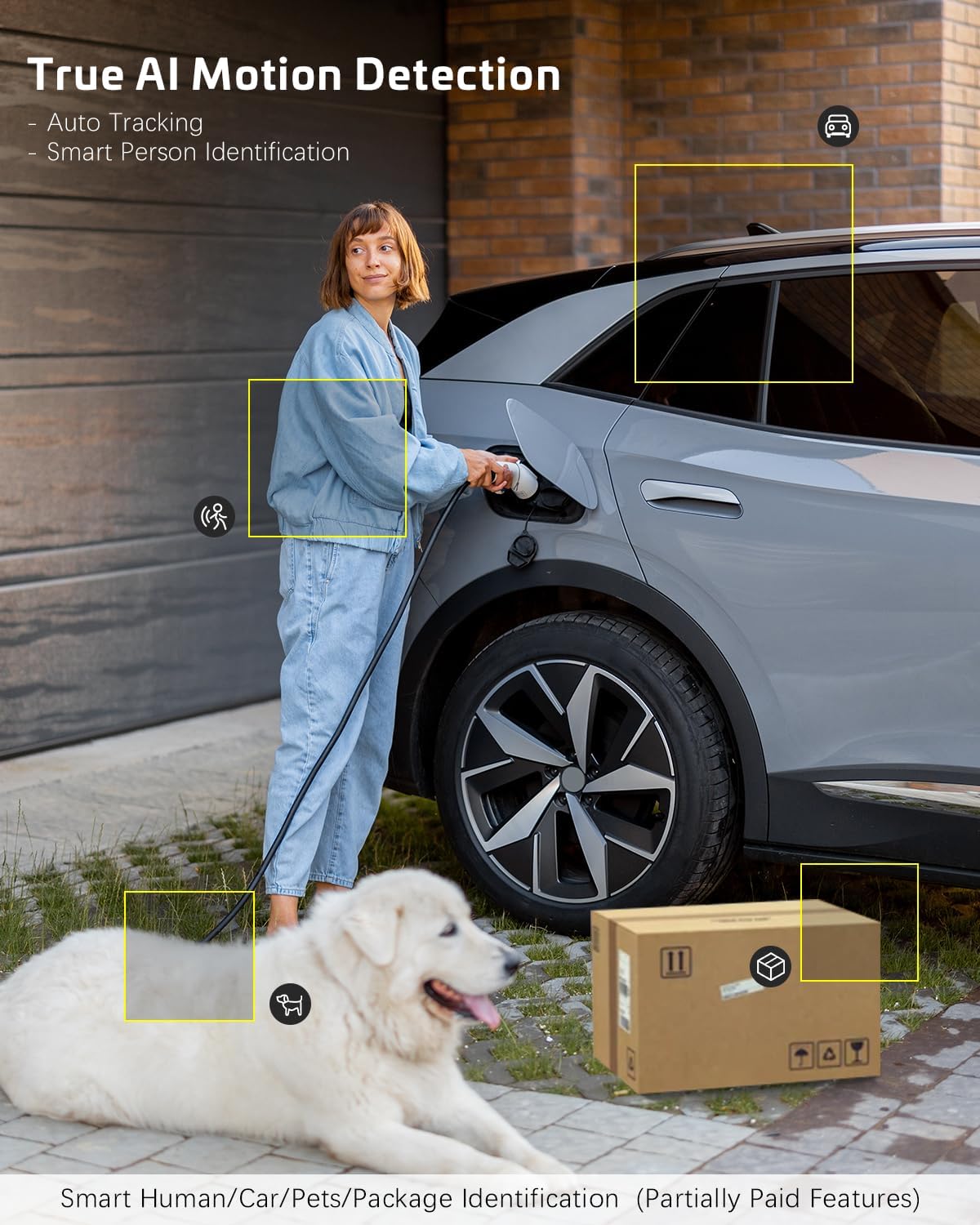
Image: AI motion detection in action, highlighting its ability to identify various objects like people, vehicles, and packages.
5.3 Modi ta' Viżjoni bil-Lejl
The camera supports two night vision modes:
- Viżjoni bil-lejl bil-kulur: Utilizes built-in spotlights to provide full-color video in dark environments.
- Viżjoni bil-lejl infrared: Uses infrared LEDs for black-and-white video in complete darkness.
- You can switch between these modes or set them to automatic in the app settings.
5.4 Awdjo b'żewġ direzzjonijiet
Biex tuża l-karatteristika tal-awdjo f'żewġ direzzjonijiet:
- Fil-live view, tektek l-ikona tal-mikrofonu biex titkellem permezz tal-ispiker tal-kamera.
- Tektek l-ikona tal-ispiker biex tisma' l-awdjo mill-mikrofonu tal-kamera.
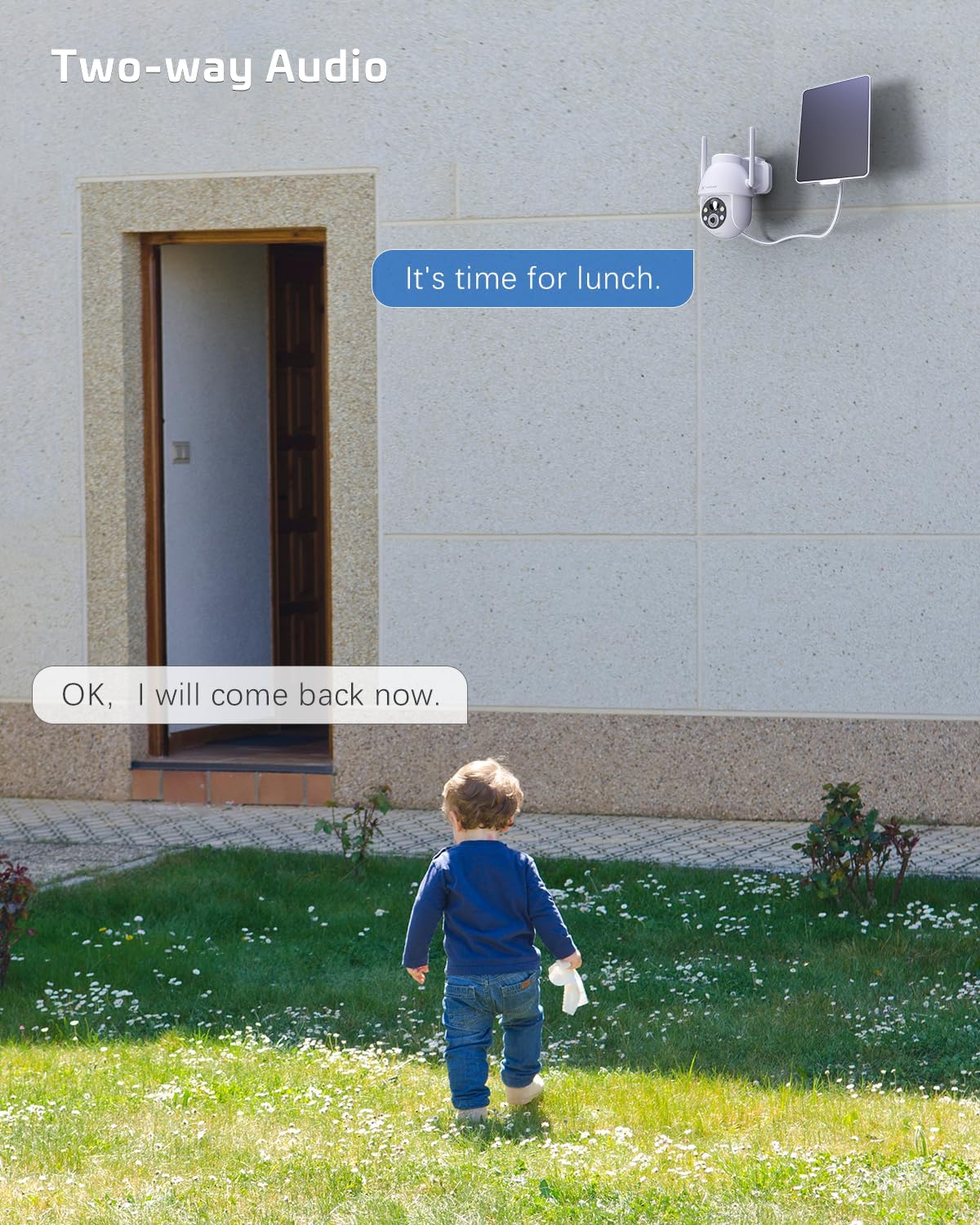
Image: A visual representation of the two-way audio feature, showing communication between a person and the camera.
5.5 Għażliet ta' Ħażna
The camera offers flexible storage solutions for recorded footage:
- Ħażna tal-Kard TF: Supports up to 128GB TF (microSD) card (not included) for local storage. Insert the card into the designated slot on the camera.
- Ħażna Cloud: A cloud storage service is available (paid feature) for secure, off-site storage of your video recordings. All cloud video is encrypted.
5.6 Qsim ta' Multi-Utent
You can easily share camera access with family members or friends:
- In the app, go to the camera settings and find the 'Share Device' option.
- Generate a QR code or invite link for others to scan or click, granting them access to the camera feed.
6. Manutenzjoni
To ensure optimal performance and longevity of your COCOCAM security camera:
- Tindif regolari: Imsaħ il-lenti tal-kamera u l-pannell solari perjodikament b'ċarruta ratba u driegħ.amp drapp biex tneħħi t-trab u l-fdalijiet. Tużax kimiċi ħarxa.
- Aġġornamenti tal-Firmware: Check the app regularly for firmware updates. Keeping your camera's firmware up-to-date ensures the latest features and security patches.
- Saħħa tal-batterija: While solar-powered, ensure the solar panel is free from obstructions to maintain optimal battery charge. In prolonged periods of low sunlight, consider manually charging the camera via USB.
- Kundizzjonijiet Ambjentali: The camera is IP66 weatherproof, but extreme conditions outside its operating temperature range (-25°C to 60°C / -13°F to 140°F) may affect performance.

Image: The camera operating effectively in rainy conditions, highlighting its IP66 weatherproof design.
7 Issolvi l-problemi
7.1 Camera Offline / Disconnected
- Sinjal Wi-Fi: Ensure the camera is within range of your 2.4GHz Wi-Fi router and the signal strength is adequate.
- Settings tal-router: Verify that your router's settings are not blocking the camera. Restarting the router may help.
- Provvista tal-Enerġija: Check if the camera has sufficient battery charge. Ensure the solar panel is clean and receiving sunlight.
- Erġa 'par: If issues persist, try re-pairing the camera with the app.
7.2 Motion Detection Issues (Too Many/Few Alerts)
- Sensittività: Adjust the motion detection sensitivity in the app settings. Lower sensitivity for fewer false alarms, higher for more detections.
- Żona ta' Sejbien: If available, configure specific detection zones to focus on critical areas and ignore irrelevant motion.
- Sejbien tal-Bniedem AI: Ensure AI human detection is enabled to filter out non-human movements.
7.3 Kwalità Fqira tal-Immaġni
- Indafa tal-Lenti: Clean the camera lens to remove any smudges or dirt.
- Veloċità tan-Netwerk: Ensure your internet connection is stable and fast enough for 2K video streaming.
- Viżjoni bil-lejl: If image quality is poor at night, check if the night vision mode is set correctly (color or infrared) and if the spotlights/IR LEDs are unobstructed.
7.4 Il-Batterija Mhux Qed Tiċċarġja
- Panel Solari: Ensure the solar panel is clean and positioned to receive direct sunlight for several hours a day.
- Konnessjoni tal-Cable: Iċċekkja l-konnessjoni bejn il-pannell solari u l-kamera.
- Ħlas Manwali: Try charging the camera directly via the USB port to confirm the battery is functional.
8. Speċifikazzjonijiet
| Karatteristika | Speċifikazzjoni |
|---|---|
| Mudell | ZY-C2 |
| Riżoluzzjoni tal-Qbid tal-Vidjo | 1440p (2K QHD) |
| Teknoloġija tal-Konnettività | Wireless (2.4GHz Wi-Fi, Bluetooth) |
| Sors tal-Enerġija | Imħaddem bil-batterija, Imħaddem bl-enerġija solari |
| Kapaċità tal-batterija | 5200mAh (rikarikabbli) |
| Kapaċità tal-Ħżin tal-Memorja | 128 GB (TF card, not included) |
| Angolu Pan/Tilt | 355° Pan, 120° Mejjel |
| Klassifikazzjoni tat-temp | IP66 |
| Temperatura operattiva | -25°C sa 60°C (-13°F sa 140°F) |
| Tip ta 'Immuntar | Muntatura tal-Limitu, Muntatura tal-Ħajt |
| OS kompatibbli | iOS, Android |
| Dimensjonijiet (L x W x H) | 18 x 17 x 14 ċm |
| Piż tal-oġġett | 1.3 kg |
9. Garanzija u Appoġġ
COCOCAM provides a garanzija ta 'sena for its cameras. If you encounter any problems using our products or require technical assistance, please do not hesitate to contact our customer support team. Refer to the contact information provided on the product packaging or the official COCOCAM websit għal kanali ta' appoġġ.
We are committed to providing high-quality service and ensuring your satisfaction with our products.
Ask a question about this manual
Ask about setup, troubleshooting, compatibility, parts, safety, or missing instructions. Manuals+ will review the question and use this page’s manual context to help answer it.