
COCOCAM ZY-C2
COCOCAM Solar Camera Outdoor Wireless User Manual
Mudell: ZY-C2
1. Introduzzjoni
This user manual provides comprehensive instructions for the installation, operation, and maintenance of your COCOCAM Solar Camera Outdoor Wireless. This 2K PTZ camera is designed for home security, featuring AI motion detection, color night vision, and two-way audio. Please read this manual thoroughly before using the product to ensure proper functionality and safety.
2. Kontenut tal-Pakkett
Jekk jogħġbok ivverifika li l-oġġetti kollha elenkati hawn taħt huma inklużi fil-pakkett tiegħek. Jekk xi oġġetti huma neqsin jew bil-ħsara, jekk jogħġbok ikkuntattja l-appoġġ għall-klijenti.
- 1x COCOCAM Solar Security Camera
- 1x Solar Panel
- 1x Solar Panel Bracket
- 1x 3.3ft USB Charging Cable
- 1x Manwal għall-Utent
- 1x Positioning Sheet
- 2x Screw Packages (for camera and solar panel mounting)
3. Prodott Aktarview
The COCOCAM Solar Camera is a versatile outdoor security solution. Below are the key components and features:
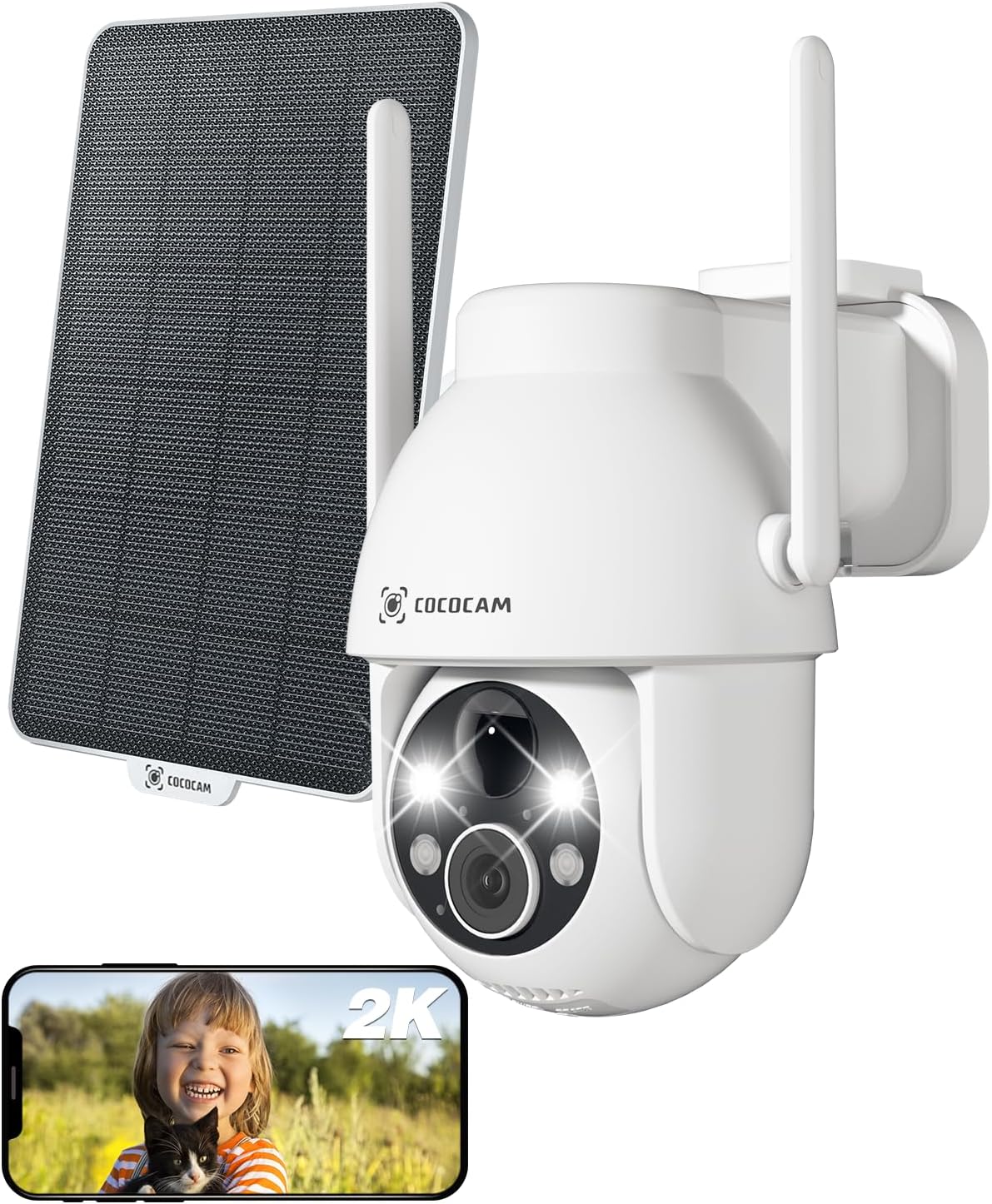
Figure 3.1: Camera and Solar Panel Overview. This image displays the main camera unit alongside its accompanying solar panel, illustrating the complete system for outdoor surveillance.
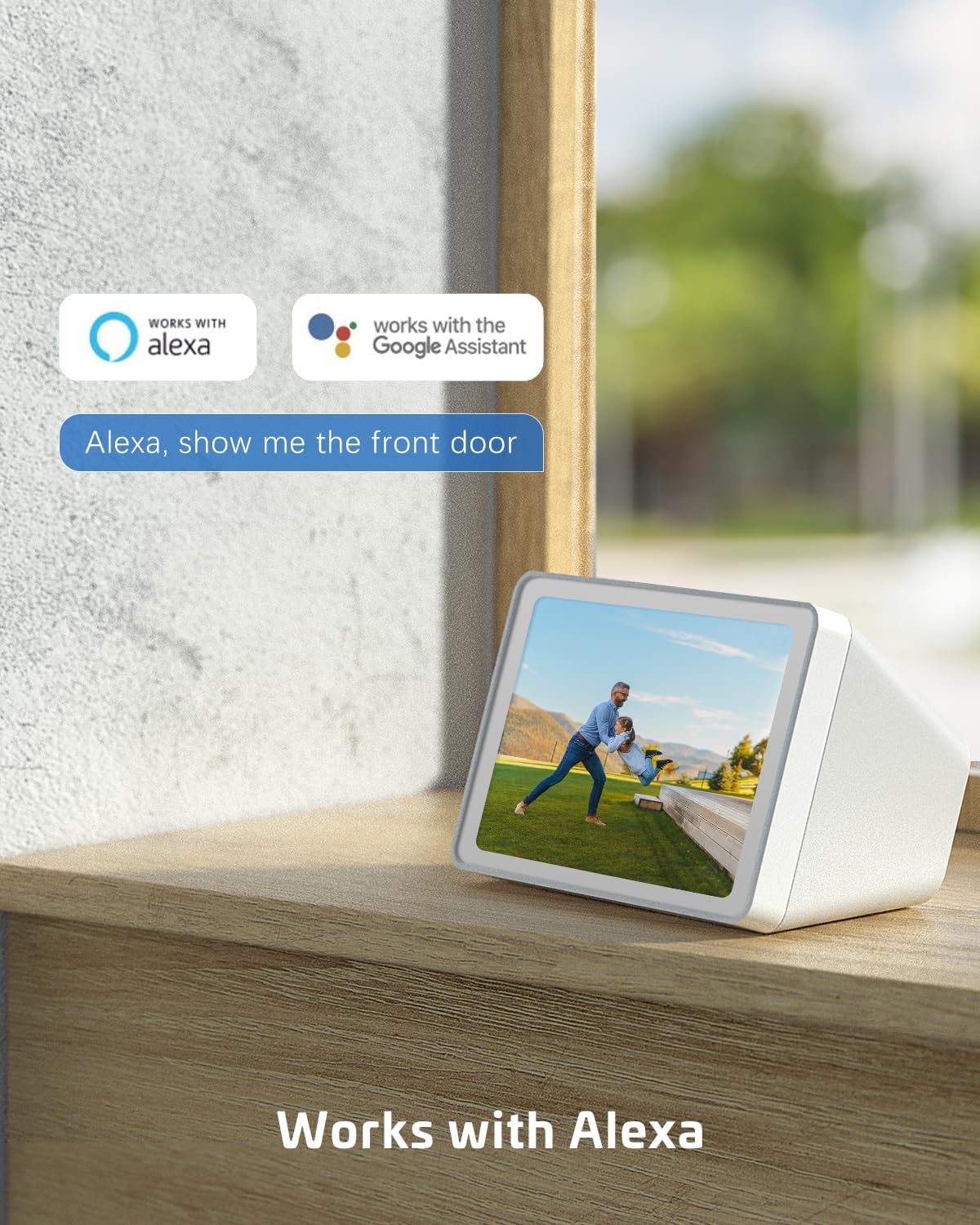
Figure 3.2: Pan and Tilt Functionality. The camera offers 355° pan and 120° tilt rotation, providing extensive coverage without blind spots. This allows for remote adjustment of the viewing angle via the mobile application.

Figure 3.3: 2K Super HD Color Night Vision. This image demonstrates the camera's ability to capture clear, high-definition video even in low-light conditions, offering both color and infrared night vision options for enhanced visibility.

Figure 3.4: Two-Way Audio Communication. The camera supports two-way audio, enabling real-time communication through the camera's built-in speaker and microphone. This feature is useful for interacting with visitors or deterring intruders.
Karatteristiċi ewlenin:
- Riżoluzzjoni QHD ta' 2K: Provides high-resolution 3MP image quality for clear video monitoring.
- Funzjonalità tal-PTZ: 355° pan and 120° tilt rotation with 4x digital zoom, controllable via the Cloudage or Cococam app.
- Solar Powered & Wire-Free: Equipped with a solar panel and 5200mAh rechargeable batteries for continuous power without wiring.
- Sejbien tal-Mozzjoni bl-AI: Optimized algorithms for human-like recognition, reducing false alarms. Supports optional recognition of pets, cars, and packages (paid features).
- Viżjoni bil-lejl bil-kulur: Offers clear night vision up to 100ft.
- Awdjo f'żewġ direzzjonijiet: Jippermetti komunikazzjoni f'ħin reali permezz tal-kamera.
- IP66 Reżistenti għat-Temp: Designed to withstand various weather conditions, operating from -25°C to 60°C (-13°F to 140°F).
- Għażliet ta' Ħażna Doppju: Supports TF card (up to 128GB, not included) and cloud storage service (paid feature).
- Kondiviżjoni bejn Diversi Utenti: Easily share camera access with family and friends via QR scan.
- Integrazzjoni tad-Dar Intelliġenti: Kompatibbli ma' Amazon Alexa.
4. Setup
Follow these steps to set up your COCOCAM Solar Camera:
- Iċċarġja l-Kamera: Before initial use, ensure the camera's internal battery is fully charged using the provided USB cable.
- Niżżel l-App: Download the "Cloudage" or "Cococam" app from your smartphone's app store (iOS App Store or Google Play Store).
- Oħloq Kont: Iftaħ l-app u segwi l-istruzzjonijiet fuq l-iskrin biex toħloq kont ta' utent ġdid.
- Żid Apparat: In the app, select "Add Device" or the "+" icon. Choose your camera model from the list.
- Qabbad mal-Wi-Fi: Follow the app's instructions to connect the camera to your 2.4GHz Wi-Fi network. Importanti: The camera only supports 2.4GHz Wi-Fi, not 5GHz. Ensure your router is configured for 2.4GHz or that you are connecting to the 2.4GHz band.
- Immuntar il-Kamera u l-Pannell Solari:
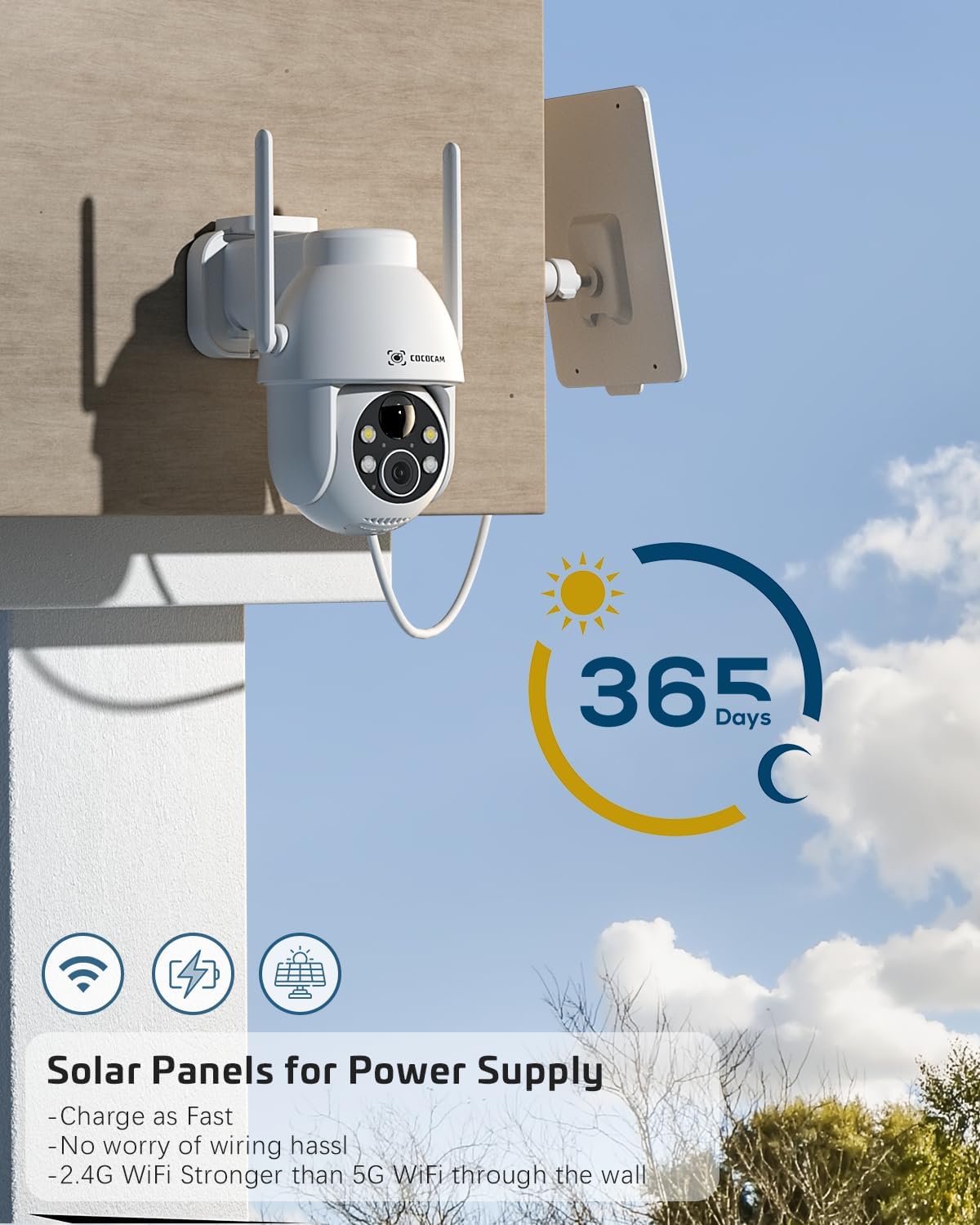
Figure 4.1: Camera and Solar Panel Installation. The camera and solar panel are designed for easy wall mounting. Position the solar panel in an area that receives direct sunlight for optimal charging.
Select a suitable outdoor location for installation. Use the included screws and positioning sheet to securely mount the camera and the solar panel. The solar panel should be positioned to receive maximum direct sunlight throughout the day for continuous power supply. Installation typically takes about 10 minutes.
- Aġġustamenti Finali: Ladarba tkun immuntata, uża l-app biex taġġusta l-angoli pan u tilt tal-kamera biex tikseb l-effett mixtieq viewing żona.
5. It-tħaddim tal-Kamera
Your COCOCAM camera offers a range of features accessible through the mobile application:
5.1 Ħaj View u Kontroll PTZ
Access the live video feed from your camera via the app. Use the on-screen controls to pan (355°), tilt (120°), and digitally zoom (4x) the camera to monitor different areas.
5.2 Sejbien tal-Mozzjoni u Twissijiet
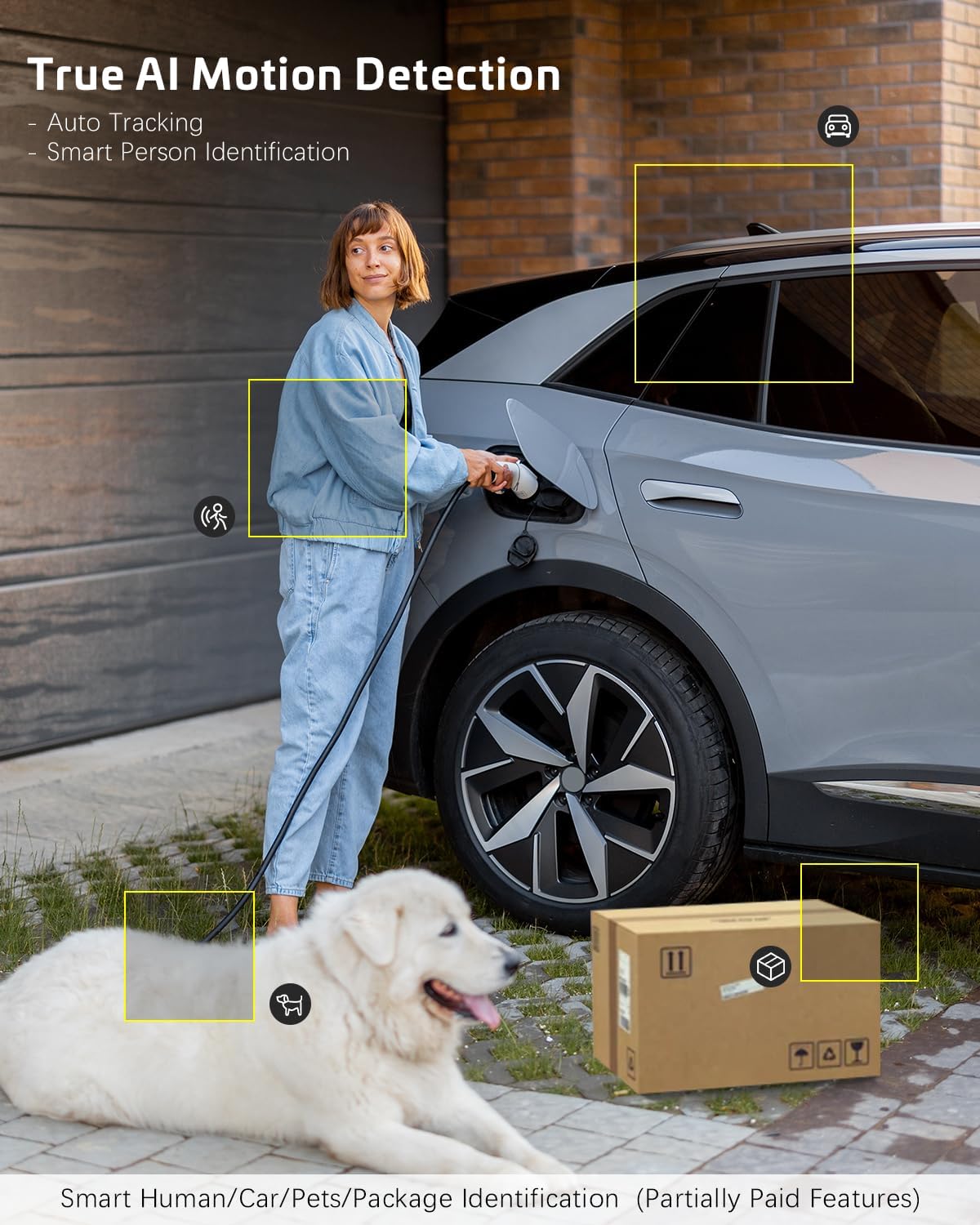
Figure 5.1: AI Motion Detection. The camera's advanced AI algorithms can differentiate between humans, pets, cars, and packages, reducing false alarms and providing more accurate alerts.
The camera features advanced AI motion detection. When motion is detected, you will receive instant alerts on your smartphone. You can customize detection sensitivity and enable/disable AI human detection in the app settings. Optional paid features include recognition for pets, cars, and packages.
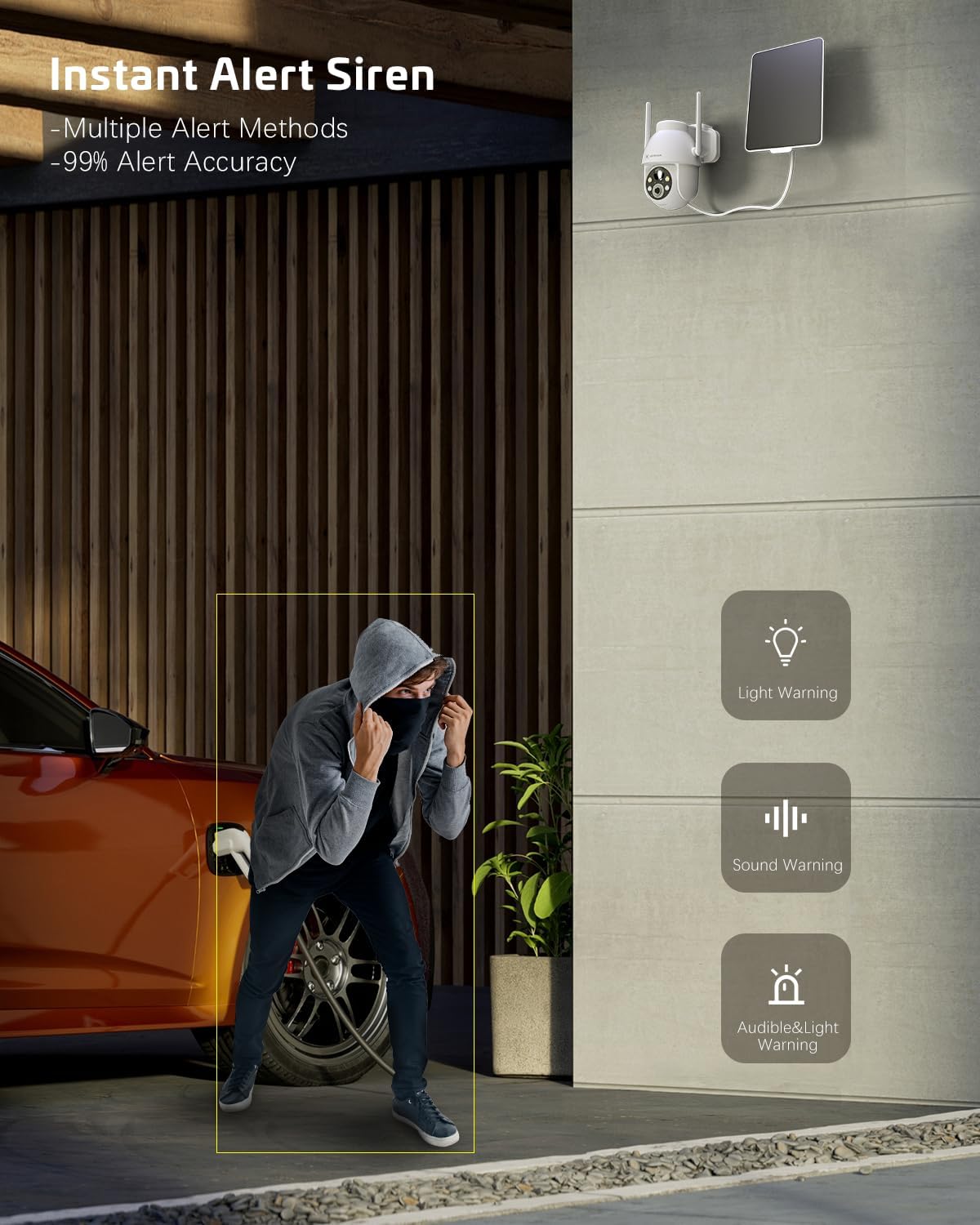
Figure 5.2: Instant Alert Siren. Upon detecting suspicious activity, the camera can activate a siren and flashing lights to deter intruders, providing multiple warning methods.
5.3 Viżjoni bil-lejl
The camera automatically switches to night vision mode in low light. It offers both infrared night vision for clear black-and-white images and a 2K Super HD color night vision mode for enhanced detail in color.
5.4 Awdjo b'żewġ direzzjonijiet
Use the two-way audio feature to communicate with individuals near the camera. Simply tap the microphone icon in the app to speak, and listen through the camera's speaker.
5.5 Ħażna tal-Vidjo
Ir-reġistrazzjonijiet jistgħu jinħażnu b'żewġ modi:
- Karta TF: Insert a TF (microSD) card (up to 128GB, not included) into the camera's designated slot for local storage.
- Ħażna Cloud: Subscribe to the optional cloud storage service (paid feature) for secure, remote storage of your video recordings. All video data is encrypted for privacy.
5.6 Qsim ta' Multi-Utent
Share access to your camera with family members or trusted individuals. This can be done easily by generating a QR code within the app for them to scan.
5.7 Integrazzjoni ta' Dar Intelliġenti
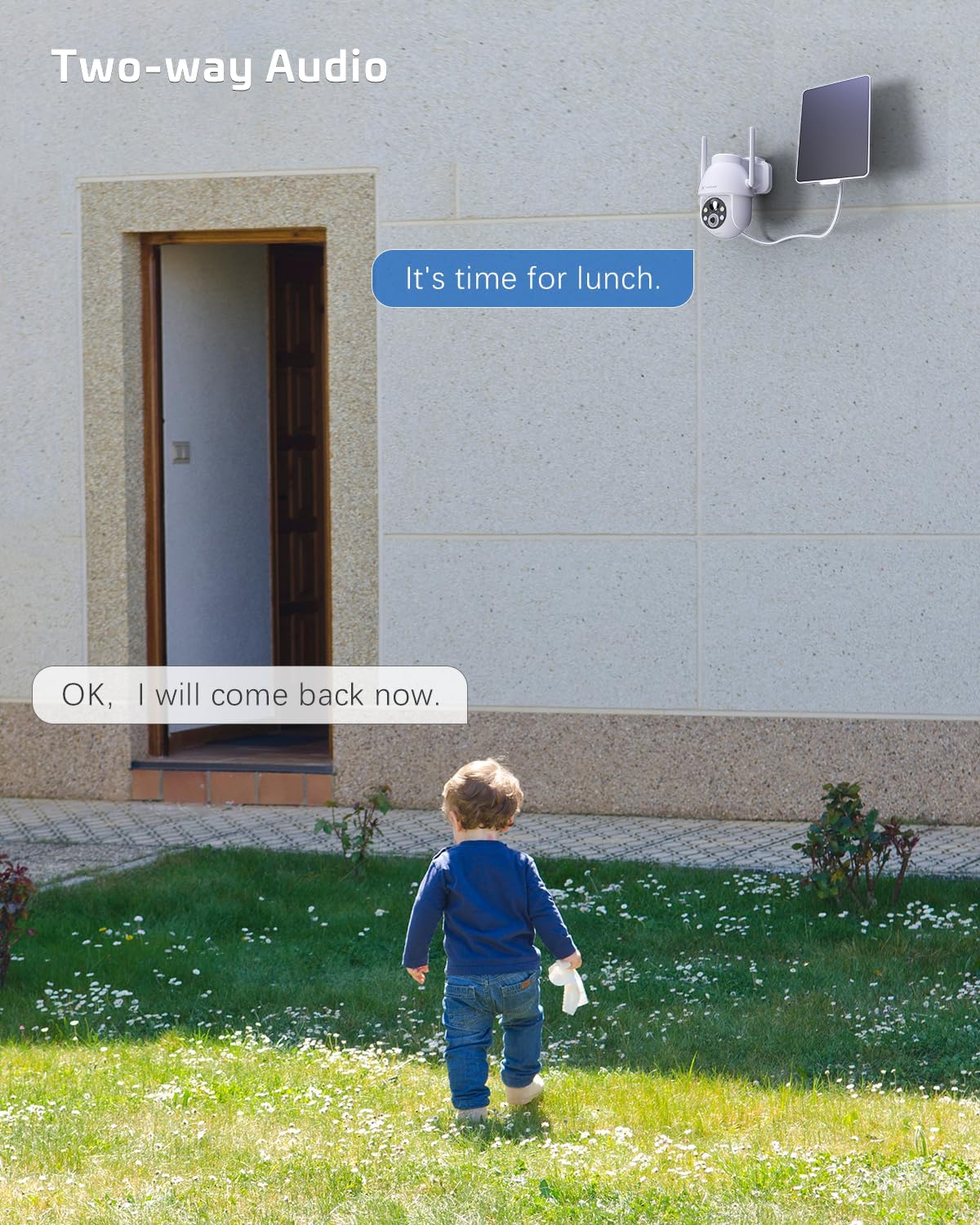
Figure 5.3: Alexa Integration. The camera is compatible with Amazon Alexa, allowing for voice control and viewing the camera feed on compatible smart displays.
The COCOCAM camera can be integrated with Amazon Alexa. Follow the instructions in the Alexa app to link your COCOCAM account and enable voice commands for viewing your camera feed on compatible devices.
6. Manutenzjoni
Proper maintenance ensures the longevity and optimal performance of your COCOCAM Solar Camera:
- Tindif tal-Panew Solari: Regularly wipe the solar panel surface with a soft, damp cloth to remove dust, dirt, or debris that may hinder its charging efficiency.
- Tindif tal-Lenti tal-Kamera: Naddaf il-lenti tal-kamera bil-mod b'ċarruta tal-mikrofibra biex tiżgura kwalità ċara tal-immaġni. Evita materjali li jobrox li jistgħu jigrif il-lenti.
- Protezzjoni tat-Temp: The camera is IP66 weatherproof, designed to withstand rain and dust. However, avoid submerging the camera in water.

Figure 6.1: IP66 Weatherproof Design. The camera is built to withstand various outdoor elements, ensuring reliable operation in diverse weather conditions.
- Temperatura operattiva: Ensure the camera operates within its specified temperature range of -25°C to 60°C (-13°F to 140°F).
- Aġġornamenti tal-Firmware: Check the app periodically for firmware updates to ensure your camera has the latest features and security enhancements.
7 Issolvi l-problemi
If you encounter issues with your COCOCAM Solar Camera, refer to the following common problems and solutions:
| Problema | Kawża / Soluzzjoni Possibbli |
|---|---|
| Il-kamera ma tikkonnettjax mal-Wi-Fi |
|
| Il-batterija mhux qed tiċċarġja jew batterija baxxa |
|
| Allarmi foloz frekwenti |
|
| Poor video quality or blurry images |
|
| Awdjo two-way mhux jaħdem |
|
If the problem persists, please refer to the support section or contact COCOCAM customer service.
8. Speċifikazzjonijiet
| Karatteristika | Dettall |
|---|---|
| Numru tal-Mudell | ZY-C2 |
| Riżoluzzjoni tal-Qbid tal-Vidjo | 2K (1440p), 3MP |
| Medda Pan/Tilt | 355° Pan, 120° Mejjel |
| Zoom Diġitali | 4x |
| Sors tal-Enerġija | Batterija rikarikabbli ta' 5200mAh li taħdem bl-enerġija solari |
| Protokoll tal-Konnettività | Wi-Fi (2.4GHz biss) |
| Teknoloġija tal-Komunikazzjoni mingħajr Fili | Wi-Fi |
| Klassifikazzjoni tat-temp | IP66 |
| Temperatura operattiva | -25°C sa 60°C (-13°F sa 140°F) |
| Medda tal-Viżjoni Lejl | 20 Meters (approx. 65 feet), up to 100ft mentioned in feature bullets |
| Għażliet ta' Ħażna | TF Card (up to 128GB), Cloud Storage (paid) |
| Awdjo | Awdjo 2-Way |
| Apparati Kompatibbli | Smartphone, Amazon Alexa |
| Tip ta 'Immuntar | Wall Mount, Screw In |
| Piż tal-oġġett | 650 g |
| Kulur | Abjad |
| Materjal | Plastik |
9. Garanzija u Appoġġ
Garanzija: COCOCAM provides a 2-year warranty for this camera. Please retain your proof of purchase for warranty claims.
Appoġġ għall-Klijent: If you encounter any problems using your COCOCAM Solar Camera or require technical assistance, please contact COCOCAM customer support. You can typically find contact information on the COCOCAM official webis-sit jew permezz tal-bejjiegħ bl-imnut minn fejn xtrajt il-prodott. Għal xiri minn Amazon, tista' żżur COCOCAM Store on Amazon għal għażliet ta’ appoġġ.
Ask a question about this manual
Ask about setup, troubleshooting, compatibility, parts, safety, or missing instructions. Manuals+ will review the question and use this page’s manual context to help answer it.