
Introduzzjoni
This manual provides comprehensive instructions for the setup, operation, and maintenance of your SYLVOX Smart Outdoor TV. Designed for outdoor use, this television features 4K Ultra HD resolution, Dolby Atmos sound, and an IP55 waterproof rating, ensuring year-round entertainment in various weather conditions. It is powered by the Google TV platform, offering a wide range of applications and smart features.

Quddiem view of the SYLVOX Smart Outdoor TV, highlighting its display and branding.
X'hemm fil-Kaxxa
Iċċekkja li l-oġġetti kollha li ġejjin huma inklużi fil-pakkett tiegħek:
- 43 inch Outdoor Smart TV
- Kontroll mill-bogħod tal-Vuċi
- Manwal tal-Utent
- Karta ta' Garanzija
- Korda tal-Enerġija

An illustration showing the television's dimensions and all included accessories in the packaging.
Setup
Installazzjoni Fiżika
Għażliet ta 'Immuntar
The SYLVOX Outdoor TV is designed for versatile installation, including wall mounting or placement on a mobile stand. Ensure the mounting solution is compatible with VESA standards.

Side profile of the television, showing its robust metal casing.

Wara view of the television, showing the mounting points and sealed back panel.
Konnessjoni Periferali
The TV features a sealed back panel to protect ports from outdoor elements. To access the ports, carefully unscrew the back cover.
| Tip ta 'port | Deskrizzjoni |
|---|---|
| HDMI | 3 HDMI Inputs (HDMI1, HDMI2, HDMI3) for connecting external devices like gaming consoles, Blu-ray players, or streaming sticks. |
| RJ45 | Port Ethernet għal konnessjoni man-netwerk bil-fili. |
| Out Ottiċi | Digital audio output for connecting to soundbars or audio receivers. |
| Coaxial | Antenna/Cable input for receiving broadcast signals. |
| USB | 2 USB-A ports for connecting USB devices (e.g., flash drives for media playback). |

Close-up view of the TV's sealed back panel, showing the various input and output ports.
Initial Power On & Network Setup
Upon first power-on, follow the on-screen prompts to connect to your Wi-Fi network and complete the initial Google TV setup. This includes signing into your Google account for personalized content and app access.
It-Tħaddim tat-TV Tiegħek
Google TV OS Overview
Your SYLVOX Outdoor TV runs on the upgraded Google TV platform, providing a user-friendly interface with personalized recommendations and easy access to a vast library of apps.

A visual comparison highlighting the user interface and features of Google TV compared to Android TV.
Wirja uffiċjali tal-vidjo tal-prodottasing the smart features and outdoor capabilities of the Sylvox Deck Pro 2.0 TV.
Funzjonijiet ta 'Kontroll mill-bogħod
The included voice remote control uses Bluetooth for seamless operation and features dedicated buttons for popular streaming services and Google Assistant.

Dettaljati view of the voice remote control, showing its buttons for power, volume, channel, and quick access to streaming apps.
Issettjar tal-Immaġni u l-Ħoss
Adjust picture modes (Standard, Dynamic, Movie, ECO, Gentle, Vivid, Sport, Game, Personal) and sound settings, including Dolby Atmos, to optimize your viewing esperjenza.
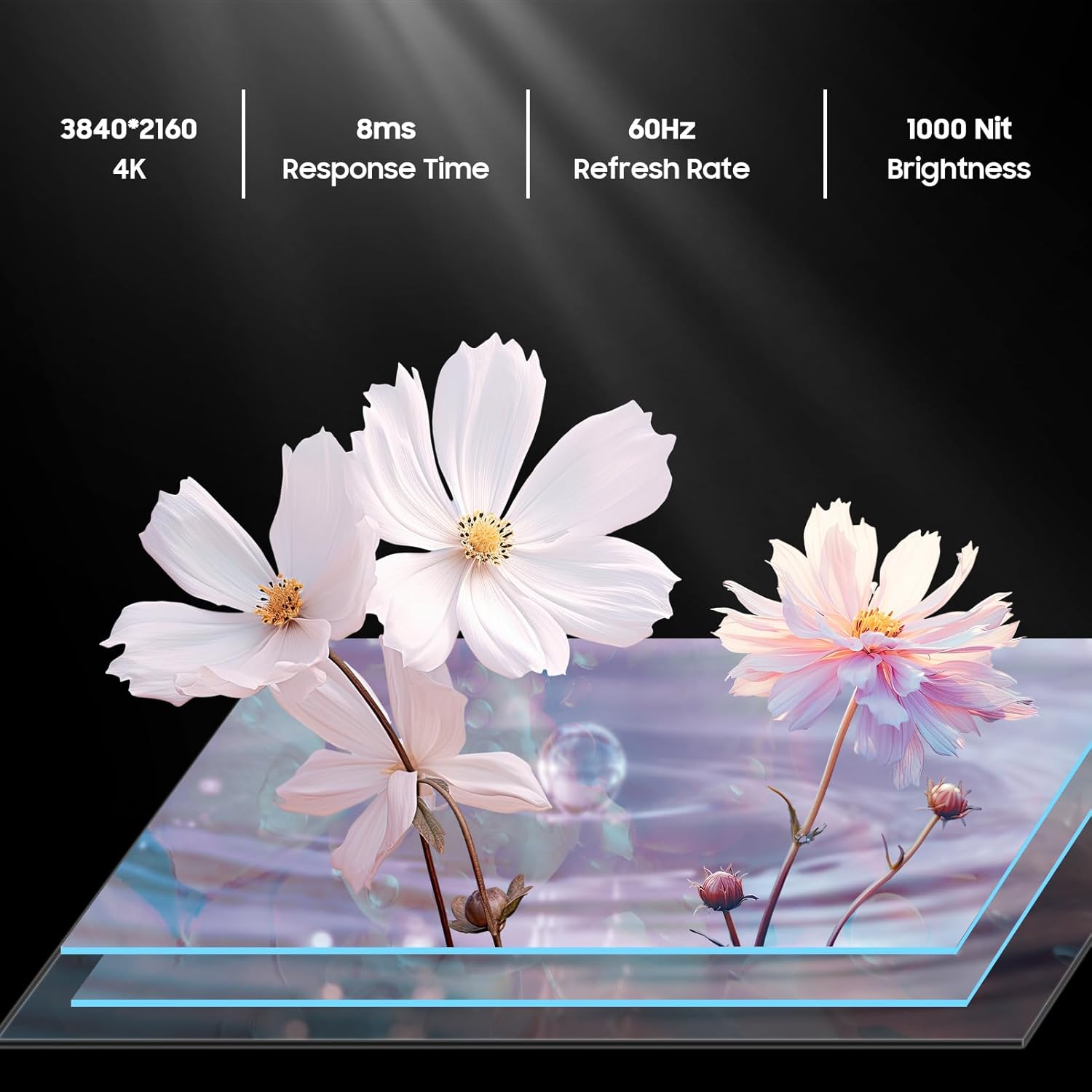
An image detailing the display specifications including 4K resolution, 8ms response time, 60Hz refresh rate, and 1000 nit brightness.
Casting & Screen Mirroring
Utilize the built-in Chromecast feature to easily stream content from your mobile devices directly to the TV.

An image demonstrating the Chromecast Built-in feature, showing content being streamed from a smartphone to the TV.
Official product video highlighting the smart features of the Sylvox Google Outdoor TV, including app access and voice control.
Manutenzjoni
Reżistenza għat-temp
The SYLVOX Deck Pro 2.0 is built with a durable all-metal casing and an IP55 waterproof rating, making it suitable for year-round outdoor use. It can withstand various weather conditions including rain and snow.

The TV mounted outdoors during a rain shower, illustrating its IP55 waterproof capability.
Tindif
Biex tnaddaf l-iskrin u ċasing, use a soft, damp cloth. Avoid harsh chemicals or abrasive materials that could damage the finish or screen coating.
Issolvi l-problemi
Ebda Qawwa
- Kun żgur li l-korda tal-enerġija hija konnessa sew kemm mat-TV kif ukoll ma' sokit tal-enerġija li jaħdem.
- Ivverifika li l-iżbokk tad-dawl huwa funzjonali.
Ebda Sinjal
- Check all HDMI or coaxial cable connections.
- Ensure the connected device (e.g., cable box, gaming console) is powered on and set to the correct input source on the TV.
Kwistjonijiet ta' Konnessjoni tan-Netwerk
- Verify your Wi-Fi router is on and functioning correctly.
- Erġa' ixgħel it-TV u r-router tiegħek.
- Kun żgur li t-TV jinsab fil-firxa tas-sinjal tal-Wi-Fi tiegħek.
Speċifikazzjonijiet
| Karatteristika | Dettall |
|---|---|
| Isem tad-Ditta | SYLVOX |
| Piż tal-oġġett | 53.8 liri |
| Dimensjonijiet tal-Prodott | 3.45 x 38.4 x 22.56 pulzieri |
| Batteriji | 2 batteriji AAA meħtieġa. (inkluż) |
| Isem tal-Kulur | Iswed |
| Karatteristiċi Speċjali | IP55 Waterproof |
| Daqs tal-wiri tal-iskrin wieqaf | 43 Pulzier |
| Proporzjon ta' l-aspett | 16:9 |
| Daqs tal-Iskrin | 43 Pulzier |
| Teknoloġija tal-Wiri | LED |
| Riżoluzzjoni | 4K |
| Riffriskar Rata | 60 Hz |
| Komponenti Inklużi | Voice Remote Control, Power Cord, Warranty Card, User's Manual, 43 inch Outdoor Smart TV |
| Teknoloġija tal-Konnettività | Ethernet,Wireless,Bluetooth,WiFi,HDMI,USB |
Garanzija u Appoġġ
The SYLVOX Smart Outdoor TV comes with a one-year warranty. For technical assistance or customer service, please contact SYLVOX customer support, available 24/7.
Manwal tal-Utent dettaljat (PDF) huwa wkoll disponibbli biex jitniżżel: Manwal għall-Utent (PDF)