
1. Introduzzjoni
This manual provides detailed instructions for the installation, operation, and maintenance of your Ernitec WOLF-PX-515IR Turret Camera. This camera is designed for surveillance applications, offering high-resolution video recording, motion detection, night vision, and remote viewing capabilities via a smartphone application.
Jekk jogħġbok aqra dan il-manwal bir-reqqa qabel ma tħaddem l-apparat biex tiżgura użu xieraq u biex tevita ħsara.
1.1 Informazzjoni dwar is-Sigurtà
- Provvista tal-Enerġija: Use only the specified power adapter. Incorrect voltage may damage the camera and void the warranty.
- Ambjent ta' Installazzjoni: Avoid installing the camera in extreme temperatures, high humidity, or dusty environments. Ensure the mounting surface is strong enough to support the camera's weight.
- Tindif: Skonnettja l-provvista tal-enerġija qabel it-tindif. Uża drapp artab u niexef. Tużax deterġenti qawwija jew prodotti tat-tindif li joborxu.
- Servizzi: Tippruvax tiżżarma jew issewwi l-kamera int stess. Irreferi għal kull manutenzjoni f'idejn persunal kwalifikat.
- Kejbils: Kun żgur li l-kejbils kollha huma mwaħħlin sew u protetti minn ħsara.
2. Kontenut tal-Pakkett
Verify that all items are present in the package. If any items are missing or damaged, contact your supplier.
- Ernitec WOLF-PX-515IR Turret Camera
- Mudell tal-Immuntar
- Viti tal-Immuntar u Plugs tal-Ħajt
- Gwida Quick Start
- Waterproof Connector Kit (for outdoor installations)
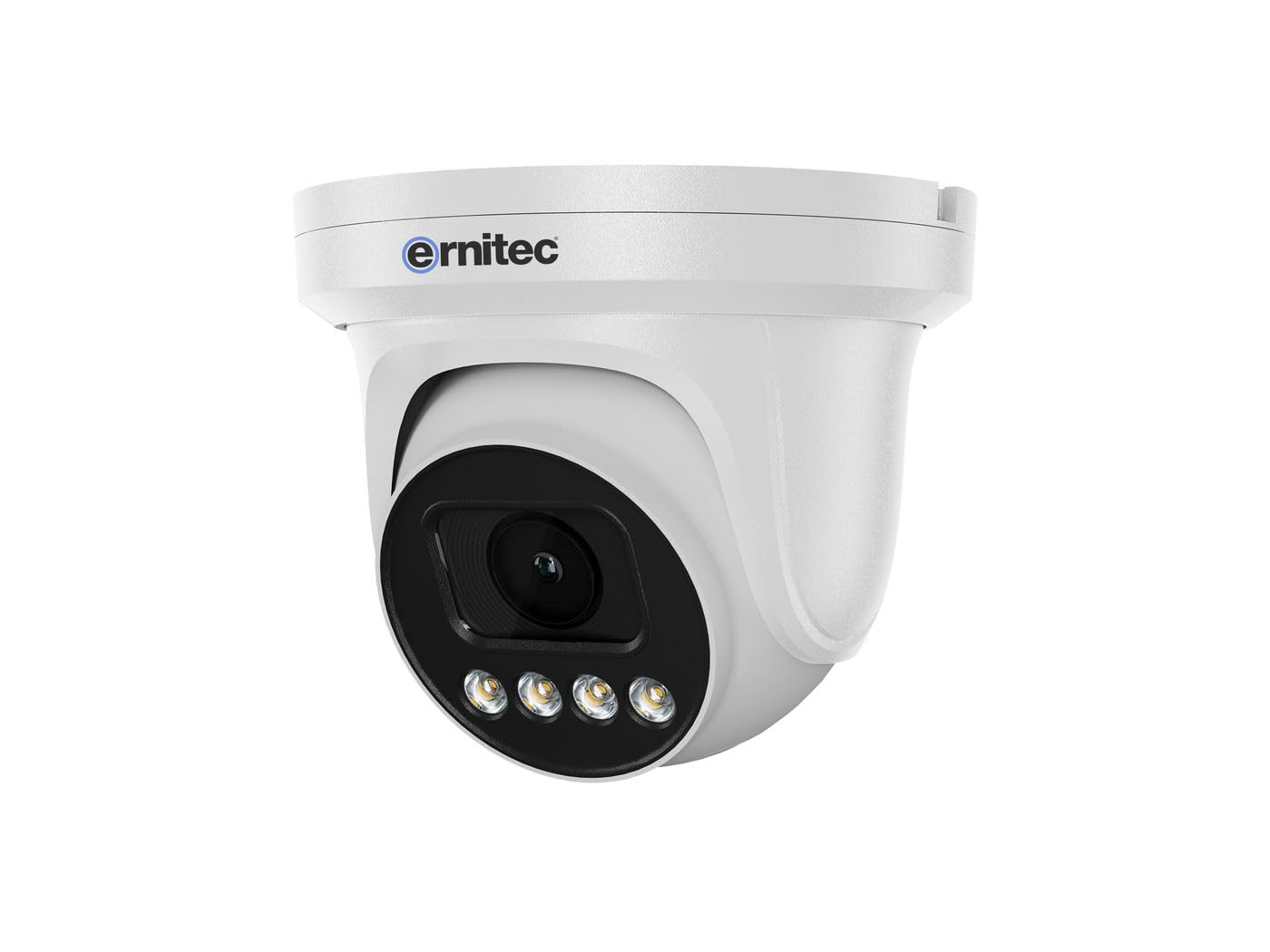
Image 2.1: Ernitec WOLF-PX-515IR Turret Camera with typical accessories.
3. Setup
3.1 Installazzjoni Fiżika
- Agħżel Post: Choose a suitable location for the camera, ensuring it provides the desired field of view u jkun qrib ħafna ta' konnessjonijiet tal-enerġija u tan-netwerk.
- Immuntar:
- Use the provided mounting template to mark drill holes on the wall or ceiling.
- Agħmel toqob u daħħal tappijiet tal-ħajt jekk meħtieġ.
- Waħħal il-bażi tal-kamera mal-wiċċ tal-immuntar billi tuża l-viti pprovduti.
- Aġġusta Angolu: Ħoll il-viti tal-aġġustament fuq il-qafas tal-kamera biex tissettja l-pożizzjoni mixtieqa viewing angle. Tighten the screws once the position is finalized.
3.2 Wajers
Connect the necessary cables to the camera's ports:
- Cable tal-Enerġija: Connect the power adapter to the camera's power input port. Ensure the power source matches the camera's requirements (e.g., 12V DC).
- Network Cable (Ethernet): Connect an Ethernet cable from the camera's RJ45 port to your network router or PoE switch. If using Power over Ethernet (PoE), a separate power adapter is not required.
3.3 Konfigurazzjoni tan-Netwerk
After physical installation and wiring, configure the camera for network access:
- Konnessjoni Inizjali: Qabbad il-kompjuter tiegħek mal-istess netwerk bħall-kamera.
- Indirizz IP: The camera typically obtains an IP address automatically via DHCP. Use the Ernitec IP Search Tool (available on the Ernitec website) to discover the camera's IP address on your network.
- Aċċess Web Interface: Iftaħ a web browser and enter the camera's IP address. Log in using the default username and password (refer to the Quick Start Guide for default credentials).
- Ibdel il-Password: Għas-sigurtà, ibdel il-password awtomatika immedjatament mal-ewwel login.
- Issettjar tan-Netwerk: Configure network settings as needed, such as assigning a static IP address or adjusting port forwarding for remote access.
4. It-tħaddim tal-Kamera
4.1 Funzjonijiet Bażiċi
- Live View: Aċċessa l-kamera web interface or dedicated software to view il-video live feed.
- Reġistrazzjoni:
- Reġistrazzjoni Kontinwa: Configure the camera to record continuously to a Network Video Recorder (NVR) or local storage (if supported).
- Reġistrazzjoni ta 'Sejbien tal-Moviment: Set up motion detection zones and sensitivity. The camera will record when motion is detected.
- Reġistrazzjoni Skedata: Iddefinixxi perjodi ta' żmien speċifiċi għar-reġistrazzjoni.
- Viżjoni bil-lejl: The camera automatically switches to infrared (IR) night vision in low-light conditions. Ensure the IR illuminators are not obstructed.
4.2 mill-bogħod Viewing via Smartphone Application
- Niżżel l-App: Download the official Ernitec surveillance application from your smartphone's app store.
- Irreġistra Kont: Oħloq kont u illoggja.
- Żid Apparat: Follow the in-app instructions to add your WOLF-PX-515IR camera. This typically involves scanning a QR code on the camera or manually entering its serial number/IP address.
- Live View u Daqq: Ladarba żżidha, tista' view foo ħajtage, access recorded videos, and receive motion detection alerts directly on your smartphone.
5. Manutenzjoni
5.1 Tindif
- Naddaf regolarment il-lenti tal-kamera u l-akkomodazzjoni biex tiżgura kwalità ta 'immaġni ċara.
- Use a soft, lint-free cloth. For stubborn dirt, slightly dampmt id-drapp bl-ilma.
- Do not use harsh chemicals, solvents, or abrasive materials, as these can damage the lens coating or camera finish.
5.2 Aġġornamenti tal-Firmware
Periodically check the Ernitec official website for firmware updates. Firmware updates can improve performance, add new features, and enhance security. Follow the instructions provided with the firmware update package carefully.
6 Issolvi l-problemi
| Problema | Kawża Possibbli | Soluzzjoni |
|---|---|---|
| Ebda qawwa | Power adapter disconnected or faulty; no PoE. | Check power connections. Ensure PoE switch is active if using PoE. Test power adapter. |
| Ebda feed video | Network connection issue; incorrect IP address; camera offline. | Verify network cable connection. Check camera's IP address. Ensure camera is powered on and connected to the network. Restart camera and router. |
| Kwalità ta 'immaġni fqira | Lenti maħmuġa; dawl baxx; settings mhux korretti. | Clean the camera lens. Adjust camera settings (e.g., exposure, brightness). Ensure adequate lighting or proper night vision activation. |
| Ma nistax naċċessa mill-bogħod | Network configuration issues (e.g., port forwarding); app not configured correctly. | Check router settings for port forwarding. Ensure the camera is connected to the internet. Reconfigure the smartphone application. |
7. Speċifikazzjonijiet
| Karatteristika | Dettall |
|---|---|
| Numru tal-Mudell | 0070-08113 |
| Brand | Ernitec |
| Konsum tal-Enerġija | 10 Watts |
| Kanali | 1 |
| Karatteristiċi Ewlenin | High-resolution video, motion detection, night vision, remote viewpermezz ta' app għall-ismartphone. |
| ASIN | B0CKJ4KDNX |
| Manifattur | Ernitec |
8. Garanzija u Appoġġ
For warranty information, please refer to the warranty card included with your product or visit the official Ernitec website. Technical support is available through the Ernitec customer service channels, which can typically be found on their websit.
Note: Information regarding spare parts availability and software updates is not available at the time of this manual's publication. Please check the manufacturer's websit għall-aktar informazzjoni kurrenti.