
1. Prodott Aktarview
The THINKCAR THINKSCAN 641 is a wireless OBD2 diagnostic tool designed for comprehensive vehicle system analysis. It provides diagnostic functions for Engine, Transmission, ABS, and SRS Airbag systems, along with full OBD2 modes and 10 essential maintenance reset services. The device features a touchscreen interface and connects wirelessly via Bluetooth to the vehicle's OBD-II port.
1.1 Kontenut tal-Pakkett
- THINKCAR THINKSCAN 641 OBD2 Scanner (x1)
- Bluetooth Connector (x1)
- Manwal tal-Prodott (x1)
1.2 Komponenti tal-Apparat
Familiarize yourself with the main components of your THINKSCAN 641 device:

Image: THINKCAR THINKSCAN 641 device layout with labeled buttons and ports.
- Skrin tattili ta' 4.8 pulzieri: Main display for navigation and data viewing.
- Buttuna tal-Qawwa/Qlokk tal-Iskrin: Agħfas u żomm għal 3 sekondi biex tixgħel jew titfi.
- Ikkonferma Buttuna: Used to select options or confirm actions.
- Up, Down, Left, Right Toggle Key: Għan-navigazzjoni tal-menus u l-għażliet.
- Ċavetta tar-Ritorn: To go back to the previous screen or menu.
- Slott tal-Karta TF: Għal ħażna espansibbli.
- Port tal-Iċċarġjar: Għall-konnessjoni tal-kejbil tal-iċċarġjar.
- OBD Interface: Port for the Bluetooth connector.
2. Setup
2.1 Konnessjoni Inizjali
To begin using your THINKSCAN 641, follow these steps to establish a connection with your vehicle:
- Locate your vehicle's OBD-II port, typically found under the dashboard on the driver's side.
- Plug the included Bluetooth 5.0 VCI Dongle into the vehicle's OBD-II port.
- Turn on the vehicle's ignition (engine off, key on).
- Power on the THINKSCAN 641 handheld unit by pressing and holding the Power/Screen Lock Button for 3 seconds.
- The device will automatically attempt to connect via Bluetooth. A stable connection should be established within 3 seconds.
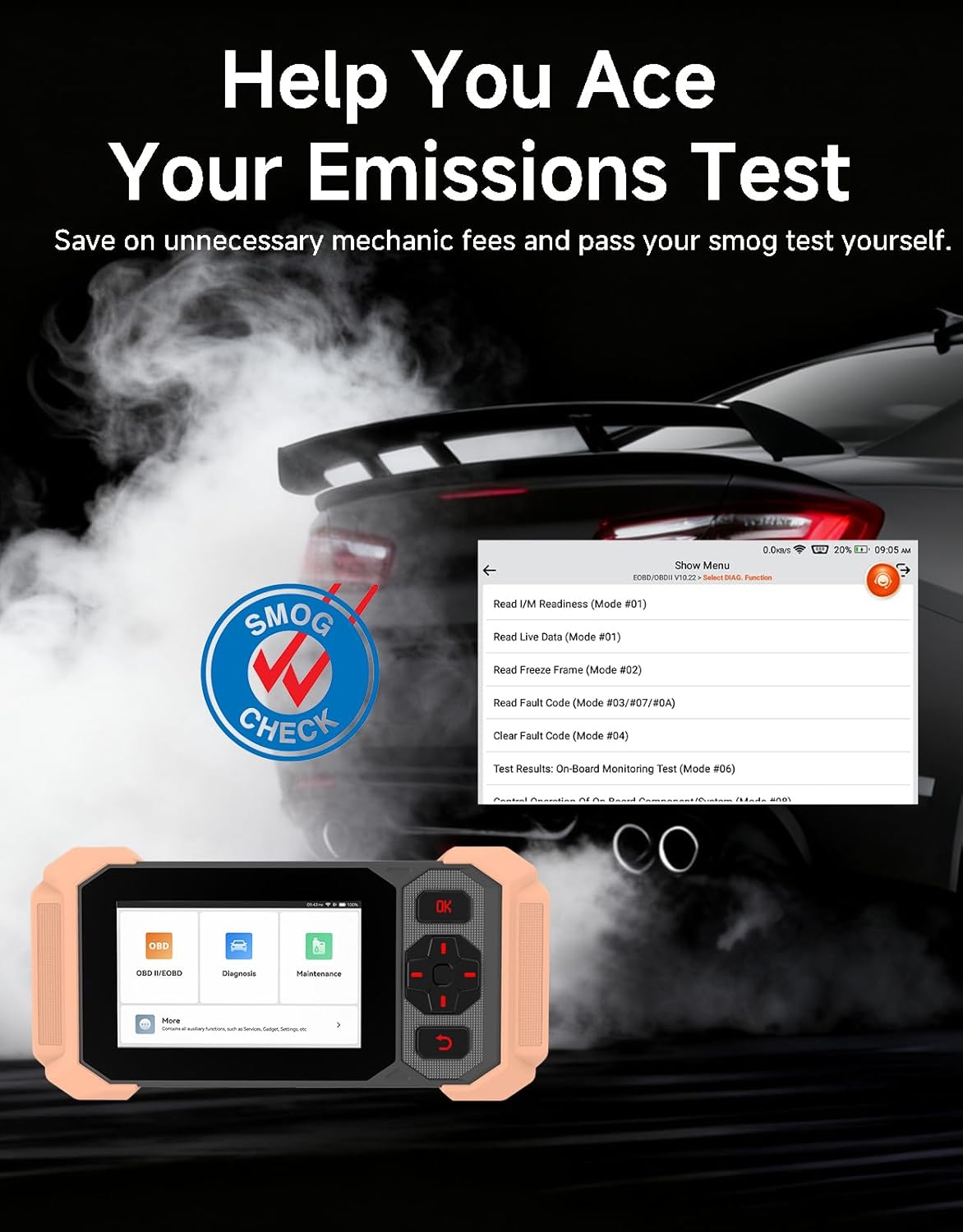
Image: Bluetooth VCI Dongle connected to the vehicle's OBD-II port.
2.2 Automatic Vehicle Identification (AutoVIN)
The THINKSCAN 641 supports AutoVIN functionality, which automatically identifies your vehicle's information upon connection. If AutoVIN fails for your specific vehicle model, you can manually enter the vehicle information to proceed with diagnostics.
2.3 Aġġornamenti tas-Software
The device supports lifetime free software updates via Wi-Fi. Ensure your device is connected to a stable Wi-Fi network to download and install the latest software versions, which include new vehicle models and improved functionalities.

Image: Lifetime Free Update icon.
2.4 Instructional Video: How to Use
Video: This video demonstrates the basic steps for connecting and using the THINKCAR THINKSCAN 641 diagnostic tool, including menu navigation and initiating a scan.
3. Istruzzjonijiet Operattivi
3.1 4-Dijanjostika tas-Sistema
The THINKSCAN 641 provides in-depth diagnostics for four core vehicle systems:
- Sistema tal-Magna: Jaqra u jħassar il-kodiċijiet tal-ħsarat tal-magna, views live data, and performs various engine-related tests.
- Sistema ta' Ibbrejkjar Anti-lock (ABS): Diagnoses ABS issues, reads and clears ABS fault codes, and performs ABS bleeding.
- Sistema ta' Trażżin Supplimentari (SRS/Airbag): Detects and clears airbag system fault codes, and performs SRS resets.
- Sistema ta' Trażmissjoni: Analyzes transmission performance, reads and clears transmission fault codes.

Immaġni: Fuqview of 4-System Diagnostic capabilities.
3.2 Modi OBD2 Sħaħ
The device supports all 10 OBD2 test modes, offering comprehensive diagnostic capabilities:
- Aqra Kodiċijiet: Displays Diagnostic Trouble Codes (DTCs).
- Kodiċijiet Ċari: Iħassar id-DTCs u jirrisettja l-monitors.
- Dejta Live: Shows real-time data stream from vehicle sensors.
- Iffriżar qafas: Stores a snapshot of vehicle operating conditions when an emission-related fault occurs.
- Lest I / M: Jiċċekkja l-istatus tal-moniters relatati mal-emissjonijiet.
- Test tas-Sensor O2: Jirkupra r-riżultati tat-test tal-monitor tas-sensor tal-O2.
- Test tal-Monitor Abbord: Jikseb riżultati għal komponenti u sistemi tal-powertrain relatati mal-emissjonijiet.
- Test tas-Sistema EVAP: Jibda test tas-Sistema ta' Kontroll tal-Emissjonijiet Evaporattivi.
- Informazzjoni dwar il-Vettura: Jikseb in-numru ta' identifikazzjoni tal-vettura (VIN), l-ID tal-kalibrazzjoni, u n-numru ta' verifika tal-kalibrazzjoni (CVN).
- Lookup DTC: Jipprovdi spjegazzjonijiet dettaljati għall-kodiċijiet dijanjostiċi tal-problemi.

Image: Full OBD2 Modes functions display.
3.3 10 Maintenance Reset Functions
The THINKSCAN 641 includes 10 specialized maintenance and reset functions:
- Fsada mill-ABS: Ineħħi l-arja mis-sistema tal-brejkijiet.
- Airbag (SRS) Reset: Resets the airbag system after repairs.
- Tqabbil tal-Batterija: Jirreġistra batterija ġdida mal-ECU tal-vettura.
- Irrisettjar tal-kuxxinett tal-brejk: Resets the brake pad life after replacement.
- Riġenerazzjoni tad-DPF: Initiates the Diesel Particulate Filter regeneration process.
- Electronic Throttle Adaptation: Jitgħallem mill-ġdid il-pożizzjoni tal-body tat-throttle.
- Kodifikazzjoni tal-Injettur: Jikkodifika numri ġodda tal-injetturi lill-ECU.
- Irrisettjar tas-Servizz taż-Żejt: Jirrisettja d-dawl tas-servizz taż-żejt wara bidla taż-żejt.
- Irrisettjar tal-Angolu tal-Istering: Jirrisettja s-sensor tal-angolu tal-istering.
- Irrisettja TPMS: Jirrisettja s-Sistema ta' Monitoraġġ tal-Pressjoni tat-Tajers.

Image: 10 Maintenance Reset Functions.
3.4 Grafika ta' Dejta Live
The device allows for real-time graphing of multiple sensor readings simultaneously, aiding in the diagnosis of intermittent issues and performance analysis.

Image: Live Data Stream icon.
3.5 Kompatibbiltà tal-Vettura
The THINKSCAN 641 is compatible with all OBDII-compliant vehicles manufactured in 1996 or later, covering over 118 automotive brands. It also supports the CAN FD protocol and FCA AutoAuth certification. Note that access to FCA AutoAuth requires a separate purchase and is currently supported for Renault, Nissan, and Chrysler brands.

Image: Wide compatibility with various car brands and regions.
4. Manutenzjoni
4.1 Routine Maintenance Resets
Utilize the 10 maintenance reset functions to perform routine service tasks and clear corresponding indicator lights after repairs. This includes tasks such as oil service resets, brake pad replacements, and battery registrations.
4.2 Aġġornamenti tas-Software
Regularly check for and install software updates via Wi-Fi to ensure your device has the latest vehicle coverage and diagnostic capabilities. Updates are provided free for life.
5 Issolvi l-problemi
5.1 Tħassir tal-Kodiċijiet tal-Ħsarat
When a fault code is detected, it is crucial to diagnose and fix the underlying issue before clearing the code. Clearing codes without addressing the root cause will likely result in the fault code reappearing.
Image: Reminder to fix vehicle faults before clearing codes.
5.2 AutoVIN Failure
If the AutoVIN feature does not automatically identify your vehicle, proceed by manually entering the vehicle's information (make, model, year) to continue with the diagnostic process.
5.3 Navigazzjoni tal-Interfaċċja tal-Utent
While the device is designed for ease of use, some advanced functions may require familiarity with diagnostic procedures. Refer to the built-in DTC Lookup Library for code definitions and consult the online customer service for further assistance if needed.
6. Speċifikazzjonijiet
| Karatteristika | Speċifikazzjoni |
|---|---|
| Brand | AĦseb CAR |
| Numru tal-Mudell | THINKSCAN 641 |
| Sors tal-Enerġija | Mħaddma bil-batterija |
| Sistema Operattiva | Android 8.1 |
| Daqs tal-Iskrin | 4.3 Pulzier |
| Lingwa | Ingliż (jappoġġja 23 lingwi) |
| Tip ta 'Waħħal tal-Karozzi | Waħħal Universali |
| Piż tal-oġġett | 0.9 Liri |
| Konnettività | Bluetooth 5.0 (Bla fili) |
| Aġġornamenti | Aġġornamenti Ħielsa tul il-Ħajja permezz tal-Wi-Fi |
| Protokolli Appoġġjati | OBDII, CAN FD, FCA AutoAuth (separate purchase for specific brands) |
7. Garanzija u Appoġġ
7.1 Garanzija tal-Manifattur
The THINKCAR THINKSCAN 641 comes with a 3-year manufacturer's warranty, ensuring coverage for potential defects or malfunctions.
7.2 Appoġġ Tekniku
Lifetime free technical support is provided for the THINKSCAN 641. For assistance, you can access the built-in online customer service feature directly from the device. This allows for direct communication with professional support staff to resolve any queries or issues.

Image: Timely Online Feedback and Support.