
Introduzzjoni
Grazzi tax-xiriasing the Volkano Cosmic Series Bluetooth Headphones VK-2013-BK. These headphones are designed to provide a comfortable and immersive audio experience with wireless convenience. Featuring a folding design, soft ear cushions, and a padded headband, they offer versatility for various uses. This manual provides essential information for setting up, operating, and maintaining your headphones.
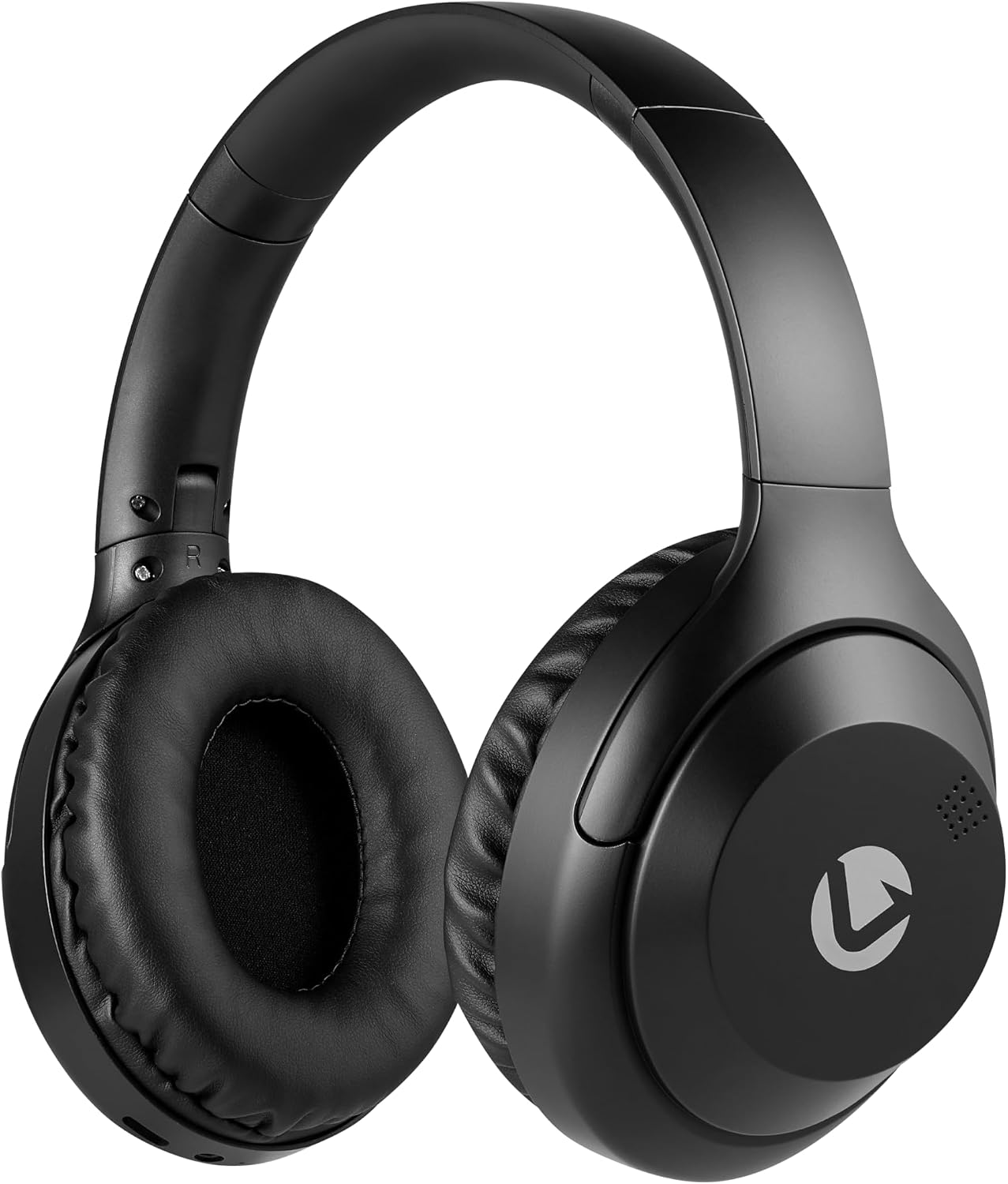
Quddiem view of the Volkano Cosmic Series Bluetooth Headphones.
Kontenut tal-Pakkett
Jekk jogħġbok kun żgur li l-oġġetti kollha huma preżenti fil-pakkett tiegħek:
- Volkano Cosmic Series Bluetooth Headphones
- Cable tal-Iċċarġjar tal-USB
- Kejbil AUX ta '3.5mm
- Manwal ta' Istruzzjoni

Image showing the folding headphones and the included USB charging cable and AUX cable.
Prodott Overview
Iffamiljarizza ruħek mad-diversi partijiet u kontrolli tal-headphones tiegħek:

Ġenb view of the headphones, highlighting the control panel.
- Power / Multi-function Button: Użat biex tixgħel/titfi, daqq/pawża, twieġeb/temm sejħiet.
- Buttuna tal-Volum 'il Fuq / tat-Trakka li Jmiss: Agħfas qasir biex tgħolli l-volum, agħfas twil għat-trakka li jmiss.
- Buttuna Volum 'l isfel / Trakka Preċedenti: Agħfas qasir biex tnaqqas il-volum, agħfas twil għat-trakka ta' qabel.
- Buttuna tal-Modalità: Jaqleb bejn il-modi Bluetooth, Radju FM, u kard Micro SD.
- Mikro USB Charging Port: Għall-iċċarġjar tal-headphones.
- Input AUX 3.5mm: Għal konnessjoni bil-fili ma' apparati awdjo.
- Slott tal-Karta Mikro SD: Biex iddoqq l-awdjo direttament minn kard Micro SD.
- Mikrofonu: Għal sejħiet mingħajr idejn.
- Indikatur LED: Juri l-istatus tal-qawwa, tal-iċċarġjar, u tal-Bluetooth.

Fuqview of key features including Bluetooth, FM Radio, SD Card, Aux Input, and Hands-free calling.
Setup
Iċċarġjar tal-headphones
- Connect the small end of the USB charging cable to the Micro USB port on the headphones.
- Qabbad it-tarf l-akbar tal-kejbil tal-iċċarġjar USB ma' sors ta' enerġija USB (eż., port USB tal-kompjuter, adapter tal-ħajt USB).
- L-indikatur LED se jixgħel aħmar waqt l-iċċarġjar.
- Once fully charged, the LED indicator will turn off or change color (refer to specific product behavior if different).
Qawwa mixgħul/mitfi
- Biex Tixgħel: Press and hold the Power / Multi-function Button for approximately 3 seconds until the LED indicator flashes blue.
- Biex Tifi: Press and hold the Power / Multi-function Button for approximately 3 seconds until the LED indicator turns off.
Tqabbil tal-Bluetooth
- Kun żgur li l-headphones huma mitfija.
- Press and hold the Power / Multi-function Button for approximately 5-7 seconds until the LED indicator flashes blue and red alternately. This indicates pairing mode.
- Enable Bluetooth on your audio device (smartphone, tablet, computer).
- Fittex għal apparati Bluetooth disponibbli.
- Select "Volkano Cosmic" or similar name from the list of devices.
- Once paired, the LED indicator will flash blue slowly.
Istruzzjonijiet Operattivi
Daqq tal-Mużika (Modalità Bluetooth)
- Play/Pawsa: Short press the Power / Multi-function Button.
- Track li jmiss: Long press the Volume Up / Next Track Button.
- Track preċedenti: Long press the Volume Down / Previous Track Button.
- Volum 'il fuq: Short press the Volume Up / Next Track Button.
- Volum 'l isfel: Short press the Volume Down / Previous Track Button.
Funzjonijiet ta' Sejħa
- Tweġiba/Tmiem Sejħa: Short press the Power / Multi-function Button.
- Irrifjuta Sejħa: Long press the Power / Multi-function Button.
- Isemmi mill-ġdid l-Aħħar Numru: Double-press the Power / Multi-function Button.
Modalità tar-Radju FM
- Agħfas il-buttuna tal-modalità biex taqleb għall-modalità tar-Radju FM.
- Long press the Power / Multi-function Button to automatically scan and save available FM stations.
- Short press the Volume Up / Next Track Button or Volume Down / Previous Track Button to switch between saved stations.
AUX Mode (Wired Connection)
- Qabbad tarf wieħed tal-kejbil AUX ta' 3.5mm mal-port tad-dħul AUX fuq il-headphones.
- Qabbad it-tarf l-ieħor tal-kejbil AUX ta' 3.5mm mal-jack tal-output tal-awdjo tat-tagħmir tiegħek.
- Il-headphones jaqilbu awtomatikament għall-modalità AUX.
- Ikkontrolla d-daqq u l-volum direttament mit-tagħmir awdjo konness tiegħek.

Connecting the headphones via the 3.5mm AUX cable for a wired audio experience.
Modalità Karta Mikro SD
- Daħħal kard Micro SD (bl-awdjo files) fis-slott tal-kard Micro SD fuq il-headphones.
- Press the Mode Button to switch to Micro SD card mode.
- The headphones will automatically begin playing audio files mill-karta.
- Use the Play/Pause, Next Track, Previous Track, and Volume buttons as in Bluetooth mode.
Manutenzjoni
Tindif
- Imsaħ il-headphones b'ċarruta ratba u niexfa.
- Tużax prodotti tat-tindif li joborxu, alkoħol, jew solventi kimiċi.
- Keep the charging port and other openings free from dust and debris.
Ħażna
- Aħżen il-headphones f'post frisk u niexef 'il bogħod mix-xemx diretta u minn temperaturi estremi.
- When not in use for extended periods, charge the headphones at least once every three months to maintain battery health.
- The folding design allows for compact storage.
Issolvi l-problemi
| Problema | Kawża Possibbli | Soluzzjoni |
|---|---|---|
| Il-headphones ma jixegħlux. | Batterija baxxa. | Iċċarġja l-headphones bis-sħiħ. |
| Ma tistax tqabbad permezz tal-Bluetooth. | Il-headphones mhumiex fil-modalità ta' tqabbil; il-Bluetooth mitfi fuq l-apparat; l-apparat wisq 'il bogħod. | Ensure headphones are in pairing mode (flashing blue/red). Turn on Bluetooth on your device. Move device closer to headphones (within 10 meters). |
| L-ebda ħoss. | Volum baxx wisq; mod mhux korrett; apparat mhux imqabbad. | Increase headphone and device volume. Ensure correct mode (Bluetooth, AUX, SD). Verify successful Bluetooth connection or AUX cable insertion. |
| Ir-riċeviment tar-radju FM huwa fqir. | Sinjal dgħajjef; interferenza ambjentali. | Mexxi għal żona miftuħa. Erġa' skennja għall-istazzjonijiet. |
Speċifikazzjonijiet
| Karatteristika | Dettall |
|---|---|
| Brand | Volkano |
| Numru tal-Mudell | VK-2013-BK |
| Isem tal-Mudell | Cosmic 2.0 Series |
| Teknoloġija tal-Konnettività | Wireless (Bluetooth) / Wired (3.5 mm Jack) |
| Teknoloġija bla fili | Bluetooth |
| Tqegħid tal-widnejn | Fuq il-widnejn |
| Fattur tal-Formola | Fuq il-widnejn |
| Impedenza | 32 Ohms |
| Rispons ta' Frekwenza | 20 KHz |
| Sensittività | 95 dB |
| Kontroll tal-Ħoss | Xejn |
| Materjal tal-għeluq | Poliuretejn (PU) |
| Użi Speċifiċi Għall-Prodott | Divertiment |
| Karatteristiċi li jintwew tal-headphone | Jintewa |
| Midja inkorporata | FM Radio, Micro SD Card Slot |
| Manifattur | SMD Technologies LLC |
Garanzija u Appoġġ
Informazzjoni dwar Garanzija
Volkano products are backed by a Garanzija limitata ta 'sena. This warranty reflects our commitment to quality and dependable performance. For additional coverage, you may be eligible to register your product for an extended 12-month warranty, totaling 24 months of coverage.
Appoġġ għall-Klijent
Should you have any questions or require assistance with your Volkano Cosmic Series Bluetooth Headphones, please contact Volkano customer support. Your satisfaction is important to us.
For more information or to register your product, please visit the official Volkano page or contact their support channels as indicated on their webis-sit jew l-imballaġġ tal-prodott.