
1. Introduzzjoni
Thank you for choosing the VILTROX K60 RGB LED Video Light. This versatile handheld stick light is designed to provide high-quality, adjustable lighting for various photography and videography needs. Featuring a 20W output, 1950lm brightness, and a high CRI of 97+, it ensures accurate color reproduction. The K60 offers RGB, CCT, and Scene modes, along with PD fast charging and app control for enhanced flexibility.
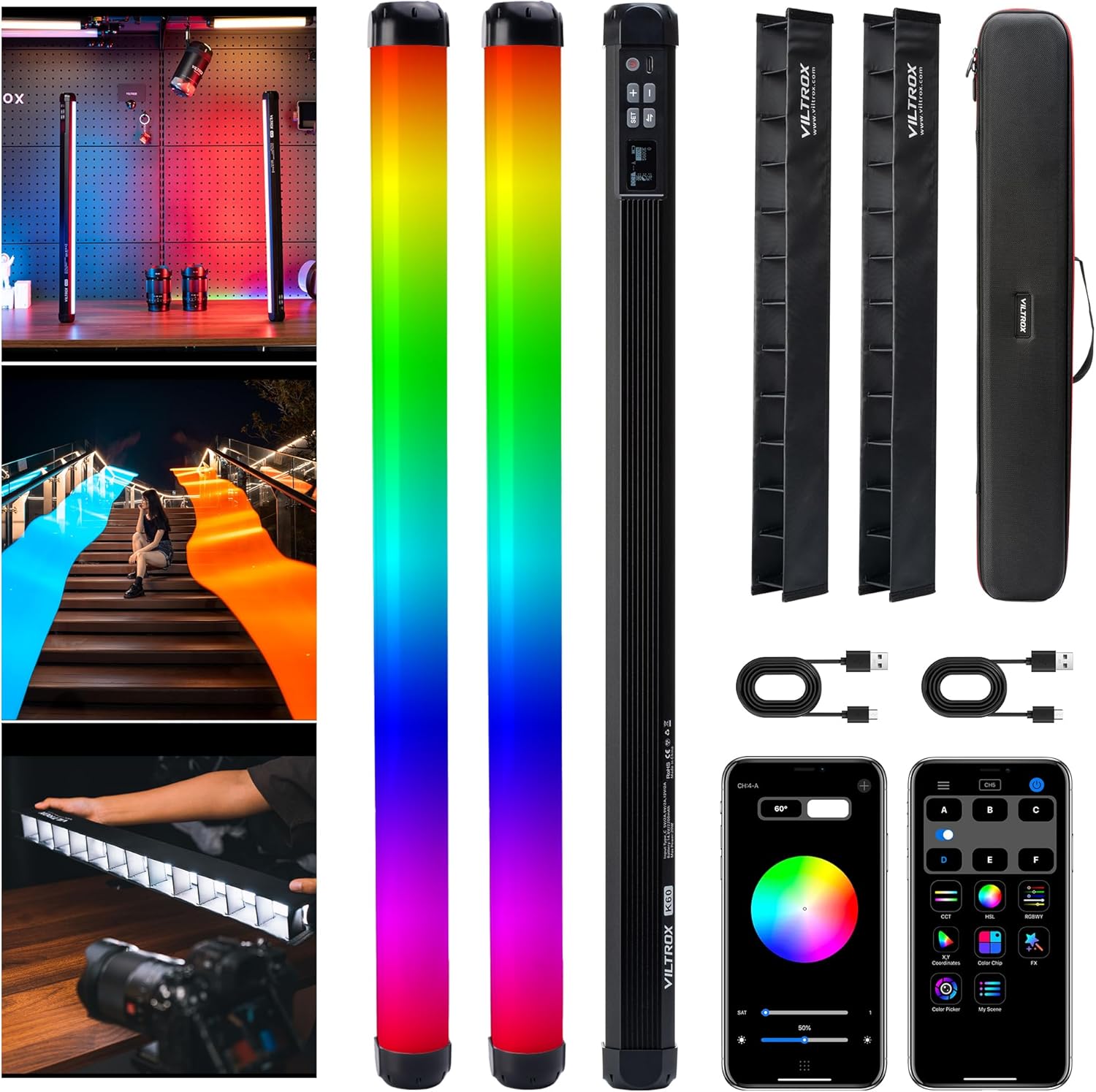
Image 1.1: VILTROX K60 RGB LED Video Light with included accessories.
2. X'hemm fil-Kaxxa
- VILTROX K60 RGB Stick Light x2
- Kejbil tal-Iċċarġjar tat-Tip C x2
- Light Control Grille x2
- Portable Hard Carry Bag x1
- 2 Pack RGB Stick Light Connector x1
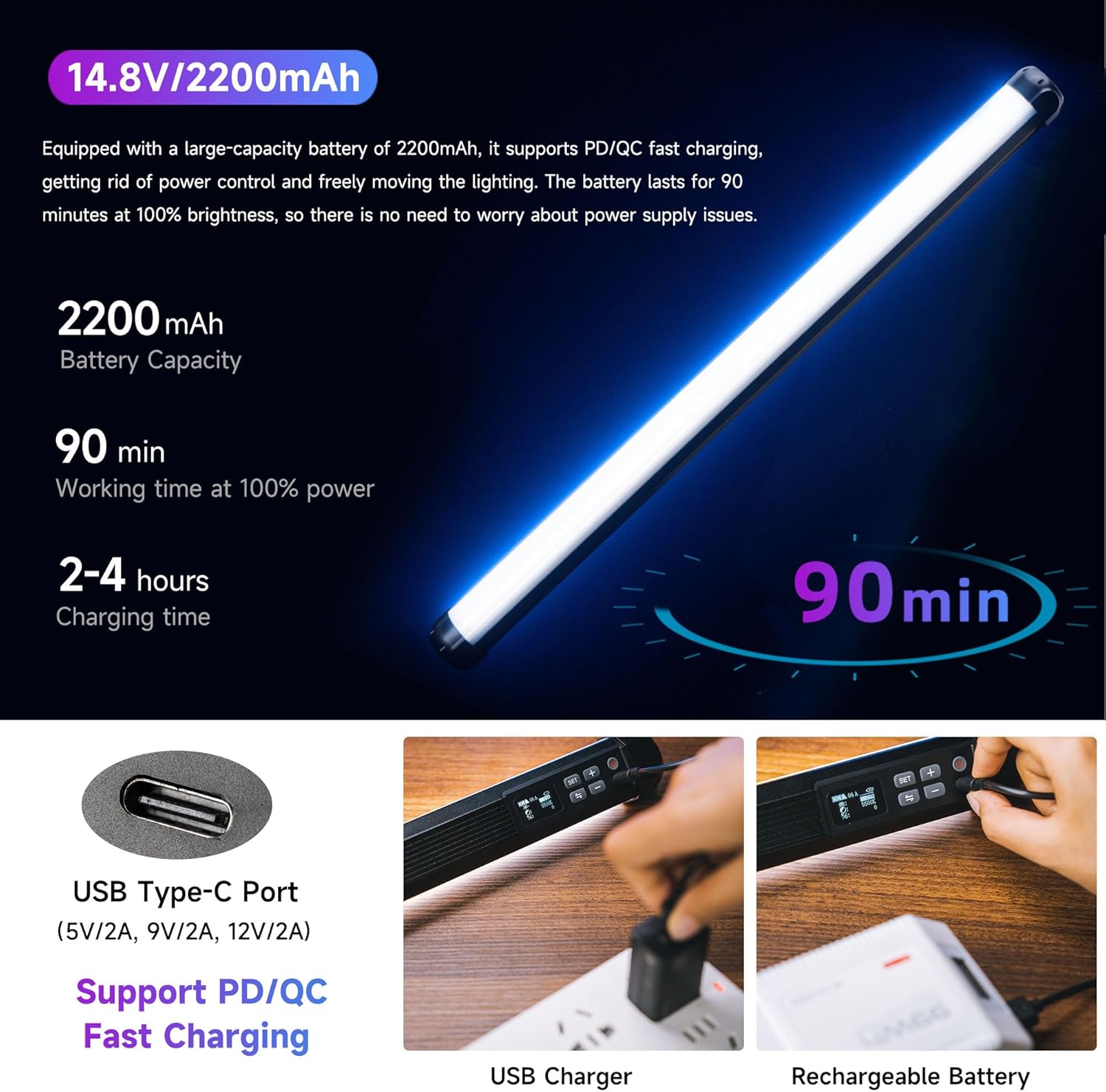
Image 2.1: Contents of the VILTROX K60 package.
3. Setup
3.1 Iċċarġjar inizjali
Before first use, fully charge the VILTROX K60 light. Connect the provided Type-C charging cable to the USB Type-C port on the light and to a compatible PD/QC fast charger (5V/2A, 9V/2A, 12V/2A). The battery lasts for approximately 90 minutes at 100% brightness and supports use while charging.

Image 3.1: USB Type-C port for charging the VILTROX K60.
3.2 Attaching Light Control Grilles
To control light spill and direct the light more precisely, attach the included light control grilles. These grilles slide onto the light stick and help to constrain the light range.

Image 3.2: VILTROX K60 with an attached light control grille.
3.3 Għażliet ta 'Immuntar
The K60 features standard 1/4" nut holes at both the top and bottom, allowing for versatile mounting. It can be used handheld or attached to accessories such as tripods, magic arms, or the included 1/4 screw connector to combine two lights for more powerful lighting.
4. Istruzzjonijiet Operattivi
4.1 Power On/Off
Press and hold the power button located on the control panel to turn the light on or off.
4.2 LCD Display and On-Body Controls
The integrated LCD display provides real-time information on current settings, including mode, color temperature, hue, saturation, and brightness. Use the physical buttons (SET, +, -, and mode switch) on the light's body to navigate menus and adjust parameters directly.

Image 4.1: LCD display and control buttons on the VILTROX K60.
4.3 Modi tad-Dawl
The VILTROX K60 offers three primary lighting modes:
- Modalità RGB: Adjust hue from 0° to 360° and saturation to create a wide spectrum of colors.
- Modalità CCT: Adjust color temperature from 2500K (warm) to 8500K (cool) with ±10 red and green color adjustment, and brightness from 0% to 100%.
- Modalità Xena: Choose from 26 built-in lighting effects to simulate various scenarios and enhance creative possibilities.

Immaġni 4.2: Fuqview of CCT, RGB, and Scene modes.
4.4 App Control
For convenient wireless control, download the "weeylitePro" app. The built-in 2.4G wireless system allows you to remotely adjust settings and switch between various scene modes. The app also enables synchronization with other VILTROX lights for complex lighting setups.

Image 4.3: Controlling the VILTROX K60 via the "weeylitePro" app.
4.5 Vidjows Uffiċjali tal-Prodott
Vidjo 4.1: Overview of the VILTROX K60 Large RGB Stick Light, demonstrating its features and versatility in various lighting scenarios.
Video 4.2: A demonstration of the VILTROX 20W K60 Large RGB Stick Light, highlighting its brightness and color capabilities.
5. Manutenzjoni
To ensure the longevity and optimal performance of your VILTROX K60 light, follow these maintenance guidelines:
- Tindif: Use a soft, dry cloth to clean the light's surface. Avoid using harsh chemicals or abrasive materials that could damage the finish or LED panel.
- Ħażna: When not in use, store the light in its portable hard carry bag in a cool, dry place away from direct sunlight and extreme temperatures.
- Kura tal-batterija: Għal ħażna fit-tul, kun żgur li l-batterija tkun iċċarġjata għal madwar 50-70% biex iżżommha f'saħħitha. Erġa' iċċarġjaha perjodikament jekk tinħażen għal perjodi twal.
6 Issolvi l-problemi
If you encounter any issues with your VILTROX K60 light, please refer to the following common troubleshooting steps:
- Id-dawl ma jixgħelx: Ensure the battery is sufficiently charged. Connect the light to a power source using the Type-C cable and try again.
- Luminożità/Kulur Inkonsistenti: Check the settings on the LCD display or via the "weeylitePro" app. Ensure no physical obstructions are affecting the light output.
- Kwistjonijiet ta' Konnettività tal-App: Verify that Bluetooth is enabled on your mobile device and that the light is within range. Restart both the app and the light if connection problems persist.
- Is-sħana żejda: While designed to dissipate heat efficiently, prolonged use at 100% brightness in confined spaces may cause warmth. Ensure adequate ventilation. The light is designed not to overheat to dangerous levels.
If the problem persists after attempting these steps, please contact VILTROX customer support.
7. Speċifikazzjonijiet
| Karatteristika | Speċifikazzjoni |
|---|---|
| Dimensjonijiet tal-Prodott | 22.8 x 1.57 x 1.54 pulzieri |
| Piż tal-oġġett | 1.25 liri |
| Batteriji | 2 Batteriji tal-Ion tal-litju meħtieġa. (inkluż) |
| Ħajja tal-batterija | 90 minuti (b'luminożità ta' 100%) |
| Teknoloġija tal-Konnettività | Bluetooth (għall-kontroll tal-app) |
| Interface tal-Ħardwer | USB Type C (PD/QC Fast Charging) |
| Output ta 'Qawwa | 20W / 1950lm |
| CRI & TLCI | ≥97 |
| Firxa tat-Temperatura tal-Kulur | 2500K-8500K |
8. Garanzija u Appoġġ
VILTROX products are designed for reliability and performance. For specific warranty information and terms, please refer to the warranty card included with your product or visit the official VILTROX website. For technical support, product inquiries, or service requests, please contact VILTROX customer service through their official channels.
Tista' ssib aktar informazzjoni u appoġġ fuq Ħanut Uffiċjali ta' VILTROX fuq Amazon.