
Introduzzjoni
Thank you for choosing the Vieta Pro Bone Bone Conduction Wireless Headphones. These headphones are designed to provide a unique audio experience, allowing you to enjoy music while remaining aware of your surroundings. This manual provides essential information for setting up, operating, and maintaining your headphones.

Image: Vieta Pro Bone bone conduction headphones in black, showcasinid-disinn ergonomiku tagħhom.
X'hemm fil-Kaxxa
Your Vieta Pro Bone package includes the following items:
- Vieta Pro Bone Bone Conduction Wireless Headphones
- Iċċarġjar Cable
- Manwal għall-Utent (dan id-dokument)
- Earplugs (for enhanced audio experience in noisy environments)
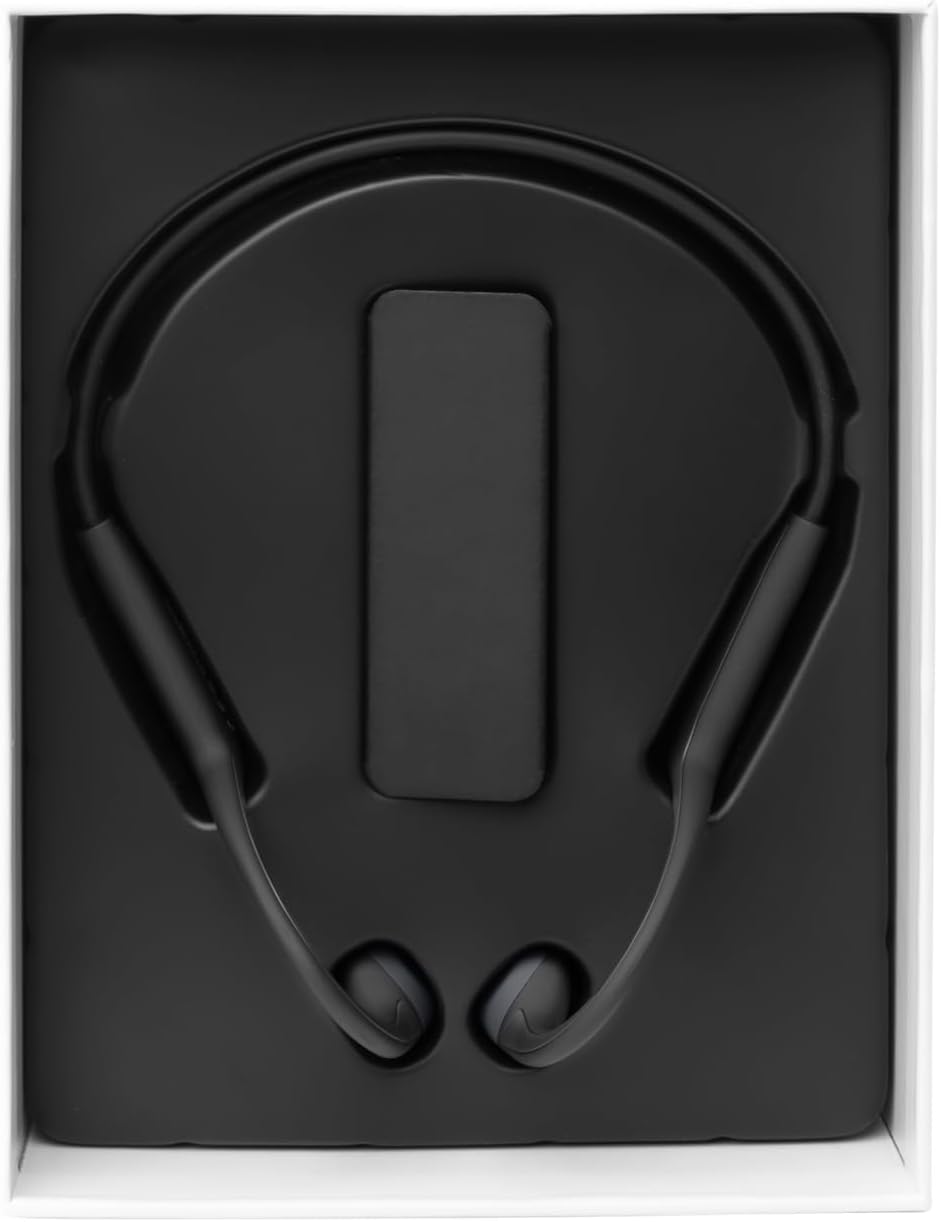
Image: The Vieta Pro Bone headphones neatly packaged in their box, alongside the charging cable and documentation.
Video: An unboxing and quick overview of the Vieta Pro Bone headphones, demonstrating the contents and initial handling.
Prodott Overview
Komponenti tal-headphones
The Vieta Pro Bone headphones feature a lightweight, ergonomic design for comfortable wear during various activities.
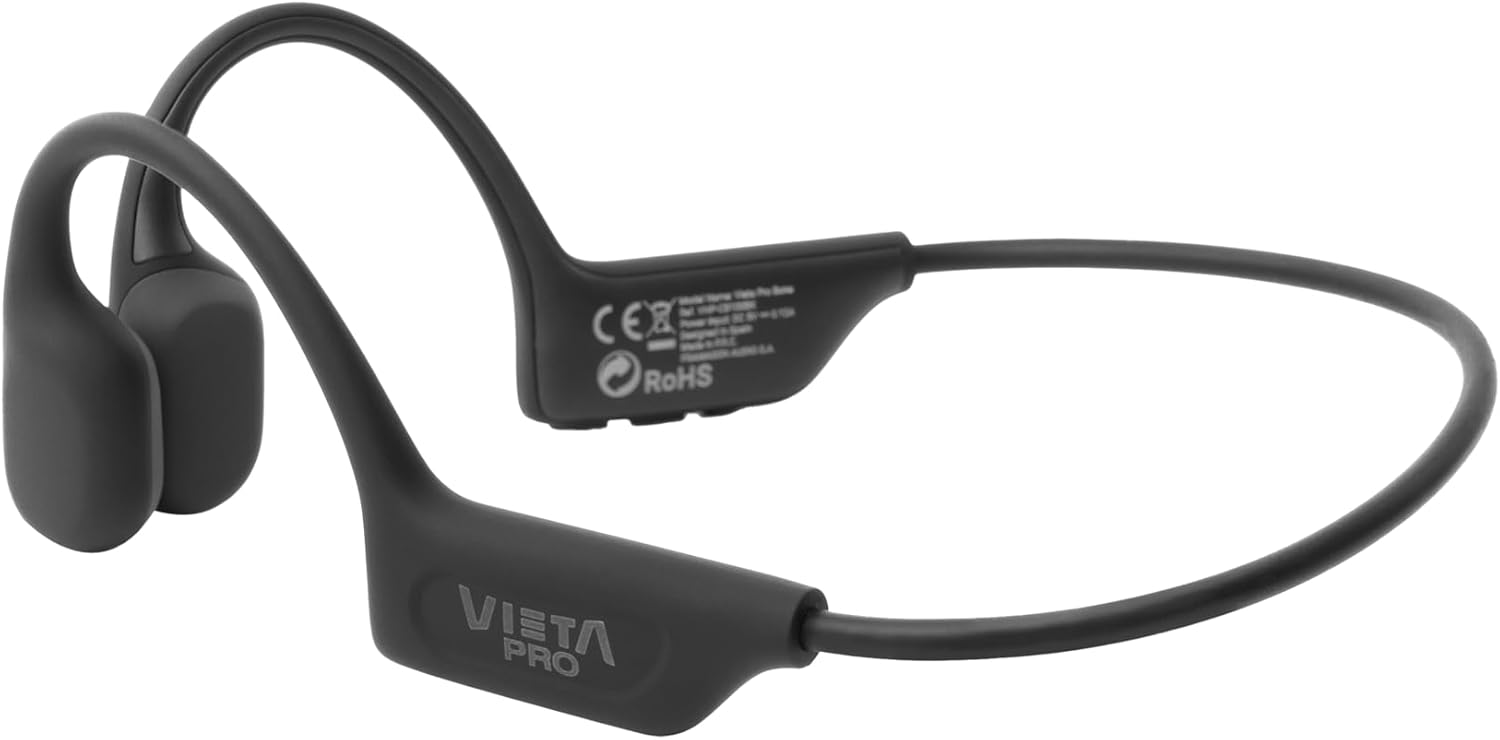
Immaġni: Dettaljata view of the Vieta Pro Bone headphones, highlighting the bone conduction pads that rest near the ears and the flexible band that connects them.
Kontrolli
The control buttons are located on one side of the headphone band for easy access.

Image: A close-up of the control panel on the left side of the headphone band, featuring buttons for power/multifunction, volume up, and volume down.
- Buttuna tal-Enerġija/Multifunzjoni: Użat biex tixgħel/titfi, daqq/pawża, twieġeb/temm sejħiet.
- Buttuna 'l fuq il-volum: Iżżid il-volum, it-trakka li jmiss (ippressa fit-tul).
- Buttuna 'l isfel fil-volum: Inaqqas il-volum, it-trakka preċedenti (ippressar fit-tul).
- Mikrofonu: Integrated for clear calls.
Setup
Iċċarġjar tal-headphones
Before first use, fully charge your headphones. Connect the charging cable to the charging port on the headphones and to a USB power source. The LED indicator will show charging status.
- Ċarġ sħiħ jipprovdi sa 8-il siegħa ta' ħin ta' daqq.
Tqabbil ma' Apparat Bluetooth
- Kun żgur li l-headphones huma mitfija.
- Press and hold the Power/Multifunction button until the LED indicator flashes blue and red, indicating pairing mode.
- Fuq l-apparat tiegħek (smartphone, tablet, eċċ.), attiva l-Bluetooth u fittex apparati disponibbli.
- Select "Vieta Pro Bone" from the list of devices.
- Ladarba konness, l-indikatur LED jteptep bil-mod bil-blu.
Konnessjoni doppja
The headphones support dual connection, allowing you to connect to two devices simultaneously (e.g., phone and tablet). After pairing with the first device:
- Iddiżattiva l-Bluetooth fuq l-ewwel apparat.
- Erġa’ poġġi l-headphones fil-modalità ta’ tqabbil u qabbadhom mat-tieni apparat.
- Erġa' attiva l-Bluetooth fuq l-ewwel apparat. Il-headphones għandhom jikkonnettjaw awtomatikament maż-żewġ apparati.

Image: An infographic illustrating the main features: Bluetooth 5.3, up to 8 hours battery, sport-optimized fit, bone conduction technology, non-isolating design, memory band, dual connection, and IPX6 water resistance.
Istruzzjonijiet Operattivi
Qawwa mixgħul/mitfi
- Qawwa Mixgħul: Press and hold the Power/Multifunction button for 3 seconds.
- Itfi: Press and hold the Power/Multifunction button for 5 seconds.
Daqq tal-Mużika
- Play/Pawsa: Press the Power/Multifunction button once.
- Track li jmiss: Agħfas fit-tul il-buttuna Volume Up.
- Track preċedenti: Agħfas fit-tul il-buttuna Volum 'l isfel.
- Kontroll tal-Volum: Agħfas il-buttuni Volum Up jew Volum Down.
Telefonati
- Tweġiba/Tmiem Sejħa: Press the Power/Multifunction button once.
- Irrifjuta Sejħa: Press and hold the Power/Multifunction button for 2 seconds.
- Assistent tal-Vuċi: Triple press the Power/Multifunction button (if supported by your device).
Manutenzjoni u Kura
- Tindif: Imsaħ il-headphones b'ċarruta ratba u niexfa. Tużax prodotti tat-tindif jew solventi li joborxu.
- Reżistenza għall-Ilma: The headphones are IPX6 water-resistant, meaning they can withstand sweat and splashes. Do not submerge them in water. Dry thoroughly after exposure to moisture.
- Ħażna: Aħżen f'post frisk u niexef 'il bogħod mix-xemx diretta u temperaturi estremi.
- Batterija: To preserve battery life, charge the headphones regularly, even if not in use for extended periods.

Image: A user wearing the Vieta Pro Bone headphones during a run, demonstrating their secure fit and suitability for sports activities.
Issolvi l-problemi
| Problema | Soluzzjoni Possibbli |
|---|---|
| Il-headphones ma jixegħlux. | Kun żgur li l-headphones huma ċċarġjati. Qabbadhom ma' sors ta' enerġija u erġa' pprova. |
| Ma tistax tqabbad mat-tagħmir. |
|
| L-ebda ħoss jew volum baxx. |
|
| Il-kwalità tal-ħoss hija fqira. |
|
Speċifikazzjonijiet
| Karatteristika | Dettall |
|---|---|
| Numru tal-Mudell | VHP-CB100BK |
| Teknoloġija tal-Konnettività | Wireless (Bluetooth) |
| Verżjoni Bluetooth | 5.3 |
| Medda Bluetooth | Sa 10 metri |
| Ħajja tal-batterija | Sa 8 sigħat (daqq) |
| Klassifikazzjoni tar-Reżistenza għall-Ilma | IPX6 (reżistenti għall-għaraq u t-tixrid tal-ilma) |
| Impedenza | 32 Ohms |
| Medda ta' Frekwenzi | 20 Hz - 20,000 Hz |
| Mikrofonu | Integrata |
| Tip ta' Kontroll | Volume control, App control |
| Materjal | Silicone, plastic, fabric |
| Piż | Approximately 180g (from package dimensions) |
Informazzjoni dwar is-Sigurtà
- Tużax il-headphones f'volumi għoljin wisq għal perjodi twal biex tevita ħsara fis-smigħ.
- Maintain awareness of your surroundings, especially when using headphones outdoors or in traffic, as bone conduction technology allows ambient sound to be heard.
- Keep the headphones away from extreme temperatures, direct sunlight, and moisture.
- Tippruvax tiżżarma jew issewwi l-headphones int stess. Ikkuntattja l-appoġġ għall-klijenti għall-għajnuna.
- Dispose of the product and battery responsibly according to local regulations.
Garanzija u Appoġġ
For warranty information and customer support, please refer to the official Vieta Pro webis-sit jew ikkuntattja lid-distributur lokali tiegħek. Żomm il-prova tax-xiri tiegħek għal talbiet ta' garanzija.
Manifattur: FRAMASON AUDIO SA