
Introduzzjoni
This manual provides essential information for the proper use and care of your Apple iPhone 15 Pro Silicone Case with MagSafe. Designed specifically for the iPhone 15 Pro, this case offers protection and enhances functionality with its integrated MagSafe technology.
The exterior features a silky, soft-touch silicone finish for a comfortable grip, while the interior is lined with soft microfiber to provide additional protection against scratches.
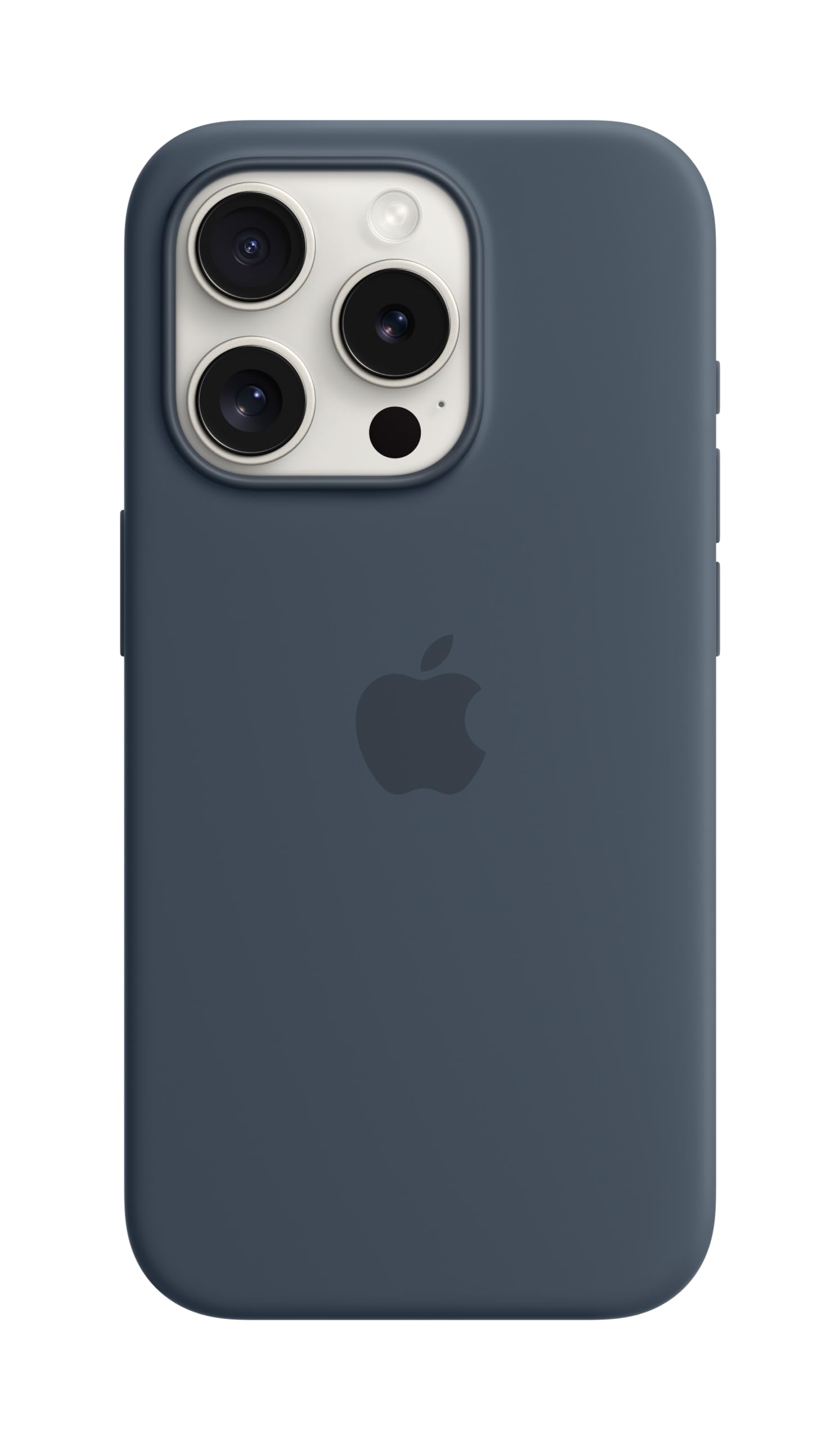
Image: The Apple iPhone 15 Pro Silicone Case in Storm Blue, showcasinid-disinn u l-kulur tiegħu.
Setup
- Ivverifika l-Kompatibbiltà: Ensure your device is an iPhone 15 Pro. This case is designed exclusively for this model.
- Clean Your iPhone: Before installing the case, gently clean your iPhone 15 Pro to remove any dust or debris.
- Install the Case: Align the iPhone 15 Pro with the case, starting with the top edge. Gently press the phone into the case, ensuring all corners and edges are securely fitted. The case should snap into place around the device.
Operating the Case with MagSafe
The integrated MagSafe technology allows for seamless attachment of MagSafe accessories and efficient wireless charging.
- MagSafe Accessory Attachment: The case features built-in magnets that align perfectly with MagSafe accessories such as chargers, wallets, and mounts. Simply bring the accessory close to the back of the case, and it will magnetically snap into position.
- Iċċarġjar bla fili: For faster wireless charging, leave the case on your iPhone and snap on a MagSafe charger. The case is also compatible with Qi-certified wireless chargers; simply place your iPhone (with the case on) onto a Qi-certified charging pad.
Video: Demonstration of MagSafe accessories, including cases, wallets, and chargers, highlighting their magnetic attachment and compatibility with iPhone devices.
Manutenzjoni
To maintain the appearance and integrity of your silicone case, follow these care instructions:
- Tindif ta' barra: Uża drapp ratba u mingħajr ħelu ftit dampened with water to wipe the silicone exterior. Avoid harsh chemicals, abrasive cleaners, or solvents, as these can damage the material.
- Tindif tal-Intern: Periodically remove the case and gently wipe the microfiber lining with a dry, soft cloth to remove any accumulated dust or debris.
- Evita Kundizzjonijiet Estremi: Do not expose the case to extreme temperatures or direct sunlight for prolonged periods, as this may affect the material's durability and color.
Issolvi l-problemi
- Case Not Fitting Correctly: Ensure you have an iPhone 15 Pro. If the case does not fit, remove it and re-align your phone, ensuring all buttons and ports are correctly positioned before gently pressing the phone into the case.
- MagSafe Accessories Not Attaching: Verify that there is no foreign material between the case and the accessory. Ensure the accessory is a MagSafe-compatible product.
- Kwistjonijiet ta' Iċċarġjar Wireless: Confirm that your MagSafe or Qi-certified charger is functioning correctly and properly aligned with the back of the case. Remove any metal objects or thick cards from between the phone and the charger.
Speċifikazzjonijiet
| Brand | Apple |
| Numru tal-Mudell | MT1D3ZM/A |
| Mudelli tat-Telefon Kompatibbli | iPhone 15 Pro |
| Kulur | Blu tal-maltemp |
| Materjal | Silikonju |
| Dimensjonijiet tal-Prodott | 6.34 x 3.42 x 0.7 pulzieri |
| Piż tal-oġġett | 0.035 uqija |
| Manifattur | Apple |
| Data L-Ewwel Disponibbli | 12 ta’ Settembru, 2023 |
Informazzjoni dwar Garanzija
Specific warranty details for your Apple iPhone 15 Pro Silicone Case with MagSafe are typically provided with the product packaging or can be found on the official Apple websit. Jekk jogħġbok irreferi għal dawn ir-riżorsi għal termini u kundizzjonijiet komprensivi tal-garanzija.
Appoġġ
For further assistance, technical support, or additional product information, please visit the official Apple Support website or contact Apple customer service directly. You can find contact details and support resources on support.apple.com.