
Introduzzjoni
Thank you for choosing the TrustFire H6R Headlamp. This manual provides essential information for the safe and effective operation, maintenance, and troubleshooting of your device. Please read it thoroughly before use and retain it for future reference.
The TrustFire H6R is a versatile and powerful headlamp designed for various outdoor activities and work environments. It features a triple light source design, offering spotlight, floodlight, and red light options, with a maximum output of 1350 lumens and a beam distance of up to 152 meters.

Image: TrustFire H6R Headlamp highlighting its triple light source design, 1350 lumens output, and 152-meter range.
Karatteristiċi tal-Prodott
- Luminożità Għolja: Maximum output of 1350 lumens with a beam distance of up to 152 meters.
- Sorsi ta' Dawl Multipli: Features spotlight, floodlight, and red light for diverse lighting needs.
- Modi Versatili: Includes various white light modes (High, Medium, Low, Moonlight) and a Red Light mode with SOS function.
- Rikarikabbli: Equipped with a USB-C charging port for convenient recharging.
- Kostruzzjoni Durabbli: IP68 waterproof rating and 1-meter drop resistance, built with aluminum alloy for enhanced durability and an anti-slip grip.
- Kap li jdur 180 grad: Allows precise adjustment of the light beam direction.
- Tailcap manjetiku: Enables hands-free attachment to ferrous metal surfaces.
- Clip tal-but li tista' titneħħa: Converts the headlamp into a versatile handheld flashlight.
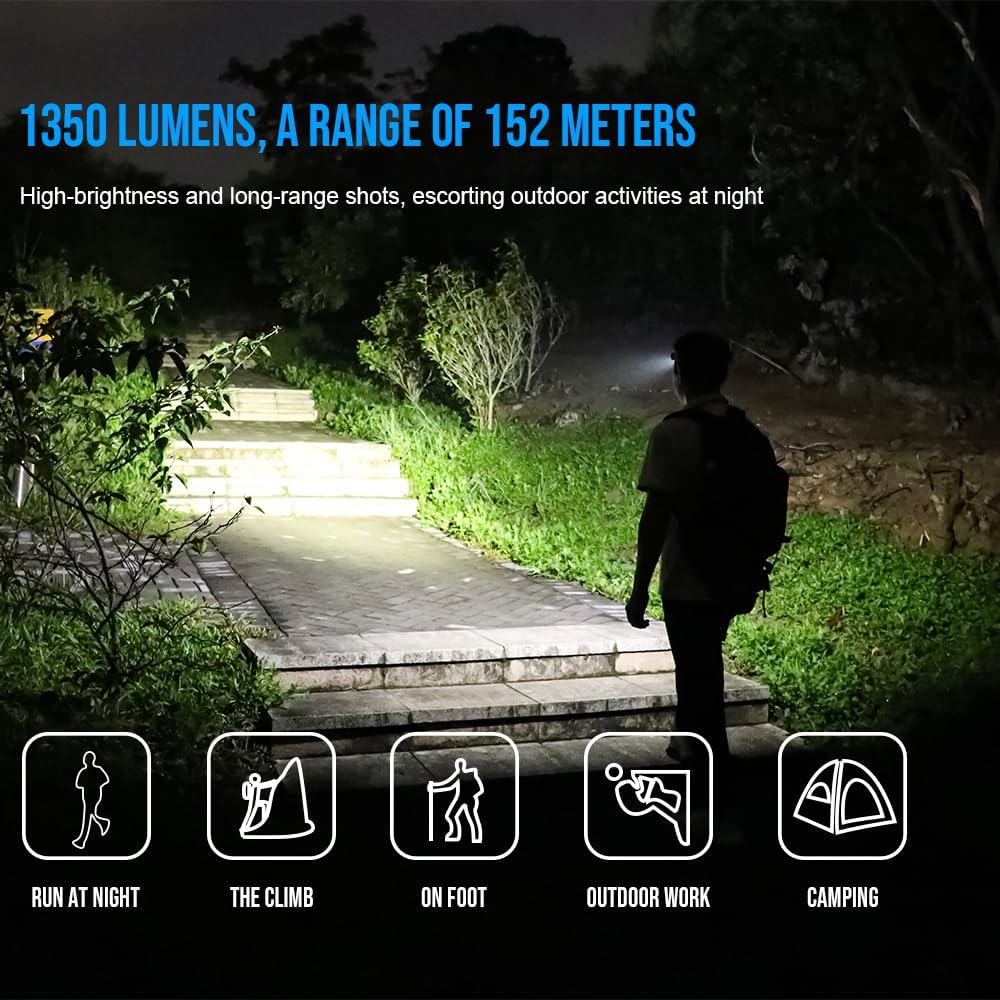
Image: TrustFire H6R Headlamp in use, demonstrating its 1350 lumens and 152-meter range for various outdoor activities.
Setup
1. Battery Installation and First Use
- The H6R headlamp comes with a pre-installed Lithium Ion battery.
- Qabel l-ewwel użu, iċċarġja r-ras kompletamentamp bl-użu tal-kejbil USB-C ipprovdut.
2. Twaħħil tal-Faxxa tar-Ras
- Thread the adjustable TrustFire headband through the designated slots on the headlamp korp.
- Aġġusta l-faxxa tar-ras biex tiżgura li toqgħod komda u sigura fuq rasek.
3. Using the Pocket Clip (Optional)
- To use the H6R as a handheld flashlight, remove it from the headband.
- Attach the removable pocket clip to the headlamp body as desired for carrying on pockets, backpacks, or caps.
Istruzzjonijiet Operattivi
1. Power On/Off
- Press and hold the power button for approximately 0.5 seconds to turn the headlamp ON jew OFF.
2. Switching Modes (White Light)
- Meta l-headlamp is ON, short press the power button to cycle through white light modes: Moonlight → Low → Medium → High.
- Il-kapamp features a memory function and will turn on in the last used white light mode.
3. Activating Red Light / SOS
- From OFF, double-click the power button to activate the Red Light mode.
- From Red Light mode, short press the power button to switch to Red SOS mode.
- Short press again to return to Red Light mode.
- Press and hold for 0.5 seconds to turn OFF.

Image: Demonstration of the H6R's three light sources: spotlight, red light, and floodlight, for multi-scenario application.
4. Adjusting Beam Angle
- Il-kapamp body can be rotated up to 180 degrees to direct the light beam precisely where needed.

Image: The H6R's floodlighting capability, suitable for tasks like work maintenance and outdoor hiking, with a wide 100-degree flood angle.
5. Iċċarġjar tar-Rasamp
- Connect the USB-C charging cable to the headlamp's charging port and to a USB power source.
- Id-dawl indikatur juri l-istatus tal-iċċarġjar (eż., aħmar għall-iċċarġjar, aħdar għal iċċarġjat kompletament).
Manutenzjoni
- Tindif: Imsaħ il-headlamp b'artab, damp drapp. Tużax tindif jew solventi li joborxu.
- Kura tal-batterija: Recharge the battery regularly, especially if not used for extended periods, to maintain battery health. Avoid fully discharging the battery.
- Ħażna: Aħżen il-headlamp f'post frisk u niexef 'il bogħod mid-dawl tax-xemx dirett u temperaturi estremi.
- Reżistenza għall-Ilma: Ensure the USB-C port cover is securely closed to maintain IP68 water resistance.
Issolvi l-problemi
| Problema | Kawża Possibbli | Soluzzjoni |
|---|---|---|
| Kapamp ma jixgħelx. | Il-batterija hija eżawrita. | Iċċarġja l-headlamp bis-sħiħ. |
| L-output tad-dawl huwa baxx. | Livell baxx tal-batterija. | Iċċarġja mill-ġdid il-batterija. |
| Kapamp ma jiċċarġjax. | Il-kejbil jew l-adapter tal-iċċarġjar difettuż. | Try a different USB-C cable or power adapter. Ensure the charging port is clean. |
| Dħul ta' ilma wara l-espożizzjoni. | USB-C port cover not properly sealed. | Ensure the USB-C port cover is always securely closed before exposing the headlamp għall-ilma. |
Speċifikazzjonijiet
| Brand | TrustFire |
| Isem tal-Mudell | H6R |
| Numru tal-Mudell Intern | MC12 |
| Maximum Luminous Power | 1350 Lumens |
| Light Travel Distance | 152 Meters |
| Tip ta' Sors tad-Dawl | LED (3 bozoz) |
| Sors tal-Enerġija | Batterija (Jon tal-Litju) |
| Batterija Inkluża | Iva |
| Run Time (High Mode) | Approximately 1 hour 5 minutes (at 1000 lumens) |
| Karatteristiċi Speċjali | Weather resistant, Floodlight, Red light, SOS |
| Livell ta 'Reżistenza għall-Ilma | IP68 (Li ma jgħaddix ilma) |
| Reżistenza għall-qatra | 1 metru |
| Materjal | Liga tal-Aluminju, ABS |
| Kulur | Aħmar |
| Dimensjonijiet tal-Prodott (P x W x H) | 4 x 13 x 18 ċm |
| Piż | 220 g |
| Użi Rakkomandati | Camping, fishing, hiking, hunting, running, industrial maintenance, outdoor travel, reading, car care, emergency lighting |
Nota: L-ispeċifikazzjonijiet huma soġġetti għal tibdil mingħajr avviż minn qabel.
Garanzija u Appoġġ
TrustFire products are manufactured to high-quality standards. For warranty information, please refer to the warranty card included with your product or visit the official TrustFire website. If you encounter any issues or require technical assistance, please contact TrustFire customer support through their official channels.
Għal aktar informazzjoni u appoġġ, jekk jogħġbok żur il- TrustFire Brand Store on Amazon.