
1. Introduzzjoni
This manual provides essential instructions for the safe and effective operation of your Andoer H8 Compact Digital Camera. Please read this manual thoroughly before using the camera and retain it for future reference.
2. Informazzjoni dwar is-Sigurtà
Biex tiżgura tħaddim sikur, jekk jogħġbok osserva l-prekawzjonijiet li ġejjin:
- Tesponix il-kamera għall-ilma jew l-umdità.
- Evita li twaqqa’ l-kamera jew li tissottomettiha għal impatti qawwija.
- Keep the camera away from extreme temperatures.
- Tippruvax tiżżarma jew issewwi l-kamera int stess. Ikkuntattja persunal tas-servizz kwalifikat.
- Uża biss il-kejbil tal-iċċarġjar u l-batterija speċifikati.

Deskrizzjoni tal-Immaġni: A red triangular warning symbol with an exclamation mark, accompanied by text in multiple languages warning to keep plastic bags away from babies and children to prevent suffocation.
3. Kontenut tal-Pakkett
Ivverifika li l-oġġetti kollha huma preżenti fil-pakkett:
- Andoer H8 Digital Camera
- Kejbil tat-Tip Ċ
- Lanyard
- Manwal għall-Utent

Deskrizzjoni tal-Immaġni: A pink Andoer H8 compact digital camera, displayed with its front and back sides visible, highlighting its compact design and screen.
4. Camera Matulview
Iffamiljarizza ruħek mal-komponenti tal-kamera:
- Lenti: Jiġbor immaġini u vidjows.
- Flash: Jipprovdi dawl f'kundizzjonijiet ta' dawl baxx.
- Display IPS ta' 2.8 pulzieri: Għal viewing menus, photos, and videos.
- Buttuna tal-Qawwa: Jixgħel/jitfi l-kamera.
- Buttuna tas-shutter: Jieħu ritratti.
- Kontrolli taż-żum: Adjusts 8x digital zoom.
- Buttuni tan-Navigazzjoni: Għan-navigazzjoni u l-għażla tal-menù.
- Buttuna tal-Modalità: Switches between photo, video, game, and music modes.
- Port USB-C: Għall-iċċarġjar u t-trasferiment tad-dejta.
- Slott tal-Karta TF: Għall-inserzjoni ta' memory card.

Deskrizzjoni tal-Immaġni: An illustration showing the Andoer H8 camera in four different colors (Purple, Blue, Black, Pink) and icons representing its main functions: Photo, Video, Game, Music, and Flash lamp.
5. Setup
5.1. Iċċarġjar tal-batterija
- Connect the supplied Type-C cable to the camera's USB-C port.
- Qabbad it-tarf l-ieħor tal-kejbil ma' adapter tal-enerġija USB (mhux inkluż) jew mal-port USB tal-kompjuter.
- The charging indicator will illuminate. Charging typically takes 2-4 hours.
- Once fully charged, the indicator light may change or turn off.
5.2. Inserting a Memory Card (TF Card)
The camera supports TF cards up to 32GB (not included).
- Sib l-islott tal-kard tat-TF fuq il-kamera.
- Insert the TF card with the metal contacts facing down until it clicks into place.
- To remove, gently press the card until it pops out.
6. Istruzzjonijiet Operattivi
6.1. Power On/Off
- Biex tixgħel, agħfas u żomm il-buttuna Power.
- Biex titfi, agħfas u żomm il-buttuna tal-Enerġija mill-ġdid.
6.2. Teħid tar-Ritratti
- Turn on the camera and ensure it is in Photo mode (indicated by an icon on the screen).
- Ikkwadra r-ritratt tiegħek billi tuża d-displej IPS ta' 2.8 pulzieri.
- Use the zoom controls to adjust the 8x digital zoom.
- Press the Shutter button to capture the image.

Deskrizzjoni tal-Immaġni: A pink Andoer H8 camera showing a high-definition image on its screen, with text indicating "4800W shot in HD" and "8000x6000 HD resolution," demonstrating its photo capabilities.
6.3. Reġistrar Vidjows
- Ibdel il-kamera għall-modalità Video.
- Press the Shutter button to start recording. A recording indicator will appear on the screen.
- Agħfas il-buttuna Shutter għal darb'oħra biex tieqaf tirrekordja.

Deskrizzjoni tal-Immaġni: A pink Andoer H8 camera displaying a live video recording on its screen, with "1080P Video recording" and "Recording the good times" text, illustrating its video capture function.
6.4. Daqq
- In Photo or Video mode, press the Playback button (usually indicated by a triangle icon) to enter playback mode.
- Use the navigation buttons to browse through your photos and videos.
- Press the OK/Enter button to view ritratt jew idoqq vidjo.
6.5. Special Features: Stickers, Frames, and Filters
Ittejjeb ir-ritratti tiegħek b'għażliet kreattivi integrati:
- Access these features through the camera's menu settings, typically found in Photo mode.
- Select from 40 kinds of head stickers, 26 photo frames, and 6 filters to customize your images before or after capture (depending on camera firmware).

Deskrizzjoni tal-Immaġni: A collage demonstrating various creative options available on the camera, including 40 types of cute head stickers, 26 adorable photo frames, and 6 filters, applied to different child portraits.
6.6. Daqq tal-mużika
The camera supports MP3 music playback.
- Ittrasferixxi MP3 files għall-karta TF.
- Switch the camera to Music mode.
- Use the navigation buttons to select and play music.
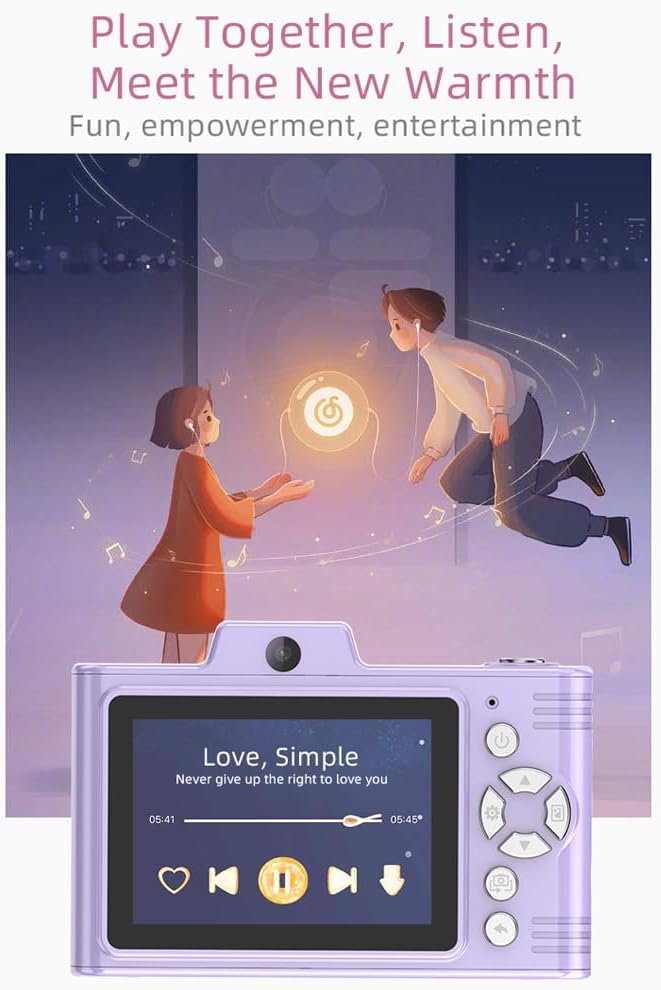
Deskrizzjoni tal-Immaġni: A purple Andoer H8 camera showing a music player interface on its screen, with song title "Love, Simple" and playback controls, indicating its music playback capability.
6.7. Connecting to a Computer / Transferring Files
You can transfer photos and videos to a computer or phone.
- Connect the camera to your computer using the Type-C cable.
- The camera should appear as a removable disk.
- Iddreggja u qiegħed files għall-kompjuter tiegħek.
- For phone transfer, use an OTG adapter (not included) if your phone supports OTG functionality.
7. Manutenzjoni
- Tindif: Use a soft, dry cloth to clean the camera body. For the lens, use a specialized lens cleaning cloth.
- Ħażna: Store the camera in a cool, dry place away from direct sunlight and dust. Remove the battery if storing for extended periods.
8 Issolvi l-problemi
| Problema | Soluzzjoni Possibbli |
|---|---|
| Il-kamera ma tixgħelx. | Ensure the battery is charged. Reinsert the battery. |
| Ma nistax nieħu ritratti/vidjows. | Check if a TF card is inserted and has sufficient space. Ensure camera is in the correct mode. |
| L-immaġini huma mċajpra. | Clean the lens. Ensure adequate lighting. Hold the camera steady. |
| Il-kamera tiffriża. | Neħħi u erġa' daħħal il-batterija biex tirrisettja l-kamera. |
9. Speċifikazzjonijiet
| Karatteristika | Dettall |
|---|---|
| Mudell tal-Prodott | H8 |
| Display Screen | 2.8 pulzier IPS |
| Photo Pixel | Sa 48MP |
| Riżoluzzjoni tal-vidjo | 1080P HD |
| Zoom Diġitali | 8x |
| File Format | JPG/AVI/MP3 |
| Ħin tal-Iċċarġjar | Appross. 2-4 sigħat |
| Kapaċità tal-batterija | 700mAh, 3.7V |
| Piż tal-Prodott | 110g |
| Daqs tal-Prodott | 105.5 x 72 x 46mm |
| Iċċarġjar Voltage | DC5V 1A |
| Appoġġ tal-Memorja | TF card (max 32GB) |
| Karatteristiċi Speċjali | 40 Head Stickers, 26 Photo Frames, 6 Filters |
| Konnettività | USB (Tip-Ċ) |
| Stabbilizzazzjoni tal-Immaġni | Diġitali |
| Tip tas-Sensor | CMOS |
| Livell ta' Ħiliet | novizzi |
10. Garanzija u Appoġġ
For warranty information and technical support, please refer to the documentation provided with your purchase or contact Andoer customer service directly. Keep your proof of purchase for warranty claims.