
1. Prodott Aktarview
The ECOPAD 10.1 Inch Android 15 Tablet is designed for versatile use, offering a balance of performance and portability. It features a quad-core processor, the Android 15 operating system, and a 10.1-inch IPS HD touchscreen for clear visuals. With ample storage and expansion options, dual cameras, and robust connectivity, this tablet is suitable for various tasks from entertainment to productivity.
- Sistema Operattiva: Android 15
- Wiri: 10.1-inch IPS HD (1280x800 pixels)
- Proċessur: Quad-core ARM RK3562
- Memorja: 12GB RAM (4GB physical + 8GB virtual)
- Ħażna: 64GB ROM, expandable up to 1TB via SD card (sold separately)
- Kameras: 2.0MP ta 'quddiem, 8.0MP ta' wara
- Batterija: 6000mAh Lithium Battery (up to 8 hours video playback)
- Konnettività: Dual Band Wi-Fi (2.4/5GHz), Bluetooth 5.0
- Ċertifikazzjoni: GMS Certified for full Google Play access
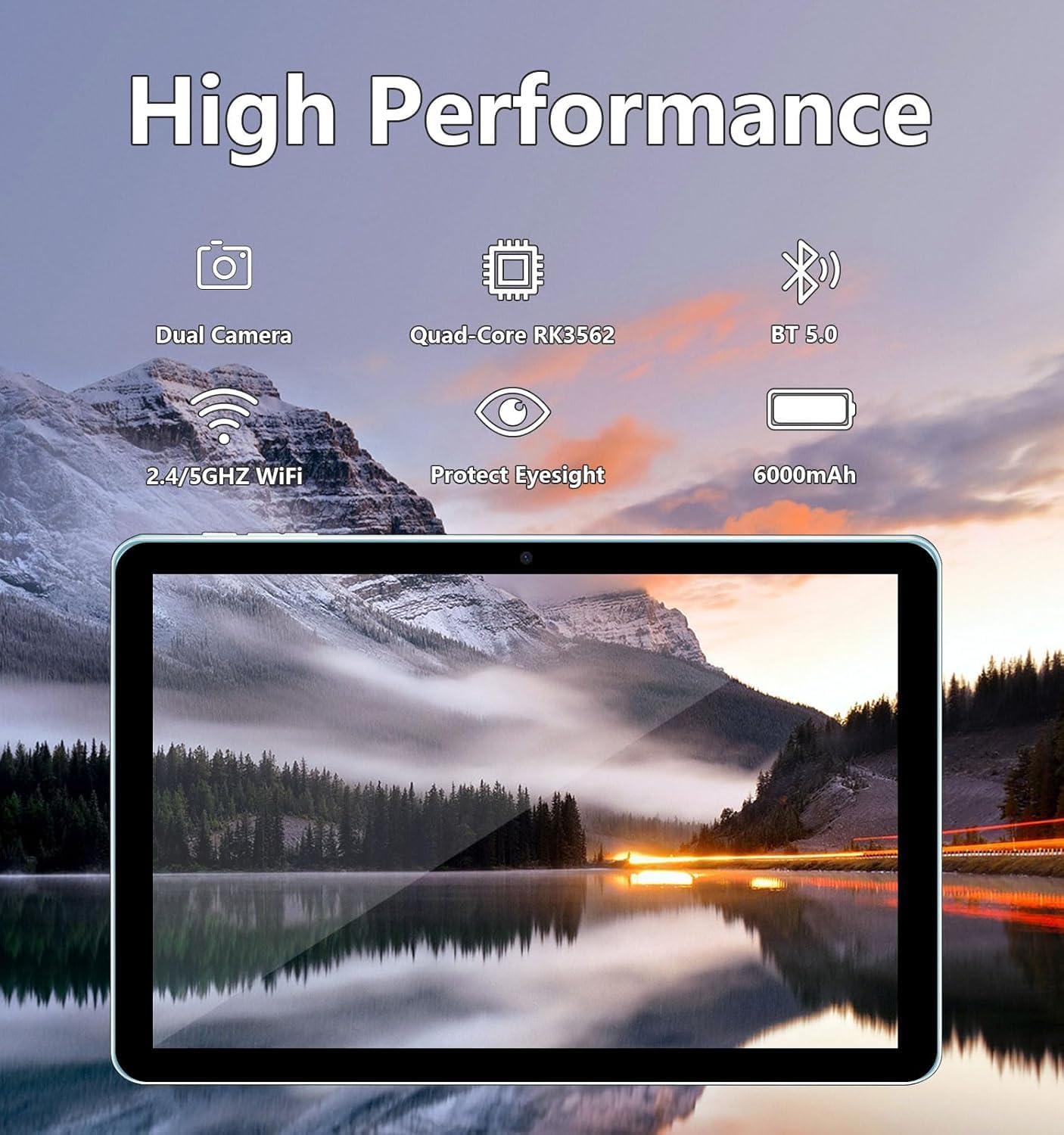
Image: The ECOPAD tablet showcasing its high-performance features including dual cameras, quad-core processor, Bluetooth 5.0, dual-band Wi-Fi, and 6000mAh battery.
2. Nibdew
2.1 Unboxing Your Tablet
Carefully remove all items from the packaging. The box should contain the ECOPAD 10.1 Inch Tablet, a protective case, a USB-C charging cable, and a screen protector. Please check for any damage during transit.
2.2 Karatteristiċi Fiżiċi
Familiarize yourself with the tablet's ports and buttons:

Image: A detailed diagram illustrating the location of the USB-C Port, SD Card Slot, Volume buttons, Power On/Off button, Reset button, Microphone, Front Camera, Headphone Jack, Speakers, Rear Camera, and Flash on the ECOPAD tablet.
- Port USB-C: Għall-iċċarġjar u t-trasferiment tad-dejta.
- Slot tal-Kard SD: Insert a Micro SD card for expanded storage.
- Volum - / Volum +: Aġġusta l-volum tal-awdjo.
- Power On/Off: Press and hold to power on or off. Short press to sleep/wake.
- Reset (Reboot): A small pinhole for force restarting the device if unresponsive.
- Mikrofonu: For audio input during calls or recordings.
- Kamera ta' quddiem: Għal sejħiet bil-vidjo u selfies.
- Jack tal-headphone: Qabbad headphones ta '3.5mm.
- Kelliema: Għall-output tal-awdjo.
- Kamera ta' wara: Għat-teħid ta' ritratti u vidjows.
- Flash: Provides illumination for the rear camera.
2.3 Iċċarġjar tat-Tablet
Before first use, fully charge your tablet. Connect the provided USB-C cable to the tablet's USB-C port and the other end to a compatible USB power adapter (not always included) or a computer's USB port. The battery indicator on the screen will show charging status.
2.4 Tixgħel/Jitfi
- Biex Tixgħel: Press and hold the Power On/Off button until the ECOPAD logo appears on the screen.
- Biex Tifi: Press and hold the Power On/Off button until a power menu appears. Select 'Power Off' and confirm.
- Biex Torqod/Tqum: Briefly press the Power On/Off button.
2.5 Setup Inizjali
Malli tixgħelha għall-ewwel darba, it-tablet jiggwidak fil-proċess inizjali tas-setup. Dan tipikament jinkludi:
- L-għażla tal-lingwa tiegħek.
- Konnessjoni ma 'netwerk Wi-Fi.
- Idħol bil-kont Google tiegħek jew toħloq wieħed ġdid.
- Issettjar tal-illokkjar tal-iskrin (PIN, mudell, password).
- Reviewing and accepting Google services terms.
3. It-Tħaddim tat-Tablet Tiegħek
3.1 Navigazzjoni bit-Touchscreen
The tablet's 10.1-inch IPS HD touchscreen supports multi-touch gestures:
- Tektek: Agħżel oġġett jew iftaħ app.
- Tmiss u Żomm: Aċċessa l-menus kuntestwali jew iċċaqlaq l-oġġetti.
- Swipe: Innaviga fl-iskrins, skrollja l-listi, jew agħlaq in-notifiki.
- Agħfas biex Tiżżumja: Iżżumja 'l ġewwa jew 'il barra fuq l-immaġnijiet u web paġni.
3.2 Konnessjoni mal-Wi-Fi
Biex tikkonnettja mal-internet:
- Mur fuq Settings > Netwerk u internet > Wi-Fi.
- Ixgħel il-Wi-Fi On.
- Agħżel in-netwerk mixtieq tiegħek mil-lista.
- Daħħal il-password jekk tintalab u tektek Qabbad.
3.3 Google Play Store
As a GMS Certified device, your tablet has full access to the Google Play Store. You can download a wide variety of applications, games, movies, and books.
- Tektek il- Play Store ikona fuq l-iskrin tad-dar tiegħek jew fil-kexxun tal-app.
- Fittex jew ibbrawżja l-apps.
- Tektek Installa biex tniżżel u tinstalla app.

Image: The tablet display featuring the Google Play Store icon and other Google Mobile Services (GMS) applications, indicating full access to the Android ecosystem.
3.4 Ġestjoni tal-Ħażna
The tablet comes with 64GB of internal storage (ROM) and 12GB of RAM (4GB physical + 8GB virtual for enhanced performance). You can expand storage further:
- Karta Micro SD: Insert a Micro SD card (up to 1TB, sold separately) into the SD card slot to store additional photos, videos, and files.
- Biex timmaniġġja l-ħażna, mur fuq Settings > Ħażna.

Image: The tablet screen displaying its storage capabilities, including 12GB RAM, 64GB ROM, and the option for 1TB SD card expansion, allowing users to store a large volume of data.
3.5 Użu tal-Kamera
The tablet is equipped with a 2.0MP front camera and an 8.0MP rear camera.
- Iftaħ il- Kamera app.
- Tektek l-ikona tal-kamera biex taqleb bejn il-kameras ta' quddiem u ta' wara.
- Tektek il-buttuna tax-shutter biex tieħu ritratt jew tibda/twaqqaf ir-reġistrazzjoni tal-vidjow.

Image: The tablet screen showing a video conference with four participants, demonstrating the clarity of the 10.1-inch 1280x800 HD display for communication.
3.6 Konnettività Bluetooth
Connect your tablet to Bluetooth devices like headphones, speakers, or keyboards.
- Mur fuq Settings > Apparati konnessi > Bluetooth.
- Toggle Bluetooth On.
- It-tablet se jiskennja għal apparati disponibbli. Agħżel l-apparat tiegħek mil-lista biex tqabbad.
4. Manutenzjoni
4.1 Kura tal-Batterija
To maximize your tablet's battery life and longevity:
- Evita temperaturi estremi.
- Tħallix il-batterija tixxotta kompletament ta' spiss.
- Unplug the charger once the tablet is fully charged.
- Reduce screen brightness and disable unnecessary features (e.g., Bluetooth, Wi-Fi) when not in use.
4.2 Tindif tat-Tablet Tiegħek
Uża drapp artab u mingħajr suf biex tnaddaf l-iskrin u l-qafas tat-tablet. Għal tbajja' persistenti, neħħi ftit.ampLaħlaħ id-drapp bl-ilma jew b'soluzzjoni għat-tindif tal-iskrin. Evita kimiċi ħarxa jew materjali li joborxu.
5 Issolvi l-problemi
If you encounter issues with your ECOPAD tablet, try the following common solutions:
- It-tablet ma jirrispondix: Press and hold the Power On/Off button for about 10-15 seconds to force a restart. If this doesn't work, locate the small 'Reset' pinhole and use a thin object (like a paperclip) to press it gently.
- Apps are crashing or running slowly: Close unused apps, clear app caches (Settings > Apps > [App Name] > Storage & cache > Clear cache), or restart the tablet. Ensure your apps are updated.
- Kwistjonijiet ta' konnessjoni Wi-Fi: Ensure Wi-Fi is enabled. Try restarting your router and the tablet. Forget the network and reconnect.
- Il-batterija tinxef malajr: Reduce screen brightness, disable background app refresh, turn off GPS, Bluetooth, and Wi-Fi when not needed. Check battery usage in Settings to identify power-hungry apps.
- Screen is not responding to touch: Erġa' ibda t-tablet. Jekk il-problema tippersisti, kun żgur li l-iskrin ikun nadif u ħieles minn debris.
Jekk dawn il-passi ma jsolvux il-problema tiegħek, jekk jogħġbok irreferi għat-taqsima tal-Garanzija u l-Appoġġ għal aktar assistenza.
6. Speċifikazzjonijiet
| Karatteristika | Speċifikazzjoni |
|---|---|
| Daqs tal-wiri tal-iskrin wieqaf | 10.1 Pulzier |
| Riżoluzzjoni tal-Iskrin | 1280 x 800 pixel |
| Riżoluzzjoni Massima tal-Iskrin | 1280 * 800 Pixels |
| Tip bla fili | Bluetooth |
| Ħajja Medja tal-Batterija (f'sigħat) | Sa 8-il siegħa (daqq tal-vidjo) |
| Brand | ECOPAD |
| Serje | THTH-K12C |
| Numru tal-mudell tal-oġġett | THTH-K12C |
| Sistema Operattiva | Android 15 |
| Piż tal-oġġett | 2.02 liri |
| Dimensjonijiet tal-Prodott | 9.5 x 6.2 x 0.28 pulzieri |
| Dimensjonijiet tal-oġġett LxWxH | 9.5 x 6.2 x 0.28 pulzieri |
| Kulur | Blu |
| Wara WebCam Riżoluzzjoni | 8 MP |
| Brand tal-proċessur | DRIEGĦ |
| Batteriji | 1 Batteriji tal-Lithium Polymer meħtieġa. (inkluż) |
| Kapaċità tal-Ħżin tal-Memorja | 64 GB (espandibbli għal 1TB) |
7. Garanzija u Appoġġ
ECOPAD offers comprehensive support for your product.
- Garanzija: Your ECOPAD tablet comes with a 1-year warranty. This warranty covers product failures due to manufacturing defects.
- Ikkuntattja l-Appoġġ: If you have any questions, encounter issues, or require technical assistance, please do not hesitate to contact ECOPAD customer service. Most questions are answered within 24 hours.
ECOPAD is committed to providing high-quality products and excellent customer service, continuously improving products and services through sharing and communication.