
Tesvor S5
Tesvor S5 Robot Vacuum and Mop User Manual
Mudell: S5
Brand: Tesvor
1. Introduzzjoni
Welcome to the Tesvor S5 Robot Vacuum and Mop user manual. This guide provides essential information for setting up, operating, and maintaining your Tesvor S5 to ensure optimal performance and a clean home. The Tesvor S5 is designed for efficient cleaning with its powerful suction, intelligent navigation, and versatile vacuuming and mopping capabilities.

Figure 1.1: Tesvor S5 Robot Vacuum and Mop
2. Komponenti Inklużi
The Tesvor S5 package includes the following items:
- 1 x S5 Robot Vacuum with One Lateral Brush
- 1 x Baċir tal-Iċċarġjar
- 1 x Adapter tal-Enerġija
- 1 x 350 mL Water Tank (with 2 washable mopping cloths)
- 1 x 600 mL Dustbin
- 1 x High-efficiency Filter/Sponge
- 1 x Xkupilji tal-Ġenb
- 1 x Manwal għall-Utent
- 1 x Networking Guide
3. Gwida ta' Setup
3.1 Tneħħija tal-kaxxa u l-ewwel tqegħid
- Neħħi bir-reqqa l-komponenti kollha mill-imballaġġ.
- Agħżel post adattat għall-iċċarġjar dock. Kun żgur li jkun maġenb ħajt, b'mill-inqas 0.5 metri (1.6 piedi) ta' spazju vojt fuq kull naħa u 1.5 metri (4.9 piedi) quddiemu.
- Connect the power adapter to the charging dock and plug it into a power outlet. Ensure the power cord is neatly arranged to prevent entanglement.
3.2 L-Ewwel Użu u l-Iċċarġjar
- Place the Tesvor S5 robot vacuum onto the charging dock. Ensure the charging contacts on the robot align with those on the dock. The robot will begin charging automatically.
- For the first use, fully charge the robot vacuum. This may take several hours.
3.3 Konnessjoni u Immappjar tal-App
- Download the "Tesvor Home" App from your smartphone's app store (available for iOS and Android).
- Follow the in-app instructions to connect your Tesvor S5 to your home Wi-Fi network (supports 2.4Ghz WiFi only).
- Initiate the first cleaning cycle via the app. The robot will use its 360° LiDAR navigation to scan and create a precise map of your home. This map is crucial for efficient cleaning and setting up advanced features like No-Go Zones.
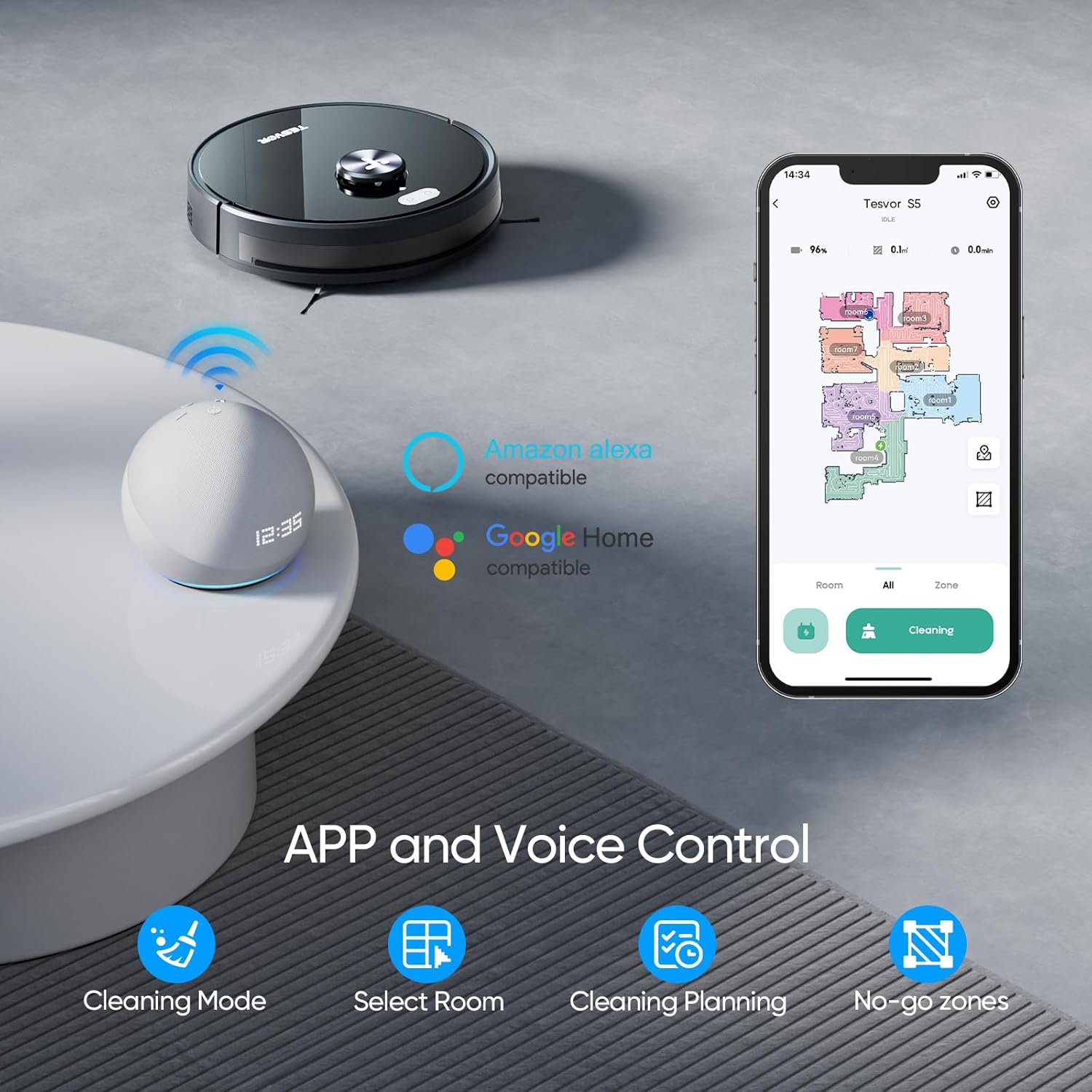
Figure 3.1: Tesvor S5 App and Voice Control Setup
4. Istruzzjonijiet Operattivi
4.1 Modi tat-Tindif
The Tesvor S5 offers flexible cleaning modes for various needs:
- Sweeping Modes: 3 adjustable sweeping modes for different debris levels.
- Mopping Modes: 3 adjustable mopping modes to control water output via the app.

Figure 4.1: Tesvor S5 2-in-1 Vacuum & Mop Functionality

Figure 4.2: One Machine with Sweeping and Mopping Functions
4.2 Qawwa tal-Ġbid
The Tesvor S5 features up to 3000Pa strong suction, ideal for pet hair, carpets, and hard floors. The suction power can be adjusted via the app.

Figure 4.3: Tesvor S5 3000Pa Strong Suction

Figure 4.4: Adjustable Suction Power (Silent, Normal, Powerful)
4.3 Navigazzjoni u Mappatura
Equipped with 360° Advanced LiDAR Navigation, the S5 scans your environment to create high-precision maps for intelligent navigation and route planning. It can build a map in minutes and store up to 5 maps.

Figure 4.5: Tesvor S5 360° LiDAR Navigation

Figure 4.6: Comprehensive Application Functionality for Mapping and Control
4.4 Żoni Mhux Permessi u Ħitan Virtwali
Set up to 10 No-Go Zones and virtual walls via the Tesvor Home App to restrict the robot from entering specific areas (e.g., carpets during mopping, pet areas, children's play areas).

Figure 4.7: Setting No-Go Zones and Virtual Walls

Figure 4.8: Defining Inaccessible Zones
4.5 Karatteristiċi Smart
- Breakpoint Cleaning: If the battery runs low during cleaning, the robot will return to the charging dock, recharge, and then resume cleaning from where it left off.
- Awto-Iċċarġjar: The robot automatically returns to its charging dock when cleaning is complete or the battery is low.
- Kontroll tal-Vuċi: Kompatibbli ma' Amazon Alexa u Google Home għal kmandi tal-vuċi konvenjenti.
- Anti-Collision & Anti-Drop: Built-in sensors prevent collisions with obstacles and falls from stairs.
- Sejbien ta' Tapit: Automatically switches to maximum suction mode when on carpets.

Figure 4.9: Breakpoint Cleaning Feature

Figure 4.10: Sweeping Area, Running Time, and Self-Charging

Figure 4.11: Safety and Navigation Features
4.6 Vidjows Uffiċjali tal-Prodott
Video 4.1: Tesvor S5 Robot Vacuum Overview. This video provides a comprehensive look at the Tesvor S5's features and operation.
Video 4.2: Product Comparison - LIDAR Robot Vacuum. This video highlights the LiDAR navigation capabilities of the Tesvor S5.
5. Manutenzjoni
Regular maintenance ensures the longevity and optimal performance of your Tesvor S5.
5.1 Tindif tal-Landa taż-Żibel u l-Filtru
- Empty the 600 mL dustbin after each cleaning cycle or when full.
- Clean the high-efficiency filter and sponge regularly to maintain strong suction. Tap off loose debris and rinse if necessary (ensure completely dry before re-installing).
5.2 Manutenzjoni tat-Tank tal-Ilma
- Fill the 350 mL electric water tank with clean water before mopping.
- Remove and clean the washable mopping cloths after each mopping session.
- Empty any remaining water from the tank after use to prevent mildew and odors.

Figure 5.1: Water Tank and Dust Bin Capacities
5.3 Tindif tal-Pinzell u s-Sensuri
- Regularly check and clean the main rolling brush and side brushes for tangled hair or debris.
- Wipe the sensors (LiDAR, anti-drop, anti-collision) with a soft, dry cloth to ensure accurate navigation.
6 Issolvi l-problemi
If you encounter issues with your Tesvor S5, refer to the following common solutions:
- Ir-robot mhux qed jiċċarġja: Kun żgur li l-istazzjon tal-iċċarġjar ikun mixgħul u li l-kuntatti tal-iċċarġjar tar-robot ikunu nodfa u allinjati sew mal-istazzjon.
- Robot imwaħħal jew mitluf: Clear obstacles from the robot's path. If it's lost, manually place it back on the charging dock or use the app to guide it.
- Ġbid ħażin: Empty the dustbin, clean or replace the filter, and check the main brush for blockages.
- It-tindif bil-mopp mhux effettiv: Ensure the water tank is filled, the mopping cloth is clean and properly attached, and the water output level is set correctly in the app.
- Problemi ta' konnettività tal-app: Ensure your Wi-Fi is 2.4Ghz, the robot is within Wi-Fi range, and try restarting both the robot and your router.
For more detailed troubleshooting or persistent issues, please consult the full User Manual PDF available online or contact Tesvor customer support.
7. Speċifikazzjonijiet
| Karatteristika | Dettall |
|---|---|
| Brand | Tesvor |
| Isem tal-Mudell | S5 |
| Karatteristika Speċjali | Bla borża |
| Dimensjonijiet tal-Prodott | 13.3"T x 13.3"W x 3.97"Għ |
| Tip ta 'filtru | Fowm |
| Ħajja tal-batterija | minuti 180 |
| Kapaċità ta 'Dustbin | 600 Millilitru |
| Kapaċità tat-Tank tal-Ilma | 350 Millilitru |
| Sors tal-Enerġija | Mħaddma bil-batterija |
| Apparati Kompatibbli | Amazon Echo, Google Home |
| Piż tal-oġġett | 10.64 liri |
8. Garanzija u Appoġġ
For warranty information, product registration, or technical support, please refer to the official Tesvor website or the full User Manual PDF provided with your product. You can also find additional resources and FAQs on the Tesvor brand store on Amazon.
Manwal tal-Utent (PDF): Niżżel Hawnhekk
Ask a question about this manual
Ask about setup, troubleshooting, compatibility, parts, safety, or missing instructions. Manuals+ will review the question and use this page’s manual context to help answer it.