
1. Introduzzjoni
Thank you for choosing the LDNIO SC3416 Universal Power Strip. This device is designed to provide convenient and safe power distribution for your electronic devices. It features 3 universal AC outlets and 4 USB charging ports, including high-power fast charging capabilities. Please read this manual carefully before use to ensure proper operation and safety.
2. Istruzzjonijiet tas-Sigurtà
WARNING: Failure to follow these safety instructions may result in fire, electric shock, or other injuries.
- Użu fuq ġewwa biss: This power strip is designed for indoor use in dry locations. Do not use outdoors or in wet environments.
- Evita tagħbija żejda: Do not exceed the maximum power output of 2500W. Overloading can cause overheating and potential fire hazards.
- L-ert kif suppost: Ensure the power strip is plugged into a properly grounded wall outlet.
- Sigurtà tat-Tfal: The power strip features child safety gates on the AC outlets. However, always supervise children around electrical devices.
- Żarmax: Do not attempt to open, modify, or repair the power strip. Contact qualified personnel for service.
- Żomm 'il bogħod mis-Sħana: Do not place the power strip near heat sources or in direct sunlight.
- Aqla' meta ma tkunx qed tuża: Disconnect the power strip from the wall outlet when not in use for extended periods.
3. Karatteristiċi tal-prodott
The LDNIO SC3416 power strip offers a range of features for efficient and safe power management:
- 3 Universal AC Outlets: Accommodates various plug types and large adapters without blocking adjacent outlets.
- 4 Portijiet tal-Iċċarġjar tal-USB: Includes ports with high-power 65W fast charging capabilities, suitable for tablets and smartphones.
- Ħruġ ta' Enerġija Għolja: Supports a total power output of up to 2500W, suitable for a wide range of home and portable appliances.
- Korda tal-Enerġija Durabbli: Equipped with a 2-meter heavy-duty power cord for optimal power flow and flexible placement.
- Disinn ta' Protezzjoni Multipla: Constructed from high-quality, fire-resistant polycarbonate material for enhanced safety.
- Child Safety Gates: Integrated safety gates in AC outlets help prevent accidental electric shocks.
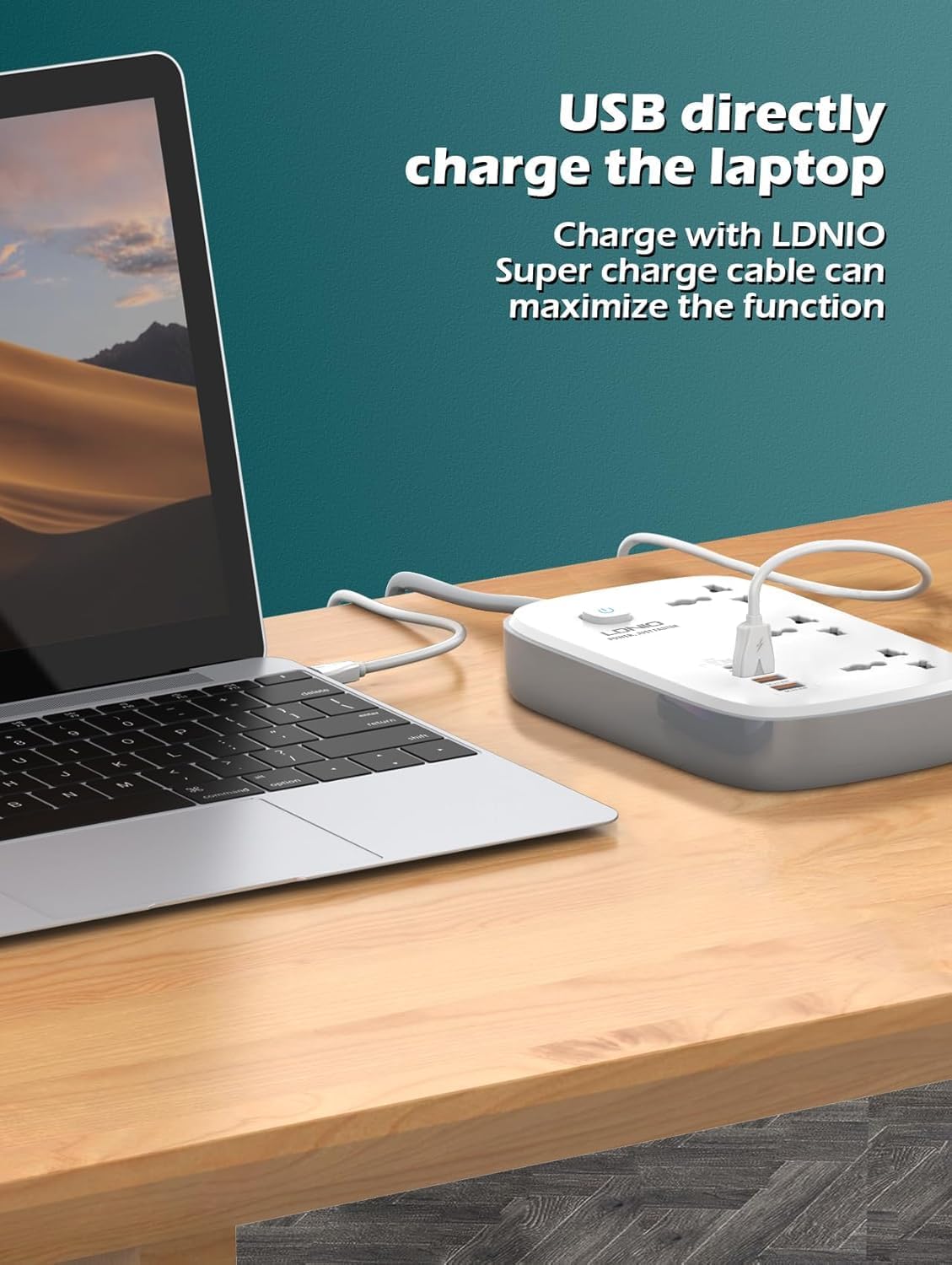
Image: The LDNIO SC3416 power strip showcasing its 3 universal AC outlets and USB ports, with devices connected.

Image: Detail of the USB ports, highlighting Apple-specific Power Delivery (PD) charging capability for various Apple devices.
4. Setup
- Ippakkja: Neħħi l-power strip mill-imballaġġ tagħha bir-reqqa.
- Pjazzament: Place the power strip on a stable, dry, and flat surface, away from any liquids or heat sources.
- Qabbad mal-Enerġija: Plug the power strip's main plug into a standard, grounded wall electrical outlet.
- Qawwa Mixgħul: Press the main power switch on the power strip to turn it on. The indicator light should illuminate.
5. Istruzzjonijiet Operattivi
5.1 Konnessjoni ta' Apparati tal-AC
- Insert the power plug of your appliance into any of the 3 universal AC outlets on the power strip.
- Kun żgur li l-plagg ikun imdaħħal kompletament.
- Verify that the total power consumption of all connected AC devices does not exceed 2500W.
5.2 Konnessjoni ta 'Tagħmir USB
- Use a compatible USB charging cable for your device.
- Plug one end of the USB cable into one of the 4 USB ports on the power strip.
- Qabbad it-tarf l-ieħor tal-kejbil USB mal-ismartphone, it-tablet, jew apparat ieħor li jaħdem bil-USB tiegħek.
- The power strip will automatically detect the device and deliver optimal charging current, including fast charging for compatible devices.

Image: The LDNIO SC3416 power strip providing direct USB charging to a laptop, demonstrating its high-power output.
6. Manutenzjoni
- Tindif: Before cleaning, ensure the power strip is unplugged from the wall outlet and all devices are disconnected. Wipe the exterior with a dry, soft cloth. Do not use liquid cleaners, aerosols, or abrasive materials.
- Ħażna: When not in use for extended periods, unplug the power strip and store it in a cool, dry place, away from direct sunlight and moisture.
- Spezzjoni: Spezzjona perjodikament il-korda tal-enerġija u l-istrixxa tal-enerġija għal kwalunkwe sinjal ta’ ħsara, bħal wajers imqattgħin jew kejbils imxaqqaq.asing. If damage is found, discontinue use immediately and contact support.
7 Issolvi l-problemi
- Ebda Enerġija għall-Apparat:
- Check if the power strip's main plug is securely inserted into the wall outlet.
- Ensure the power strip's main switch is in the 'ON' position and its indicator light is illuminated.
- Verify that the connected device is properly plugged into the power strip and is functioning correctly.
- Iċċekkja jekk is-sokit tal-ħajt innifsu hux qed jaħdem billi tqabbad apparat ieħor.
- Iċċarġjar bil-mod tal-USB:
- Ensure you are using a high-quality, compatible USB cable that supports fast charging.
- Confirm that your device supports fast charging.
- Avoid charging too many high-power devices simultaneously, which might reduce individual charging speeds.
- Power Strip Overheating:
- Immediately disconnect all devices and unplug the power strip from the wall outlet.
- This usually indicates an overload. Reduce the total power consumption of connected devices.
- If overheating persists with normal load, discontinue use and contact customer support.
8. Speċifikazzjonijiet
| Karatteristika | Speċifikazzjoni |
|---|---|
| Brand | LDNIO |
| Numru tal-Mudell | SC3416EUplug |
| Dimensjonijiet tal-Prodott | 10 x 5 x 1.27 ċm |
| Piż tal-oġġett | 150 gramma |
| Sokits tal-AC Totali | 3 Universal Outlets |
| Portijiet USB totali | 4 |
| Voltage | 240V |
| Output ta 'Qawwa Max | 2500W |
| Iċċarġjar Fast USB | 65W |
| Karatteristiċi Speċjali | Port USB |
| Użu Rakkomandat | Ġewwa |
| Materjal | Polikarbonat |
| Kulur | Abjad |
9. Garanzija u Appoġġ
This LDNIO SC3416 Universal Power Strip comes with a standard manufacturer's warranty. Please refer to your purchase documentation or the retailer's websit għal termini u kundizzjonijiet speċifiċi tal-garanzija.
For technical support, troubleshooting assistance, or any product-related inquiries, please contact LDNIO customer service through their official websit jew l-informazzjoni ta’ kuntatt ipprovduta max-xiri tiegħek.