
1. Introduzzjoni
The TECLAST M50 is a 10.1-inch Android 13 tablet designed for versatile use, from entertainment to productivity. It features an Octa-Core processor, 12GB RAM, 128GB internal storage expandable up to 1TB, and supports Dual SIM 4G LTE connectivity. This manual provides essential information for setting up, operating, maintaining, and troubleshooting your device.
2. X'hemm fil-Kaxxa
Upon unboxing your TECLAST M50 tablet, please ensure all the following items are present:
- TECLAST M50 Tablet
- Adapter tal-Enerġija (Ċarġer)
- Kejbil USB Type-C
- Għodda Ejector SIM
- Manwal għall-Utent
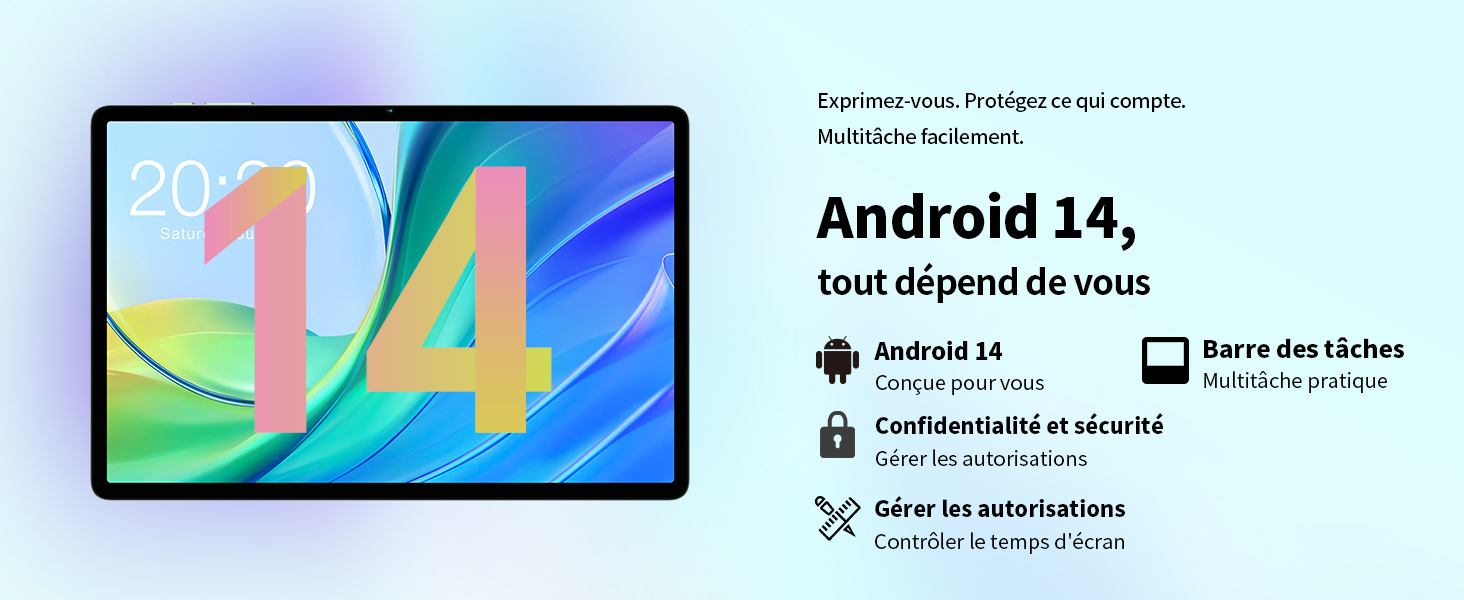
Image: Contents of the TECLAST M50 tablet box, showing the tablet, power adapter, USB cable, SIM ejector tool, and user manual.
3. Prodott Aktarview
The TECLAST M50 tablet features a sleek design with a 10.1-inch display and a lightweight build of approximately 460 grams. It measures 23L x 20l x 1Ép centimeters. Familiarize yourself with the tablet's physical components:

Image: TECLAST M50 tablet from various angles, illustrating the location of the power button, volume controls, USB-C port, 3.5mm headphone jack, and speaker grilles.
Komponenti Ewlenin:
- Buttuna tal-Qawwa: Located on the side, used to power on/off or wake/sleep the device.
- Buttuni tal-Volum: Aġġusta l-volum tal-awdjo.
- Port USB tat-Tip Ċ: Għall-iċċarġjar u t-trasferiment tad-dejta.
- Jack tal-headphones ta' 3.5mm: Qabbad il-headphones bil-fili.
- Gradilji tal-Ispeaker: Four stereo speakers for enhanced audio output.
- Kamera ta' quddiem: 5MP camera for video calls and facial unlock.
- Kamera ta' wara: Kamera ta' 13MP għal ritratti u vidjows.
- Slott tal-Karta SIM/MicroSD: Insert SIM cards for cellular connectivity and a MicroSD card for expanded storage.
4. Setup
4.1 Iċċarġjar inizjali
Before first use, it is recommended to charge the TECLAST M50 tablet for at least 30 minutes. Connect the USB Type-C cable to the tablet's charging port and the power adapter to a wall outlet. The battery icon on the screen will indicate charging status.
4.2 Tixgħel/Jitfi
- Biex Tixgħel: Press and hold the Power button until the TECLAST logo appears.
- Biex Tifi: Agħfas u żomm il-buttuna tal-Enerġija sakemm jidher il-menu tal-għażliet tal-enerġija, imbagħad agħżel 'Itfi'.
- Biex terġa' tibda: Agħfas u żomm il-buttuna tal-Power, imbagħad agħżel 'Erġa' ibda'.
4.3 Daħħal Karti SIM u MicroSD
The TECLAST M50 supports dual SIM cards for 4G LTE connectivity and a MicroSD card for storage expansion up to 1TB.
- Sib it-trej tal-kard SIM/MicroSD fuq il-ġenb tat-tablet.
- Daħħal l-għodda tal-ejecter tas-SIM fit-toqba ż-żgħira ħdejn it-trej u agħfas bil-mod sakemm it-trej joħroġ 'il barra.
- Carefully place your Nano-SIM cards and/or MicroSD card into the designated slots on the tray. Ensure the gold contacts are facing down and the cards are correctly oriented.
- Imbotta t-trej bil-mod lura fit-tablet sakemm tikklikkja f'postu.

Image: Illustration of inserting SIM cards and a MicroSD card into the tablet's tray.
4.4 Konfigurazzjoni Inizjali tal-Android
After powering on for the first time, follow the on-screen prompts to complete the initial setup process. This includes selecting your language, connecting to a Wi-Fi network, signing in with your Google account, and setting up security features like facial unlock.
5. Istruzzjonijiet Operattivi
5.1 Karatteristiċi tal-Wiri
The TECLAST M50 features a 10.1-inch TDDI HD display with a resolution of 1280x800 pixels. The TDDI technology integrates touch sensors directly into the LCD, providing a more responsive touch experience. It also supports Widevine L1, allowing for high-definition streaming from platforms like Disney+ and Amazon Prime Video.

Image: Visual representation of the TECLAST M50's 10.1-inch HD display with 1280x800 resolution and IPS wide viewangolu tal-ing.
5.2 Prestazzjoni u Ħażna
Powered by an Octa-Core UNISOC T606 processor and Mali-G57 GPU, the M50 delivers efficient performance. It comes with 6GB of RAM, expandable to 12GB using virtual memory technology, and 128GB of internal storage. Storage can be further expanded up to 1TB via a MicroSD card.

Image: Details of the UNISOC T606 Octa-Core processor and Mali-G57 graphics processor.

Image: Information on RAM and ROM capacity, including expandable storage options.
5.3 Konnettività
Stay connected with the TECLAST M50's comprehensive connectivity options:
- SIM Doppju 4G LTE: Supports TD-LTE and FDD-LTE networks for mobile data and VoLTE calls.
- Wi-Fi bi band doppja: Connect to 2.4GHz and 5GHz Wi-Fi networks (802.11ac).
- Bluetooth 5.0: Għall-konnessjoni ta' aċċessorji mingħajr fili bħal headphones u tastieri.
- Navigazzjoni GPS: Supports GPS, BeiDou, GLONASS, and Galileo for accurate positioning.

Immaġni: Fuqview of Wi-Fi, Bluetooth, and 4G LTE capabilities.

Image: Tablet showing GPS navigation in use.
5.4 Funzjonalità tal-Kamera
The M50 is equipped with a 13MP rear camera and a 5MP front camera. The rear camera features AI-based auxiliary optimization for improved focus and image results, especially in low-light conditions. The 5MP front camera supports facial unlock for convenient device access.

Image: Details of the tablet's front and rear cameras.
5.5 Sistema Awdjo
Experience immersive sound with the M50's Momentum III audio system, featuring four stereo speakers and a Smart K amplifier for clear and rich audio output.

Image: Representation of the tablet's 4-speaker audio system.
5.6 Karatteristiċi ta' Android 13
The tablet runs on Android 13, offering enhanced privacy controls, a convenient taskbar for multitasking, and improved permission management. It also includes features for parental controls to manage screen time and application access.

Image: Android 13 interface showcasing privacy and multitasking features.

Image: Parental control interface for managing tablet usage.
6. Manutenzjoni
6.1 Kura tal-Batterija
The TECLAST M50 is equipped with a 6000mAh battery, providing up to 15 hours of usage. To maximize battery life:
- Evita temperaturi estremi.
- Uża l-ċarġer u l-kejbil provduti.
- Evita li l-batterija tixxotta kompletament ta' spiss.
- Għal ħażna fit-tul, iċċarġja t-tablet sa madwar 50% u itfih.

Image: Battery capacity and charging method.
6.2 Tindif
Biex tnaddaf it-tablet tiegħek, uża drapp artab u mingħajr suf. Għal tbajja' persistenti, nixxef ftit.ampLaħlaħ id-drapp bl-ilma jew b'prodott tat-tindif tal-iskrin iddisinjat speċifikament għall-elettronika. Evita li tuża kimiċi ħarxa jew materjali li joborxu.
6.3 Aġġornamenti tas-Software
Periodically check for system updates to ensure your tablet has the latest features and security patches. Navigate to Settings > Sistema > Aġġornament tas-sistema biex tiċċekkja u tinstalla aġġornamenti disponibbli.
7 Issolvi l-problemi
If you encounter issues with your TECLAST M50 tablet, try the following basic troubleshooting steps:
- Apparat mhux qed jixgħel: Kun żgur li l-batterija hija ċċarġjata. Qabbad il-ċarġer u stenna ftit minuti qabel ma tipprova tixgħelha mill-ġdid.
- L-iskrin iffriżat jew ma jirrispondix: Agħfas u żomm il-buttuna tal-Qawwa għal madwar 10-15-il sekonda biex terġa' tibda.
- Problemi ta' konnettività Wi-Fi/Bluetooth: Try toggling Wi-Fi/Bluetooth off and on. Restart your tablet and/or your router/Bluetooth device.
- L-apps jiġġarraf: Neħħi l-cache u d-dejta għall-app problematika (Settings > Apps > [Isem tal-App] > Ħażna > Neħħi l-cache/Neħħi d-dejta). Jekk il-problema tippersisti, iddiżinstalla u erġa' installa l-app.
- Prestazzjoni bil-mod: Close unnecessary background apps. Clear cached data. Consider performing a factory reset as a last resort (back up your data first).
- Karta SIM mhux skoperta: Ensure the SIM card is correctly inserted and activated with your carrier. Restart the tablet.
For more complex issues, refer to the official TECLAST support resources.
8. Speċifikazzjonijiet
| Karatteristika | Speċifikazzjoni |
|---|---|
| Isem tal-Mudell | TECLAST M50 |
| Sistema Operattiva | Android 13 |
| Proċessur | UNISOC T606 Octa-Core (1.6 GHz) |
| Proċessur tal-Grafika | Mali-G57 MP1 |
| RAM | 12 GB (6GB fiżiku + 6GB espansjoni) |
| Ħażna Interna | 128 GB |
| Ħażna espansibbli | MicroSD up to 1 TB |
| Daqs tal-Iskrin | 10.1 Pulzier |
| Riżoluzzjoni tal-Wiri | 1280x800 Pixels (TDDI, IPS) |
| Kamera ta' wara | 13 MP |
| Kamera ta' Quddiem | 5 MP |
| Kapaċità tal-batterija | 6000 mAh (22 Wh) |
| Ħajja tal-Batterija (Medja) | 15 sigħat |
| Konnettività | 4G LTE (Dual SIM), Wi-Fi (802.11ac), Bluetooth 5.0 |
| Navigazzjoni | GPS, BeiDou, GLONASS, Galileo |
| Awdjo | 4 Stereo Speakers (Momentum III) |
| Portijiet | 1x USB Type-C, 1x 3.5mm Headphone Jack |
| Piż | 460 Gramm |
| Dimensjonijiet (L x W x H) | 23 x 20 x 1 ċm |
9. Garanzija u Appoġġ
9.1 Informazzjoni dwar Garanzija
The TECLAST M50 tablet comes with a manufacturer's warranty of 1 sena mid-data tax-xiri. Din il-garanzija tkopri difetti fil-materjali u l-abbilità taħt użu normali. Jekk jogħġbok żomm il-prova tax-xiri tiegħek għal talbiet ta' garanzija.
9.2 Appoġġ għall-Klijent
For any questions, technical assistance, or warranty inquiries, please contact TECLAST customer support. Our team provides professional advice and aims to respond to all inquiries within one working day. You can find contact information on the official TECLAST websit jew permezz tal-bejjiegħ bl-imnut tiegħek.
Riżorsi onlajn: For additional support and FAQs, please visit the official TECLAST websit: TECLAST Brand Store