
1. Prodott Aktarview
The Mibro 2 True Wireless Bluetooth Earbuds with SinglePoint technology and an IPX5 rating offer a seamless and durable audio experience. The elegant white design ensures a sleek look, while the SinglePoint feature enhances connectivity. With an IPX5 rating, these earbuds are splash-resistant, making them suitable for various activities.
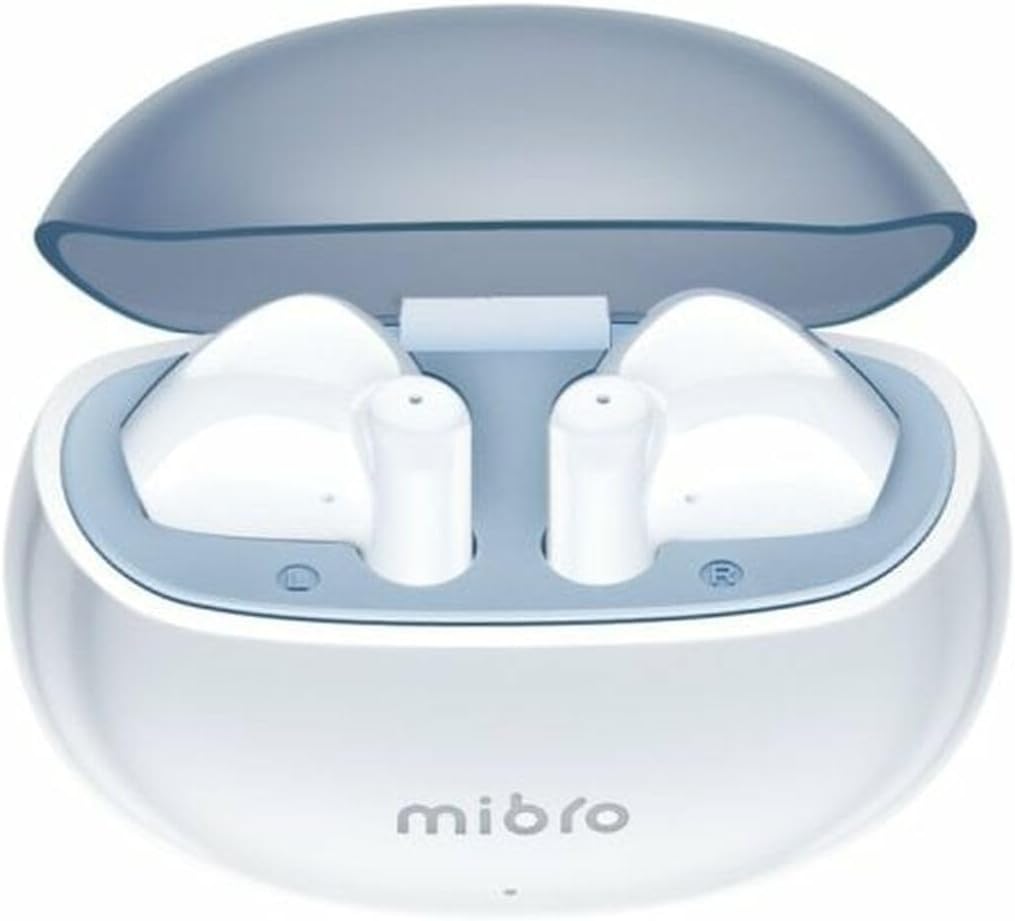
Figure 1.1: Mibro 2 Earbuds in their charging case, showcasinid-disinn abjad eleganti.
2. Karatteristiċi ewlenin
- Seamless and durable audio experience
- SinglePoint technology enhances connectivity
- Elegant white design for a modern look
- Ideal for various activities with a stylish appearance
- Ensures a sleek and reliable audio solution

Figure 2.1: The Mibro 2 Earbuds and charging case, highlighting their compact and modern design.
3. Setup Inizjali
3.1. Iċċarġjar tal-Earbuds u l-Kaxxa
Before first use, fully charge the earbuds and the charging case. Place the earbuds into the charging case. Connect the charging case to a power source using a compatible USB cable (not included). The indicator light on the case will show charging status.
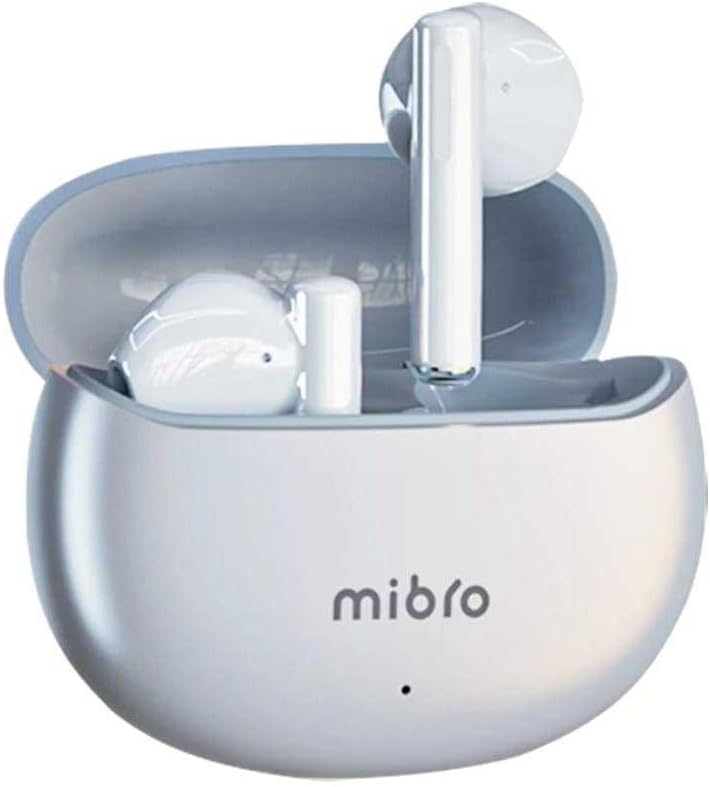
Figure 3.1: Mibro 2 Earbuds in their closed charging case, ready for charging.
3.2. Tqabbil ma' Apparat
- Kun żgur li l-earbuds huma ċċarġjati.
- Iftaħ il-kaxxa tal-iċċarġjar. Il-earbuds jidħlu awtomatikament fil-modalità ta' tqabbil.
- Fuq il-mowbajl tiegħek jew apparat li jaħdem bil-Bluetooth, mur fis-settings tal-Bluetooth.
- Fittex għal available devices and select "Mibro 2 Earbuds" from the list.
- Ladarba tkun konness, jindaqq ħoss ta' konferma, u l-earbuds ikunu lesti għall-użu.

Figure 3.2: Pairing the Mibro 2 Earbuds with a mobile device.
4. Gwida tal-Operazzjoni
4.1. Power On/Off
- Qawwa Mixgħul: Iftaħ il-każ tal-iċċarġjar, u l-earbuds jinxtegħlu awtomatikament.
- Itfi: Poġġi l-earbuds lura fil-kaxxa tal-iċċarġjar u agħlaq l-għatu. Dawn se jiskonnettjaw u jintfew awtomatikament.
4.2. Touch Kontrolli
The Mibro 2 Earbuds feature intuitive touch controls for various functions:
- Play/Pawsa: Tektek wieħed fuq kull earbud.
- Track li jmiss: Tektek darbtejn fuq il-earbud tal-lemin.
- Track preċedenti: Tektek darbtejn fuq il-earbud tax-xellug.
- Tweġiba/Tmiem Sejħa: Tektek waħda fuq kwalunkwe earbud waqt telefonata li tkun dieħla.
- Irrifjuta Sejħa: Agħfas u żomm kwalunkwe earbud għal żewġ sekondi waqt telefonata li tkun dieħla.
- Attiva l-Assistent tal-Vuċi: Tektek tliet darbiet fuq kull earbud.

Figure 4.1: Demonstrating the touch control on the Mibro 2 Earbuds.
5. Kura u Manutenzjoni
- Tindif: Naddaf il-earbuds u l-kaxxa tal-iċċarġjar regolarment b'ċarruta ratba, niexfa u mingħajr suf. Tużax kimiċi ħarxa jew materjali li joborxu.
- Reżistenza għall-Ilma: The earbuds are IPX5 splash-resistant. Avoid submerging them in water or exposing them to heavy rain. Dry them thoroughly if they get wet.
- Ħażna: Aħżen il-earbuds fil-kaxxa tal-iċċarġjar tagħhom meta ma tkunx qed tużahom biex tipproteġihom u żżommhom iċċarġjati. Evita temperaturi estremi.
- Kura tal-batterija: To prolong battery life, avoid fully discharging the earbuds frequently. Charge them regularly, even if not used for extended periods.
6 Issolvi l-problemi
- Il-earbuds mhux qed jitqabbdu: Ensure earbuds are charged and within range of your device. Turn off and on your device's Bluetooth. Try resetting the earbuds (refer to manufacturer's specific reset instructions if available).
- L-ebda ħoss minn earbud wieħed: Poġġi ż-żewġ earbuds lura fil-kaxxa tal-iċċarġjar, agħlaq l-għatu, stenna ftit sekondi, imbagħad iftaħ mill-ġdid. Dan spiss jerġa' jissinkronizzahom.
- Volum baxx: Aġġusta l-volum kemm fuq l-apparat konness tiegħek kif ukoll fuq il-earbuds. Kun żgur li l-eartips huma ssiġillati sew fil-kanal tal-widna tiegħek.
- Kwistjonijiet tal-iċċarġjar: Check the charging cable and power adapter. Ensure the charging contacts on the earbuds and inside the case are clean and free of debris.
7. Speċifikazzjonijiet Tekniċi
| Karatteristika | Speċifikazzjoni |
|---|---|
| Brand | Mibro |
| Isem tal-Mudell | 2 Earbuds |
| Numru tal-Mudell tal-Oġġett | sol-me2 |
| Teknoloġija tal-Konnettività | Bluetooth bla fili |
| Metodu ta' Kontroll | Mess |
| Fattur tal-Formola | Fil-widnejn |
| Kulur | Abjad |
| Materjal | Plastik |
| Piż tal-oġġett | 100 Gramm |
| Livell ta 'Reżistenza għall-Ilma | Reżistenti għall-isprejjar IPX5 |
| Batterija Rikarikabbli | Iva |
| Karatteristiċi Speċjali | Ħfief |
| Apparati Kompatibbli | Mowbajl |
| Komponenti Inklużi | Eartip |
8. Garanzija u Appoġġ
8.1. Informazzjoni dwar Garanzija
Specific warranty information for the Mibro 2 True Wireless Bluetooth Earbuds is not available in the provided product data. Please refer to the product packaging or the official Mibro websit għal termini u kundizzjonijiet dettaljati tal-garanzija.
8.2. Appoġġ għall-Klijent
Customer support contact details are not available in the provided product data. For assistance, please visit the official Mibro webis-sit jew ikkuntattja lill-bejjiegħ bl-imnut minn fejn inxtara l-prodott.