
Introduzzjoni
This manual provides detailed instructions for setting up, operating, maintaining, and troubleshooting your Amazon Kindle Paperwhite Signature Edition 32GB. Please read this guide thoroughly to ensure optimal use of your device.
1. Setup
1.1 Il-Ftuħ tal-Kaxxa u l-Iċċarġjar Inizjali
Upon unboxing, locate the Kindle Paperwhite Signature Edition device and the included USB-C charging cable. It is recommended to fully charge your device before first use.
- Inkluż fil-Kaxxa: Kindle Paperwhite Signature Edition, USB-C charging cable, Quick Start Guide.
- Iċċarġjar: Connect the USB-C cable to the Kindle and a compatible USB power adapter (9W adapter recommended, sold separately). A full charge takes less than 2.5 hours.
- Iċċarġjar bla fili: The Signature Edition supports wireless charging. Place the device on a compatible wireless charging dock (sold separately).

Image: Kindle Paperwhite Signature Edition charging wirelessly on a dock. The device can be charged via USB-C or wirelessly for extended battery life.
1.2 Power On/Off
- Biex Tixgħel: Press and hold the power button located on the bottom edge of the device until the screen lights up.
- Biex Tifi: Press and hold the power button until a power dialog appears, then select 'Power Off'. A short press will put the device to sleep.
1.3 Konnettività tal-Wi-Fi
To access the Kindle Store and download content, connect your device to a Wi-Fi network.
- Mill-iskrin tad-dar, tektek il- Settings ikona (ikona tal-ger) jew skrolla 'l isfel minn fuq l-iskrin u tektek Is-Settings kollha.
- Agħżel Wi-Fi u Bluetooth, imbagħad Netwerks Wi-Fi.
- Agħżel in-netwerk mixtieq tiegħek mil-lista u daħħal il-password jekk tintalab.
The device supports 2.4 GHz and 5.0 GHz networks with WEP, WPA, WPA2, WPA3, and OWE security.
1.4 Setup tal-Kont
Register your Kindle to your Amazon account to access your content library and the Kindle Store.
- After connecting to Wi-Fi, follow the on-screen prompts to sign in with your Amazon account credentials.
- If you do not have an Amazon account, you can create one during this process.
2. It-Tħaddim tal-Kindle Tiegħek
2.1 Basic Navigation and Page Turns
The Kindle Paperwhite Signature Edition features a 7-inch glare-free display designed for comfortable reading.
- Dawriet tal-Paġna: Tap the right side of the screen to turn to the next page, or the left side to go back. Swiping left or right also turns pages.
- Skrin tad-dar: Tap the top of the screen to reveal the navigation bar, then tap the Dar icon to return to your library.

Image: A hand holding the Kindle Paperwhite, displaying a book page. The 7-inch Paperwhite display offers fast page turns for an enhanced reading experience.
2.2 Karatteristiċi tal-Qari
Customize your reading experience with various display and font settings.
- Adjusting Front Light: The Signature Edition features an auto-adjusting front light. You can also manually adjust the brightness by tapping the top of the screen while reading and using the brightness slider.
- Dawl sħun: Adjust the warmth of the screen light for comfortable reading in different environments.
- Modalità Skura: Invert screen colors for white text on a black background, ideal for low-light conditions. Access this from the quick settings menu.
- Issettjar tal-font: While reading, tap the top of the screen, then select the Aa ikona biex taġġusta d-daqs tat-tipa, il-wiċċ tat-tipa, l-ispazjar tal-linji, u l-marġini.
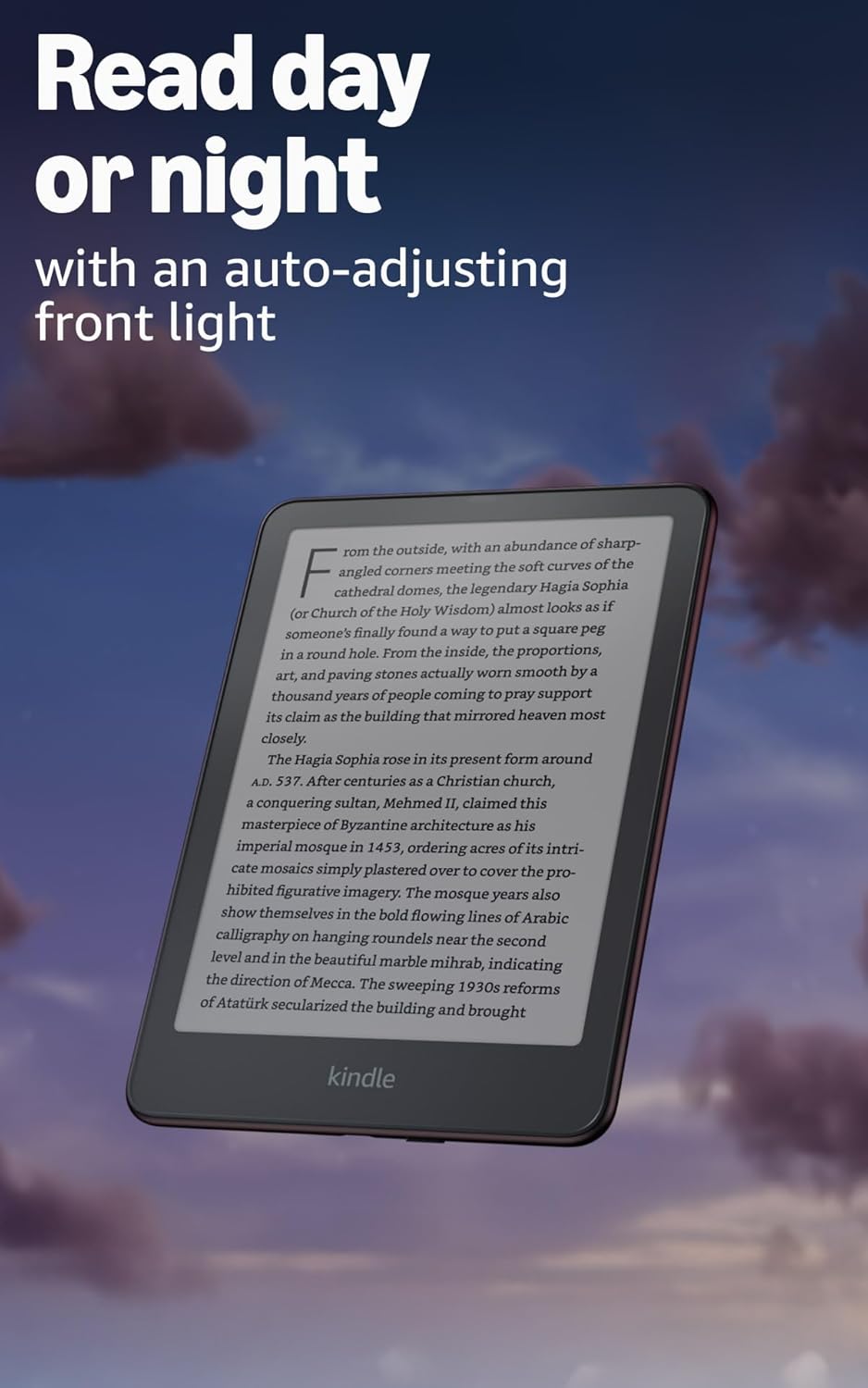
Image: Kindle Paperwhite screen illuminated in a dark room. The auto-adjusting front light allows for comfortable reading day or night.

Image: Close-up of the Kindle Paperwhite screen displaying text. Enjoy a glare-free display without distracting notifications.
2.3 Ġestjoni tal-Kontenut
Your Kindle provides access to a vast library of content.
- Kindle Store: Mill-iskrin tad-dar, tektek il- Aħżen icon to browse and purchase books.
- Librerija: All purchased content is stored in your library and can be downloaded to your device.
- Ħażna Cloud: All Amazon content is stored for free in the cloud, allowing you to access it from any compatible device.
- Formati appoġġjati: Format Kindle 8 (AZW3), Kindle (AZW), TXT, PDF, MOBI mhux protett, PRC b'mod nattiv; PDF, DOCX, DOC, HTML, EPUB, TXT, RTF, JPEG, GIF, PNG, BMP permezz ta' konverżjoni; Format awdjo li jinstema' (AAX).

Image: A collage of various book covers. The Kindle Store offers access to over 15 million titles worldwide.
2.4 Kotba awdjo
Listen to Audible audiobooks on your Kindle Paperwhite Signature Edition.
- Bluetooth: Connect Bluetooth headphones or speakers to your Kindle via the Wi-Fi u Bluetooth settings.
- Daqq ta' Kotba Awdjo: Download Audible audiobooks from the Kindle Store and play them through your connected Bluetooth device.
2.5 Impermeabilizzazzjoni
Your Kindle Paperwhite Signature Edition is waterproof (IPX8 rated).
- It is tested to withstand immersion in 2 meters of fresh water for 60 minutes.
- This makes it suitable for reading by the pool, in the bath, or at the beach.
- After exposure to water, ensure the USB-C port is dry before charging.
3. Manutenzjoni
3.1 Tindif tal-Apparat Tiegħek
- Use a soft, lint-free cloth to clean the screen and body of your Kindle.
- Evita prodotti tat-tindif li joborxu, solventi, jew sprejs tal-ajrusol.
- If the device has been exposed to water, gently wipe it dry.
3.2 Kura tal-Batterija
- To maximize battery life, avoid exposing your Kindle to extreme temperatures.
- A single charge can last up to twelve weeks, based on half an hour of reading per day with wireless off and the light setting at 13. Heavy use, especially with wireless features or audiobook streaming, will reduce battery life.
- Iċċarġja l-apparat regolarment, iżda mhux neċessarju li tiċċarġjah kompletament qabel ma terġa' tiċċarġjah.
3.3 Aġġornamenti tas-Software
Your Kindle will periodically receive software updates to improve performance and add new features.
- Ensure your Kindle is connected to Wi-Fi to receive automatic updates.
- Tista' tiċċekkja manwalment għal aġġornamenti billi tmur fuq Settings > Għażliet tal-Apparat > Iċċekkja għal Aġġornamenti.
4 Issolvi l-problemi
4.1 L-Apparat Mhux Jirrispondi
- Jekk il-Kindle tiegħek ikun iffriżat jew ma jirrispondix, agħfas u żomm il-buttuna tal-qawwa għal 40 sekonda sakemm l-apparat jerġa' jibda.
4.2 Kwistjonijiet ta' Konnessjoni tal-Wi-Fi
- Kun żgur li r-router tal-Wi-Fi tiegħek huwa mixgħul u fil-medda tiegħu.
- Try restarting your Kindle and your Wi-Fi router.
- Ivverifika li qed iddaħħal il-password korretta tal-Wi-Fi.
4.3 Il-Batterija Mhux Qed Tiċċarġja
- Check that the USB-C cable is securely connected to both the Kindle and the power adapter.
- Ipprova uża kejbil USB-C jew adapter tal-enerġija differenti.
- Ensure the USB-C port on the Kindle is clean and free of debris.
4.4 Content Not Downloading
- Verify your Wi-Fi connection is active and stable.
- Check your Amazon account for any payment issues or content restrictions.
- Ensure your device has sufficient storage space.
5. Speċifikazzjonijiet
| Karatteristika | Deskrizzjoni |
|---|---|
| Wiri | 7” Paperwhite display technology with built-in front light, 300 ppi, optimized font technology, 16-level gray scale. |
| Daqs | 5” x 7” x 0.3” (127.6 x 176.7 x 7.8 mm) |
| Piż | 7.5 oz (214g) |
| Ħażna fuq l-Apparat | 32 GB; iżomm eluf ta’ kotba. |
| Ħażna tas-Sħab | Ħażna bla ħlas fuq il-cloud għall-kontenut kollu tal-Amazon. |
| Ħajja tal-batterija | Up to twelve (12) weeks (based on 30 mins reading/day, wireless off, light setting 13). |
| Ħin tal-Ħlas | Inqas minn 2.5 sigħat b'adapter tal-enerġija USB ta' 9W. |
| Konnettività Wi-Fi | Supports 2.4 GHz and 5.0 GHz networks with WEP, WPA, WPA2, WPA3, and OWE security. |
| Karatteristiċi ta' Aċċessibilità | LeħenView screen reader (Bluetooth audio, English only), dark mode, adjustable font size, font face, line spacing, and margins. |
| Formati ta' Kontenut Appoġġjati | Format Kindle 8 (AZW3), Kindle (AZW), TXT, PDF, MOBI mhux protett, PRC b'mod nattiv; PDF, DOCX, DOC, HTML, EPUB, TXT, RTF, JPEG, GIF, PNG, BMP permezz ta' konverżjoni; Format awdjo li jinstema' (AAX). |
| Waterproofing | IPX8 rated (withstands immersion in 2 meters of fresh water for 60 minutes). |
| Ġenerazzjoni | 12th Generation (2024 release). |
6. Garanzija u Appoġġ
6.1 Informazzjoni dwar Garanzija
Your Kindle Paperwhite Signature Edition comes with a 1-year limited warranty and service. Extended warranty options may be available for purchase separately in some regions.
6.2 Appoġġ Addizzjonali
Għal aktar assistenza u informazzjoni dettaljata, jekk jogħġbok irreferi għar-riżorsi li ġejjin:
- Gwida għall-Bidu Mgħaġġel: Included in your product packaging.
- Kindle User Guide: Accessible on your device or via the Amazon websit.
- Accessibility for Kindle: Learn more about accessibility features on the Amazon websit.
- Manage Your Content and Devices: Visit your Amazon account online to manage your Kindle content and device settings.