
Introduzzjoni
Thank you for choosing the Coby Pro Fitness True Wireless Earbuds. These earbuds are designed to provide a high-quality audio experience with features tailored for an active lifestyle. They offer a secure fit, sweat resistance, noise isolation, HD audio, and seamless connectivity with Bluetooth 5.3. This manual will guide you through the setup, operation, and maintenance of your new earbuds.
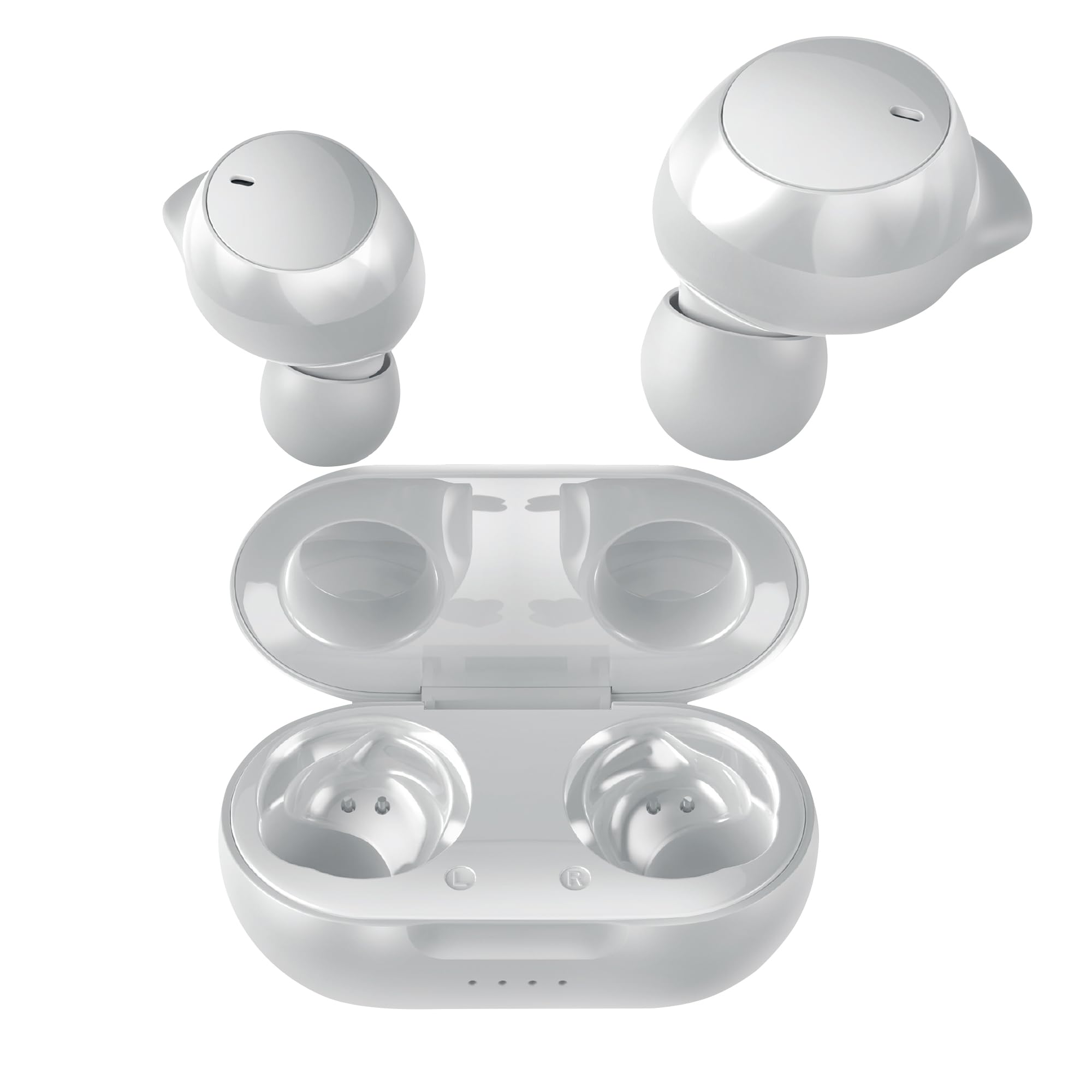
Image: Coby Pro Fitness True Wireless Earbuds and their charging case.
Setup
Kontenut tal-Pakkett
- Coby Pro Fitness True Wireless Earbuds (Left and Right)
- Kawża tal-Iċċarġjar
- Cable tal-Iċċarġjar tal-USB
- Daqsijiet Multipli ta' Ponot tal-Widnejn tas-Silikon
- Manwal għall-Utent
Iċċarġjar tal-Earbuds u l-Każ
- Poġġi l-earbuds fil-kaxxa tal-iċċarġjar, waqt li tiżgura li jkunu mqiegħda sew fl-islott rispettivi tagħhom.
- Qabbad il-kejbil tal-iċċarġjar USB mal-port tal-iċċarġjar fuq il-kaxxa u daħħal it-tarf l-ieħor f'sors tal-enerġija USB (eż., adapter tal-ħajt, port USB tal-kompjuter).
- The indicator lights on the charging case will illuminate to show charging status. A full charge typically takes approximately 1-2 hours for the earbuds and 2-3 hours for the case.
- Once fully charged, the indicator lights will change or turn off. Disconnect the charging cable.
Tqabbil Inizjali
Follow these steps to pair your earbuds with your device for the first time:
- Ensure the earbuds are charged. Open the charging case. The earbuds will automatically enter pairing mode, indicated by a flashing LED light on one or both earbuds.
- Fuq l-ismartphone, it-tablet, jew apparat ieħor li jaħdem bil-Bluetooth tiegħek, mur fis-settings tal-Bluetooth.
- Fittex għal available devices. You should see "Coby CETW553" or a similar name appear in the list.
- Select "Coby CETW553" to connect. Once connected, you will hear an audio prompt, and the earbud LED lights will stop flashing.

Image: Illustration of earbuds automatically pairing with a smartphone.
Liebes il-Earbuds
For optimal sound quality and a secure fit, choose the correct size ear tips and insert the earbuds properly:
- Experiment with the different sizes of silicone ear tips provided to find the pair that creates a comfortable and snug seal in your ear canal. A good seal is crucial for noise isolation and bass response.
- Gently insert each earbud into your ear, twisting slightly until it feels secure and comfortable. The earbuds are ergonomically designed to stay in place during physical activity.

Image: A woman demonstrating the snug and secure fit of the ear tips.
Tħaddim tal-Earbuds
Qawwa mixgħul/mitfi
- Qawwa Mixgħul: Iftaħ il-kaxxa tal-iċċarġjar, u l-earbuds jixegħlu awtomatikament. Inkella, agħfas u żomm iż-żona tal-kontroll touch fuq iż-żewġ earbuds għal 3 sekondi.
- Itfi: Place the earbuds back into the charging case and close the lid. They will automatically power off. Alternatively, press and hold the touch control area on both earbuds for 5 seconds.
Daqq tal-Mużika
- Play/Pawsa: Tektek iż-żona tal-kontroll tat-touch fuq kwalunkwe earbud darba.
- Track li jmiss: Tektek darbtejn iż-żona tal-kontroll tat-touch fuq il-earbud tal-lemin.
- Track preċedenti: Tektek darbtejn iż-żona tal-kontroll tat-touch fuq il-earbud tax-xellug.
- Volum 'il fuq: Tektek tliet darbiet iż-żona tal-kontroll tat-touch fuq il-earbud tal-lemin.
- Volum 'l isfel: Tektek tliet darbiet iż-żona tal-kontroll tat-touch fuq il-earbud tax-xellug.
Ġestjoni tas-Sejħiet
- Tweġiba/Tmiem Sejħa: Tektek iż-żona tal-kontroll tat-touch fuq kwalunkwe earbud darba.
- Irrifjuta Sejħa: Agħfas u żomm iż-żona tal-kontroll tat-touch fuq kull earbud għal żewġ sekondi.
Assistent tal-Vuċi
The earbuds are compatible with Siri and Google Assistant. To activate your device's voice assistant:
- Attiva l-Assistent tal-Vuċi: Agħfas u żomm iż-żona tal-kontroll tat-touch fuq kull earbud għal żewġ sekondi (meta ma tkunx fuq telefonata).

Image: Earbuds shown with compatibility logos for Siri and Google Assistant.
Manutenzjoni
Tindif
- Naddaf il-earbuds u l-kaxxa tal-iċċarġjar regolarment biex tiżgura prestazzjoni u iġjene ottimali.
- Use a soft, dry, lint-free cloth to wipe the exterior surfaces of the earbuds and case.
- For ear tips, remove them from the earbuds and wash with mild soap and water. Rinse thoroughly and allow them to dry completely before reattaching.
- Gently remove any earwax or debris from the earbud mesh using a clean, dry cotton swab or a small, soft brush. Avoid using sharp objects.
Ħażna
- Meta ma tkunx qed tużahom, dejjem aħżen il-earbuds fil-kaxxa tal-iċċarġjar tagħhom biex tipproteġihom mill-ħsara u żżommhom iċċarġjati.
- Store the charging case and earbuds in a cool, dry place, away from extreme temperatures, humidity, and direct sunlight.
Issolvi l-problemi
| Ħruġ | Soluzzjoni |
|---|---|
| Il-earbuds mhux qed jitqabbdu mat-tagħmir |
|
| Earbud wieħed biss qed jaħdem |
|
| L-ebda ħoss jew volum baxx |
|
| Każ tal-iċċarġjar mhux iċċarġjar |
|
Speċifikazzjonijiet
| Karatteristika | Dettall |
|---|---|
| Numru tal-Mudell | COBY-CETW553 |
| Teknoloġija tal-Konnettività | Wireless (Bluetooth) |
| Verżjoni Bluetooth | 5.3 |
| Tqegħid tal-widnejn | Fil-widnejn |
| Kontroll tal-Ħoss | Iżolament tal-Ħoss |
| Livell ta 'Reżistenza għall-Ilma | Reżistenti għall-Ilma (Reżistenti għall-Għaraq) |
| Ħajja Medja tal-Batterija (Earbuds) | 5 Sigħat (għal kull ċarġ) |
| Medda ta' Frekwenzi | 20 Hz - 20,000 Hz |
| Tip ta' Sewwieq Awdjo | Sewwieq Dinamika |
| Metodu ta' Kontroll | Vuċi, Mess |
| Apparati Kompatibbli | Smartphones, Tablets, Kelliema Intelliġenti, Laptops, Desktops |
| Materjal | Silikon (ponot tal-widnejn) |
| Piż tal-oġġett | 1.4 uqija |
Informazzjoni dwar Garanzija
The Coby Pro Fitness True Wireless Earbuds (Model CETW553) come with a Garanzija ta' 90 jum mill-manifattur. This warranty covers defects in materials and workmanship under normal use. Please retain your proof of purchase for warranty claims. For specific terms and conditions, or to initiate a warranty claim, please refer to the official Coby websit jew ikkuntattja l-appoġġ tal-klijent.
Appoġġ
If you encounter any issues not covered in this manual or require further assistance, please visit the official Coby website for FAQs, support resources, and contact information. You can typically find support details on the product page or in the 'Support' section of the Coby brand websit.