
Introduzzjoni
Thank you for choosing the Strex Universal AA/AAA Rechargeable Battery Charger. This device is designed to efficiently and safely charge your rechargeable batteries, ensuring they are always ready for use. This manual provides essential information for the proper setup, operation, and maintenance of your charger.
Informazzjoni dwar is-Sigurtà
To ensure safe operation and prolong the life of your charger and batteries, please observe the following safety guidelines:
- Do not attempt to charge non-rechargeable batteries. This can lead to leakage, rupture, or explosion.
- Use only compatible battery types: NiMH, NiCD, and Lithium-Ion.
- Avoid exposing the charger to water or excessive humidity.
- Żarmax jew timmodifikax il-ċarġer.
- Keep the charger away from direct sunlight and high temperatures.
- Żgura ventilazzjoni xierqa waqt l-iċċarġjar.
- The charger features a smart chip that prevents overheating, overcharging, short circuits, and overvoltage. However, always monitor the charging process.

Image: The Strex charger highlights its comprehensive safety features, including protection against overcharging, overcurrent, flame, voltage fluctuations, and short circuits.
Karatteristiċi tal-Prodott
The Strex SP282 charger offers a range of features designed for convenience and safety:
- Kompatibilità Universali: Charges AA and AAA size rechargeable batteries.
- Iċċarġjar b'ħafna batteriji: Capable of charging up to four batteries simultaneously.
- Display LCD: A practical LCD screen provides real-time charging status for each battery, indicating 'CHG' for charging and an error symbol if charging is not possible.
- Portijiet ta' Input Multipli: Connects via Micro USB or USB Type-C (cable included).
- Proċess ta' Iċċarġjar Intelliġenti: Automatically detects battery type and optimizes charging for speed and safety, including trickle charging once full.
- Protezzjonijiet Avvanzati tas-Sigurtà: Built-in smart chip prevents overheating, overcharging, overcurrent, short circuits, and overvoltage.
- Tipi ta' Batteriji Appoġġjati: Compatible with NiMH, NiCD, and Lithium-Ion rechargeable batteries.

Immaġni: Aktar minnview of the Strex charger, highlighting its key features such as the LCD display, multiple charging slots, and dual USB input options.
Setup
Follow these steps to set up your Strex battery charger:
- Qabbad l-Enerġija: Use the provided USB Type-C cable or a Micro USB cable to connect the charger to a 5V-2A USB power adapter (not included) or a compatible USB port.
- Daħħal Batteriji: Open the battery slots and insert up to four AA or AAA rechargeable batteries. Ensure the positive (+) and negative (-) terminals of the batteries match the markings inside the charger slots. You can mix AA and AAA batteries.
- Ivverifika l-Konnessjoni: Once batteries are inserted and power is connected, the LCD screen will activate.
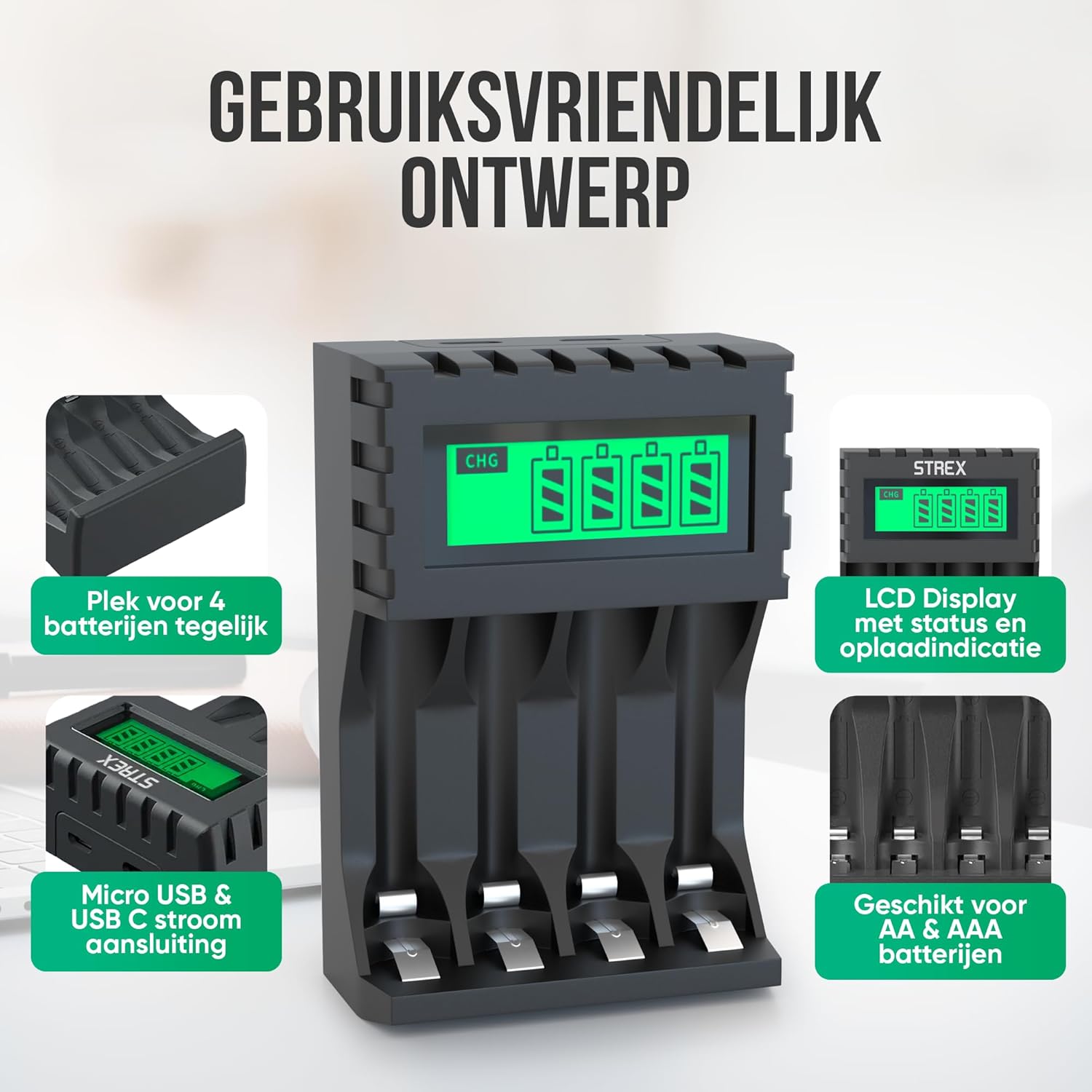
Image: The charger's user-friendly design, illustrating the four battery slots and the Micro USB and USB-C input ports for power connection.
Istruzzjonijiet Operattivi
The Strex battery charger is designed for simple and efficient operation:
- Sejbien Awtomatiku: Upon inserting batteries and connecting power, the charger automatically detects the battery type and begins the charging process.
- Monitoraġġ tal-Istatus tal-Iċċarġjar: The LCD screen will display the charging status for each individual battery. A flashing 'CHG' symbol indicates that charging is in progress. The screen also shows the approximate charge level (e.g., 30%, 60%, 100%).
- Tlestija tal-Iċċarġjar: When a battery is fully charged, the 'CHG' symbol will stop flashing or indicate 100%. The charger will then switch to a trickle charging mode to maintain optimal battery health.
- Ħinijiet tal-iċċarġjar:
- Approximately 4 hours for four AA batteries.
- Approximately 3 hours for four AAA batteries.
- It-tneħħija tal-batteriji: Once charging is complete, disconnect the power and remove the batteries from the charger.

Image: The LCD display of the Strex charger, illustrating how it shows charging status ('CHG' flashing) and error indications (error symbol) for each battery.

Image: The smart charging process, showing how each charging port is independently managed and charged, with both Micro USB and USB-C input options visible.
Manutenzjoni
Manutenzjoni xierqa tiżgura l-lonġevità u l-prestazzjoni ottimali tal-ċarġer tiegħek:
- Tindif: Disconnect the charger from power before cleaning. Use a soft, dry cloth to wipe the exterior. Do not use liquid cleaners or solvents.
- Ħażna: Aħżen il-ċarġer f'post frisk u niexef 'il bogħod mix-xemx diretta u minn temperaturi estremi meta ma jkunx qed jintuża.
- Kura tal-batterija: Always use high-quality rechargeable batteries. Avoid mixing old and new batteries or different types of batteries in the same charging cycle if possible, although the charger supports mixed types.
Issolvi l-problemi
Jekk tiltaqa' ma' problemi bil-ċarġer tiegħek, irreferi għall-problemi u s-soluzzjonijiet komuni li ġejjin:
- Il-ċarġer mhux qed jixgħel: Ensure the USB cable is securely connected to both the charger and a working power source. Verify the power source is active (e.g., wall adapter is plugged in).
- Batteries not charging / Error symbol on LCD:
- Iċċekkja jekk il-batteriji humiex imdaħħla sew bil-polarità korretta (+/-).
- Ensure the batteries are rechargeable (NiMH, NiCD, or Li-ion). Non-rechargeable batteries will cause an error.
- The battery might be faulty or severely discharged. Try a different battery.
- Clean the battery contacts and charger terminals with a dry cloth.
- Iċċarġjar bil-mod: Ensure your USB power adapter provides sufficient output (recommended 5V-2A). Lower current adapters may result in slower charging.
Speċifikazzjonijiet
| Brand | Strex |
| Numru tal-Mudell | SP282 |
| Dimensjonijiet tal-Prodott | 15.1 x 6.8 x 3 ċm |
| Piż tal-oġġett | 85 gramma |
| Kulur | Iswed |
| Input Voltage | 5V |
| Kurrent tad-Dħul | 2A |
| Ħruġ Voltage | 1.2V DC |
| Kurrent tal-Ħruġ massimu | 1800mAh |
| Daqsijiet tal-Batteriji Appoġġjati | AA, AAA |
| Tipi ta 'batteriji appoġġjati | NiMH, NiCD, Lithium-Ion |
| Portijiet tal-Iċċarġjar | 4 slots indipendenti |
| Input Interface | Mikro USB, USB tat-Tip Ċ |
| Materjali | Heat-resistant ABS, Stainless Steel |
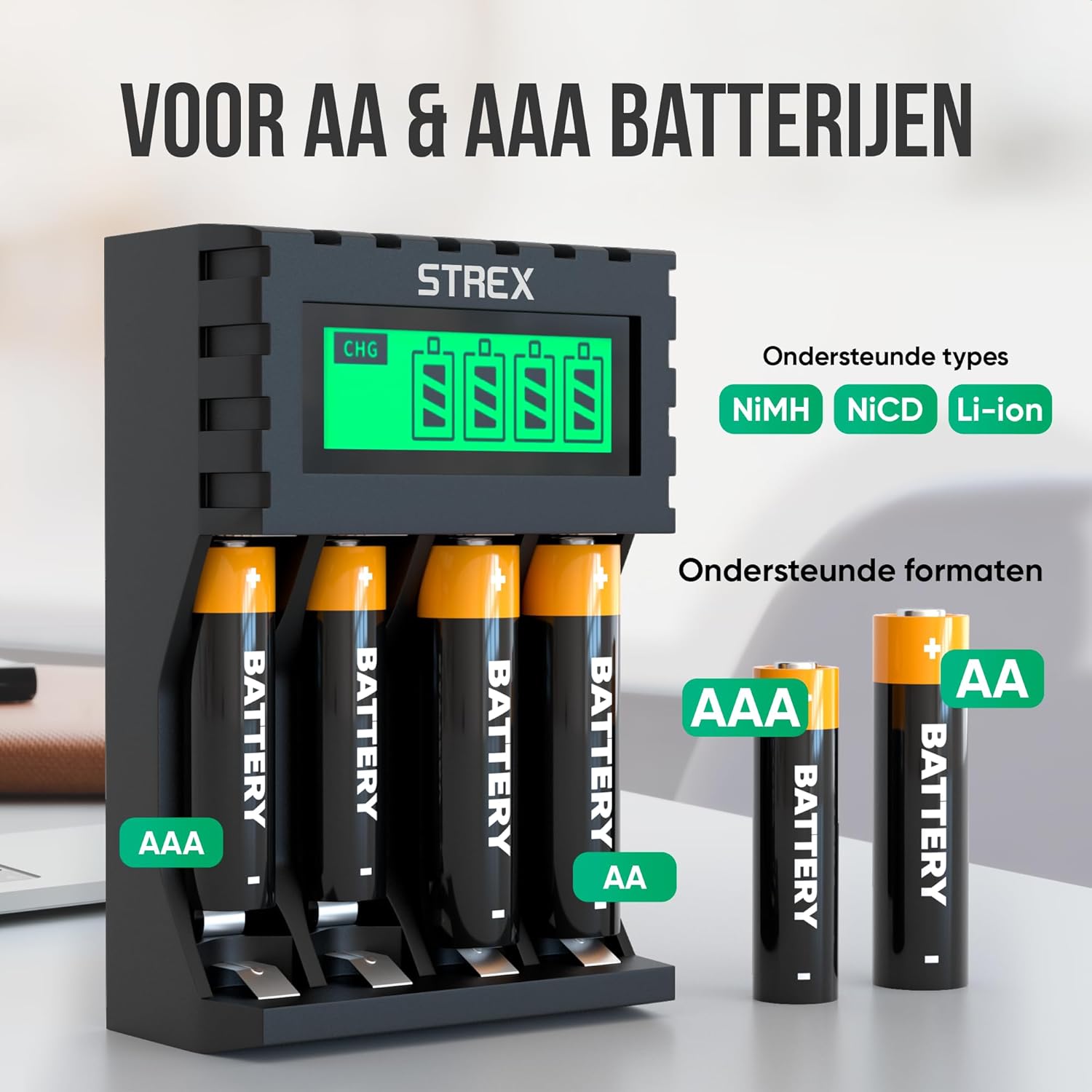
Image: The charger's compatibility with both AA and AAA battery sizes, and a list of supported battery types (NiMH, NiCD, Li-ion).
Garanzija u Appoġġ
Għal informazzjoni dwar il-garanzija jew appoġġ tekniku, jekk jogħġbok irreferi għad-dettalji ta' kuntatt ipprovduti max-xiri tiegħek jew żur is-sit uffiċjali ta' Strex. websit. Żomm il-prova tax-xiri tiegħek għal kwalunkwe talba ta' garanzija.
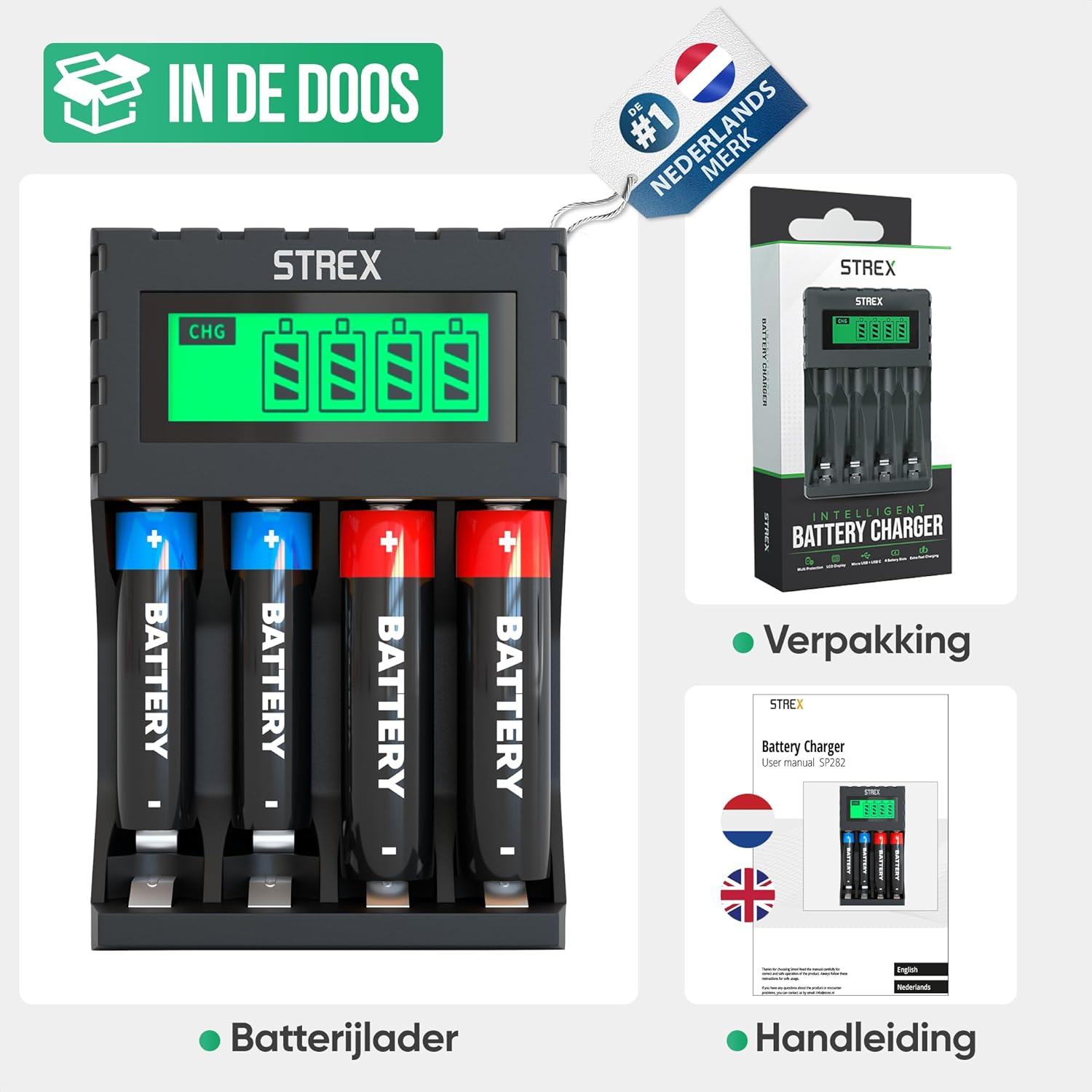
Image: What's included in the box: the battery charger, a user manual, and the product packaging.