
Introduzzjoni
This manual provides essential information for setting up, operating, and maintaining your DOOGEE T10 Pro Android Tablet. Designed for both productivity and entertainment, the T10 Pro features a 10.1-inch FHD+ display, Unisoc T606 Octa-Core processor, 15GB RAM, 256GB ROM, and an 8580mAh battery. Please read this manual thoroughly to ensure optimal performance and longevity of your device.
X'hemm fil-Kaxxa
Malli tiftaħ il-pakkett, ivverifika li l-oġġetti kollha elenkati hawn taħt huma preżenti:
- 1 x DOOGEE T10 Pro Tablet
- Tablet with 15GB RAM and 256GB ROM (internal memory)
- Ċarġer tal
- Iċċarġjar Cable
- Card Removal Needle (SIM ejector tool)
- Manwal għall-Utent
Official unboxing video for the DOOGEE T10 Pro tablet, demonstrating the contents of the package.
Prodott Overview
The DOOGEE T10 Pro is designed with a sleek profile and premium build quality, offering a comfortable grip and a modern aesthetic. Key features include a vibrant display, powerful processing capabilities, and robust connectivity options.

Quddiem u lura view of the DOOGEE T10 Pro tablet, showcasing its design and key memory specifications.
Karatteristiċi ewlenin:
- Wiri: 10.1" FHD+ IPS display with 1200x1920 resolution and TÜV SÜD Blue Light Certification for eye protection.
- Prestazzjoni: Unisoc T606 Octa-Core processor (up to 1.6GHz) and Android 12 operating system.
- Memorja u Ħażna: 15GB RAM (8GB physical + 7GB extended) and 256GB internal storage, expandable up to 1TB via TF card.
- Batterija: Large 8580mAh battery with 18W fast charging support.
- Kameras: 13MP rear camera and 8MP front camera, both supporting 2K video recording.
- Konnettività: Dual SIM support, 4G LTE, 2.4G/5G WiFi, and Bluetooth 5.0.
- Awdjo u Vidjo: Widevine L1 support for Full HD streaming and Dolby Audio for immersive sound.

An fuqview of the DOOGEE T10 Pro's core features, including its operating system, processor, memory, and connectivity.
Setup
1. Iċċarġjar Inizjali
Before first use, fully charge your DOOGEE T10 Pro tablet using the provided charger and charging cable. The 18W fast charging allows for a quick power-up.
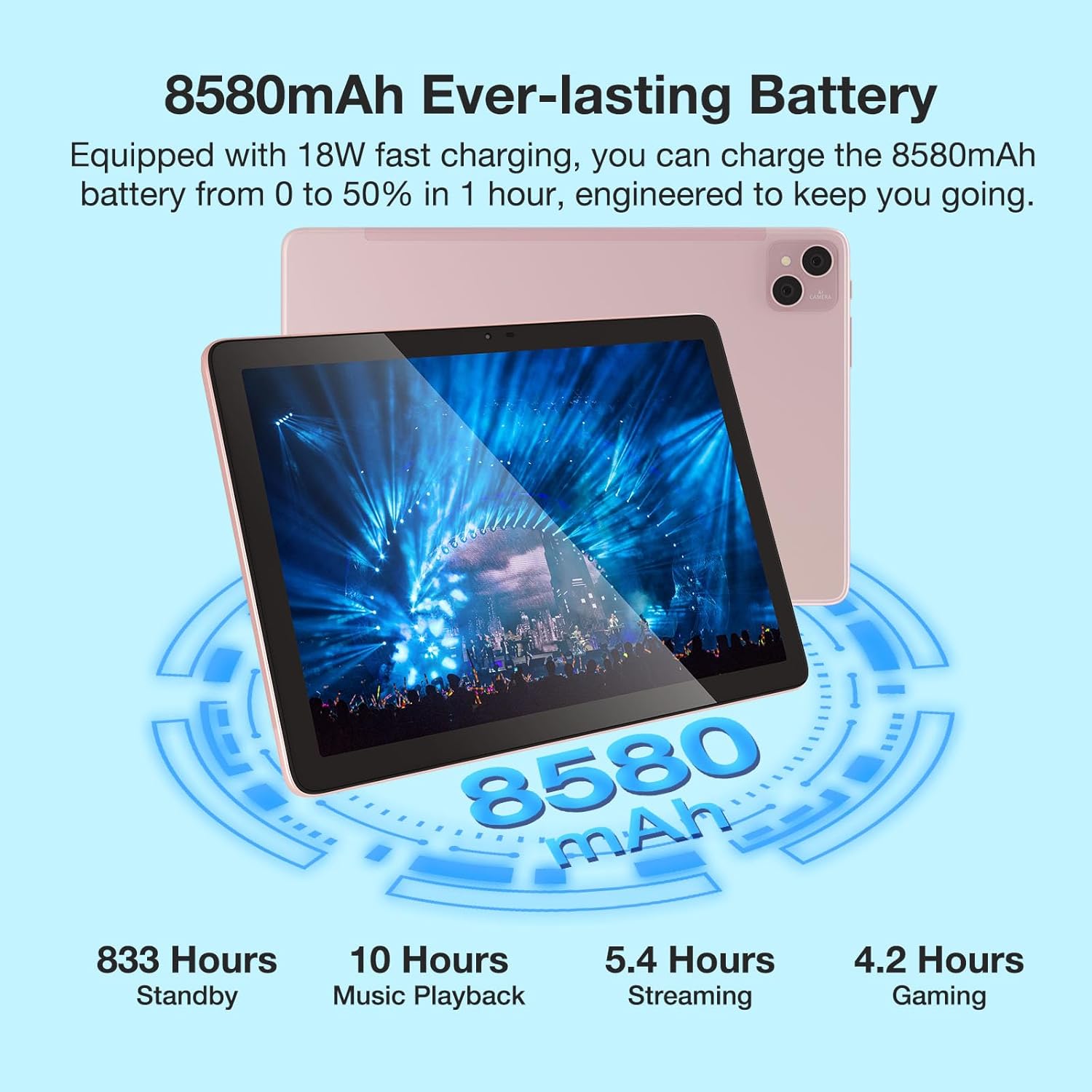
Visual representation of the 8580mAh battery and its estimated usage times for various activities.
2. Tixgħil / Mitfi
- Biex tixgħel: Agħfas u żomm il-buttuna tal-Power sakemm jidher il-logo ta' DOOGEE.
- Biex titfi: Agħfas u żomm il-buttuna tal-Enerġija, imbagħad agħżel "Itfi" mill-għażliet.
- Biex terġa' tibda: Agħfas u żomm il-buttuna tal-Power, imbagħad agħżel "Restart" mill-għażliet.
3. Daħħal il-Kard SIM/TF
Locate the SIM/TF card slot on the side of the tablet. Use the provided card removal needle to gently eject the tray. Insert your Nano-SIM cards (up to two) and/or a TF (microSD) card into the designated slots, ensuring correct orientation. Gently push the tray back into the tablet until it clicks into place.

The tablet's connectivity features, including Dual SIM 4G and dual-band WiFi, enabling communication and internet access.
Istruzzjonijiet Operattivi
1. Navigazzjoni Bażika
- Ġesti mess: Tektek, swipe, u pinch-to-zoom huma ġesti standard tal-Android.
- Skrin tad-dar: Ippersonalizza bil-widgets u x-shortcuts tal-app.
- Notifiki: Skrolla 'l isfel minn fuq nett tal-iskrin biex taċċessa n-notifiki u s-settings rapidi.
2. Konnessjoni mal-Wi-Fi
- Mur fuq Settings > Netwerk u internet > Wi-Fi.
- Ixgħel il-Wi-Fi On.
- Agħżel in-netwerk mixtieq tiegħek mil-lista u daħħal il-password jekk tintalab.
3. Uża l-Kameras
The tablet features a 13MP main camera and an 8MP front camera. Open the Camera app to capture photos and record 2K videos. Switch between front and rear cameras as needed for selfies or video calls.

Details on the tablet's camera specifications and examples of captured moments.
4. Appoġġ Widevine L1
The DOOGEE T10 Pro supports Widevine L1, enabling you to stream high-definition content (1080P and above) from popular streaming services like Netflix, Amazon Prime Video, Disney+, and Hulu. Ensure you have a stable internet connection for the best viewing esperjenza.

The tablet's Widevine L1 capability for high-quality video streaming.
5. Modalità tal-PC
The tablet supports a PC Mode, allowing for a desktop-like experience when connected to an external keyboard and mouse (accessories sold separately). This mode enhances productivity for tasks such as document editing and multi-window multitasking.
Promotional video for the T10 Pro, showcasing its features including PC Mode and multimedia capabilities.
Manutenzjoni
1. Kura tal-batterija
- Evita temperaturi estremi (sħan jew kiesaħ) għax jistgħu jnaqqsu l-ħajja tal-batterija.
- Do not fully discharge the battery regularly. Charge it before it drops below 20%.
- Uża biss l-aċċessorji tal-iċċarġjar oriġinali jew iċċertifikati.
2. Tindif
Uża drapp artab u mingħajr suf biex tnaddaf l-iskrin u l-qafas tat-tablet. Għal tbajja' persistenti, neħħi ftit.ampNaddaf id-drapp bl-ilma jew b'prodott tat-tindif tal-iskrin. Evita li tuża kimiċi ħarxa jew materjali li joborxu.
3. Ħażna
When storing the tablet for extended periods, ensure it is charged to about 50-60% and powered off. Store it in a cool, dry place away from direct sunlight.
Issolvi l-problemi
| Ħruġ | Kawża Possibbli | Soluzzjoni |
|---|---|---|
| It-tablet mhux se jixgħel | Batterija baxxa; Ħabta tas-sistema | Iċċarġja t-tablet għal mill-inqas 30 minuta. Agħfas u żomm il-buttuna tal-Power għal 10-15-il sekonda biex terġa' tibda. |
| Kwistjonijiet ta 'konnessjoni Wi-Fi | Password mhux korretta; Problema bir-router; Interferenza tas-sinjal | Verify Wi-Fi password. Restart your router. Move closer to the router or away from interference sources. |
| L-apps jiġġarraf jew jiffriża | Insufficient RAM; App bug; Outdated app | Close background apps. Clear app cache/data (Settings > Apps). Update the app from Google Play Store. |
| Prestazzjoni bil-mod | Too many apps running; Low storage; System updates needed | Close unused apps. Free up storage space. Check for system updates (Settings > System > System update). |
| SIM card ma misjubax | Improper insertion; Damaged SIM card | Re-insert the SIM card correctly. Try another SIM card to check if the issue is with the card itself. |
Speċifikazzjonijiet
| Karatteristika | Dettall |
|---|---|
| Isem tal-Mudell | DOOGEE T10 PRO |
| Sistema Operattiva | Android 12 |
| Daqs tal-Iskrin | 10.1 Pulzier |
| Riżoluzzjoni tal-Iskrin | 1200 x 1920 (FHD+) |
| Proċessur | Unisoc T606 Octa-Core (1.6GHz) |
| RAM | 15 GB (8GB fiżiku + 7GB estiż) |
| Daqs tal-Memorja Flash (ROM) | 256 GB |
| Ħażna espansibbli | Sa 1TB permezz ta' karta TF |
| Kapaċità tal-batterija | 8580mAh |
| Wara WebCam Riżoluzzjoni | 13 MP |
| Quddiem WebCam Riżoluzzjoni | 8 MP |
| Tip bla fili | 802.11n (2.4G/5G WiFi) |
| Konnettività | Dual SIM 4G, Bluetooth 5.0 |
| Piż tal-oġġett | 2.59 liri |
| Dimensjonijiet tal-Prodott | 9.5 x 6.34 x 3.3 pulzieri |
| Kulur | Roża |
Garanzija u Appoġġ
Għal informazzjoni dwar il-garanzija u appoġġ tekniku, jekk jogħġbok irreferi għad-DOOGEE uffiċjali webis-sit jew ikkuntattja lis-servizz tal-konsumatur tagħhom direttament. Żomm l-irċevuta tax-xiri tiegħek bħala prova tax-xiri għal talbiet ta' garanzija.
You can visit the official DOOGEE Store on Amazon for more information: Ħanut DOOGEE