
1. Introduzzjoni
This manual provides essential information for setting up, operating, and maintaining your TCL 65QM8B Mini LED QLED 4K HDR Google TV. Please read it thoroughly before use to ensure proper functionality and safety. This television combines advanced Mini LED and QLED technologies with a 144Hz refresh rate, 4K HDR Premium 1300nits brightness, and the Google TV smart platform, offering a premium viewing u esperjenza tal-logħob.
2. Informazzjoni Importanti dwar is-Sigurtà
- Sigurtà Elettrika: Always ensure the power cable is securely connected to a grounded outlet. Do not overload power strips. Disconnect the power plug during lightning storms or when unused for long periods.
- Ventilazzjoni: Maintain adequate space around the TV for proper ventilation. Do not block ventilation openings. Avoid placing the TV on soft surfaces like carpets or beds that may obstruct airflow.
- Tindif: Unplug the TV before cleaning. Use a soft, dry cloth to clean the screen and cabinet. Avoid liquid cleaners, aerosols, or abrasive cloths.
- Immaniġġjar: The TV is heavy. Always use at least two people when lifting or moving the television to prevent injury or damage.
- Tfal: Do not allow children to climb on the TV or stand. Ensure the TV is placed on a stable surface or securely wall-mounted to prevent tipping.
- Umdità: Tesponix it-TV għax-xita jew għall-umdità. Tpoġġix oġġetti mimlija b'likwidi, bħal vażuni, fuq it-TV.
3. Kontenut tal-Pakkett
Ivverifika li l-oġġetti kollha huma preżenti fil-pakkett:
- TCL 65QM8B 65-inch Mini LED QLED 4K HDR Google TV
- Kontroll mill-bogħod
- Batteriji AAA (2x)
- Kejbil tal-Enerġija
- Manwal għall-Utent (dan id-dokument)
- TV Stand Components (Base and Screws)
4. Gwida ta' Setup
4.1 Spakkjar u Tqegħid
Carefully remove the TV from its packaging. It is recommended that two people handle the TV due to its size and weight. Place the TV on a flat, stable surface or prepare for wall mounting.
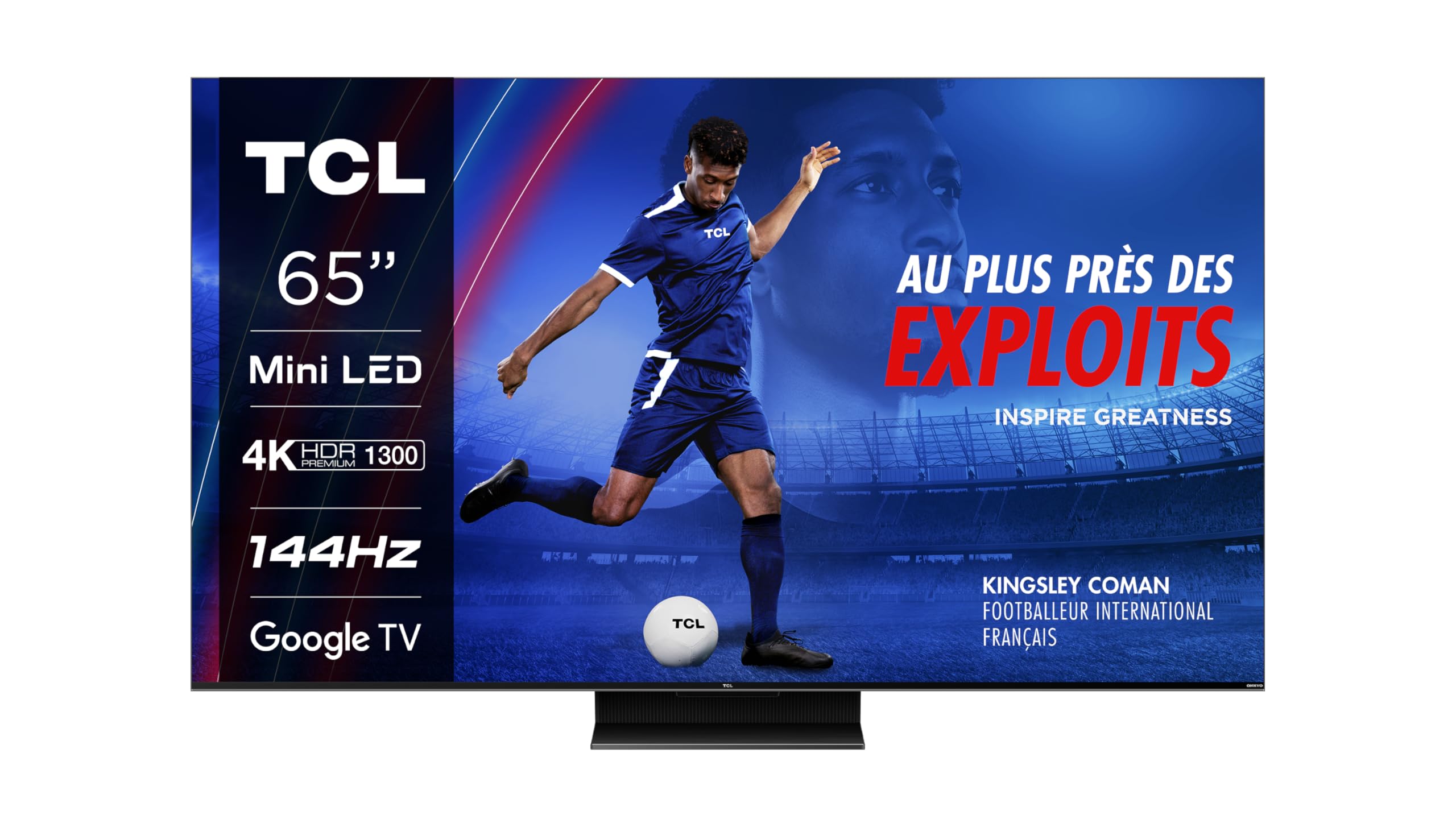
Immaġni: Quddiem view of the TCL 65QM8B TV on its stand.
4.2 Assembling the Stand / Wall Mounting
If using the included stand, attach the base to the TV following the instructions provided in the separate quick start guide. Ensure all screws are tightened securely. For wall mounting, the TV supports a VESA standard of 300 x 300 mm. Use a compatible wall mount bracket (sold separately) and consult a professional for installation.

Image: Technical drawing showing the dimensions of the TCL 65QM8B TV with its stand, and a view tal-kontroll mill-bogħod.
4.3 Konnessjoni tal-Periferali
Qabbad l-apparati esterni tiegħek mat-TV billi tuża l-portijiet disponibbli:
- HDMI (x4): For high-definition devices such as game consoles (PlayStation, Xbox), Blu-ray players, and soundbars.
- USB (x1): Għall-konnessjoni ta' apparati tal-ħażna USB biex tilgħab il-midja files jew għal aġġornamenti tas-softwer.
- LAN (Ethernet): Għal konnessjoni stabbli tal-internet bil-fili.
- Ottiku (Ħruġ Awdjo Diġitali): For connecting to external audio receivers or sound systems.
- Input AV: Għall-konnessjoni ta' apparati eqdem b'outputs ta' vidjo kompost u awdjo stereo.
- Headphone: Għal smigħ awdjo privat.
- Slott CI: For inserting a Conditional Access Module (CAM) for encrypted digital TV services.

Image: Diagram illustrating the various connectivity ports on the TCL 65QM8B TV, including HDMI, USB, LAN, Optical, AV Input, Headphone, and CI Slot.
5. Tħaddem it-TV tiegħek
5.1 First-Time Setup and Google TV
After connecting the power cable and turning on the TV, follow the on-screen instructions for the initial setup. This includes selecting your language, connecting to a Wi-Fi network, and logging in with your Google account to access Google TV features and apps.

Image: The TCL 65QM8B TV screen showing the Google TV home interface with various streaming app icons and content recommendations.
5.2 Funzjonijiet ta' Kontroll mill-bogħod
The included remote control allows you to navigate the TV's interface and control various functions. Key buttons include Power, Volume Up/Down, Channel Up/Down, Input Source selection, and a dedicated Google Assistant button for voice commands.
5.3 Karatteristiċi ewlenin
Mini LED Technology
The TCL 65QM8B utilizes Mini LED backlighting, which consists of thousands of tiny LEDs. This technology allows for precise light control, delivering deeper blacks, brighter whites, and enhanced contrast compared to traditional LED TVs.

Image: A visual representation of Mini LED technology, showing how small LEDs provide precise backlighting for improved picture quality.
Full Array Local Dimming (FALD)
The TV's screen is divided into over 500 local dimming zones. Full Array Local Dimming precisely adjusts the brightness of each zone, optimizing contrast and ensuring that dark areas remain dark while bright areas shine, revealing more detail in every scene.

Image: A diagram demonstrating Full Array Local Dimming, showing how different zones of the backlight are controlled independently to enhance contrast.
Display QLED
Quantum Dot (QLED) technology enhances color reproduction, allowing the TV to display over a billion shades of vibrant, accurate colors. This results in a wider color gamut and more lifelike images.
144Hz VRR for Gaming
Designed for gamers, the 144Hz Variable Refresh Rate (VRR) ensures ultra-smooth motion and reduced input lag. This feature, combined with Game Master Pro 2.0 and AMD FreeSync Premium, provides a highly responsive and immersive gaming experience without screen tearing or stuttering.

Image: A person enjoying a video game on the TCL 65QM8B TV, highlighting the immersive gaming experience.
Dolby Vision IQ & Dolby Atmos
Experience cinematic visuals with Dolby Vision IQ, which intelligently optimizes picture quality based on ambient light. Complementing this, Dolby Atmos delivers immersive, multi-dimensional audio through the integrated Onkyo 2.0 sound system, placing you in the center of the action.
6. Manutenzjoni
6.1 Tindif tat-TV tiegħek
Biex tnaddaf l-iskrin, imsaħ bil-mod b'ċarruta ratba u mingħajr suf. Għal marki persistenti, imsaħ ftit.ampen the cloth with water. Never spray liquid directly onto the screen. For the TV cabinet, use a soft, dry cloth. Avoid using harsh chemicals or abrasive materials.
6.2 Aġġornamenti tas-Software
Your TCL TV may receive software updates to improve performance and add new features. To check for updates, navigate to the Settings menu on your Google TV interface and look for the 'About' or 'System Update' section. Ensure your TV is connected to the internet for updates.
7 Issolvi l-problemi
Jekk tiltaqa' ma' problemi bit-TV tiegħek, irreferi għall-problemi u s-soluzzjonijiet komuni li ġejjin:
| Problema | Soluzzjoni Possibbli |
|---|---|
| Ebda Qawwa | Check if the power cable is securely plugged into the TV and a working electrical outlet. Try a different outlet. |
| Ebda Stampa / Skrin Iswed | Ensure the correct input source is selected. Check all HDMI/AV cables for secure connections. Try restarting the TV. |
| Ebda Ħoss | Check the volume level. Ensure the TV is not muted. Verify audio output settings (e.g., internal speakers vs. external sound system). Check audio cables if using external speakers. |
| Il-Kontroll Remot Mhux Jaħdem | Ibdel il-batteriji. Kun żgur li m'hemm l-ebda ostaklu bejn ir-remote u s-senser IR tat-TV. |
| Kwistjonijiet ta' Konnessjoni tan-Netwerk | Check your Wi-Fi router and modem. Restart network equipment. Re-enter Wi-Fi password in TV settings. Try a wired Ethernet connection if Wi-Fi fails. |
| Kwistjonijiet fil-Kwalità tal-Istampa (eż., imċajpra, distorta) | Check the resolution of the input source. Adjust picture settings (brightness, contrast, sharpness) in the TV menu. Ensure cables are high-quality and properly connected. |
8. Speċifikazzjonijiet Tekniċi
Below are the detailed technical specifications for the TCL 65QM8B TV:
| Karatteristika | Speċifikazzjoni |
|---|---|
| Numru tal-Mudell | 65QM8BX1 |
| Daqs tal-Iskrin | 65 pulzieri (164 ċm) |
| Teknoloġija tal-Wiri | Mini LED, QLED |
| Riżoluzzjoni | 4K UHD (3840 x 2160) |
| Riffriskar Rata | 144 Hz (VRR) |
| Appoġġ HDR | HDR Premium 1300nits, Dolby Vision IQ |
| Sistema Awdjo | Onkyo 2.0, Dolby Atmos, DTS:X |
| Sistema Operattiva | Google TV |
| Konnettività | 4x HDMI, 1x USB, LAN, Wi-Fi, Bluetooth 5.0, Optical Out, AV Input, Headphone, CI Slot |
| Standard tal-Immuntar VESA | 300 x 300 mm |
| Dimensjonijiet (bl-istand) | 144.4 ċm (W) x 89.8 ċm (H) x 32 ċm (D) |
| Piż (mingħajr stand) | 20.7 Kilogrammi |
| Konsum tal-Enerġija (SDR) | 111 kWh/1000h |
| Konsum tal-Enerġija (HDR) | 240 kWh/1000h |
| Komponenti Inklużi | Remote control, batteries, manual, power cable |

Image: EU Energy Efficiency Label for the TCL 65QM8B TV, showing energy class G for SDR and HDR, and power consumption values.
Għal aktar dettalji, żur il- Dejtabejż EPREL.
9. Garanzija u Appoġġ
Your TCL 65QM8B TV comes with a limited warranty. Please refer to the warranty card included in your package for specific terms and conditions.
- Garanzija Ġenerali: 2 snin
- Software Updates Guaranteed: Up to 8 years from the date of market placement.
- Disponibbiltà ta' Spare Parts: Guaranteed for 8 years from the date of market placement.
- Product Support Guaranteed: 8 snin.
Informazzjoni ta' Kuntatt tal-Manifattur
For technical support, service, or warranty inquiries, please contact TCL customer support:
- Manifattur: TCL
- Websit: www.tcl.com
- Telefon: +48 46 854 01 00 (Please note this number may be specific to a region; check the TCL website for local contact details.)