
1. Introduzzjoni
This manual provides essential information for the proper use and maintenance of your MOVE SPEED Vpro Series 256GB USB 3.2 Gen2 Dual Interface SSD Thumb Drive. Please read this manual thoroughly before using the device to ensure optimal performance and longevity.
The MOVE SPEED Vpro Series SSD Thumb Drive offers high-speed data transfer with both USB 3.2 Gen2 Type-A and Type-C interfaces, providing versatile compatibility across various devices.
2. X'hemm fil-Kaxxa
- MOVE SPEED Vpro Series 256GB SSD Thumb Drive x1
- Keychain Leather Case x1
- Manwal għall-Utent x1

Image: The MOVE SPEED Vpro Series SSD Thumb Drive and its included leather case.
3. Setup
3.1 Konnessjoni Fiżika
The MOVE SPEED Vpro Series SSD Thumb Drive features a dual-interface design, offering both USB 3.2 Gen2 Type-A and Type-C connectors. To use, simply flip open the protective cover to reveal the desired connector.
- Identify the appropriate port on your device (computer, laptop, smartphone, etc.).
- Gently insert the corresponding connector (USB-A or USB-C) of the thumb drive into the device's port. Ensure a firm connection.

Image: The thumb drive with its dual USB-A and USB-C interfaces.
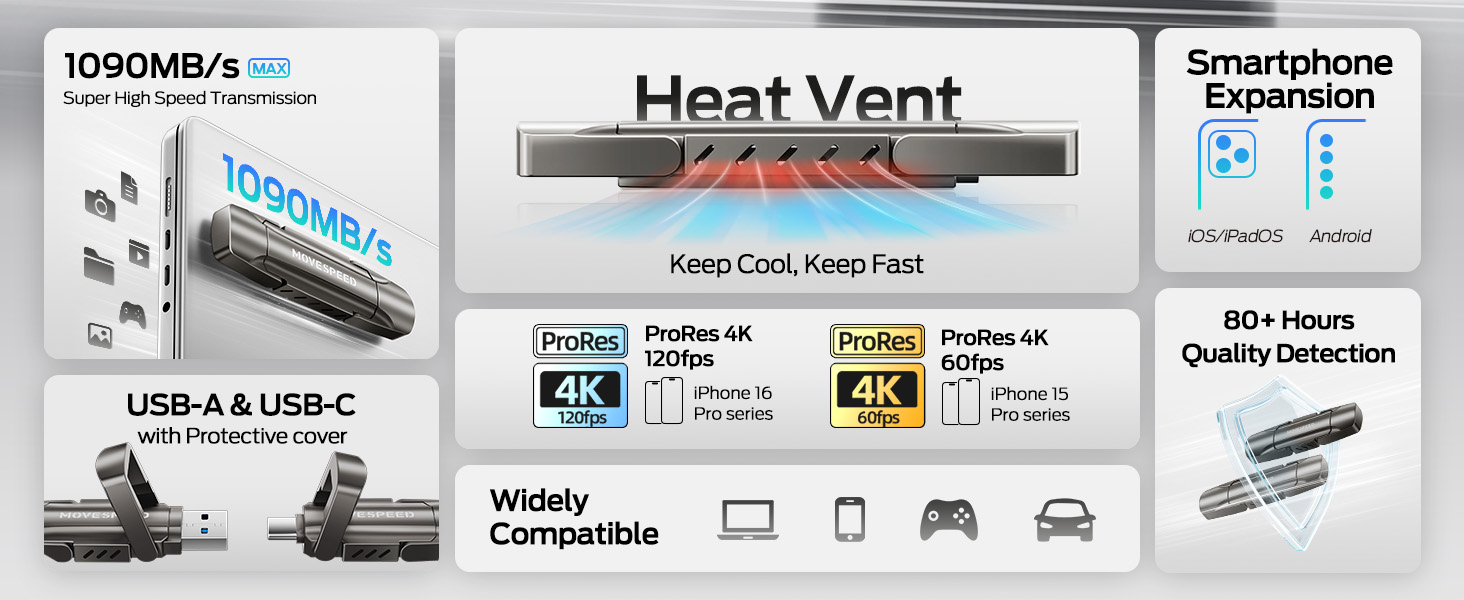
Image: The drive connected to both a laptop and a smartphone, demonstrating its dual interface functionality.
3.2 Rikonoxximent Inizjali
The device is plug-and-play. Upon successful connection, your operating system (Windows, macOS, Android, iOS) should automatically detect the drive and make it accessible. It may appear as a removable disk or external storage device.
4. Joperaw
4.1 Trasferiment tad-Data
The MOVE SPEED Vpro Series SSD Thumb Drive supports read and write speeds of up to 1000MB/s when connected to a compatible USB 3.2 Gen2 (10Gbps) port or above. Actual speeds may vary based on the host device, file size, and operating system.
- To Copy Files: Iddreggja u qiegħed files or folders from your device to the thumb drive's directory, or use the 'Copy' and 'Paste' functions.
- To Move Files: Iddreggja u qiegħed files or folders from your device to the thumb drive's directory while holding the 'Shift' key (Windows) or 'Command' key (macOS), or use the 'Cut' and 'Paste' functions.
Video: Demonstrates the high-speed data transfer capabilities of the MOVE SPEED Vpro Series SSD Thumb Drive, showing quick file trasferimenti bejn apparati.
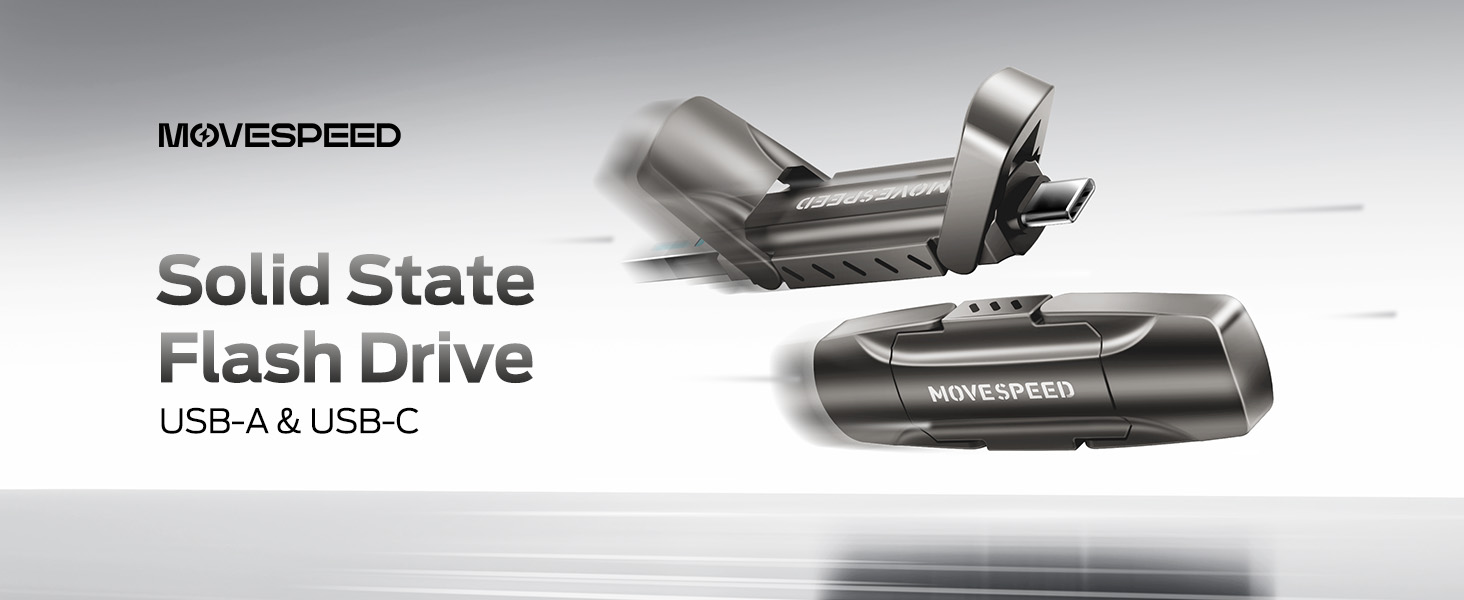
Image: A visual comparison illustrating the superior data transfer speed of the MOVE SPEED YV Pro drive compared to older USB technologies.
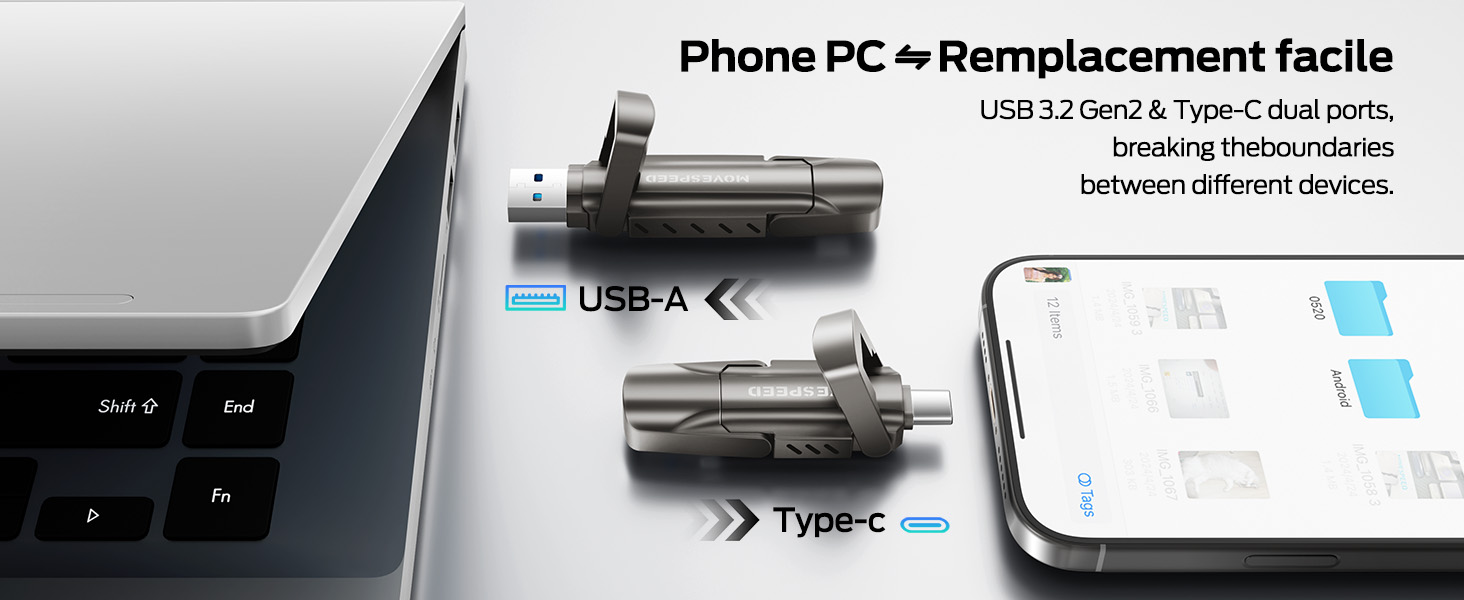
Image: A performance graph demonstrating the stable and high write speeds of the MOVE SPEED Vpro Series SSD Thumb Drive.
4.2 Usage with Various Devices
The dual interface ensures broad compatibility:
- Computers/Laptops: Connect via USB-A or USB-C port. Ideal for transferring large files, backups, or expanding storage.
- Smartphones/Tablets: Connect via USB-C port (e.g., iPhone 15/16/17 Series, Android phones with USB-C). Use for direct photo/video backup, expanding phone storage, or playing media directly.
- Car Audio Systems/Smart TVs: Connect via USB-A port for media playback.
- Konsols tal-logħob: Plug and Play compatibility with various consoles for storage expansion or game data transfer.

Image: The thumb drive being used with a smartphone, laptop, and game console, highlighting its wide compatibility.

Image: An iPhone recording 4K 120fps ProRes video directly to the connected MOVE SPEED SSD Thumb Drive.

Image: A smartphone connected to the thumb drive, illustrating its use for storage expansion and data backup.
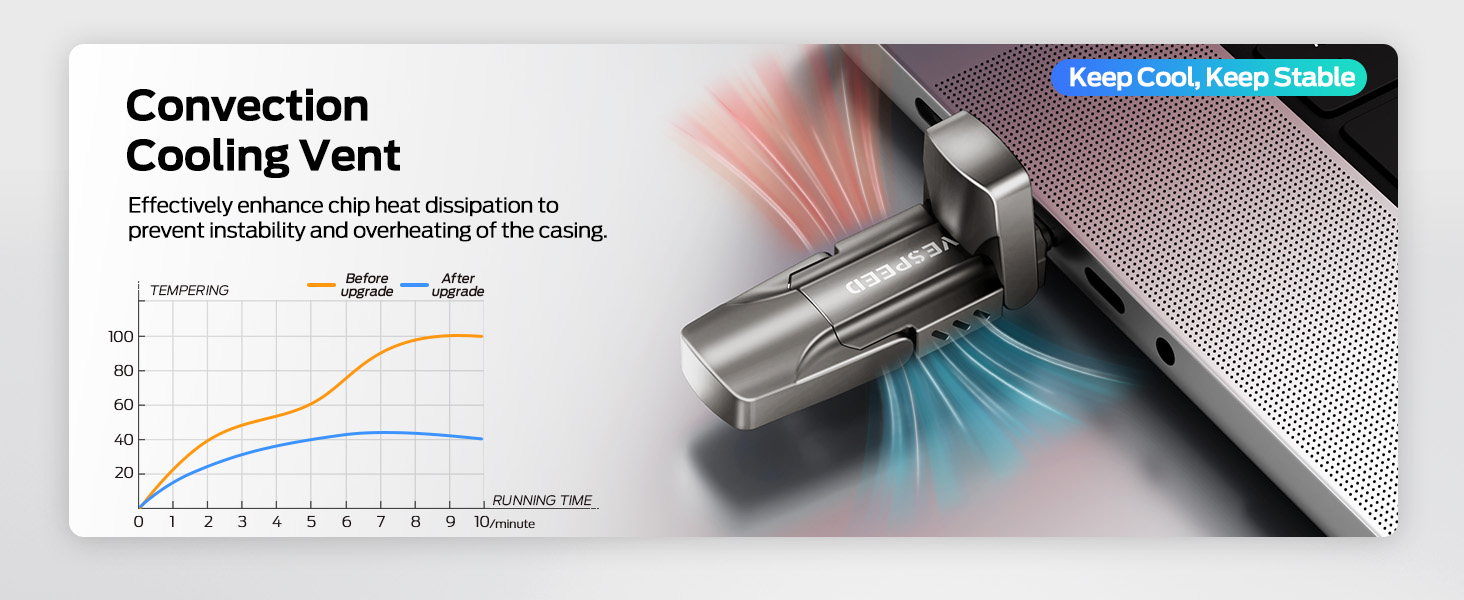
Image: A game console connected to the MOVE SPEED SSD Thumb Drive, indicating compatibility for gaming storage.
4.3 Dissipazzjoni tas-Sħana
The upgraded SSD class thumb drive features improved heat dissipation performance. During prolonged high-speed transfers, it may become warm, which is normal and indicates efficient heat management to maintain stable performance.

Image: A diagram illustrating the convection cooling vent and a graph comparing temperature performance before and after the heat dissipation upgrade.
5. Manutenzjoni
5.1 Durabilità
The drive is constructed with an SSD-level chip and a high-quality zinc alloy metal case, providing excellent waterproof, dust-proof, anti-drop, high temperature, and anti-magnetic properties. The included leather case offers additional protection during transport.
5.2 Tneħħija Sikura
Always safely eject the drive from your operating system before physically disconnecting it. This prevents data corruption and ensures the longevity of the device.
- Windows: Right-click the drive icon in 'This PC' or the taskbar, then select 'Eject'.
- macOS: Drag the drive icon to the Trash, or click the 'Eject' icon next to the drive in Finder.
- Android/iOS: Follow your device's specific instructions for safely unmounting external storage.
6 Issolvi l-problemi
- Sewqan Mhux Rikonoxxut:
- Kun żgur li d-drajv huwa mdaħħal kompletament fil-port USB.
- Ipprova port USB differenti fuq l-apparat tiegħek.
- Erġa' ibda l-kompjuter jew l-apparat tiegħek.
- Check your device's Disk Management (Windows) or Disk Utility (macOS) to see if the drive is detected but unformatted.
- Veloċitajiet ta' Trasferiment Baxxi:
- Ensure you are using a USB 3.2 Gen2 (10Gbps) compatible port on your device. Older USB 2.0 or 3.0 ports will result in lower speeds.
- Agħlaq applikazzjonijiet oħra li jistgħu jkunu qed jużaw riżorsi tas-sistema jew iwettqu trasferimenti fl-isfond.
- Numru kbir ta’ żgħar files transfer slower than a single large file tal-istess daqs totali.
- Drive Gets Warm During Use:
- This is normal during high-speed data transfers due to the SSD's performance and efficient heat dissipation. If it becomes excessively hot or causes performance issues, ensure adequate airflow around the drive.
7. Speċifikazzjonijiet
| Karatteristika | Dettall |
|---|---|
| Brand | VELOĊITÀ TA 'ĊAQLIQ |
| Isem tal-Mudell | Vpro Series |
| Kapaċità | 256GB Solid State Drive |
| Aqra Veloċità | Sa 1000 MB/s |
| Ikteb Veloċità | Sa 1000 MB/s |
| Interface tal-Ħardwer | USB 3.2 Gen 2 (USB Type A, USB Type C) |
| Tip ta' Memorja Flash | USB SSD |
| Karatteristiċi Speċjali | High Speed, Better Heat Dissipation, Dual Interface, SSD Level Chip Technology, Durable Metal Case (Waterproof, Dust-proof, Anti-drop, High Temperature, Anti-magnetic) |
| Kompatibilità | Android USB-C Phone, iPhone 15/16/17 Series, Desktop, Laptop, Car Audio, Smart TV, Game Consoles |
| Piż tal-oġġett | 3.84 uqija |
| Dimensjonijiet tal-Pakkett | 5.83 x 5.2 x 1.93 pulzieri |

Image: A table detailing the storage capacity of different drive sizes and the estimated number of files they can hold.
8. Garanzija u Appoġġ
For warranty information and customer support, please refer to the official MOVE SPEED webis-sit jew ikkuntattja lill-bejjiegħ tiegħek. Żomm l-irċevuta tax-xiri tiegħek għal talbiet ta' garanzija.
Tista 'wkoll iżżur il- MOVE SPEED Store on Amazon għal aktar informazzjoni dwar il-prodott u riżorsi ta' appoġġ.