
Morpheus 360 HS6500SBT
Morpheus 360 Advantage Stereo Wireless Headset User Manual
Model: HS6500SBT | Brand: Morpheus 360
Introduzzjoni
This manual provides detailed instructions for the setup, operation, and maintenance of your Morpheus 360 Advantage Stereo Wireless Headset. Designed for seamless communication and audio, this headset features Bluetooth 5.3 connectivity, a detachable noise-cancelling boom microphone, and comfortable protein leather ear cushions, making it ideal for both work and gaming environments.

The Morpheus 360 Advantage Stereo Wireless Headset, showcasing its design and included USB-A and USB-C dongles for versatile connectivity.
Karatteristiċi ewlenin:
- Seamless Multi-Device Connection: Bluetooth 5.3 technology allows connection to multiple devices, facilitating easy switching between phone calls and video conferences.
- Wear All Day Comfort: Lightweight design with protein leather ear cushions and memory foam for extended wear.
- Noise-Free Communication: Detachable noise-cancelling boom microphone with 120-degree rotation filters background noise for clear calls.
- Kompatibilità Universali: Complies with UC standard, ensuring seamless operation with communication software like Zoom, Skype, and MS Teams.
- Kontrolli Integrati: Built-in call and volume controls for convenient management.
Kontenut tal-Pakkett
Ivverifika li l-oġġetti kollha huma preżenti fil-pakkett tiegħek:
- Morpheus 360 Advantage Stereo Wireless Headset
- Mikrofonu Boom li jinqala'
- USB-A Receiver-Dongle
- USB-C Adapter (for USB-A dongle)
- USB Charging Cable (USB-A sa USB-C)
- Manwal għall-Utent (dan id-dokument)
Prodott Overview
Familiarize yourself with the components of your headset:

Left earcup with microphone port and control buttons.
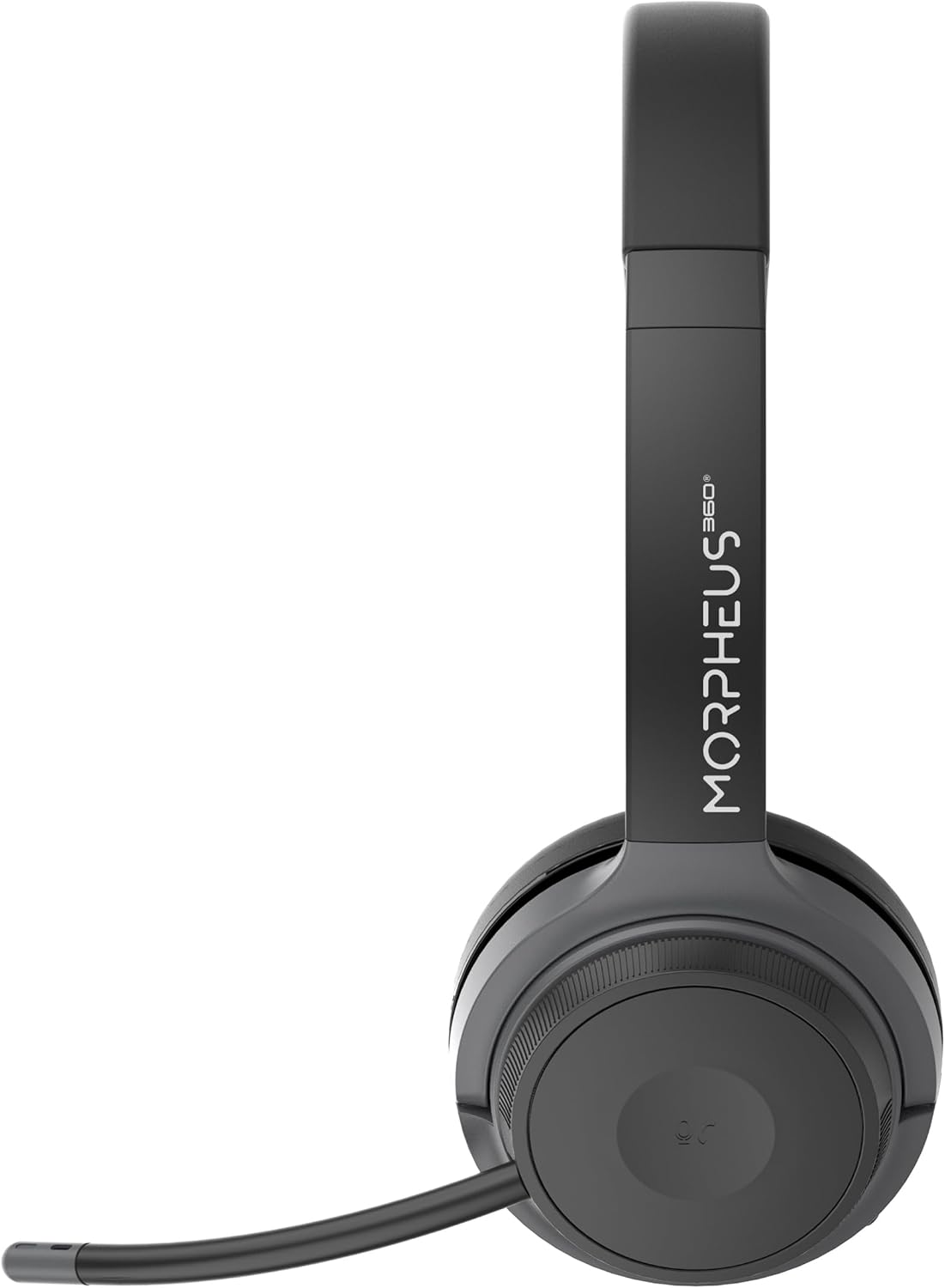
Right earcup featuring the volume control dial and USB-C charging port.
- Faxxa tar-ras: Adjustable for comfortable fit.
- Kuxxini tal-widnejn: Soft protein leather with memory foam for comfort.
- Port tal-mikrofonu: Located on the left earcup for attaching the boom microphone.
- Buttuna tal-Qawwa/Tqabbil: Controls power and initiates Bluetooth pairing.
- Dial tal-Kontroll tal-Volum: Located on the right earcup, allows for precise volume adjustments.
- Port tal-Iċċarġjar USB-C: Għall-iċċarġjar tal-batterija tal-headset.
- Buttuni tal-Kontroll tal-Midja: Play/Pause, Next/Previous Track (functionality may vary by device).
- Call Control Button: Answer/End/Reject calls.
Setup
1. Iċċarġjar tal-Headset
Before first use, fully charge the headset. A full charge takes approximately 2 hours.
- Connect the USB charging cable to the USB-C port on the headset.
- Qabbad it-tarf l-ieħor tal-kejbil ma' sors ta' enerġija USB (eż., port USB tal-kompjuter, adapter tal-ħajt).
- L-indikatur LED juri l-istatus tal-iċċarġjar (ara t-taqsima tal-indikatur LED għal aktar dettalji).
2. Twaħħil tal-Mikrofonu Boom
The boom microphone is detachable and can be inserted into the microphone port on the left earcup. Ensure it clicks securely into place. The microphone can be rotated 120 degrees for optimal positioning.
3. Konnessjoni ma' Apparati
Your headset offers two primary connection methods: Bluetooth and 2.4GHz Wireless (via USB dongle).
Konnessjoni Bluetooth:
- Kun żgur li l-headset huwa ċċarġjat u mitfi.
- Press and hold the Power/Pairing button until the LED indicator flashes blue and red, indicating pairing mode.
- Fuq l-apparat tiegħek (smartphone, tablet, laptop), attiva l-Bluetooth u fittex apparati ġodda.
- Select "Morpheus 360 Advantage" from the list of available devices.
- Ladarba jkun konness, l-indikatur LED se juri dawl blu solidu.

The headset supports Bluetooth 5.3 for stable connections and Universal Communication (UC) standards for broad compatibility.
2.4GHz Wireless Connection (via USB Dongle):
This method is ideal for devices without Bluetooth or for a more stable connection, particularly with PCs and Macs.
- Plug the USB-A receiver-dongle into an available USB-A port on your computer. If your computer only has USB-C ports, use the included USB-A to USB-C adapter.
- Ixgħel il-headset. Għandu jikkonnettja awtomatikament mad-dongle.
- The LED indicator on both the headset and dongle will show a solid blue light when connected.
- Ensure the Morpheus 360 headset is selected as the default audio input and output device in your computer's sound settings.
Istruzzjonijiet Operattivi
Power On/Off:
- Qawwa Mixgħul: Press and hold the Power/Pairing button for approximately 3 seconds until the LED indicator lights up.
- Itfi: Press and hold the Power/Pairing button for approximately 5 seconds until the LED indicator turns off.
Kontroll tal-Volum:
Rotate the volume control dial on the right earcup:
- Dawwar lejn l-arloġġ biex iżżid il-volum.
- Dawwar kontra l-arloġġ biex tnaqqas il-volum.
Ġestjoni tas-Sejħiet:
- Irrispondi Sejħa: Agħfas il-buttuna tal-Kontroll tas-Sejħiet darba.
- Tmiem Sejħa: Press the Call Control button once during a call.
- Irrifjuta Sejħa: Press and hold the Call Control button for 2 seconds.

The headset provides comfortable wear for extended periods, ideal for calls and online meetings.
Daqq tal-Midja:
- Play/Pawsa: Agħfas il-buttuna Play/Pause darba.
- Track li jmiss: Agħfas il-buttuna tat-Trakka li Jmiss darba.
- Track preċedenti: Agħfas il-buttuna tat-Trakka Preċedenti darba.
Użu tal-mikrofonu:
- Ixekkel/Ixekkel: Use the dedicated mute button on the microphone boom or the headset controls (if available).
- Pożizzjonament: Adjust the 120-degree rotatable boom microphone for optimal voice pickup, ensuring it is close to your mouth.
Manutenzjoni
Tindif:
- Imsaħ il-headset b'ċarruta ratba, niexfa u mingħajr suf.
- Għall-kuxxini tal-widnejn, uża ftit damp ċarruta b'sapun ħafif jekk meħtieġ, imbagħad imsaħ niexef immedjatament.
- Tużax prodotti tat-tindif li joborxu, alkoħol, jew solventi kimiċi.
Ħażna:
- Aħżen il-headset f'post frisk u niexef 'il bogħod mix-xemx diretta u minn temperaturi estremi.
- Evita li tpoġġi oġġetti tqal fuq il-headset.
Kura tal-batterija:
- Iċċarġja l-headset regolarment, anke jekk ma tkunx qed tużah ta' spiss, biex iżżomm il-batterija f'saħħitha.
- Evita li tiċċarġja l-batterija kompletament ta' spiss.
Issolvi l-problemi
| Problema | Kawża Possibbli | Soluzzjoni |
|---|---|---|
| Il-headset ma jixgħelx. | Batterija baxxa. | Iċċarġja l-headset kompletament. |
| Ma nistax nikkonnettja permezz tal-Bluetooth. | Headset not in pairing mode; Device Bluetooth off; Out of range. | Ensure headset is in pairing mode (flashing blue/red). Turn device Bluetooth on. Move headset closer to device (within 10 meters). |
| L-ebda ħoss jew kwalità tal-ħoss fqira. | Volume too low; Incorrect audio output selected; Headset not connected properly. | Increase headset and device volume. Select "Morpheus 360 Advantage" as audio output. Reconnect headset. |
| Il-mikrofonu mhux qed jaħdem. | Mikrofonu siekta; Mhux imwaħħal sew; Apparat tad-dħul mhux korrett magħżul. | Unmute microphone. Ensure microphone is securely attached. Select "Morpheus 360 Advantage" as audio input in device settings. |
| Konnessjoni intermittenti. | Interferenza; Barra mill-firxa; Batterija baxxa. | Move away from other wireless devices. Stay within 10 meters of connected device. Charge headset. |
Speċifikazzjonijiet
| Karatteristika | Dettall |
|---|---|
| Isem tal-Mudell | HS6500SBT |
| Teknoloġija tal-Konnettività | Wireless (Bluetooth 5.3, 2.4GHz via USB Dongle) |
| Verżjoni Bluetooth | 5.3 |
| Medda Bluetooth | Sa 10 metri (33 pied) |
| Ħajja tal-batterija | Up to 30 Hours (Talk/Playtime) |
| Ħin tal-Iċċarġjar | Madwar 2 Sigħat |
| Kontroll tal-Ħoss | Kanċellazzjoni tal-Istorbju Passiv |
| Mikrofonu | Detachable Noise Cancelling Boom Microphone (120-degree rotation) |
| Tqegħid tal-widnejn | Fuq il-widnejn |
| Materjal | Faux Leather (Protein Leather Ear Cushions) |
| Apparati Kompatibbli | Laptops, Desktops, Tablets, Telephones, Smartphones, Communication Software (UC Standard) |
| Dimensjonijiet tal-Prodott | 8.75 x 3 x 8.5 pulzieri |
| Piż tal-oġġett | 9.6 uqija |
| Impedenza | 30 Ohm |
| UPC | 856816008538 |
Informazzjoni dwar Garanzija
Morpheus 360 products are designed and manufactured to the highest quality standards. For detailed warranty information, including terms, conditions, and registration, please refer to the official Morpheus 360 webis-sit jew il-karta tal-garanzija inkluża mal-prodott tiegħek.
Jekk jogħġbok żomm il-prova tax-xiri tiegħek għal pretensjonijiet ta' garanzija.
Appoġġ
For further assistance, technical support, or frequently asked questions, please visit the official Morpheus 360 support websit:
You may also find helpful resources and contact information on the product's Amazon listing page.
Ask a question about this manual
Ask about setup, troubleshooting, compatibility, parts, safety, or missing instructions. Manuals+ will review the question and use this page’s manual context to help answer it.