
Wedinard KFI-GT-5.2lk-36824
Wedinard Dpofirs 1080P WiFi Security Camera User Manual
Ditta: Wedinard
Mudell: KFI-GT-5.2lk-36824 (A3)
1. Introduzzjoni
This manual provides comprehensive instructions for the setup, operation, and maintenance of your Wedinard Dpofirs 1080P WiFi Security Camera. Please read this manual carefully before using the product to ensure proper functionality and safety.
Kontenut tal-Pakkett
Malli tiftaħ il-kaxxa, jekk jogħġbok ivverifika li l-oġġetti kollha elenkati hawn taħt huma preżenti u f'kundizzjoni tajba:
- 1 x Wedinard Dpofirs 1080P WiFi Security Camera
- 1 x Kejbil tal-Iċċarġjar (Tip Ċ)
- 1 x Camera Base
- 1 x Manwal għall-Utent
- 1 x Double-Sided Adhesive

Image: The Wedinard Dpofirs 1080P WiFi Security Camera, showing its compact design and the included base.
2. Gwida ta' Setup
Follow these steps to set up your security camera for the first time:
- Download and Install the Application: Fittex għal the official camera application on your mobile device's app store (e.g., Google Play Store for Android). Download and install the application.
- Qawwa fuq il-Kamera: Connect the camera to a power source using the provided Type-C charging cable. The camera will power on automatically.
- Check the Network Environment: Ensure your Wi-Fi network is stable and within range of the camera. The camera supports Wi-Fi connectivity.
- Network Access Settings:
- Iftaħ l-applikazzjoni installata fuq it-tagħmir mobbli tiegħek.
- Follow the on-screen instructions to add a new device. This typically involves scanning a QR code on the camera or manually entering its device ID.
- Agħżel in-netwerk Wi-Fi tiegħek u daħħal il-password meta tintalab.
- Wait for the camera to connect to the network. A confirmation message or indicator light will signal a successful connection.
- Immuntar tal-Kamera: Use the included camera base and double-sided adhesive to mount the camera on a flat surface or wall. The swivel base allows for flexible positioning.

Image: The Wedinard Dpofirs camera positioned on a surface, illustrating its readiness for setup and use.
3. It-tħaddim tal-Kamera
Your Wedinard Dpofirs security camera offers several advanced features for enhanced monitoring:
3.1. 1080P Full HD Image Quality
The camera is equipped with premium lenses, providing 1080P Full HD resolution. This ensures clear, vivid, and realistic image effects for detailed monitoring.

Image: A visual comparison demonstrating the superior clarity and detail of 1080P Full HD image quality provided by the camera.
3.2. Mobile Detection and Push Notifications
When the camera detects abnormal movement within its shooting area, it immediately triggers an alarm message. This message is sent as a push notification to your mobile phone application, allowing for real-time viewing and immediate response.

Image: An illustration of the camera's mobile detection feature, showing an alert being sent to a smartphone when motion is detected.
3.3. Infrared Night Vision with Automatic Switching
The camera features an infrared night vision mode that automatically activates in low-light conditions. This mode provides clear visibility up to 5-10 meters, ensuring monitoring even in complete darkness.

Image: A split image demonstrating the automatic switching of the camera's infrared night vision, showing a scene in both illuminated and dark conditions.
3.4. Interkom b'żewġ direzzjonijiet
With a built-in microphone, the camera supports two-way voice real-time calls. This allows you to communicate with individuals or pets near the camera as if you were face-to-face, providing interactive monitoring.

Image: An illustration of the two-way intercom feature, showing a user interacting with a pet through the camera's audio capabilities.
3.5. Self-Contained AP Hotspot
The camera features its own AP (Access Point) hotspot. This allows the camera to continue recording even when your main Wi-Fi network is disconnected, ensuring continuous security and convenient data transmission.
3.6. Karatteristiċi addizzjonali
- Konnessjoni bla fili: Seamless integration with your home Wi-Fi network.
- Daqq tal-Vidjo: Review irreġistrat footage directly from the application.
- Swivel Base: Flexible positioning for optimal viewangoli.
- Interface tat-Tip C: Modern and convenient charging/power interface.
- Ħażna: Supports up to 128GB Micro Memory Card (not included) for local storage.
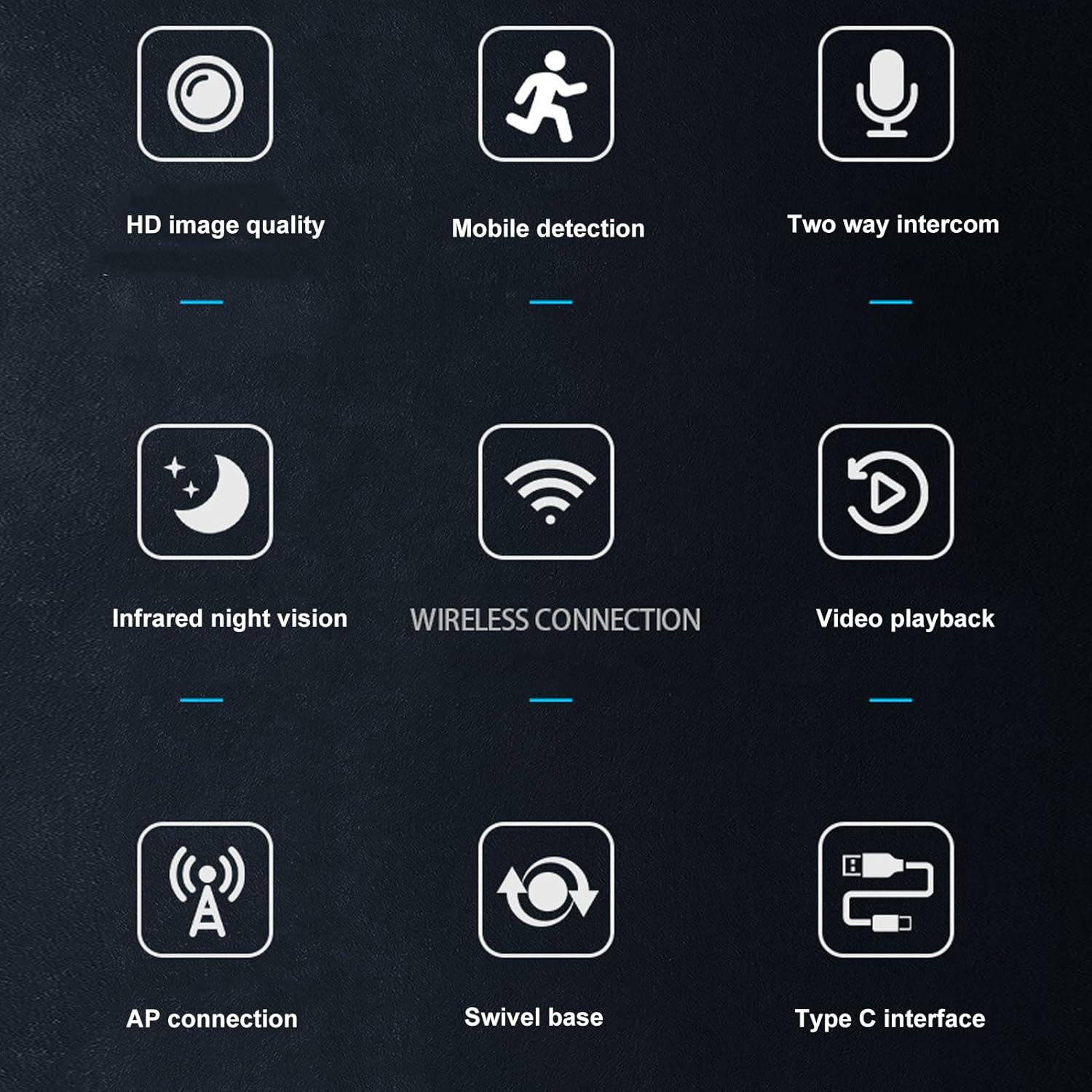
Image: A visual summary of the camera's key features, depicted through illustrative icons.
4. Manutenzjoni
Manutenzjoni xierqa tiżgura l-lonġevità u l-prestazzjoni ottimali tal-kamera tiegħek:
- Tindif: Use a soft, dry cloth to clean the camera lens and body. Avoid using liquid cleaners or abrasive materials that could damage the surface or lens.
- Pjazzament: While suitable for indoor and outdoor use, avoid placing the camera in direct sunlight for extended periods or in areas with extreme temperatures or humidity.
- Aġġornamenti tal-Firmware: Regularly check the mobile application for available firmware updates to ensure your camera has the latest features and security enhancements.
- Storage Card Management: If using a memory card, periodically review u jimmaniġġjaw foo maħżunatage to prevent the card from becoming full, which could stop recording.
5 Issolvi l-problemi
Jekk tiltaqa' ma' problemi bil-kamera tiegħek, irreferi għas-soluzzjonijiet komuni li ġejjin:
- Kamera ma tikkonnettjax mal-Wi-Fi:
- Kun żgur li l-password tal-Wi-Fi tiddaħħal b'mod korrett.
- Iċċekkja jekk il-kamera hijiex fil-firxa tar-router Wi-Fi tiegħek.
- Erġa' ibda r-router Wi-Fi tiegħek u l-kamera.
- Verify that your Wi-Fi network is 2.4GHz, as most security cameras do not support 5GHz networks.
- Kwalità Fqira tal-Immaġni:
- Naddaf il-lenti tal-kamera b'ċarruta ratba u niexfa.
- Ensure there is adequate lighting in the monitored area, especially for non-night vision footage.
- Check your internet connection speed, as a slow connection can affect streaming quality.
- L-ebda Twissijiet ta' Sejbien ta' Mozzjoni:
- Verify that motion detection is enabled in the camera's app settings.
- Check the sensitivity settings for motion detection; adjust if necessary.
- Ensure the app has permission to send notifications on your mobile device.
- Awdjo Two-Way Mhux Taħdim:
- Check the volume settings on your mobile device and within the camera app.
- Ensure the microphone and speaker on the camera are not obstructed.
- Verify that the app has microphone permissions on your mobile device.
- Camera Not Recording:
- If using a memory card, ensure it is inserted correctly and not full.
- Check the recording settings in the app (e.g., continuous recording, motion-activated recording).
- If using cloud storage, verify your subscription status and internet connection.
6. Speċifikazzjonijiet
Detailed technical specifications for the Wedinard Dpofirs 1080P WiFi Security Camera:
| Karatteristika | Dettall |
|---|---|
| Mudell tal-Prodott | KFI-GT-5.2lk-36824 (A3) |
| Tip ta' Oġġett | Kamera Intelliġenti |
| Materjal tal-Prodott | ABS |
| Riżoluzzjoni tal-vidjo | 1080P Full HD |
| Teknoloġija tal-Konnettività | Wireless (Wi-Fi) |
| Viżjoni bil-lejl infrared | Automatic Switching (5-10 meters range) |
| Leħen f'żewġ direzzjonijiet | Supported (Built-in microphone) |
| Interface tal-iċċarġjar | Interface tat-Tip C |
| Modalità Ħażna | Supports up to 128GB Micro Memory Card (Not Included) |
| Piż | Appross. 92g / 3.2oz |
| Daqs tal-Prodott | Approx. 45x85mm / 1.8x3.3in |
| Użu fuq ġewwa/barra | Barra, Ġewwa |
| Sors tal-Enerġija | Corded Elettriku |
| Tip ta' Kontrollur | Android (via APP) |
| Tip ta 'Immuntar | Immonta fil-wiċċ |

Image: Diagram showing the approximate dimensions of the camera: 45mm (1.8 inches) in width and 85mm (3.3 inches) in height.
7. Garanzija u Appoġġ
For information regarding warranty coverage and technical support, please refer to the warranty card included in your product packaging or visit the official Wedinard website. You may also contact customer service through the contact information provided on the product packaging or within the mobile application.
Jekk jogħġbok żomm l-irċevuta tax-xiri tiegħek bħala prova tax-xiri għal kwalunkwe talba ta' garanzija.
Ask a question about this manual
Ask about setup, troubleshooting, compatibility, parts, safety, or missing instructions. Manuals+ will review the question and use this page’s manual context to help answer it.