
1. Introduzzjoni
Thank you for choosing the Rettru XDWIFI Pro Wireless WiFi Camera. This compact camera is designed for versatile security monitoring, offering HD 1080P video recording, night vision, and motion detection capabilities. It is suitable for various applications including home security, baby monitoring, and pet monitoring. This manual provides detailed instructions for setting up, operating, and maintaining your camera to ensure optimal performance.
2. Kontenut tal-Pakkett
Jekk jogħġbok ivverifika li l-oġġetti kollha elenkati hawn taħt huma inklużi fil-pakkett tiegħek:
- 1 x Rettru XDWIFI Pro Camera
- 1 x Bażi manjetika
- 1 x Mikro SD Card Reader
- 1 x Manwal għall-Utent
- 1 x Kejbil tal-Enerġija

Image: The package contents include the camera, magnetic base, Micro SD card reader, user manual, and power cable.
3. Karatteristiċi tal-prodott
- Disinn kompatt: The camera features a small form factor, measuring approximately 1.57 x 1.18 x 0.5 inches, making it easy to conceal and place discreetly.
- Vidjo HD 1080P: Records clear video at 1080p resolution.
- Viżjoni bil-lejl imtejba: Equipped with two 940nm infrared lights, providing up to 26ft night vision range without visible glow.
- Sejbien tal-Moviment: Intelligent motion detection with customizable monitoring areas and times. Sends alarm notifications with images to your phone upon detection.
- Modalità ta' Enerġija Doppja: Features a built-in lithium battery for approximately 1.5 hours of continuous operation, and can be connected to a USB power source for extended use.
- Reġistrazzjoni Loop: Jikteb awtomatikament fuq l-eqdem filemeta l-kard tal-memorja tkun mimlija, u b'hekk tiżgura reġistrazzjoni kontinwa.
- Remote Viewing: Access live video feed from anywhere via the companion mobile application (V380 Pro).
- Immuntar manjetiku: Includes a magnetic base for flexible installation on various surfaces.

Image: The camera's compact dimensions are illustrated, emphasizing its small size.

Image: The camera's small size allows for discreet placement, such as within a plant pot.

Image: The camera can be mounted on a desk, bookshelf, or wall using its 360-degree rotating stand.
4. Gwida ta' Setup
4.1 Iċċarġjar tal-Kamera
Before first use, fully charge the camera. Connect the camera to a USB power source (e.g., wall charger, power bank, computer USB port) using the provided USB cable. The charging indicator light will show the charging status.

Image: The camera supports dual power modes, allowing it to be powered by its built-in battery or an external USB source like a power bank or wall charger.
4.2 Daħħal Karta Mikro SD (Mhux obbligatorja)
For local video storage, insert a Micro SD card (up to 128GB, purchased separately) into the camera's SD card slot. Ensure the card is inserted correctly with the contacts facing the camera's interior. The camera supports loop recording, overwriting older files meta l-karta tkun mimlija.

Image: Illustration of Micro SD card insertion and the corresponding recording durations for various card capacities.
4.3 App Download u Installazzjoni
The Rettru XDWIFI Pro camera uses the V380 Pro application for remote viewing and control. Download the app from your device's app store (iOS App Store or Google Play Store).
- Fittex għal "V380 Pro" in your app store.
- Niżżel u installa l-applikazzjoni.
- Irreġistra għal kont jew idħol jekk diġà għandek wieħed.

Image: Visual steps for downloading the V380 Pro app, connecting the device, and establishing a WiFi connection.
4.4 Connecting the Camera to WiFi
Follow these steps to connect your camera to your home WiFi network:
- Ixgħel il-kamera.
- Iftaħ l-app V380 Pro fuq l-ismartphone tiegħek.
- Tektek l-ikona "+" biex iżżid apparat ġdid.
- Select the appropriate connection method (e.g., "Add device by WiFi Smart Config" or "Add device by AP Hotspot").
- Follow the on-screen instructions to connect the camera to your 2.4GHz WiFi network. Note: This camera only supports 2.4GHz WiFi networks. It is not compatible with 5GHz networks.
- Once connected, you can name your device and begin viewix-xandira diretta.
5. Istruzzjonijiet Operattivi
5.1 Ħaj Viewing
After successful setup, open the V380 Pro app and select your camera from the device list to access the live video feed. You can view the feed remotely from anywhere with an internet connection.
5.2 Sejbien tal-Moviment
The camera features intelligent motion detection. When motion is detected, the camera will send an alarm notification with images to your phone. You can customize motion detection settings within the V380 Pro app:
- Sensittività: Aġġusta s-sensittività tad-detezzjoni tal-moviment.
- Żona ta' sejbien: Iddefinixxi żoni speċifiċi fil-kamera view għall-iskoperta tal-moviment.
- Skeda: Set specific times for motion detection to be active.
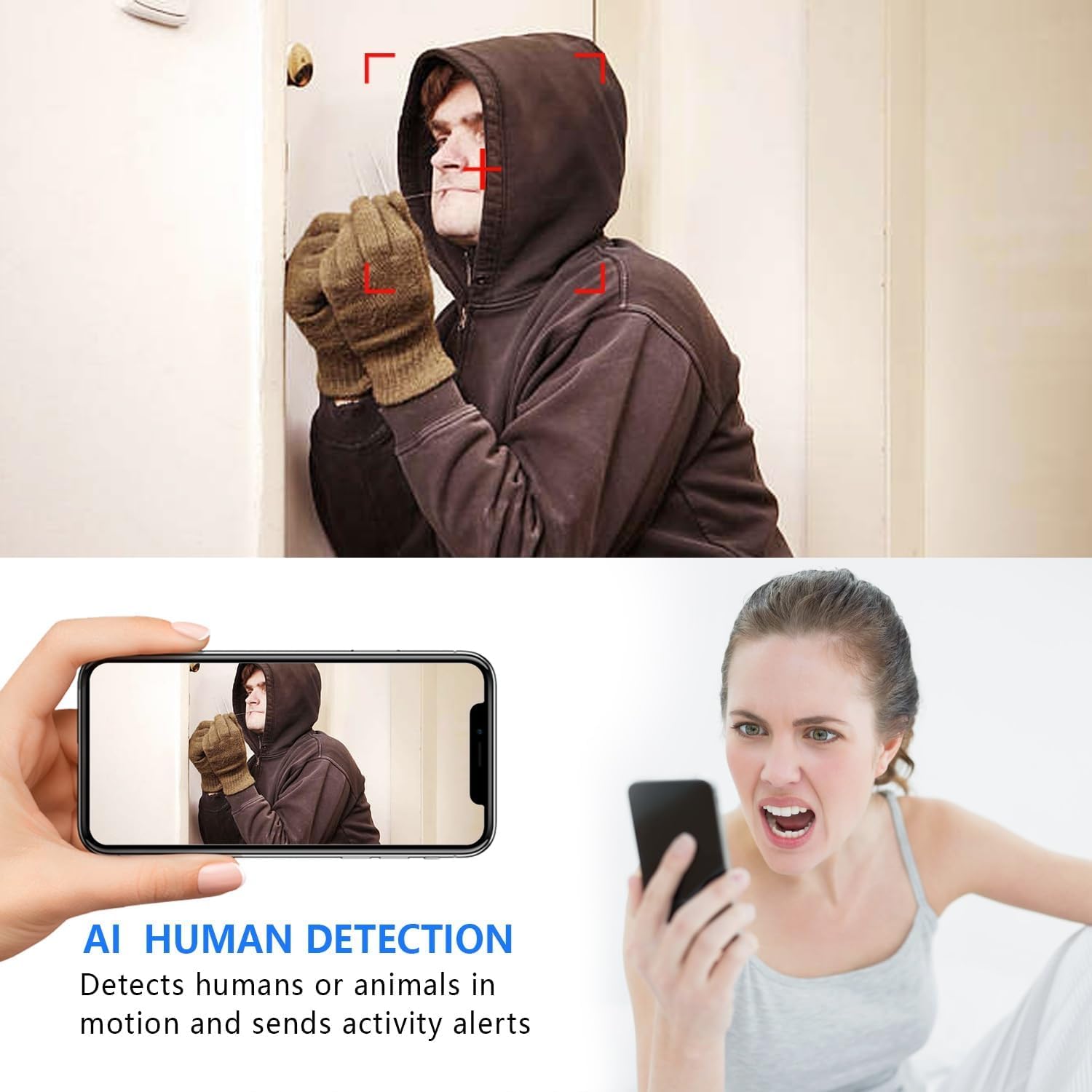
Image: The AI Human Detection feature identifies human movement and sends alerts to your mobile device.
5.3 Viżjoni bil-lejl
The camera automatically switches to night vision mode in low-light conditions. The infrared lights are non-glowing, ensuring discreet monitoring in complete darkness up to 26 feet.

Image: Comparison of day and night vision, demonstrating the camera's ability to provide clear images in darkness.
5.4 Reġistrazzjoni u Ħażna
Il-kamera tappoġġja żewġ metodi primarji ta' reġistrazzjoni:
- Reġistrazzjoni tal-Kard Mikro SD: If an SD card is inserted, the camera will record video directly to it. Loop recording ensures continuous operation by overwriting the oldest footage.
- Ħażna Cloud: The V380 Pro app may offer optional cloud storage services for your recordings. Refer to the app for details on subscription plans and features.
6. Manutenzjoni
- Tindif: Uża drapp artab u niexef biex tnaddaf il-lenti u l-qafas tal-kamera. Evita li tuża prodotti tat-tindif likwidi jew materjali li joborxu.
- Kura tal-batterija: For optimal battery life, avoid extreme temperatures. Recharge the camera regularly, especially if it will be stored for an extended period.
- Aġġornamenti tal-Firmware: Periodically check the V380 Pro app for any available firmware updates for your camera. Keeping the firmware updated ensures the best performance and security.
7 Issolvi l-problemi
| Problema | Kawża Possibbli | Soluzzjoni |
|---|---|---|
| Camera fails to connect to WiFi. | Incorrect WiFi password; Camera too far from router; Router is 5GHz only; Network interference. |
|
| L-ebda xandir dirett tal-vidjow. | Camera is offline; Poor internet connection; App issue. |
|
| Twissijiet ta' skoperta ta' moviment mhux riċevuti. | App notifications disabled; Motion detection settings incorrect; Camera offline. |
|
| Ħajja qasira tal-batterija. | Continuous recording; Frequent motion detection; Low ambient temperature. |
|
8. Speċifikazzjonijiet
| Karatteristika | Dettall |
|---|---|
| Numru tal-Mudell | USA-Heima-XDWIFI New-JIAN-00005 |
| Riżoluzzjoni tal-Qbid tal-Vidjo | 1080p |
| ViewIng Angolu | 160 Grad |
| Medda tal-Viżjoni Lejl | Sa 26 pied |
| Protokoll tal-Konnettività | Wi-Fi (2.4GHz biss) |
| Apparati Kompatibbli | iOS/Android Phone |
| Sors tal-Enerġija | Li jaħdem bil-batterija (batterija tal-jone tal-litju inkluża) |
| Ħajja tal-batterija | Approx. 1.5 hours (continuous operation) |
| Ħażna | Karta Mikro SD (sa 128GB, mhux inkluża), Ħażna fis-Sħab (mhux obbligatorja) |
| Dimensjonijiet tal-oġġett (L x W x H) | 1.7 x 1.3 x 0.4 pulzieri |
| Piż tal-oġġett | 0.64 uqija (18.14 g) |
| Operating App | V380 Pro |
| Tip ta' Installazzjoni | Wall-Mounted & Surface-Mounted (with magnetic base) |
| Klassifikazzjoni tal-Protezzjoni Internazzjonali | IP65 |
9. Garanzija u Appoġġ
For warranty information and technical support, please refer to the contact details provided with your purchase or visit the official Rettru websit. Jekk tiltaqa' ma' xi kwistjonijiet li mhumiex koperti f'dan il-manwal, jekk jogħġbok ikkuntattja lis-servizz tal-konsumatur għall-għajnuna.