
1. Introduzzjoni
This manual provides essential information for setting up, operating, and maintaining your FOREVER Colorum CW-300 Smartwatch. Please read this guide thoroughly before using your device to ensure proper function and longevity. Keep this manual for future reference.
2. Prodott Aktarview
The FOREVER Colorum CW-300 is a versatile smartwatch designed for daily activity tracking and smart notifications. It features a round 1.20-inch touchscreen display with 240x240 px resolution and Bluetooth 5.0 connectivity for seamless integration with Android and iOS smartphones. The watch is IP68 waterproof, making it suitable for various activities, including swimming.

Image: The FOREVER Colorum CW-300 Smartwatch on a user's wrist, displaying activity metrics.
Key functionalities include a comprehensive activity tracker, heart rate monitoring, sleep analysis, and 14 distinct sport modes. It also offers convenient features such as music and camera remote control for your smartphone.
3. L-Ibda (Setup)
3.1 Tneħħija tal-kaxxa u l-komponenti
Malli tiftaħ il-pakkett, kun żgur li l-komponenti kollha huma preżenti:
- FOREVER Colorum CW-300 Smartwatch
- Kejbil tal-Iċċarġjar Manjetiku
- Protective Case (optional, if included in your specific package)
- Manwal għall-Utent (dan id-dokument)
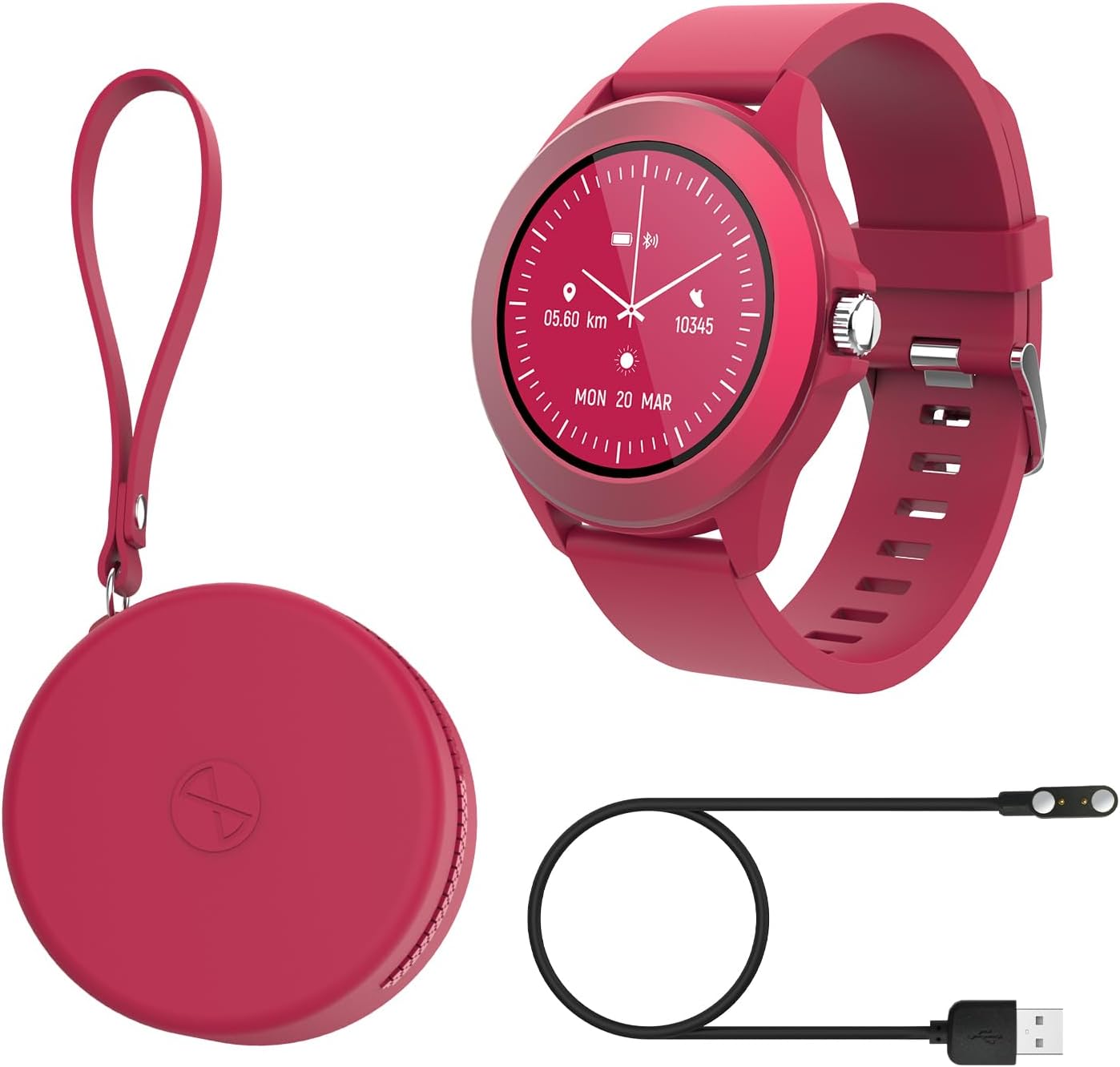
Image: Contents of the FOREVER Colorum CW-300 package, including the smartwatch, charging cable, and case.
3.2 Iċċarġjar tal-Ismartwatch
Before first use, fully charge your smartwatch. Connect the magnetic charging cable to the charging contacts on the back of the watch and plug the USB end into a standard USB power adapter (not included) or a computer's USB port. The watch display will indicate charging status. A full charge typically takes approximately 2 hours.
3.3 It-tqabbil mal-Ismartphone Tiegħek
- Download the companion app (e.g., 'Forever Smart' or similar, check packaging for exact app name) from your smartphone's app store (Google Play Store for Android, Apple App Store for iOS).
- Kun żgur li l-Bluetooth huwa attivat fuq l-ismartphone tiegħek.
- Iftaħ l-app u segwi l-istruzzjonijiet fuq l-iskrin biex toħloq kont jew tidħol.
- In the app, select 'Add Device' or 'Pair Device' and choose 'CW-300' from the list of available devices.
- Ikkonferma t-talba ta' tqabbil kemm fuq l-ismartphone tiegħek kif ukoll fuq l-ismartwatch.
4. Kif Tħaddem l-Ismartwatch Tiegħek
4.1 Navigazzjoni Bażika
The CW-300 features a full touchscreen display. Swipe left, right, up, or down to navigate through menus and functions. Press the physical button on the side to return to the home screen or wake the device.
4.2 Time Display and Watch Faces
The default screen displays the time. You can customize watch faces through the companion app or by long-pressing the watch face on the device and swiping to select a new one.
4.3 Notifiki
Once paired, the smartwatch will display notifications from your smartphone, including calls, messages, and app alerts. Manage which app notifications appear on your watch through the companion app settings.
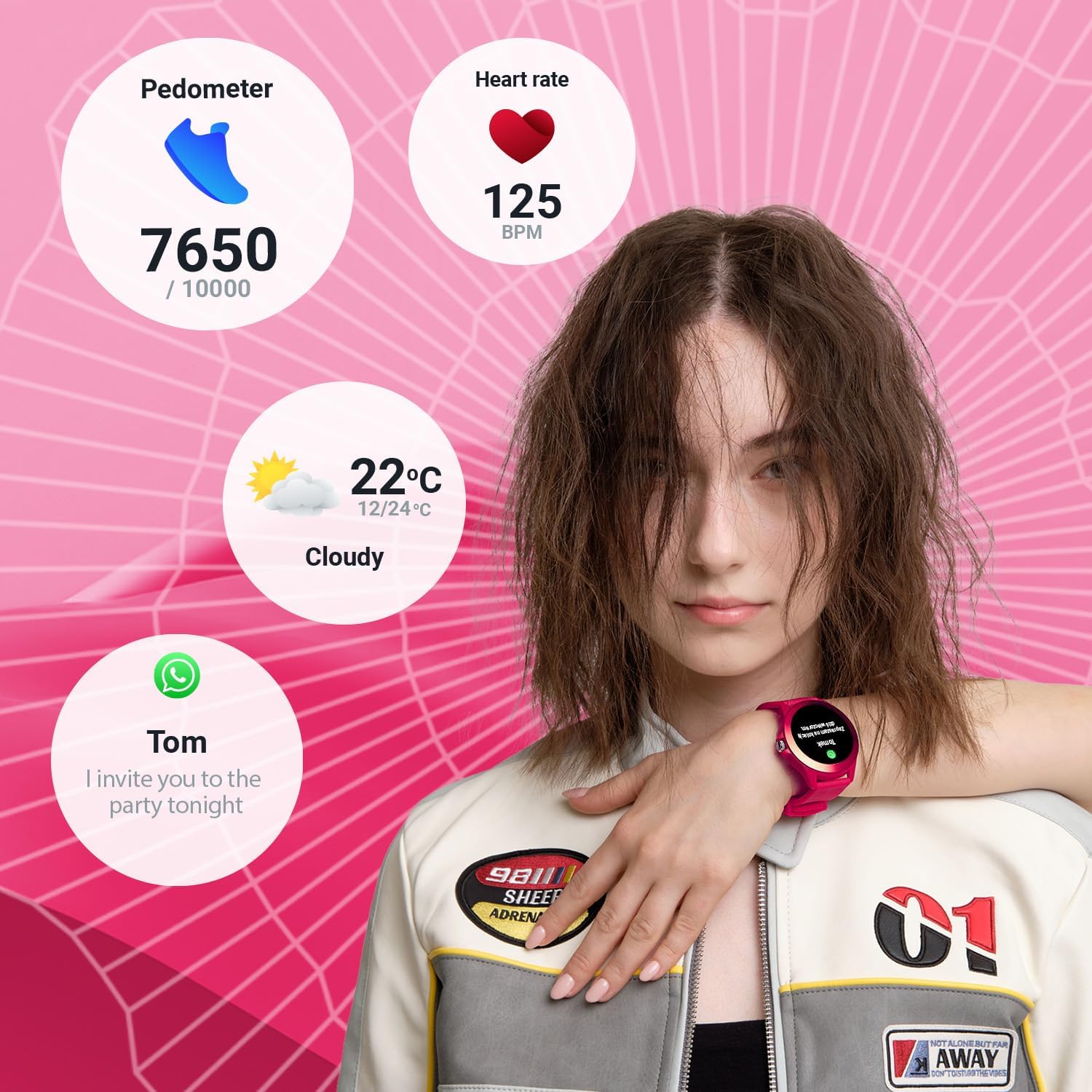
Image: The smartwatch display showing various data points including steps, heart rate, weather, and a message notification.
4.4 Kontroll tal-Mużika
Access the music control feature on your watch to play, pause, skip tracks, and adjust volume for music playing on your connected smartphone.
4.5 Camera Remote
Use the camera remote function to trigger your smartphone's camera shutter from your smartwatch, making it easier to take photos.
5. Traċċar tas-Saħħa u l-Fitness
5.1 Attività Tracker
The smartwatch continuously tracks your daily activity, including steps taken and calories burned. View your progress towards daily goals on the watch or in the companion app.
5.2 Monitor tar-Rata tal-Qalb
The built-in heart rate sensor monitors your heart rate throughout the day. Access real-time readings on the watch and review historical data in the app.

Immaġni: Close-up view of two smartwatches, highlighting the heart rate monitoring feature with a graph.
5.3 Monitor ta' Sleep
Wear your smartwatch to bed to track your sleep patterns. The device analyzes sleep quality, including deep and light sleep stages, providing insights in the companion app.
5.4 Modi Sportivi
The CW-300 offers 14 different sport modes to accurately track your workouts. These include:
- Running
- Fitness
- Ċikliżmu
- Għawm
- Tixbit
- Marzu
- Taraġ
- Golf
- Yoga
- Mixi
- Jorbita
- Badminton
- Kayaking
- Treadmill

Immaġni: Il-wiri tal-arloġġ intelliġentiasing the icons for its 14 different sport modes.
5.5 Menstrual Cycle Monitor
For female users, the integrated menstrual monitor allows for easy tracking of the menstrual cycle within the companion app.
6. Manutenzjoni
6.1 Tindif
Naddaf l-ismartwatch u ċ-ċinga tiegħek regolarment b'ċarruta ratba u niexfa. Jekk meħtieġ, uża drapp kemmxejn niexef.amp Ċarruta b'sapun ħafif, imbagħad imsaħ niexef. Evita kimiċi ħarxa jew materjali li joborxu.
6.2 Reżistenza għall-Ilma (IP68)
The CW-300 is IP68 rated, meaning it is resistant to dust and can withstand immersion in water up to 1.5 meters for up to 30 minutes. It is suitable for showering and swimming in shallow water. However, it is not recommended for diving, high-pressure water activities, or exposure to hot water/steam, which can compromise the seal.
6.3 Kura tal-Batterija
To prolong battery life, avoid fully discharging the watch frequently. Charge the device regularly, and if storing for an extended period, ensure it has at least a 50% charge.
7 Issolvi l-problemi
7.1 L-arloġġ mhux qed jixgħel
- Kun żgur li l-arloġġ ikun iċċarġjat kompletament. Qabbad mal-ċarġer għal mill-inqas 30 minuti.
- Agħfas u żomm il-buttuna tal-ġenb għal 10-15-il sekonda biex tipprova terġa' tibda bil-forza.
7.2 Unable to Pair with Smartphone
- Kun żgur li l-Bluetooth huwa attivat fuq l-ismartphone tiegħek u li l-arloġġ jinsab fil-medda tiegħu.
- Erġa' ibda kemm l-ismartphone tiegħek kif ukoll l-ismartwatch.
- Kun żgur li l-app li takkumpanja hija aġġornata għall-aħħar verżjoni.
- Jekk diġà kien imqabbad, ipprova neħħi l-akkoppjar tal-apparat mis-settings tal-Bluetooth tat-telefon tiegħek u mbagħad erġa' waħħalh permezz tal-app.
7.3 Dejta tas-Saħħa Mhux Preċiża
- Kun żgur li l-arloġġ jintlibes sew fuq il-polz tiegħek, iżda mhux issikkat wisq.
- Naddaf is-sensuri fuq wara tal-arloġġ.
- Fatturi ambjentali u l-fiżjoloġija individwali jistgħu jaffettwaw l-eżattezza tas-sensur.
7.4 Notifiki li Ma Jidhrux
- Check if the watch is properly connected to your smartphone via Bluetooth.
- Verify notification permissions for the companion app in your phone's settings.
- Ensure specific app notifications are enabled within the companion app.
8. Speċifikazzjonijiet
| Brand | GĦAL DEJJEM |
| Isem tal-Mudell | CW-300 |
| Sistema Operattiva | AsteroidOS |
| Daqs tal-Iskrin | 1.20 Inches (1.22 Inches in some specifications) |
| Riżoluzzjoni tal-Wiri | 240 x 240 px |
| Konnettività | Bluetooth 5.0 |
| Reżistenza għall-Ilma | IP68 |
| Karatteristiċi Speċjali | Time display, Alarm clock, Pedometer, Heart Rate Monitor, Sleep Monitor, Calorie Counter, 14 Sport Modes, Menstrual Cycle Monitor, Music Control, Camera Remote |
| Apparati Kompatibbli | Smartphone (Android/iOS) |
| Tip ta 'batterija | Lithium-ion |
| GPS | Permezz ta’ smartphone |
| Forma | Round |
9. Garanzija u Appoġġ
Information regarding specific warranty details, availability of spare parts, and guaranteed software updates for the FOREVER Colorum CW-300 Smartwatch is not available in the provided product data.
For any issues not covered in this manual or for further assistance, please refer to the official FOREVER webis-sit jew ikkuntattja l-appoġġ għall-klijenti tagħhom direttament. Żomm il-prova tax-xiri tiegħek għal kwalunkwe talba ta' garanzija.