
1. Introduzzjoni
This manual provides detailed instructions for the proper use and maintenance of your Arlec Remote SS3136. This remote control is specifically designed to operate the Arlec Wall Fan AWDC001HA, offering convenient and effortless control over your fan's functions. Please read this manual thoroughly before first use to ensure optimal performance and longevity of your device.
2. Karatteristiċi tal-prodott
- Kontroll faċli: Utilizes Infrared technology for seamless communication with your Arlec Wall Fan AWDC001HA from up to 10 meters away.
- Qawwa fit-tul: Requires 3 alkaline batteries for extended use.
- Disinn Sleek: Finished in a sophisticated black color.
- Kompatibilità versatili: Designed to control Arlec Wall Fans, specifically model AWDC001HA.
- Operazzjoni sempliċi: Features 3 intuitive buttons for easy fan control.
3. Kontenut tal-Pakkett
Ivverifika li l-oġġetti kollha huma preżenti fil-pakkett:
- 1 x Arlec Remote SS3136
- 1 x Wall Mount Holder
- 2 x Viti tal-Immuntar
- 2 x Tappijiet tal-Ħajt
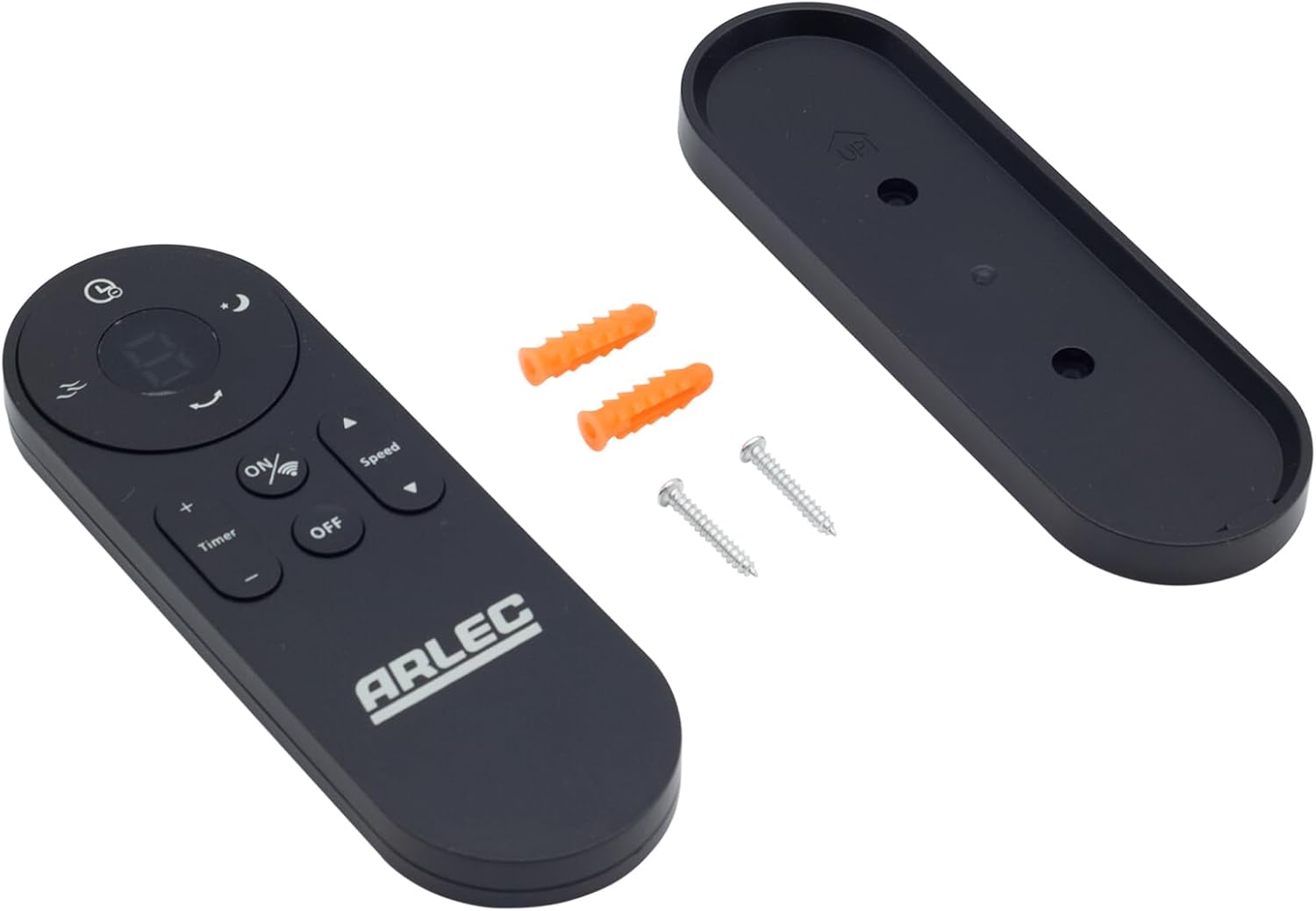
Image: Arlec Remote SS3136 shown with its included wall mount holder, two mounting screws, and two wall plugs, indicating the complete package contents.
4. Setup
4.1 Installazzjoni tal-batterija
- Sib il-kompartiment tal-batterija fuq wara tal-kontroll remot.
- Iftaħ l-għatu tal-kompartiment tal-batterija.
- Insert 3 Alkaline batteries (not included) into the compartment, ensuring the correct polarity (+ and -) as indicated inside the compartment. The remote requires 3 Volts (DC).
- Agħlaq l-għatu tal-kompartiment tal-batterija sew.
4.2 Installazzjoni tal-Ħajt (Mhux obbligatorja)
- Choose a suitable location on a wall for the remote holder.
- Mark the positions for the two mounting screws using the holder as a template.
- Drill pilot holes at the marked positions. Insert the wall plugs if drilling into drywall or masonry.
- Secure the wall mount holder to the wall using the provided screws.
- Place the remote control into the installed holder for convenient storage.
5. Istruzzjonijiet Operattivi
The Arlec Remote SS3136 features a simple 3-button layout for controlling your Arlec Wall Fan AWDC001HA. Ensure there is a clear line of sight between the remote and the fan's infrared receiver for optimal performance.

Immaġni: Close-up view of the Arlec Remote SS3136, highlighting its three main control buttons: ON/OFF, Speed, and Timer.
- Buttuna ON/OFF: Agħfas din il-buttuna biex tixgħel jew titfi l-fann.
- Buttuna tal-veloċità: Use this button to cycle through the available fan speed settings (e.g., Low, Medium, High).
- Buttuna tat-Tajmer: Press this button to set or adjust the fan's timer function. Refer to your Arlec Wall Fan AWDC001HA manual for specific timer intervals.
The remote operates using Infrared (IR) technology. Point the remote directly towards the fan's IR receiver. The effective operating range is up to 10 meters (approximately 33 feet).
6. Manutenzjoni
- Tindif: Imsaħ il-kontroll remot b'ċarruta ratba u niexfa. Tużax prodotti tat-tindif jew solventi li joborxu.
- Sostituzzjoni tal-batterija: Replace batteries when the remote's performance degrades or it stops responding. Always replace all 3 batteries at the same time with new alkaline batteries.
- Ħażna: Jekk ir-remote mhux se jintuża għal perjodu twil ta' żmien, neħħi l-batteriji biex tevita t-tnixxija. Aħżen f'post frisk u niexef.
7 Issolvi l-problemi
| Problema | Kawża Possibbli | Soluzzjoni |
|---|---|---|
| Remote not responding to fan. |
|
|
| Il-buttuni huma mwaħħlin jew ma jirrispondux. | Ħmieġ jew debris taħt il-buttuni. | Clean the remote surface with a soft, dry cloth. Avoid liquids. |
8. Speċifikazzjonijiet
| Attribut | Dettall |
|---|---|
| Mudell | SS3136 |
| Manifattur | Arlec |
| Apparati Kompatibbli | Arlec Wall Fan AWDC001HA |
| Teknoloġija tal-Konnettività | Infra-aħmar (IR) |
| Numru ta' Buttuni | 3 |
| Tip ta' Kontrollur | Kontroll tal-buttuna |
| Tip ta 'batterija | Alkaline (3 required) |
| Voltage | 3 Volts (DC) |
| Medda Operattiva | Sa 10 metri |
9. Garanzija u Appoġġ
For warranty information and technical support, please refer to the documentation provided with your Arlec Wall Fan AWDC001HA or contact Arlec customer service directly. Keep your purchase receipt as proof of purchase.
Għal aktar assistenza, jekk jogħġbok żur is-sit uffiċjali tal-manifattur webis-sit jew ikkuntattja l-linja tal-appoġġ għall-klijenti tagħhom.