
Headwolf FPad3 Ulta
Headwolf Fpad3 Mini Tablet
Manwal ta' Istruzzjoni għall-Utent
Introduzzjoni
This manual provides comprehensive instructions for the Headwolf Fpad3 Mini Tablet. It covers essential information regarding product setup, operation, maintenance, and troubleshooting to ensure optimal performance and longevity of your device. Please read this manual thoroughly before using the tablet.

Immaġni: Quddiem view of the Headwolf Fpad3 Mini Tablet, showcasinid-displej tiegħu.
Setup
1. Kontenut tal-Pakkett
Upon unboxing, verify that the following items are included:
- Headwolf Fpad3 Mini Tablet
- Cable tal-Iċċarġjar tal-USB tat-Tip-Ċ
- PD10W Charger
- Għodda Ejector SIM
- Manwal għall-Utent (dan id-dokument)
2. Fiżiku Żejjedview

Image: Diagram illustrating the location of the headphone jack, rear camera, volume button, reset button, power button, SIM/SD card slot, and Type-C port on the Headwolf Fpad3 Mini Tablet.
Familiarize yourself with the tablet's physical components:
- Buttuna tal-Qawwa: Located on the side, used to power on/off or wake/sleep the device.
- Buttuni tal-Volum: Aġġusta l-volum tal-awdjo.
- Port USB tat-Tip Ċ: Għall-iċċarġjar u t-trasferiment tad-dejta.
- Jack tal-headphones ta' 3.5mm: Għall-konnessjoni ta' headphones bil-fili.
- Slott tal-Karta SIM/MicroSD: For inserting Nano SIM cards and a MicroSD card.
- Kamera ta' quddiem: Located above the screen.
- Kamera ta' wara: Jinsab fuq wara tat-tablet.
3. Iċċarġjar tal-Apparat
Before first use, fully charge the tablet. Connect the provided USB Type-C cable to the tablet's Type-C port and the other end to the PD10W charger. Plug the charger into a power outlet. The charging indicator will typically appear on the screen.
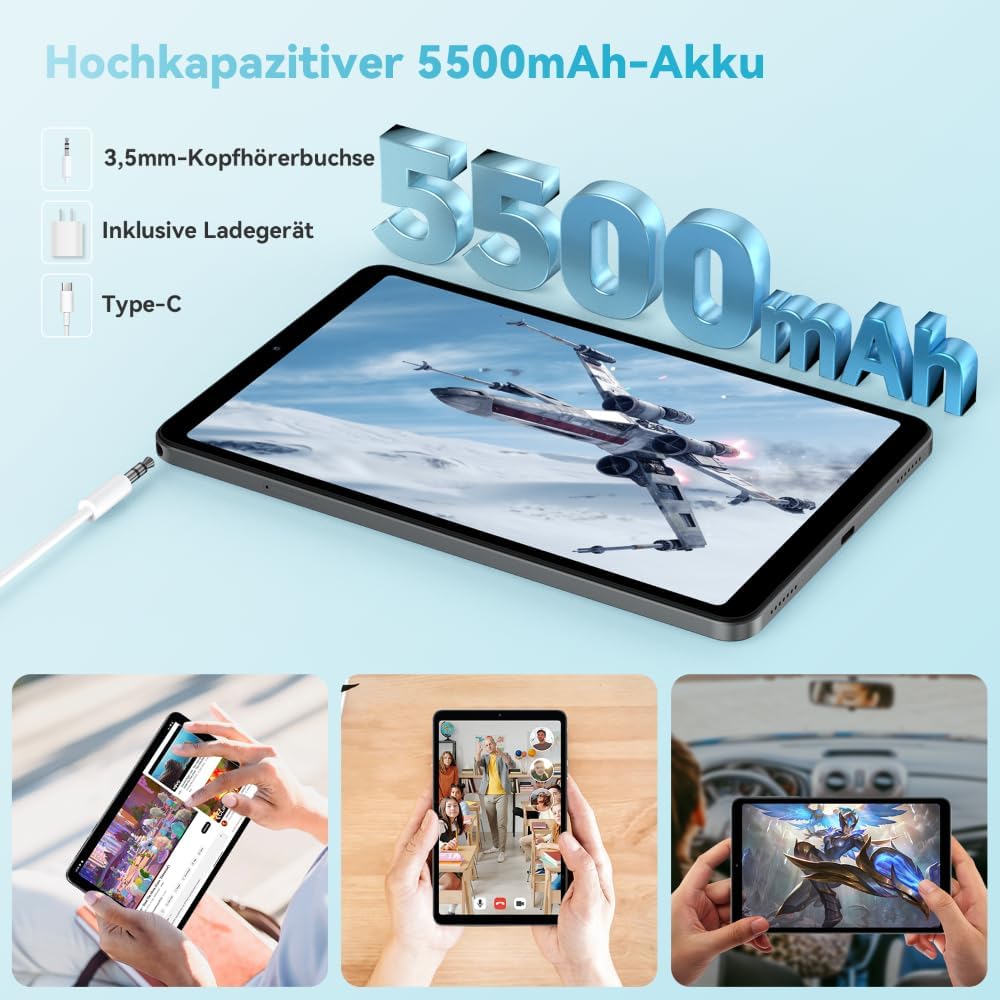
Image: The Headwolf Fpad3 Mini Tablet connected to a charger, highlighting its 5500mAh battery capacity and Type-C charging port.
4. Tixgħil / Mitfi
- Biex Tixgħel: Press and hold the Power button until the Headwolf logo appears.
- Biex Tifi: Agħfas u żomm il-buttuna tal-Enerġija sakemm jidher il-menu tal-għażliet tal-enerġija, imbagħad agħżel "Itfi".
- Biex terġa' tibda: Agħfas u żomm il-buttuna tal-Enerġija sakemm jidher il-menu tal-għażliet tal-enerġija, imbagħad agħżel "Restart".
5. Setup Inizjali
Upon first power-on, the tablet will guide you through the initial setup process. This includes selecting your language, connecting to a Wi-Fi network, setting up your Google account, and configuring security options. The tablet runs on Android 13 and is Google GMS certified, ensuring access to Google Play services.
6. Installazzjoni tal-Karta SIM u l-Karta MicroSD
The Headwolf Fpad3 supports dual Nano SIM cards for 4G LTE connectivity and a MicroSD card for expandable storage up to 2TB.
- Locate the SIM/MicroSD card slot on the side of the tablet.
- Daħħal l-għodda tal-ejector tas-SIM fit-toqba ż-żgħira ħdejn it-trej biex tiftaħha.
- Iġbed it-trej 'il barra bir-reqqa.
- Place your Nano SIM card(s) and/or MicroSD card into the designated slots on the tray, ensuring correct orientation.
- Imbotta t-trej bil-mod lura fit-tablet sakemm tikklikkja f'postu.
Istruzzjonijiet Operattivi
1. Wirja u Esperjenza Viżwali
The tablet features an 8.4-inch FHD IPS In-Cell display with a resolution of 1920 x 1200 pixels, offering clear and vibrant visuals. It supports Widevine L1 for high-definition streaming from compatible services.

Image: The Headwolf Fpad3 Mini Tablet display showing high-definition content, emphasizing Widevine L1 support for streaming services like YouTube, Prime Video, Disney+, Hulu, and HBO Max.
2. Prestazzjoni u Ħażna
Powered by an Unisoc T616 Octa-Core processor (2x A75 at 2.0GHz + 6x A55 at 1.8GHz) and 8GB of RAM (4GB + 4GB virtual expansion), the Fpad3 ensures smooth multitasking and efficient operation. It comes with 128GB of UFS 2.2 internal storage, which can be expanded up to 2TB using a MicroSD card.

Image: An illustration detailing the Headwolf Fpad3 Mini Tablet's powerful Octa-Core Unisoc T616 processor, Mali-G57 GPU, and Android 13 operating system, with a benchmark comparison.

Image: A visual representation of the Headwolf Fpad3 Mini Tablet's 8GB RAM (with 4GB virtual expansion) and 128GB ROM, highlighting its expandability up to 2TB via an SD card.
3. Konnettività
The tablet offers versatile connectivity options:
- Wi-Fi: Supports dual-band 2.4G/5G Wi-Fi for stable and fast internet access.
- 4G LTE: Dual Nano SIM support for cellular data and phone call functionality.
- Bluetooth 5.0: For connecting wireless peripherals like headphones, keyboards, and mice.
- GPS: Integrated GPS, Beidou, and Galileo for accurate navigation.
- OTG (Fuq il-Mixi): Allows connecting USB devices such as flash drives or external keyboards.
4. Kameras
Capture moments with the tablet's dual cameras:
- Kamera ta' wara: 13MP
- Kamera ta' quddiem: 8MP
The tablet also supports Face Unlock for convenient and secure access.

Immaġni: Sploda view of the Headwolf Fpad3 Mini Tablet's dual cameras (8MP front, 13MP rear) and the Face Unlock feature, with examples of usage scenarios.
5. Awdjo
Experience immersive audio with dual box speakers. A 3.5mm headphone jack is also available for private listening.
6. Spazju għat-Tfal tal-Google
The tablet includes support for Google Kids Space, providing a safe and engaging environment for children with access to over 10,000 real-time resources.
Manutenzjoni
1. Tindif tal-Apparat
Uża drapp artab u mingħajr suf biex tnaddaf l-iskrin u l-qafas tat-tablet. Evita li tuża kimiċi ħarxa jew materjali li joborxu li jistgħu jagħmlu ħsara lill-wiċċ.
2. Aġġornamenti tas-Software
Regularly check for and install system updates to ensure your tablet has the latest features, security patches, and performance improvements. Navigate to Settings > Sistema > Aġġornament tas-sistema biex tiċċekkja għal aġġornamenti.
3. Kura tal-batterija
- Evita li tesponi l-pillola għal temperaturi estremi.
- Tħallix il-batterija tixxotta kompletament ta' spiss.
- Uża l-ċarġer u l-kejbil oriġinali għal iċċarġjar ottimali.
- Għal ħażna fit-tul, iċċarġja l-batterija għal madwar 50-60%.
Issolvi l-problemi
Kwistjonijiet Komuni u Soluzzjonijiet
| Problema | Soluzzjoni Possibbli |
|---|---|
| L-apparat ma jixgħelx. | Ensure the battery is charged. Press and hold the Power button for at least 10-15 seconds. If unresponsive, connect to charger and try again. |
| Ma tistax tikkonnettja mal-Wi-Fi. | Check if Wi-Fi is enabled in settings. Restart the tablet and the Wi-Fi router. Ensure you are entering the correct password. |
| L-apps qed jiġġarraf jew jiffriżaw. | Clear the app's cache (Settings > Apps > [App Name] > Storage > Clear cache). Restart the tablet. Ensure the app is updated to its latest version. |
| It-tablet huwa bil-mod jew ma jirrispondix. | Close unnecessary background apps. Clear cache of frequently used apps. Restart the tablet. Consider performing a factory reset as a last resort (backup data first). |
| SIM card ma misjubax. | Ensure the SIM card is correctly inserted into the tray. Restart the tablet. Check if the SIM card is active with your carrier. |
Jekk il-problemi jippersistu, jekk jogħġbok ikkuntattja l-appoġġ għall-klijenti.
Speċifikazzjonijiet
| Karatteristika | Dettall |
|---|---|
| Brand | Lupu Kap |
| Numru tal-Mudell | FPad3 Ulta |
| Sistema Operattiva | Android 13 |
| Brand tal-proċessur | Unisoc |
| Mudell tal-Proċessur | T616 Octa-Core |
| RAM | 8 GB (4GB + 4GB virtwali) |
| Ħażna Interna | 128 GB UFS 2.2 |
| Ħażna espansibbli | Sa 2 TB permezz ta' MicroSD |
| Daqs tal-Iskrin | 8.4 Pulzier |
| Riżoluzzjoni tal-Iskrin | 1920 x 1200 Pixels (FHD IPS In-Cell) |
| Marka taċ-Ċipset tal-Grafika | Arm Mali G57 |
| Kamera ta' wara | 13 MP |
| Kamera ta' Quddiem | 8 MP |
| Kapaċità tal-batterija | 5500 mAh Lithium-polimer |
| Port tal-Iċċarġjar | USB Type-C (PD10W Fast Charging) |
| Konnettività bla fili | 802.11a/b/g/n/ac (2.4G/5G WiFi), Bluetooth 5.0 |
| Konnettività Ċellulari | Dual 4G LTE (Nano SIM) |
| Navigazzjoni | GPS, Beidou, Galileo |
| Karatteristiċi Speċjali | Stereo Speakers, Expandable Storage, Phone Call Functionality, Fast Charging, Card Reader, Face ID, Widevine L1 |
| Dimensjonijiet (L x W x H) | 25.4 x 15.24 x 7.62 ċm |
| Piż | 610 gramma |
Garanzija u Appoġġ
The Headwolf Fpad3 Mini Tablet comes with a one-year warranty from the date of purchase. For any technical assistance, product inquiries, or warranty claims, please contact Headwolf customer service. We offer 24/7 customer support to assist you.
Please refer to your purchase documentation for specific warranty terms and contact information, or visit the official Headwolf websit.
Ask a question about this manual
Ask about setup, troubleshooting, compatibility, parts, safety, or missing instructions. Manuals+ will review the question and use this page’s manual context to help answer it.