
Introduzzjoni
Thank you for choosing the BOROFONE BW41 Wireless Bluetooth Earbuds. These open-ear design earbuds provide a comfortable listening experience with advanced Bluetooth 5.3 technology, touch controls, and a long-lasting battery. This manual will guide you through the setup, operation, and maintenance of your new earbuds.
Kontenut tal-Pakkett
- BOROFONE BW41 Wireless Bluetooth Earbuds (Left and Right)
- Kawża tal-Iċċarġjar
- Cable tal-Iċċarġjar tal-USB
- Manwal għall-Utent
Prodott Overview
Familiarize yourself with the components of your BOROFONE BW41 earbuds and charging case.

Immaġni: BOROFONE BW41 Wireless Earbuds in their charging case, showing the LED battery display.
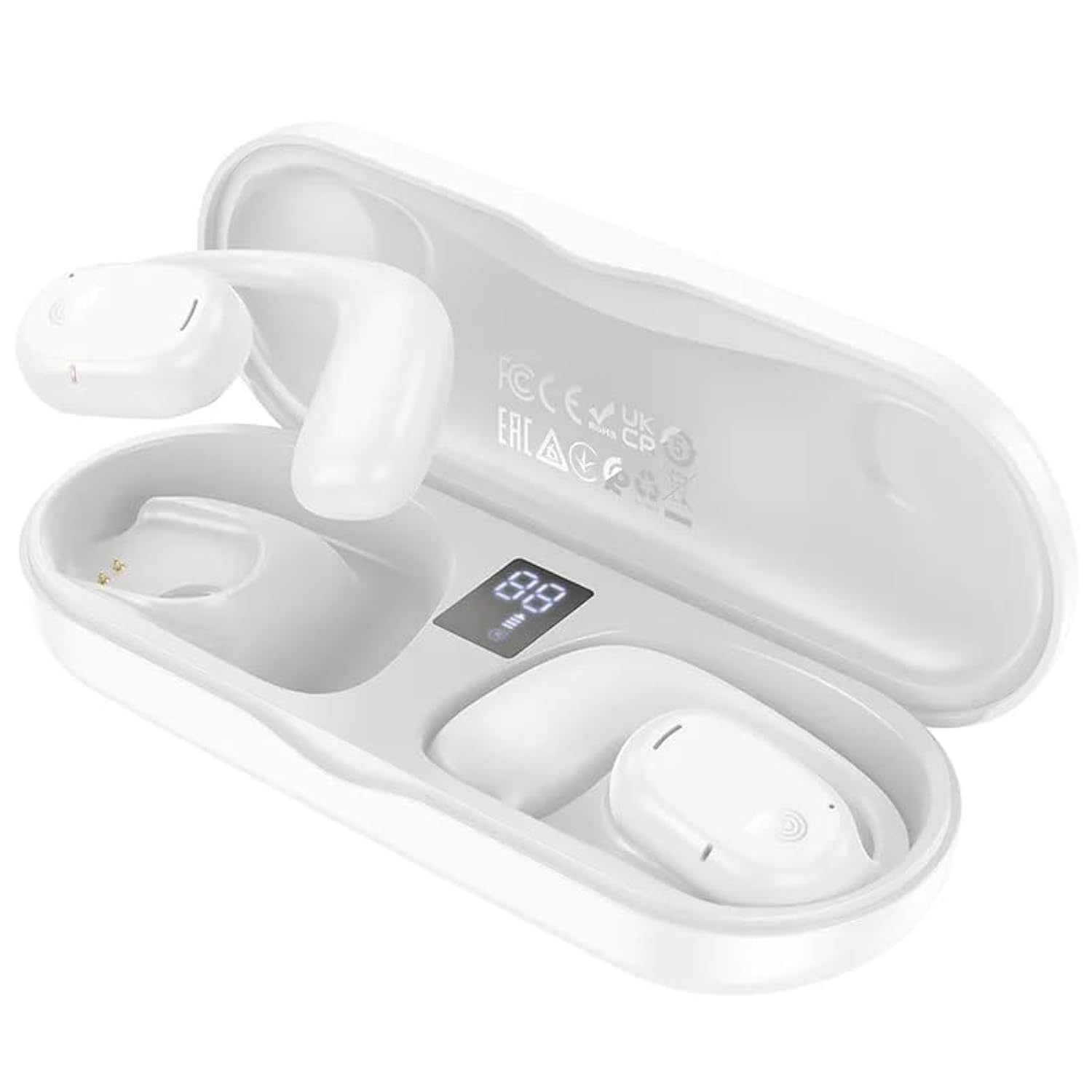
Immaġni: BOROFONE BW41 Wireless Earbud in use, demonstrating the open-ear design.
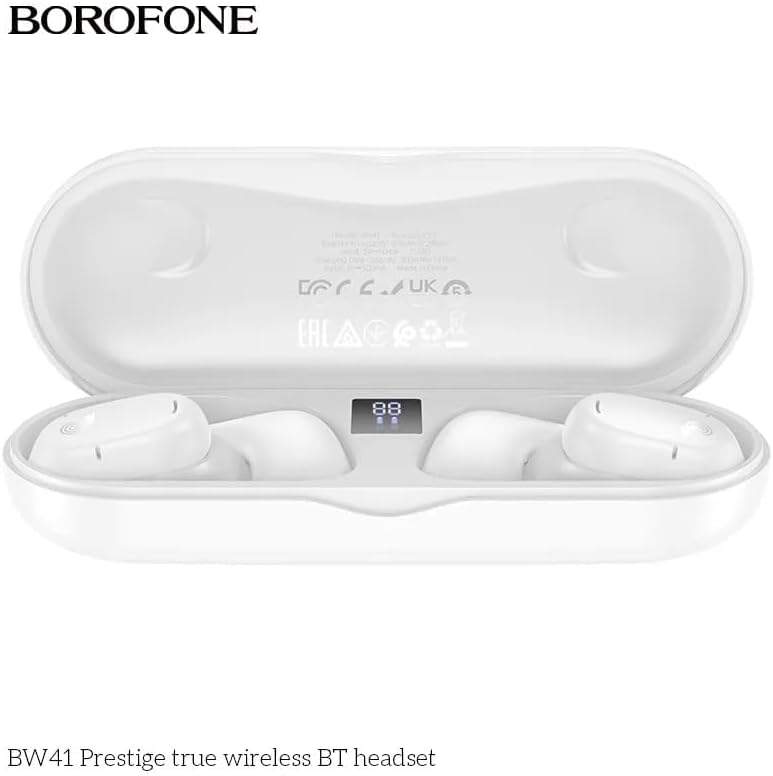
Immaġni: BOROFONE BW41 charging case with earbuds, displaying the LED battery indicator.
Setup
1. Iċċarġjar tal-Earbuds u l-Kaxxa
Qabel l-ewwel użu, iċċarġja l-earbuds u l-kaxxa tal-iċċarġjar kompletament.
- Poġġi l-earbuds fil-kaxxa tal-iċċarġjar. Kun żgur li huma mqiegħda sew.
- Connect the USB charging cable to the charging port on the case and to a DC 5V power source (e.g., a USB wall adapter or computer USB port).
- The LED display on the charging case will indicate the charging status. A full charge for both the earbuds and case takes approximately 1.5 hours.
2. Tqabbil ma' Apparat Bluetooth
To connect your earbuds to your smartphone or other Bluetooth-enabled device:
- Iftaħ il-kaxxa tal-iċċarġjar. Il-earbuds jinxtegħlu awtomatikament u jidħlu fil-modalità ta' tqabbil.
- Fuq it-tagħmir tiegħek, mur fis-settings tal-Bluetooth u kun żgur li l-Bluetooth huwa attivat.
- Fittex għal available devices and select "BW41" from the list.
- Ladarba tkun konness, tisma' ton ta' konferma, u l-earbuds ikunu lesti għall-użu.
- The earbuds support master-slave switching, allowing either earbud to be used independently.
Istruzzjonijiet Operattivi
Qawwa mixgħul/mitfi
- Qawwa Mixgħul: Open the charging case, or press and hold the touch area on both earbuds for 3 seconds.
- Itfi: Place the earbuds back into the charging case and close the lid, or press and hold the touch area on both earbuds for 5 seconds.
Ġestjoni tas-Sejħiet
- Tweġiba/Tmiem Sejħa: Tap the touch area on either earbud once.
- Irrifjuta Sejħa: Press and hold the touch area on either earbud for 2 seconds.
Daqq tal-Mużika
- Play/Pawsa: Tap the touch area on either earbud once.
- Track li jmiss: Tektek tliet darbiet iż-żona tat-touch fuq il-widna tal-lemin.
- Track preċedenti: Tektek tlieta l-erja tat-touch fuq il-widna tax-xellug.
- Volum 'il fuq: Tektek darbtejn iż-żona tal-mess fuq il-earbud tal-lemin.
- Volum 'l isfel: Tektek darbtejn iż-żona tal-mess fuq il-earbud tax-xellug.
Assistent tal-Vuċi (Siri/Assistent tal-Google)
- Attiva: Agħfas u żomm iż-żona tal-mess fuq kull earbud għal żewġ sekondi (meta ma tkunx fuq telefonata).
Indikaturi LED
The charging case features an LED display that shows the battery level of the case and individual earbuds.
Manutenzjoni
Biex tiżgura l-lonġevità u l-prestazzjoni ottimali tal-earbuds tiegħek:
- Naddaf il-earbuds u l-kaxxa tal-iċċarġjar regolarment b'ċarruta ratba u niexfa.
- Evita li tuża tindif jew solventi li joborxu.
- Keep the charging contacts on the earbuds and inside the case clean and free of debris.
- Aħżen il-earbuds fil-każ tal-iċċarġjar tagħhom meta ma tkunx qed tuża biex tipproteġihom u żżommhom iċċarġjati.
- Avoid exposing the earbuds to extreme temperatures, humidity, or liquids.
Issolvi l-problemi
| Ħruġ | Soluzzjoni Possibbli |
|---|---|
| Earbuds ma jingħaqdux | Ensure earbuds are charged. Turn off and on your device's Bluetooth. Forget "BW41" from your device's Bluetooth list and re-pair. |
| L-ebda ħoss mill-earbuds | Check device volume. Ensure earbuds are connected. Try restarting both earbuds and your device. |
| Każ tal-iċċarġjar mhux iċċarġjar | Check the charging cable and power adapter. Ensure the cable is securely connected. Try a different cable or power source. |
| Il-earbuds mhux qed jiċċarġjaw fil-każ | Ensure earbuds are properly seated in the case. Clean the charging contacts on both the earbuds and the case. Ensure the charging case itself has power. |
Speċifikazzjonijiet
- Verżjoni Bluetooth: V5.3 (Jerry AC6973 chip)
- Protokolli Appoġġjati: Headset, Hands-Free, A2DP, Avrcp
- Medda ta' Trażmissjoni: Sa 10 metri
- Frekwenza tat-Trażmissjoni: 2.4GHz
- Daqs tal-Kelliem: 16mm
- Impedenza: 20Ω±15%
- Rispons tal-Frekwenza: 20Hz - 20000Hz
- Sensittività: 98dB±3dB
- Iċċarġjar Voltage: DC 5V
- Ħin tal-Iċċarġjar tal-Earbud: Madwar sagħtejn
- Każ tal-Iċċarġjar Ħin tal-Iċċarġjar: Madwar sagħtejn
- Kapaċità tal-Batterija tal-Earbud: 80mAh (kull wieħed)
- Kapaċità tal-Batterija tal-Każ tal-Iċċarġjar: 300mAh
- Ħin tat-Taħdit: Sa 10 sigħat
- Ħin tad-daqq tal-mużika: Sa 10 sigħat
- Ħin ta' Standby: Sa 200 sigħat
- Dimensjonijiet tal-Prodott: 134 x 50 x 30 mm
- Piż Nett tal-Prodott: 95g
- Single Earbud Net Weight: 10.5g
Garanzija u Appoġġ
BOROFONE products are designed and manufactured to the highest quality standards. For warranty information or technical support, please refer to the warranty card included in your package or visit the official BOROFONE websit. Jekk jogħġbok żomm il-prova tax-xiri tiegħek għal kwalunkwe talba ta' garanzija.