
Introduzzjoni
Welcome to the user manual for your new Lenovo IdeaPad 3 15ITL6 laptop. This guide provides essential information for setting up, operating, maintaining, and troubleshooting your device. Please read this manual thoroughly to ensure proper use and to maximize your laptop's performance and longevity.
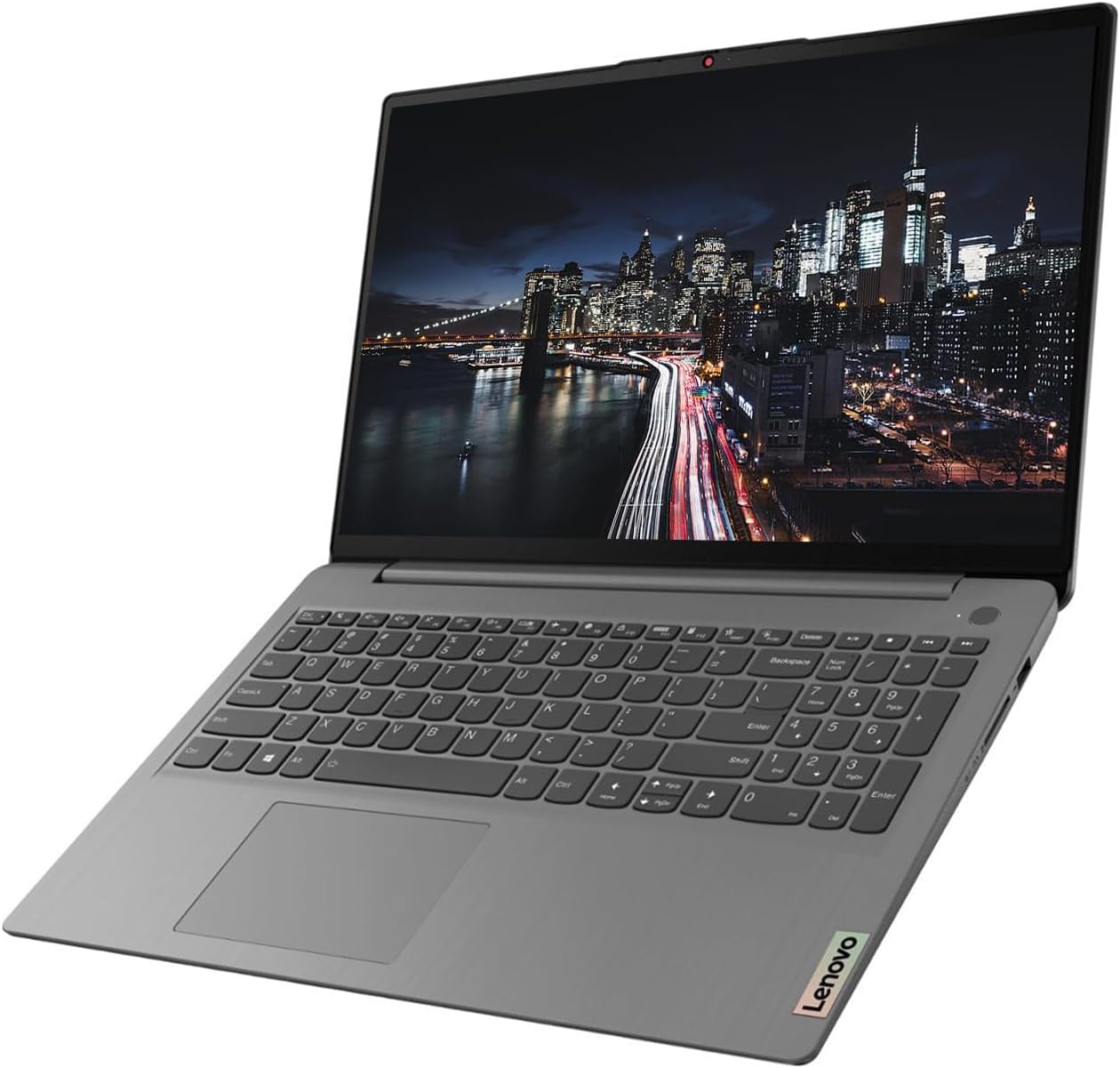
Image: The Lenovo IdeaPad 3 laptop, open and ready for use, displaying its 15.6-inch screen and full-size keyboard.
Gwida ta' Setup
1. L-Ewwel Tixgħel u s-Setup tal-Windows
- Iftaħ il-Laptop mill-pakkett: Oħroġ il-laptop u l-aċċessorji kollha mill-imballaġġ bir-reqqa.
- Qabbad l-Enerġija: Ipplaggja l-adapter tal-enerġija fil-port tal-enerġija tal-laptop u mbagħad f'sokit tal-ħajt.
- Qawwa Mixgħul: Iftaħ l-għatu tal-laptop u agħfas il-buttuna tal-qawwa, li tipikament tinsab fin-naħa ta’ fuq tal-lemin tat-tastiera.
- Konfigurazzjoni tal-Windows 11 Pro: Segwi l-istruzzjonijiet fuq l-iskrin biex tlesti s-setup inizjali tal-Windows 11 Pro. Dan jinkludi l-għażla tar-reġjun tiegħek, il-lingwa, il-konnessjoni ma' netwerk Wi-Fi, u l-ħolqien ta' kont tal-utent.
2. Konnessjoni Periferali
Your Lenovo IdeaPad 3 offers various ports for connecting external devices.
- Apparat USB: Use the USB-A 3.2 Gen 1, USB-A 2.0, or USB-C 3.2 Gen 1 ports for connecting external drives, keyboards, mice, or other USB accessories.
- Display Estern: Qabbad monitor estern jew TV billi tuża l-port HDMI.
- Awdjo: Use the Headphone/Microphone Combo jack for headphones or external microphones.
- SD Cards: Insert SD memory cards into the built-in SD Media Card Reader for data transfer.
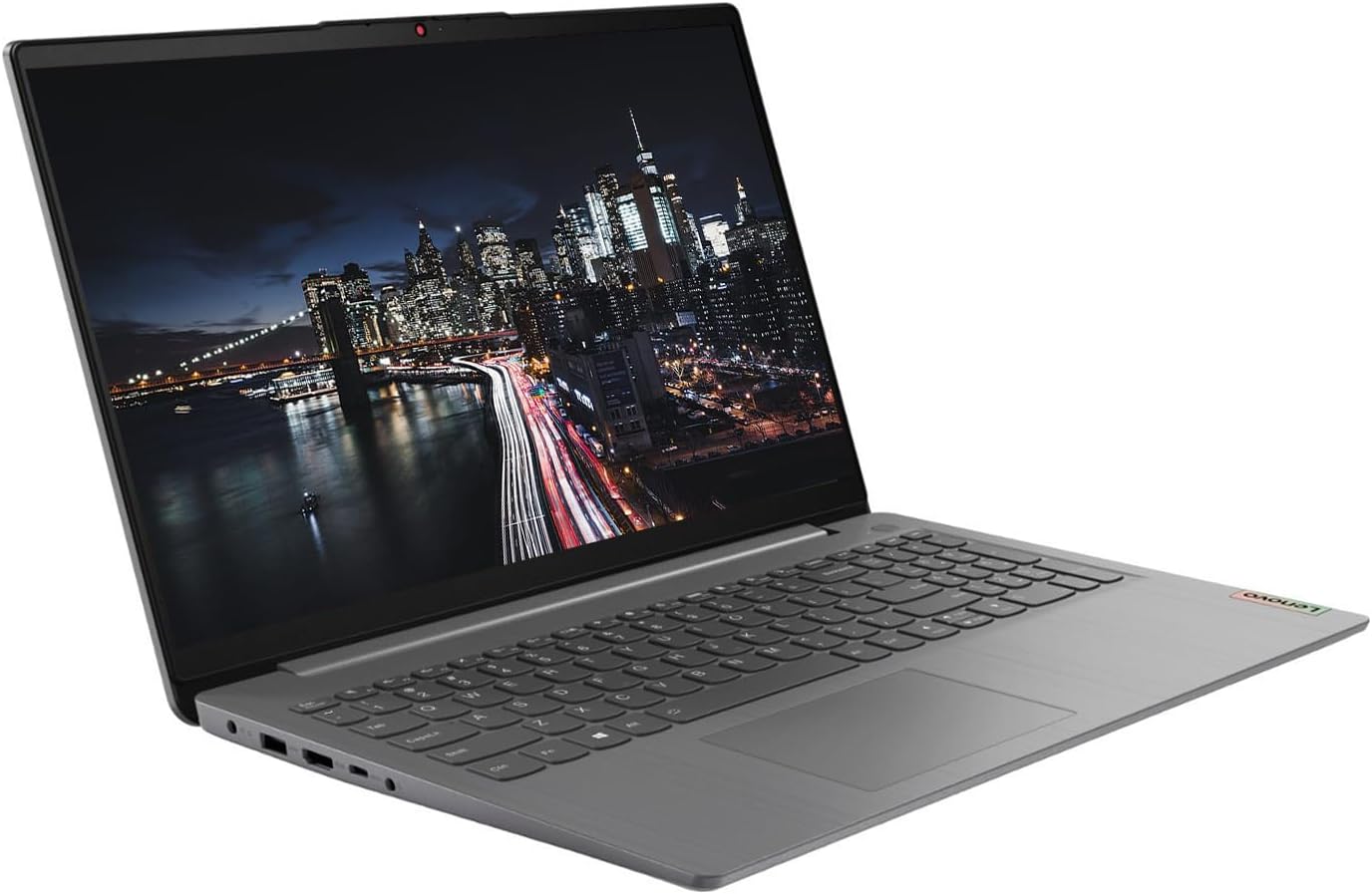
Immaġni: Naħa waħda view of the Lenovo IdeaPad 3 laptop, highlighting the various connectivity ports available for peripherals.
3. KKE Mousepad
Your laptop may come bundled with a KKE Mousepad. Place it on a flat surface next to your laptop for enhanced mouse control and comfort.

Image: The KKE Mousepad, a black rectangular pad with the KKE logo, designed for use with a computer mouse.
It-Tħaddim tal-Laptop Tiegħek
Wirja u Interazzjoni
- 15.6" FHD Touchscreen: The laptop features a 15.6-inch Full HD (1920 x 1080) IPS anti-glare touchscreen display. This allows for direct interaction with the screen using touch gestures, in addition to traditional mouse and keyboard input.
- Tastiera u Touchpad: Utilize the full-size keyboard with a numeric keypad for typing and the integrated touchpad for navigation.
- Webcam: The integrated 720p webcam with a built-in microphone is suitable for video calls and online meetings.

Immaġni: Minn fuq għal isfel view of the Lenovo IdeaPad 3 laptop's keyboard, including the numeric pad, and the touchpad.
Prestazzjoni u Ħażna
- Proċessur: Powered by an 11th Generation Intel Core i5-1135G7 Processor, providing efficient performance for daily tasks.
- Memorja (RAM): Equipped with 20GB DDR4 RAM, enabling smooth multitasking and application handling.
- Ħażna (SSD): Features a 1TB PCIe NVMe M.2 Solid State Drive for fast boot times, quick application loading, and ample kapaċità ta 'ħażna.
- Grafika: Integrated Intel Iris Xe Graphics handle visual tasks and light gaming.
Konnettività
- Wireless: Supports Wi-Fi 6 (802.11ax) for high-speed wireless internet and Bluetooth 5.1 for connecting wireless accessories.
- Portijiet:
- 1 x USB-A 3.2 Gen 1
- 1 x USB-A 2.0
- 1 x USB-C 3.2 Gen 1
- 1 x Headphone/Microphone Combo
- 1 x HDMI
- 1 x Qarrej tal-Kard tal-Midja SD
Manutenzjoni u Kura
Kura Ġenerali
- Tindif: Uża drapp ratba u mingħajr ħelu ftit dampLaħlaħ bl-ilma jew b'tindif tal-iskrin biex tnaddaf id-displej. Għat-tastiera u x-chassis, uża drapp niexef u artab. Evita kimiċi ħarxa.
- Immaniġġjar: Always handle the laptop with care. Avoid dropping it or placing heavy objects on it.
- Ventilazzjoni: Kun żgur li l-ventijiet tal-laptop mhumiex imblukkati biex tevita li jisħon iżżejjed. Uża l-laptop fuq wiċċ iebes u ċatt.
Aġġornamenti tas-Software
- Aġġornamenti tal-Windows: Regularly check for and install Windows updates to ensure your operating system has the latest security patches and features. Go to Settings > Aġġornament tal-Windows.
- Aġġornamenti tas-sewwieq: Keep your device drivers updated for optimal performance. Lenovo provides driver updates through their official support website or Lenovo Vantagsoftwer elettroniku.
Kura tal-batterija
- Iċċarġjar: Use only the original Lenovo power adapter. Avoid fully discharging the battery frequently.
- Ħażna: Jekk se taħżen il-laptop għal perjodu estiż, kun żgur li l-batterija tkun iċċarġjata għal madwar 50-60%.
Issolvi Problemi Kwistjonijiet Komuni
This section addresses some common issues you might encounter. For more detailed troubleshooting or issues not listed here, please refer to the official Lenovo support resources.
- Il-Laptop Mhux Jixgħel:
- Kun żgur li l-adapter tal-enerġija huwa konness sew kemm mal-laptop kif ukoll ma' sokit tal-enerġija li jaħdem.
- Ipprova żbokk tad-dawl differenti.
- If the battery is completely drained, it might take a few minutes of charging before the laptop can power on.
- Prestazzjoni bil-mod:
- Close unnecessary applications and browser tabs.
- Iċċekkja u installa kwalunkwe aġġornament pendenti tal-Windows.
- Run a disk cleanup and defragmentation (for HDD, though SSDs don't need defragging, cleanup is still useful).
- Kun żgur li jkun hemm ventilazzjoni adegwata biex tevita t-tnaqqis tas-sħana.
- Kwistjonijiet ta' Konnettività Wi-Fi:
- Erġa' ibda r-router u l-modem tiegħek.
- Disable and re-enable Wi-Fi on your laptop.
- Check if Wi-Fi drivers are up to date.
- Kun żgur li tinsab fil-firxa tan-netwerk Wi-Fi tiegħek.
- Touchscreen Mhux Jirrispondi:
- Ibda mill-ġdid il-laptop.
- Check for updated display drivers.
- Kun żgur li l-iskrin ikun nadif u ħieles mill-fdalijiet.
Speċifikazzjonijiet Tekniċi
| Karatteristika | Speċifikazzjoni |
|---|---|
| Isem tal-Mudell | 15ITL6 |
| Brand | Lenovo |
| Proċessur | 11th Generation Intel Core i5-1135G7 (2.4 GHz up to 4.2 GHz, 4 Cores, 8 Threads) |
| RAM | 20 GB DDR4 |
| Ħażna | SSD ta' 1 TB PCIe NVMe M.2 |
| Wiri | 15.6" FHD (1920 x 1080) IPS, Anti-Glare, Touchscreen, 45% NTSC, 300 nits, 60Hz |
| Grafika | Grafika Intel Iris Xe (Integrata) |
| Sistema Operattiva | Windows 11 Pro |
| Konnettività bla fili | Wi-Fi 6 2x2 AX, Bluetooth 5.1 |
| Portijiet | 1x USB-A 3.2 Gen 1, 1x USB-A 2.0, 1x USB-C 3.2 Gen 1, 1x Headphone/Microphone Combo, 1x HDMI, 1x SD Media Card Reader |
| Webcam | 720p with Built-in microphone |
| Tastiera | Traditional, Grey with Number Pad - English (US) |
| Dimensjonijiet (LxWxH) | 14.26" x 9.98" x 0.78" |
| Piż | 3.74 lbs |
| Kulur | Griż Artiku |
| Batteriji | 1 batterija tal-jone tal-litju meħtieġa |
Garanzija u Appoġġ
Garanzija tal-Prodott
Your Lenovo IdeaPad 3 laptop is covered by a manufacturer's warranty. For specific details regarding the warranty period and terms, please refer to the warranty information included with your product packaging or visit the official Lenovo support websit. Żomm il-prova tax-xiri tiegħek għal talbiet ta' garanzija.
Appoġġ Tekniku
For technical assistance, driver downloads, or service inquiries, please contact Lenovo's official customer support.
- Appoġġ Lenovo Websit: Żur support.lenovo.com for comprehensive resources, FAQs, and contact options.
- Lenovo Vantage: Utilize the pre-installed Lenovo Vantage software for system updates, diagnostics, and personalized support.
Pjanijiet ta' Protezzjoni Fakultattivi
Extended protection plans may be available for your device, offering additional coverage beyond the standard manufacturer's warranty. These plans typically cover accidental damage or extended hardware failures. Inquire with your retailer or Lenovo for available options, such as 2-Year or 4-Year protection plans.