
Introduzzjoni
The D-Link DMS-108 is an 8-Port 2.5GB Unmanaged Multi-Gigabit Switch designed to enhance network performance for devices requiring high-speed data transfer. This switch is ideal for connecting 2.5G NAS, 2.5G PCIe Adapters, 2.5G Servers, gaming PCs, and Wi-Fi 6 Access Points with 2.5G WAN ports. It features a durable metal housing, fanless design for silent operation, and supports energy-efficient Ethernet (EEE) to reduce power consumption.
This manual provides instructions for setting up, operating, maintaining, and troubleshooting your DMS-108 switch.
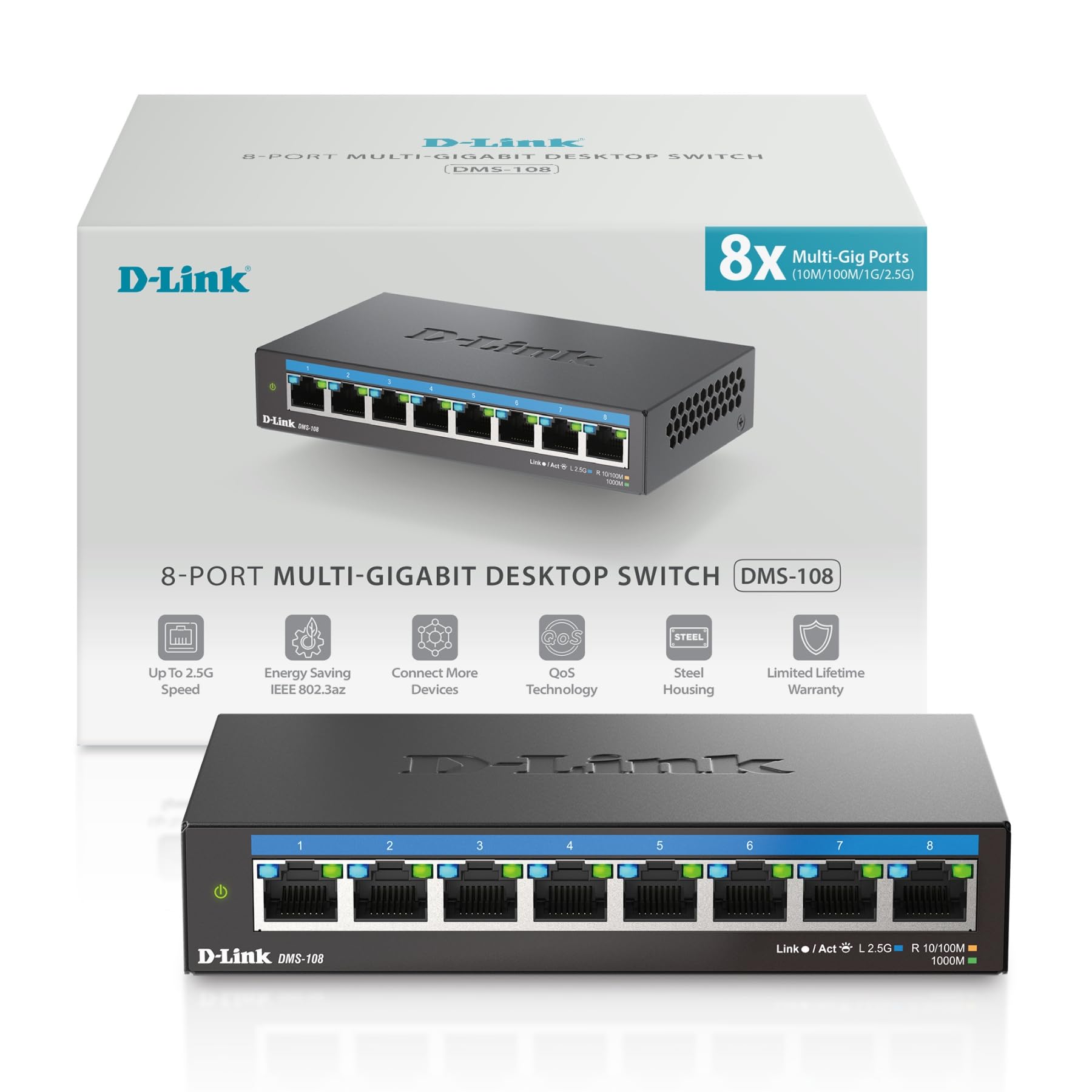 Immaġni: Quddiem view of the D-Link DMS-108 switch, showing 8 Ethernet ports and LED indicators.
Kontenut tal-Pakkett
Ivverifika li l-pakkett tiegħek fih l-oġġetti li ġejjin:
- D-Link DMS-108 8-Port 2.5GB Unmanaged Multi-Gigabit Switch
- Adapter tal-Enerġija
- Gwida ta 'Installazzjoni Mgħaġġla (QIG)
Jekk xi oġġetti huma nieqsa jew bil-ħsara, jekk jogħġbok ikkuntattja lir-rivenditur lokali tad-D-Link tiegħek għall-għajnuna.
Setup
Installazzjoni Fiżika
The DMS-108 switch can be placed on a desktop or mounted on a wall. Ensure the installation location provides adequate ventilation and is free from excessive heat, humidity, or electromagnetic interference.
Konnessjoni tal-Iswiċċ
- Konnessjoni tal-Enerġija: Connect the provided power adapter to the power input port on the rear panel of the DMS-108 switch. Plug the other end of the power adapter into a standard electrical outlet. The power LED on the front panel will illuminate.
 Image: Rear panel of the DMS-108, highlighting the power input (12V===1A), ground screw (SWITCH GND), and Kensington lock slot.
 - Konnessjoni tal-Apparat tan-Netwerk: Connect your network devices (e.g., computers, NAS, Wi-Fi 6 APs, gaming consoles) to any of the 8 available 2.5 Gigabit Ethernet ports using standard Ethernet cables (Cat5e or Cat6 recommended for optimal performance).
 Image: The D-Link DMS-108 switch demonstrating compatibility with existing Cat5e and Cat6 cables for 2.5x faster transfer rates.
The DMS-108 is a plug-and-play device, requiring no software installation or configuration. It will automatically detect the link speeds of connected devices (100Mb/1G/2.5G) and adjust for optimal performance.
It-tħaddim tas-Swiċċ
Indikaturi LED
The front panel of the DMS-108 features LED indicators for each port and for power status. These LEDs provide visual feedback on the switch's operation:
- LED tal-qawwa: Indicates if the switch is powered on.
- LEDs tal-Link/Act (għal kull port):
- Solid Green: Indicates a stable 2.5G network link.
- Solid Blue: Indicates a stable 1G network link.
- Solid Amber: Indicates a stable 100Mb network link.
- Flashing: Indicates network activity (data transmission).
- Off: No link or device connected.
 Immaġni: Dettaljata view of the DMS-108's front panel, highlighting the Link/Act LEDs for each of the 8 ports.
Karatteristiċi Ewlenin
- Awto-Negozjar: Automatically senses the link speeds of connected devices (100Mb/1G/2.5G) and adjusts for compatibility and optimal performance.
- Kwalità tas-Servizz (QoS): Allows network traffic to be classified into 8 priority levels, ensuring critical data (e.g., gaming, video streaming) receives preferential treatment.
- Kontroll tal-Fluss: Helps minimize dropped packets during periods of high network congestion, leading to more reliable connections.
- Snooping IGMP: Optimizes multicast data streams, which is beneficial for bandwidth-intensive applications like IPTV, by forwarding multicast traffic only to ports that have requested it.
- Energy-Efficient Ethernet (EEE) (IEEE 802.3az): Reduces power consumption during periods of low network activity, conserving energy and lowering operational costs.
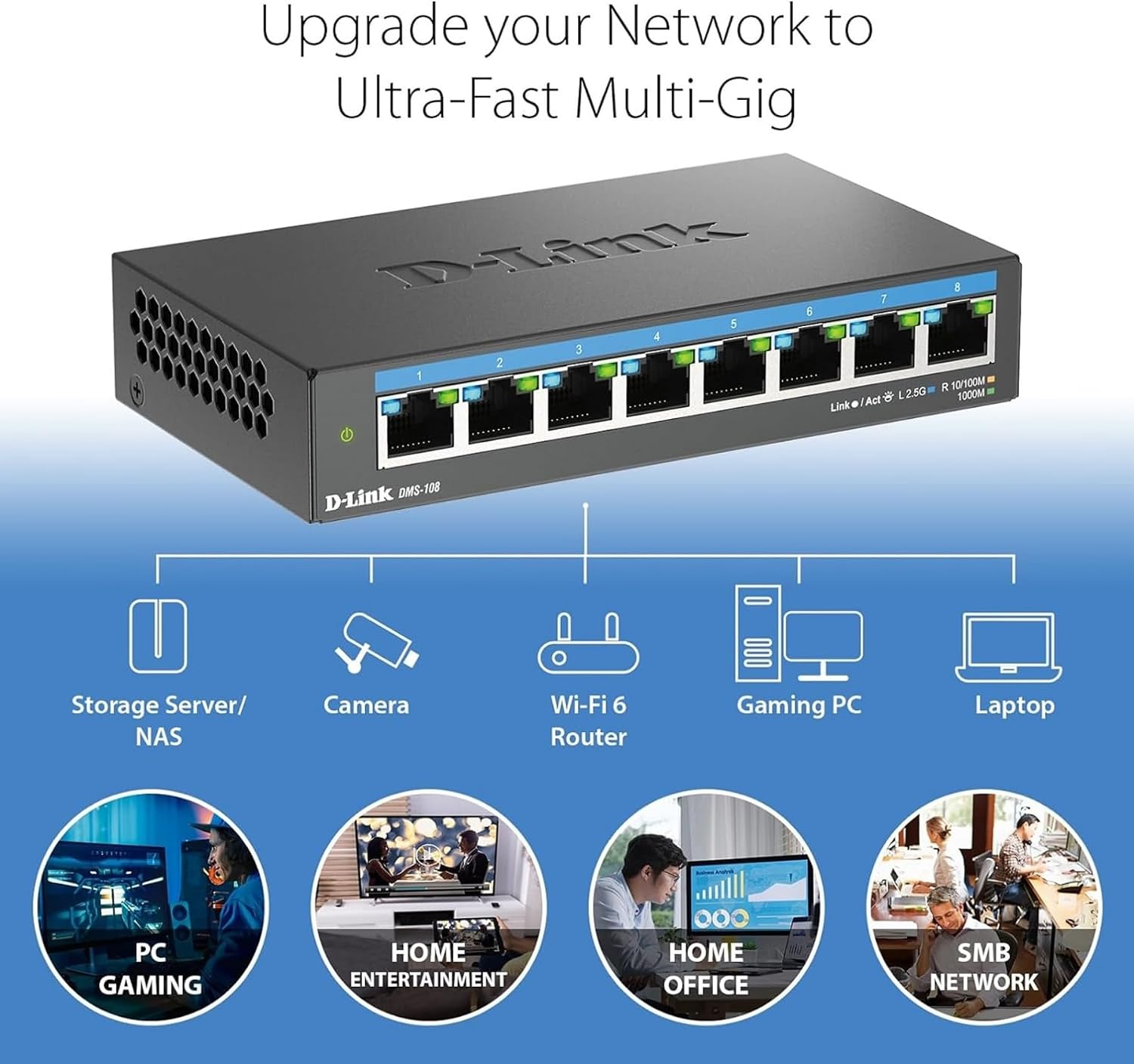 Image: An illustration demonstrating how the DMS-108 switch can upgrade a network to ultra-fast multi-gigabit speeds by connecting various devices.
 Image: The DMS-108 switch highlighting its durable metal casing, silent fanless design, energy-efficient features, and D-Link's 35+ years of experience.
Manutenzjoni
To ensure optimal performance and longevity of your D-Link DMS-108 switch, follow these maintenance guidelines:
- Ventilazzjoni: Ensure the switch is placed in a location with adequate airflow. Do not block the ventilation holes on the sides of the device.
- Tindif: Periodically clean the exterior of the switch with a soft, dry cloth. Avoid using liquid or aerosol cleaners, as they may damage the device.
- Ġestjoni tal-Kejbil: Żomm il-kejbils tan-netwerk organizzati u ħielsa minn brim jew liwjiet eċċessivi biex tevita d-degradazzjoni tas-sinjal.
- Provvista tal-Enerġija: Use only the power adapter provided with the switch. If the power adapter is damaged, contact D-Link support for a replacement.
- Aġġornamenti tal-Firmware: As an unmanaged switch, the DMS-108 typically does not require firmware updates. However, always refer to the D-Link support website for any specific recommendations.
Issolvi l-problemi
If you encounter issues with your DMS-108 switch, refer to the following troubleshooting tips:
- Ebda Qawwa:
- Check if the power adapter is securely connected to the switch and the electrical outlet.
- Ivverifika li s-sokit elettriku qed jaħdem sew billi tqabbad apparat ieħor.
- Ensure the power LED on the switch is illuminated.
- L-ebda Link fuq Port:
- Kun żgur li l-kejbil Ethernet huwa konness sew kemm mal-port tas-swiċċ kif ukoll mat-tagħmir konness.
- Verify that the connected device is powered on and its network adapter is enabled.
- Ipprova kejbil Ethernet differenti biex teskludi kejbil difettuż.
- Test with a different port on the switch.
- Check the Link/Act LED for the specific port. If it's off, there's no active connection.
- Veloċità baxxa tan-Netwerk:
- Ensure you are using Cat5e or Cat6 Ethernet cables for 2.5G connections. Older cables (e.g., Cat5) may limit speed.
- Verify that your connected devices support 2.5G Ethernet. The switch will operate at the highest common speed.
- Check the Link/Act LED color for the port to confirm the negotiated speed (Green for 2.5G, Blue for 1G, Amber for 100Mb).
- Reduce network congestion by limiting simultaneous bandwidth-intensive activities.
- Konnessjoni intermittenti:
- Iċċekkja l-konnessjonijiet kollha tal-kejbil għal laxkezza jew ħsara.
- Ensure the switch is not overheating. Provide adequate ventilation.
- Avoid placing the switch near sources of strong electromagnetic interference.
If problems persist, contact D-Link Technical Support for further assistance.
Speċifikazzjonijiet
| Karatteristika | Deskrizzjoni |
|---|---|
| Brand | D-Link |
| Numru tal-Mudell | DMS-108 |
| Numru ta' Portijiet | 8 |
| Interface | RJ45 |
| Rata ta' Trasferiment tad-Data | Up to 40 Gigabits Per Second (Switching Capacity) |
| Tip ta' Swiċċ | Multi-speed or Multi-gigabit Store-and-Forward |
| Tip ta' Materjal tal-Kaxxa | Metall |
| Kulur | Iswed |
| Dimensjonijiet tal-oġġett (L x W x H) | 5.71"T x 3.34"W x 1.1"Għ |
| Piż tal-oġġett | 0.77 Liri |
| Klassifikazzjoni tat-Temperatura Għolja | 40 Grad Celsius |
| Komponenti Inklużi | Device, Power Supply, QIG |
| UPC | 790069470509 |
Informazzjoni dwar Garanzija
The D-Link DMS-108 switch comes with a Limited Warranty. For detailed information regarding the terms and conditions of your warranty, please refer to the official D-Link webis-sit jew il-karta tal-garanzija inkluża mal-prodott tiegħek.
Optional protection plans may be available for purchase, offering extended coverage beyond the standard manufacturer's warranty. Please check with your retailer for details on available protection plans.
Appoġġ
For technical support, product registration, or to download the latest documentation and software, please visit the official D-Link support websit:
You can also find additional resources and frequently asked questions on the D-Link websit.
Video tal-Prodott
Watch the official D-Link video for an overview of D-Link Switch Solutions for various environments.