
1. Introduzzjoni
This user manual provides detailed instructions for the installation, operation, and maintenance of your Rettru 4K Wireless WiFi Camera, Model Q18. Please read this manual thoroughly before using the product to ensure proper functionality and safety. This camera is designed for indoor and outdoor surveillance, offering high-resolution video and advanced detection features.
2. Kontenut tal-Pakkett
Iċċekkja li l-oġġetti kollha elenkati hawn taħt huma inklużi fil-pakkett tiegħek. Jekk xi oġġetti huma neqsin jew bil-ħsara, jekk jogħġbok ikkuntattja l-appoġġ għall-klijenti.
- 1 x Rettru Q18 Camera
- 1 x Bażi manjetika
- 1 x Mikro SD Card Reader
- 1 x USB Cable
- 1 x Manwal għall-Utent
3. Prodott Aktarview
The Rettru Q18 camera is a compact and versatile surveillance device. It features a 4K (2560x1440) resolution lens, a 160-degree wide-angle view, and an 1800mAh built-in battery for extended operation. Its small size allows for discreet placement.
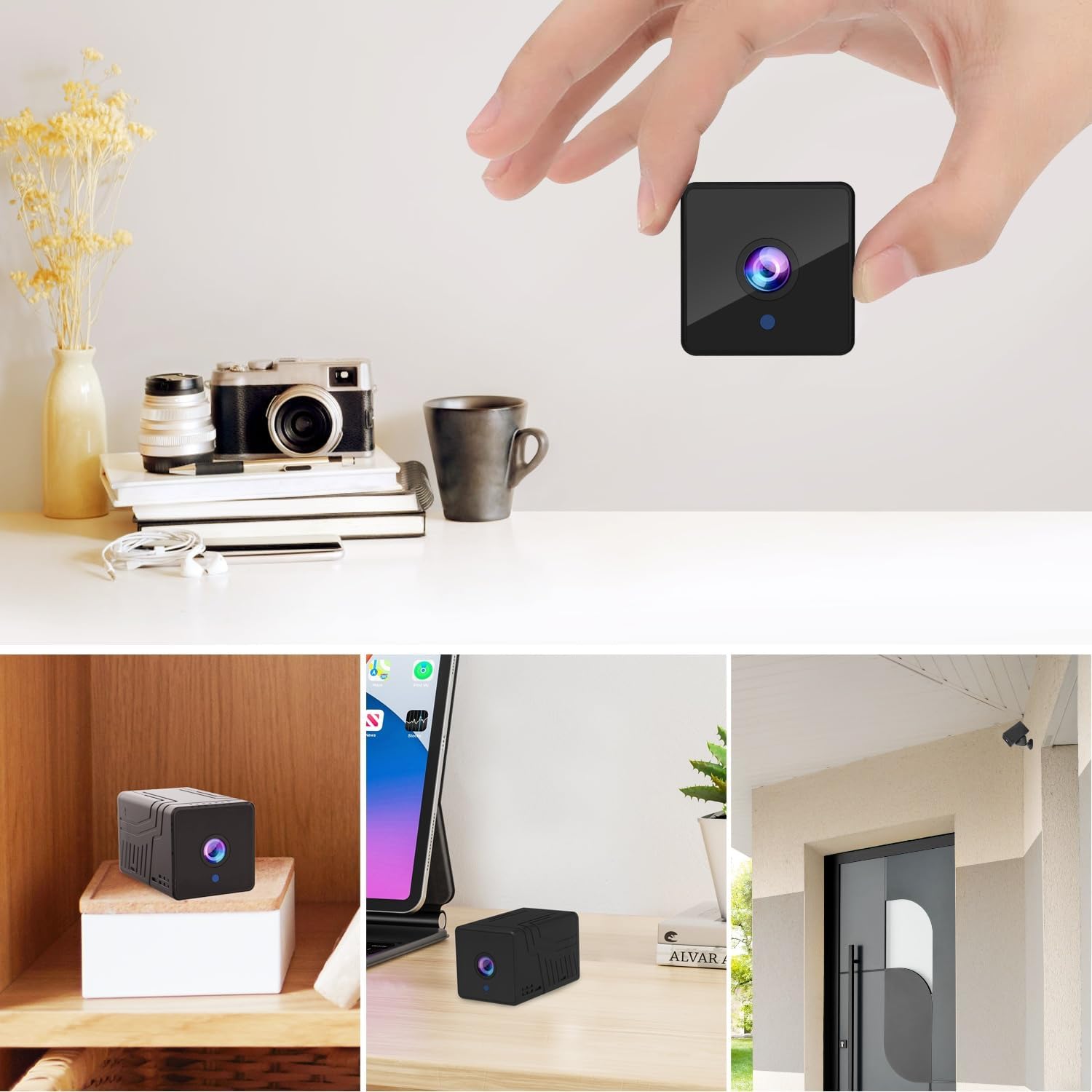
Figura 3.1: Quddiem view of the Rettru Q18 camera with its magnetic base. This image highlights the compact design and the lens of the camera.

Figura 3.2: The Rettru Q18 camera shown in different indoor and outdoor settings, demonstrating its small size and ease of concealment. The image illustrates its "Super Tiny, Easy to Hide" characteristic.
4. Istruzzjonijiet ta' Setup
4.1 Iċċarġjar inizjali
Before first use, fully charge the camera using the provided USB cable and a standard 5V USB power adapter (not included). The built-in 1800mAh battery provides approximately 6 hours of continuous recording or up to 100 days of standby time.

Figura 4.1: Graphic illustrating the 1800mAh battery capacity of the Rettru Q18 camera, highlighting its 6-hour continuous recording and 100-day ultra-long standby capabilities.
4.2 Tniżżil u Konnessjoni tal-App
To operate the camera and access its features, you need to download the "V380 Pro" application on your smartphone.
- Niżżel l-App: Fittex għal "V380 Pro" in your smartphone's app store (Google Play Store for Android or Apple App Store for iOS) and install it.
- Ixgħel il-Kamera: Turn on the Rettru Q18 camera. Refer to the camera's physical buttons for power control.
- Qabbad mal-Wi-Fi: Segwi l-istruzzjonijiet fl-app biex tqabbad il-kamera man-netwerk Wi-Fi tad-dar tiegħek. Nota: The camera only supports 2.4GHz Wi-Fi networks. Ensure your router is configured for 2.4GHz or has a mixed mode enabled.
- Live View: Once connected, you can access the live video feed and control the camera through the V380 Pro app.
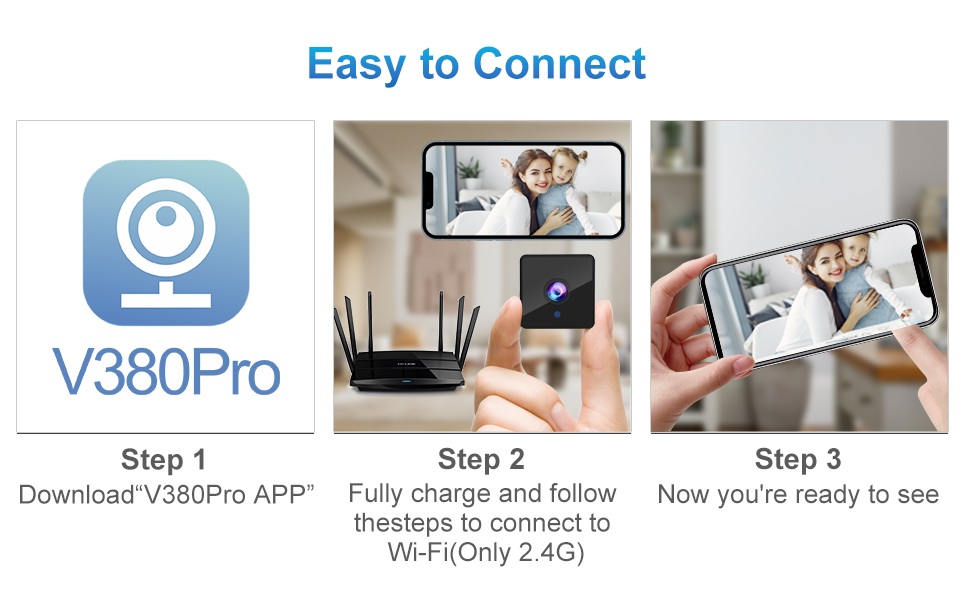
Figura 4.2: Visual guide for connecting the Rettru Q18 camera using the V380 Pro app, showing steps for app download, charging, and Wi-Fi connection.
5. Istruzzjonijiet Operattivi
5.1 Live Video Monitoring
Open the V380 Pro app on your smartphone. Select your camera from the device list to view the live 2K Ultra HD video feed. You can pan, tilt, and zoom digitally within the app if supported by the camera's software.
5.2 Reġistrazzjoni u Ħażna
The camera supports local storage via a Micro SD card (up to 128GB). Insert the Micro SD card into the designated slot on the camera. The camera will automatically begin recording based on your settings (e.g., continuous recording, motion-activated recording). Recorded video files are in AVI format. Nota: Due to Amazon's policy, recorded videos do not include audio.
5.3 Viżjoni bil-lejl
The Rettru Q18 camera is equipped with 8 straw hat 940nm infrared lights for automatic night vision. The IR-CUT feature ensures clear black and white video in low-light conditions, with a night vision range of up to 28 feet. The camera automatically switches between day and night modes.
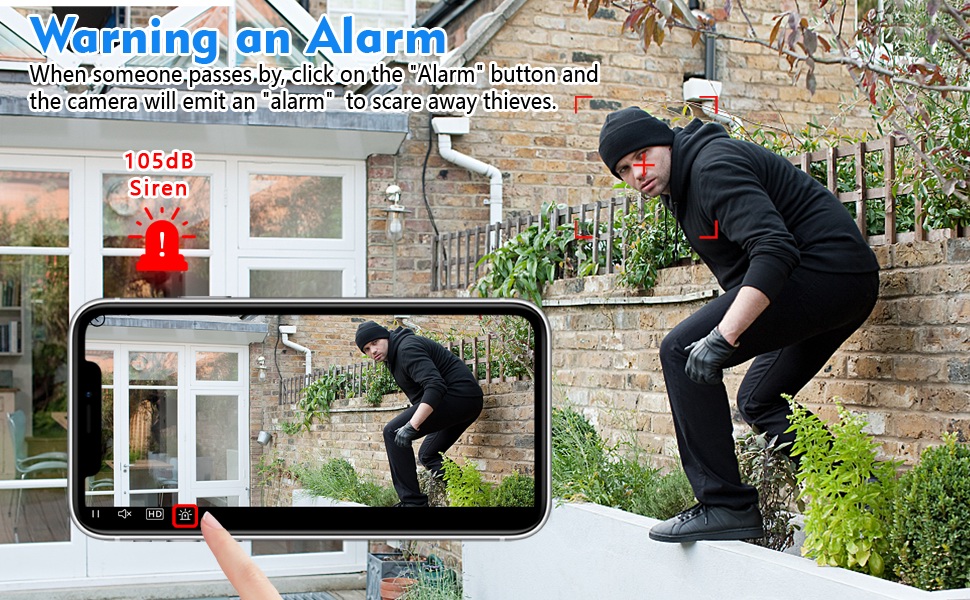
Figura 5.1: Comparison of day and night vision capabilities of the Rettru Q18 camera, showing automatic IR ON/OFF and enhanced night vision up to 26ft.
5.4 Sejbien tal-Mozzjoni u Twissijiet
The camera features AI Human Detection, which can distinguish human movement from other motions, reducing false alarms. When motion is detected, the camera can send alert notifications to your smartphone via the V380 Pro app. You can also activate a built-in 105dB siren through the app to deter intruders.
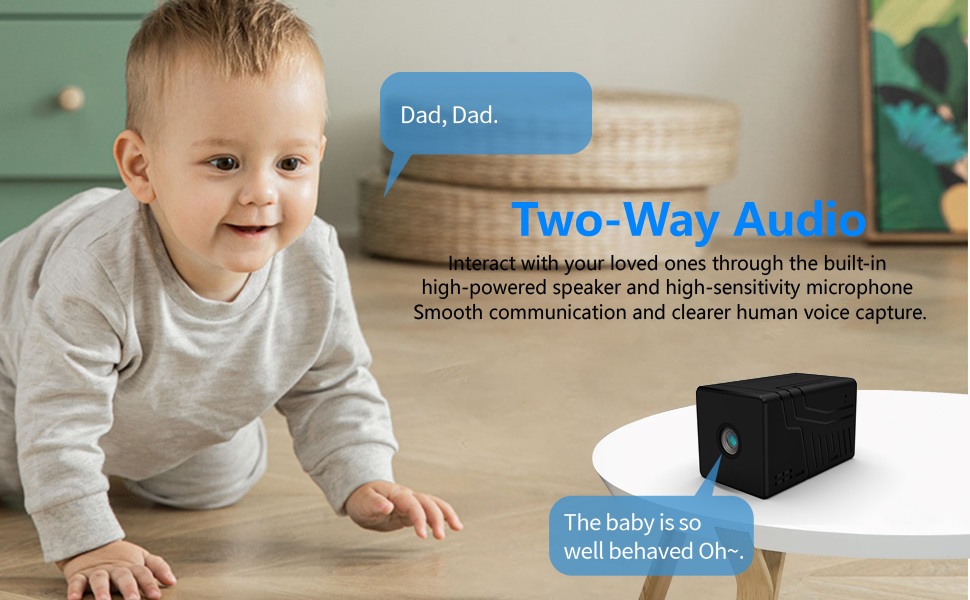
Figura 5.2: Illustration of the camera's alarm function, showing a user activating a 105dB siren via the app to deter a potential intruder.
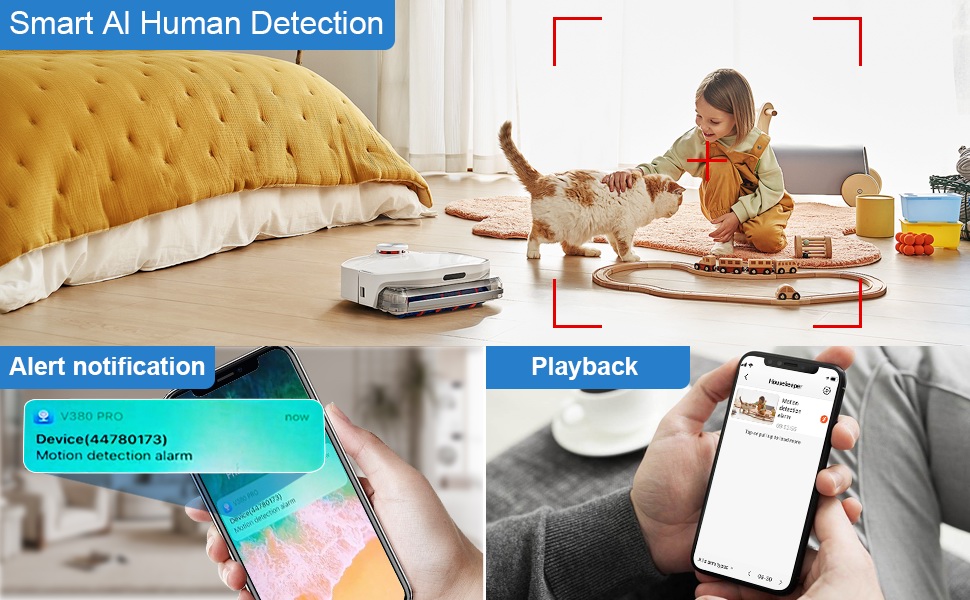
Figura 5.3: Depiction of the Smart AI Human Detection feature, showing how the camera identifies human movement and sends alert notifications to the V380 Pro app.
5.5 Komunikazzjoni f'żewġ direzzjonijiet
The camera supports two-way communication through its built-in high-powered speaker and high-sensitivity microphone. This allows you to interact with individuals near the camera via the V380 Pro app. Please note that while two-way communication is supported, recorded video files do not contain audio.

Figura 5.4: An image illustrating the two-way audio capability of the Rettru Q18 camera, showing communication between a parent and a child.
6. Karatteristiċi ewlenin
- Riżoluzzjoni Ultra HD 2K: Records video at 2560x1440 (5 Megapixels) for clear and detailed footage.
- Wiesgħa ViewIng Angolu: 160-degree lens captures a broad area.
- Ħajja twila tal-batterija: Equipped with an 1800mAh dual lithium battery, offering up to 6 hours of continuous recording or 100 days of standby.
- Viżjoni bil-lejl imtejba: Automatic IR-CUT with 940nm infrared lights provides clear night vision up to 28 feet without a visible red glow.
- Sejbien tal-Bniedem AI: Intelligent motion detection reduces false alarms by focusing on human shapes.
- Instant Alerts & Siren: Receive smartphone notifications upon motion detection and activate a 105dB siren remotely.
- Komunikazzjoni f'żewġ direzzjonijiet: Speak and listen through the camera via the V380 Pro app (recorded video is without audio).
- Ħażna Lokali: Supports Micro SD cards up to 128GB for video storage.
- Disinn kompatt: Small and lightweight, suitable for discreet placement indoors or outdoors (IP65 rated).
- Konnettività Wi-Fi: Connects to 2.4GHz Wi-Fi networks for remote access.
7. Manutenzjoni
7.1 Tindif tal-Kamera
To maintain optimal performance, regularly clean the camera lens and body. Use a soft, dry cloth to wipe away dust and smudges. For stubborn dirt on the lens, use a lens cleaning solution specifically designed for optical surfaces. Avoid using harsh chemicals or abrasive materials.
7.2 Kura tal-Batterija
To prolong battery life, avoid exposing the camera to extreme temperatures. If storing the camera for an extended period, ensure it is partially charged (around 50%) and recharge it every few months to prevent deep discharge.
7.3 Aġġornamenti tal-Firmware
Periodically check the V380 Pro app for available firmware updates. Keeping your camera's firmware up-to-date ensures you have the latest features, security enhancements, and bug fixes.
8 Issolvi l-problemi
| Problema | Soluzzjoni Possibbli |
|---|---|
| Il-kamera mhux qed tixgħel. | Ensure the camera is fully charged. Connect it to a power source using the USB cable and check if the charging indicator light is on. |
| Ma tistax tikkonnettja mal-Wi-Fi. |
|
| Kwalità tal-vidjo fqira jew dewmien. |
|
| Twissijiet ta' skoperta ta' moviment ma jiġux riċevuti. |
|
| Il-karta SD mhux qed tirrekordja. |
|
9. Speċifikazzjonijiet
| Karatteristika | Dettall |
|---|---|
| Numru tal-Mudell | Q18 |
| Riżoluzzjoni tal-Qbid tal-Vidjo | 2K (2560x1440) |
| Riżoluzzjoni Għadha Effettiva | 5 MP |
| ViewIng Angolu | 160 Grad |
| Protokoll tal-Konnettività | Wi-Fi (2.4GHz biss) |
| Tip ta' Kontrollur | App V380 Pro |
| Sors tal-Enerġija | Imħaddem bil-batterija (jone tal-litju 1800mAh) |
| Ħajja tal-batterija | Approx. 6 hours continuous recording, 100 days standby |
| Medda tal-Viżjoni Lejl | Sa 28 pied |
| Ħażna | Karta Mikro SD (sa 128GB, mhux inkluża) |
| Format tal-Qbid tal-Vidjo | AVI |
| Tip ta 'Twissija | Motion Only (AI Human Detection) |
| Klassifikazzjoni tal-Protezzjoni Internazzjonali | IP65 |
| Piż tal-oġġett | 75 Gram (2.65 uqija) |
| Dimensjonijiet tal-Prodott | 21.6 x 13.3 x 13.3 inches (packaging dimensions, actual camera is smaller) |
| Manifattur | Rettru |
10. Informazzjoni dwar is-Sigurtà
- Do not expose the camera to extreme temperatures, direct sunlight for prolonged periods, or excessive moisture.
- Uża biss il-kejbil USB ipprovdut għall-iċċarġjar.
- Keep the camera and its accessories out of reach of children and pets.
- Tippruvax tiżżarma jew timmodifika l-kamera. Dan jannulla l-garanzija u jista' jikkawża ħsara.
- Ensure the camera is installed securely to prevent it from falling.
- Respect privacy laws and regulations when using surveillance equipment.
11. Garanzija u Appoġġ
For warranty information or technical support, please refer to the contact details provided with your purchase or visit the official Rettru websit. Żomm l-irċevuta tax-xiri tiegħek bħala prova tax-xiri għal kwalunkwe talba ta' garanzija.