
DOOGEE T30PRO
DOOGEE T30 PRO 11 Inch Tablet
Manwal għall-Utent
1. Prodott Aktarview
The DOOGEE T30 PRO is an 11-inch Android tablet designed for high performance and an immersive visual experience. It features a 2.5K display, a powerful MediaTek Helio G99 octa-core processor, and ample memory for multitasking and storage. This manual provides essential information to help you get the most out of your device.

Figura 1.1: Quddiem u wara view of the DOOGEE T30 PRO tablet, showcasing its key specifications.
2. Gwida ta' Setup
2.1 Iċċarġjar inizjali
Before first use, fully charge the tablet using the provided 33W fast charger. The tablet is equipped with an 8580mAh battery for extended usage.
2.2 Power On/Off
- Biex Tixgħel: Agħfas u żomm il-buttuna tal-Power sakemm jidher il-logo ta' DOOGEE.
- Biex Tifi: Agħfas u żomm il-buttuna tal-Power, imbagħad agħżel 'Power off' mill-għażliet.
2.3 Installazzjoni tal-Kard SIM u TF
The DOOGEE T30 PRO supports dual 4G LTE and TF card expansion up to 2TB. Locate the SIM/TF card tray on the side of the tablet. Use the provided ejector tool to open the tray. Insert your Nano-SIM cards and/or TF card into the designated slots, ensuring correct orientation. Close the tray securely.
2.4 L-Ewwel Setup
Upon first power-on, follow the on-screen prompts to complete the initial setup. This includes selecting your language, connecting to a Wi-Fi network, and signing in with your Google account. The tablet is GMS certified, ensuring full access to the Google Play Store and Google services.
Video 2.1: An unboxing video of the DOOGEE T30 PRO tablet, demonstrating the initial setup and contents.
3. It-Tħaddim tat-Tablet Tiegħek
3.1 Wirja u Viżwali
Experience stunning visuals on the 11-inch 2.5K (2560x1600) display. The tablet features TÜV SÜD Eye Safety Certification for low blue light, reducing eye strain during prolonged use.

Figure 3.1: The tablet's display capabilities, emphasizing its high resolution and immersive viewing esperjenza.
3.2 Prestazzjoni u Ħażna
Powered by the MediaTek Helio G99 octa-core processor, the T30 PRO delivers smooth performance for gaming, multitasking, and demanding applications. It comes with 15GB RAM (8GB physical + 7GB virtual) and 256GB of internal storage, expandable up to 2TB via TF card.
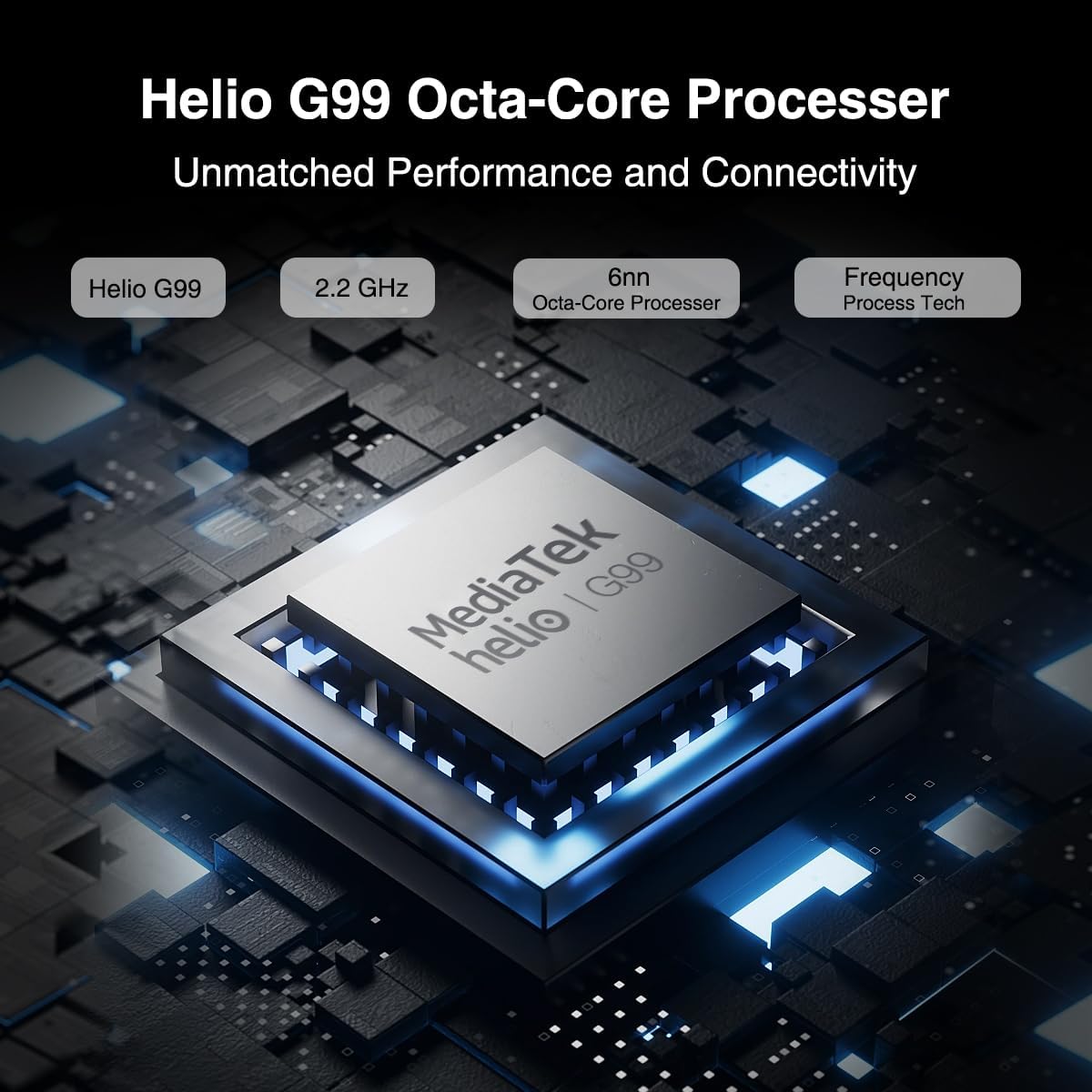
Figure 3.2: Illustration of the MediaTek Helio G99 processor, highlighting its core specifications.
3.3 Funzjonijiet tal-Kamera
The tablet features a 20MP main camera, an 8MP front camera, and a 2MP macro camera. These cameras are suitable for capturing photos, video conferencing, and e-learning.

Figure 3.3: The tablet's camera capabilities, ideal for video calls and capturing moments.
3.4 Sistema Awdjo
Enjoy rich audio with the tablet's four Hi-res Stereo Speakers, providing an enhanced sound experience for media consumption.
3.5 Konnettività
Stay connected with dual 4G LTE support, dual-band Wi-Fi (2.4G/5G), and Bluetooth 5.0. The tablet also supports Widevine L1 for high-quality streaming from services like Prime Video, Disney+, and Hulu.

Figure 3.4: The tablet's robust connectivity options for seamless work and entertainment.
3.6 Multitasking u Produttività
The Android 13 operating system allows for efficient multitasking, including split-screen functionality, enabling you to run multiple applications simultaneously.

Figure 3.5: The tablet's split-screen feature for enhanced productivity.
4. Manutenzjoni u Kura
4.1 Kura tal-Batterija
- Evita temperaturi estremi, għax jistgħu jnaqqsu l-ħajja tal-batterija.
- Għal lonġevità ottimali tal-batterija, evita li tiċċarġja kompletament il-batterija ta' spiss.
- Uża biss il-ċarġer oriġinali jew ċarġer kompatibbli ċċertifikat.
4.2 Tindif tat-Tablet Tiegħek
- Uża drapp artab u mingħajr suf biex tnaddaf l-iskrin u l-qafas.
- Għal tbajja' iebsa, ftit dampNaddaf id-drapp bl-ilma jew b'prodott tat-tindif tal-iskrin.
- Evita li tuża kimiċi ħarxa, materjali li joborxu, jew sprejs tal-ajrusol direttament fuq il-pillola.
5 Issolvi l-problemi
This section addresses common issues you might encounter with your DOOGEE T30 PRO tablet.
| Problema | Kawża Possibbli | Soluzzjoni |
|---|---|---|
| It-tablet ma jixgħelx | Batterija baxxa; Ħabta tas-sistema | Iċċarġja t-tablet għal mill-inqas 30 minuta. Jekk xorta ma jirrispondix, agħfas u żomm il-buttuna tal-Power għal 10-15-il sekonda biex terġa' tibda. |
| Prestazzjoni bil-mod | Too many apps running in background; Low storage space | Close unnecessary applications. Clear cache and data for frequently used apps. Free up storage by deleting unused files jew apps. |
| Kwistjonijiet ta' konnettività Wi-Fi | Password mhux korretta; Problemi bir-router; Barra mill-firxa | Ensure correct Wi-Fi password. Restart your Wi-Fi router. Move closer to the Wi-Fi router. |
| Il-batterija tiskula malajr | High screen brightness; Background apps; Frequent network usage | Reduce screen brightness. Disable Wi-Fi/Bluetooth when not in use. Close background apps. Check battery usage in settings to identify power-hungry apps. |
6. Speċifikazzjonijiet
| Karatteristika | Dettall |
|---|---|
| Isem tal-Mudell | T30PRO |
| Sistema Operattiva | Android 13 |
| Proċessur | MediaTek Helio G99 Octa-core (2.2 GHz) |
| RAM | 15GB (8GB + 7GB Virtwali) |
| Ħażna Interna | 256GB |
| Ħażna espansibbli | Sa 2TB (Karta TF) |
| Daqs tal-Iskrin | 11 Pulzier |
| Riżoluzzjoni tal-Iskrin | 2.5K (2560x1600) |
| Kamera ta' wara | 20 MP |
| Kamera ta' Quddiem | 8 MP |
| Kapaċità tal-batterija | 8580mAh |
| Iċċarġjar | 33W Iċċarġjar Mgħaġġel |
| Konnettività bla fili | 802.11a/b/g/n/ac (2.4G/5G Wi-Fi), Bluetooth 5.0 |
| Konnettività Ċellulari | Dual 4G LTE (TD-LTE, FDD-LTE) |
| Dimensjonijiet (LxWxH) | 10.11 x 0.3 x 6.64 pulzieri |
| Piż tal-oġġett | 11.1 uqija |
7. Garanzija u Appoġġ
The DOOGEE T30 PRO comes with a 2-year warranty. DOOGEE provides lifetime technical support and full 24/7 customer service to assist you with any inquiries or issues you may encounter. For support, please refer to the contact information provided on the official DOOGEE webis-sit jew id-dokumentazzjoni tax-xiri tiegħek.
Ask a question about this manual
Ask about setup, troubleshooting, compatibility, parts, safety, or missing instructions. Manuals+ will review the question and use this page’s manual context to help answer it.