1. Introduzzjoni
Thank you for choosing AIMA Wireless Earbuds. These earbuds are designed to provide a superior audio experience with advanced Bluetooth 5.2 technology, rich bass, and effective noise reduction. This manual will guide you through the setup, operation, and maintenance of your new earbuds to ensure you get the most out of them.
2. Kontenut tal-Pakkett
Jekk jogħġbok immarka l-kaxxa għall-oġġetti li ġejjin:
- AIMA Wireless Earbuds (Left and Right)
- Kawża tal-Iċċarġjar
- Cable tal-Iċċarġjar tal-USB
- Manwal għall-Utent
3. Prodott Aktarview
Familiarize yourself with the components of your AIMA Wireless Earbuds and charging case.

Image 3.1: AIMA Wireless Earbuds in their orange charging case, displaying a digital battery percentage ta’ 100.

Image 3.2: The orange AIMA Wireless Earbuds are shown both inside and outside their transparent charging case, highlighting their compact design.

Image 3.3: Demonstrates the comfortable and stable fit of the earbuds in a user's ear, showing both orange and black earbud variants.
4. Setup
4.1 Iċċarġjar tal-Earbuds u l-Kaxxa
- Poġġi l-earbuds fil-kaxxa tal-iċċarġjar. Kun żgur li huma mqiegħda sew.
- Qabbad il-kejbil tal-iċċarġjar USB mal-port tal-iċċarġjar fuq il-kaxxa u ma' sors tal-enerġija (eż., adapter tal-ħajt USB, port USB tal-kompjuter).
- The digital display on the case will indicate the charging status. A full charge for the case and earbuds takes approximately one hour.
4.2 It-tqabbil mat-Tagħmir Tiegħek
- Kun żgur li l-earbuds huma ċċarġjati.
- Open the charging case. The earbuds will automatically enter pairing mode, indicated by a flashing light (if applicable, refer to specific light indicators on your model).
- Fuq l-apparat tiegħek (smartphone, tablet, kompjuter), mur fis-settings tal-Bluetooth u ixgħel il-Bluetooth.
- Fittex għal available devices. Select "AIMA Earbuds" (or similar name) from the list.
- Once connected, the earbuds will indicate successful pairing (e.g., a voice prompt or solid light).
- Il-earbuds jerġgħu jikkonnettjaw awtomatikament mal-aħħar apparat imqabbad meta joħorġu mill-kaxxa, jekk il-Bluetooth ikun attivat fuq l-apparat.
5. Istruzzjonijiet Operattivi
5.1 Power On/Off
- Qawwa Mixgħul: Iftaħ il-każ tal-iċċarġjar, u l-earbuds jinxtegħlu awtomatikament.
- Itfi: Poġġi l-earbuds lura fil-kaxxa tal-iċċarġjar u agħlaq l-għatu. Dawn jintfew awtomatikament u jibdew jiċċarġjaw.
5.2 Kontrolli tad-Daqq tal-Mużika
The earbuds feature touch-sensitive controls. Specific functions may vary slightly; refer to the quick start guide for precise tap sequences.
- Play/Pawsa: Tektek wieħed fuq kull earbud.
- Track li jmiss: Tektek darbtejn fuq il-earbud tal-lemin.
- Track preċedenti: Tektek darbtejn fuq il-earbud tax-xellug.
- Volum 'il fuq: Tektek tliet darbiet fuq il-earbud tal-lemin.
- Volum 'l isfel: Tektek tliet darbiet fuq il-earbud tax-xellug.

Image 5.1: Illustrates the 'Deep Rich Bass' capability of the earbuds, showing both orange and black versions with a focus on sound quality.
5.3 Ġestjoni tas-Sejħiet
- Tweġiba/Tmiem Sejħa: Tektek waħda fuq kwalunkwe earbud waqt telefonata li tkun dieħla.
- Irrifjuta Sejħa: Agħfas u żomm kwalunkwe earbud għal żewġ sekondi waqt telefonata li tkun dieħla.
5.4 Tnaqqis tal-Ħsejjes
These earbuds feature Active Noise Cancellation (ANC) technology to filter out background noise for crystal clear calls and music.
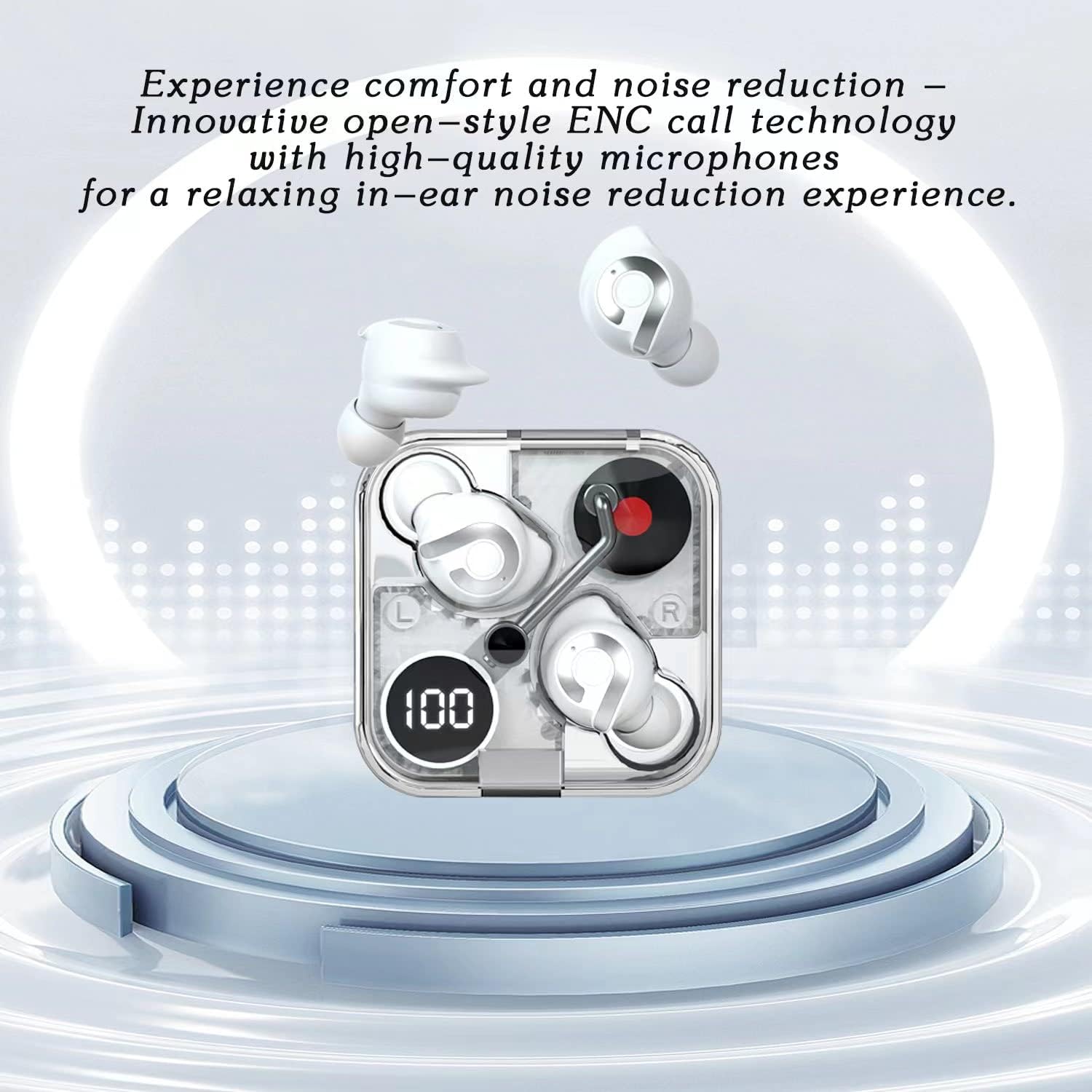
Image 5.2: Highlights the comfort and noise reduction features, showing white earbuds in a transparent case with a focus on ENC call technology.
To activate or deactivate the noise reduction mode, refer to the specific touch control gestures in your quick start guide, typically a long press or specific tap sequence.
6. Manutenzjoni
6.1 Tindif
- Uża drapp artab, niexef u mingħajr suf biex tnaddaf il-earbuds u l-kaxxa tal-iċċarġjar.
- Tużax prodotti tat-tindif li joborxu, alkoħol, jew solventi kimiċi.
- Naddaf bil-mod il-kuntatti tal-iċċarġjar kemm fuq il-earbuds kif ukoll fuq il-kaxxa b'tajjara tal-qoton niexfa jekk meħtieġ.
6.2 Ħażna
- Meta ma tkunx qed tużahom, dejjem aħżen il-earbuds fil-kaxxa tal-iċċarġjar tagħhom biex tipproteġihom u żżommhom iċċarġjati.
- Aħżen f'post frisk u niexef, 'il bogħod minn temperaturi estremi u dawl tax-xemx dirett.
6.3 Kura tal-Batterija
- Biex ittawwal il-ħajja tal-batterija, evita li l-earbuds u l-kaxxa ta' spiss jiċċarġjaw kompletament.
- Iċċarġja l-apparat regolarment, anke jekk ma jintużax ta' spiss.
7 Issolvi l-problemi
If you encounter any issues with your AIMA Wireless Earbuds, please refer to the following common solutions:
| Problema | Kawża Possibbli | Soluzzjoni |
|---|---|---|
| Earbuds ma jingħaqdux | Low battery; Bluetooth off on device; Earbuds not in pairing mode; Interference. | Charge earbuds and case; Ensure device Bluetooth is on; Place earbuds in case, then open lid to re-enter pairing mode; Move closer to device; Restart device. |
| L-ebda ħoss minn earbud wieħed | Earbud not connected; Low battery; Dirty charging contacts. | Place both earbuds back in case, close lid, then reopen; Ensure earbud is charged; Clean charging contacts. |
| Kwistjonijiet ta' ċċarġjar | Cable faulty; Power source issue; Dirty charging contacts. | Try a different USB cable and power source; Clean charging contacts on earbuds and case. |
| Kwalità tal-ħoss fqira | Distance from device; Interference; Earbuds not properly seated. | Move closer to your device; Avoid strong electromagnetic fields; Adjust earbud position in ear. |
8. Speċifikazzjonijiet
- Ditta: Generic (Manufactured by AIMA)
- Mudell: B0C4BZ7S47
- Verżjoni Bluetooth: 5.2
- Kontroll tal-Ħsejjes: Kanċellazzjoni Attiva tal-Ħoss
- Tqegħid tal-widnejn: Fil-widnejn
- Fattur tal-Formola: Fil-widnejn
- Kulur: Oranġjo
- Ħin tat-Taħdit: Sa 5 sigħat fuq ħlas wieħed
- Ħin tad-daqq tal-mużika: Sa 5.5 sigħat fuq ħlas wieħed
- Ħin tal-Iċċarġjar: Madwar siegħa għal ċarġ sħiħ
- Ħin ta' Standby: Exceeds 200 hours

Immaġni 8.1: Sploda view illustrating the internal components of the earbud, highlighting its intricate design and construction for optimal sound.
9. Garanzija u Appoġġ
For warranty information and customer support, please refer to the documentation provided with your purchase or contact the retailer where you purchased the AIMA Wireless Earbuds. Keep your proof of purchase for any warranty claims.