
Keychron M3 Mini 4K
Keychron M3 Mini 4K Wireless Optical Mouse User Manual
Model: M3 Mini 4K | Brand: Keychron
Introduzzjoni
This manual provides comprehensive instructions for the Keychron M3 Mini 4K Wireless Optical Mouse. It covers setup, operation, maintenance, and troubleshooting to ensure optimal performance and user experience. The M3 Mini 4K is an ultra-lightweight (55g) programmable mouse featuring a PixArt 3395 sensor, up to 26,000 DPI, 650 IPS, and a 4000 Hz polling rate for high-speed, precise input across Windows, Mac, and Linux systems.
Gwida ta' Setup
Kontenut tal-Pakkett
Qabel ma tibda, kun żgur li l-oġġetti kollha huma preżenti fil-pakkett:
- 1x Keychron M3 Mini 4K Wireless Optical Mouse
- 1x 4K Wireless Receiver
- 1x Kejbil tat-Tip Ċ għal Tip Ċ
- 1x Adapter tat-Tip A għal Tip Ċ

Image: Standard Version package contents, showing the mouse, 4K wireless receiver, Type-C to Type-C cable, and Type-A to Type-C adapter.
Għażliet ta' Konnettività
The Keychron M3 Mini 4K mouse supports three modes of connection: 2.4 GHz Wireless, Bluetooth 5.1, and Wired (via USB-C cable).
Modalità Wireless 2.4 GHz
- Locate the 4K Wireless Receiver.
- Connect the receiver to your computer's USB port. If your computer only has USB-C ports, use the provided Type-A to Type-C adapter.
- Fil-qiegħ tal-maws, żżerżaq is-swiċċ tal-modalità għall-pożizzjoni "2.4G".
- Il-maws għandu jgħaqqad awtomatikament mar-riċevitur.

Immaġni: Close-up view of the 4K Wireless Receiver, which supports up to a 4K polling rate in 2.4 GHz mode.

Image: The Keychron M3 Mini 4K mouse shown alongside its dedicated 4K wireless receiver, illustrating the compact design.
Modalità Bluetooth 5.1
- Fil-qiegħ tal-maws, żżerżaq is-swiċċ tal-modalità għall-pożizzjoni "BT".
- Fuq il-kompjuter tiegħek, iftaħ is-settings tal-Bluetooth u fittex apparati ġodda.
- Select "Keychron M3 Mini 4K" from the list of available devices to pair.
Mod bil-Wajer
- Connect the provided Type-C to Type-C cable (or Type-A to Type-C adapter with the cable) from the mouse to your computer's USB port.
- Il-maws se jiffunzjona bħala maws bil-fili u jiċċarġja simultanjament.
Istruzzjonijiet Operattivi
Aġġustament DPI
The M3 Mini 4K features a PixArt 3395 sensor, offering up to 26,000 DPI for precise control. You can adjust the DPI directly on the mouse without software.
- Locate the DPI button on the bottom of the mouse.
- Press the DPI button to cycle through preset DPI levels.
- The LED indicators on the bottom will show the current DPI setting.
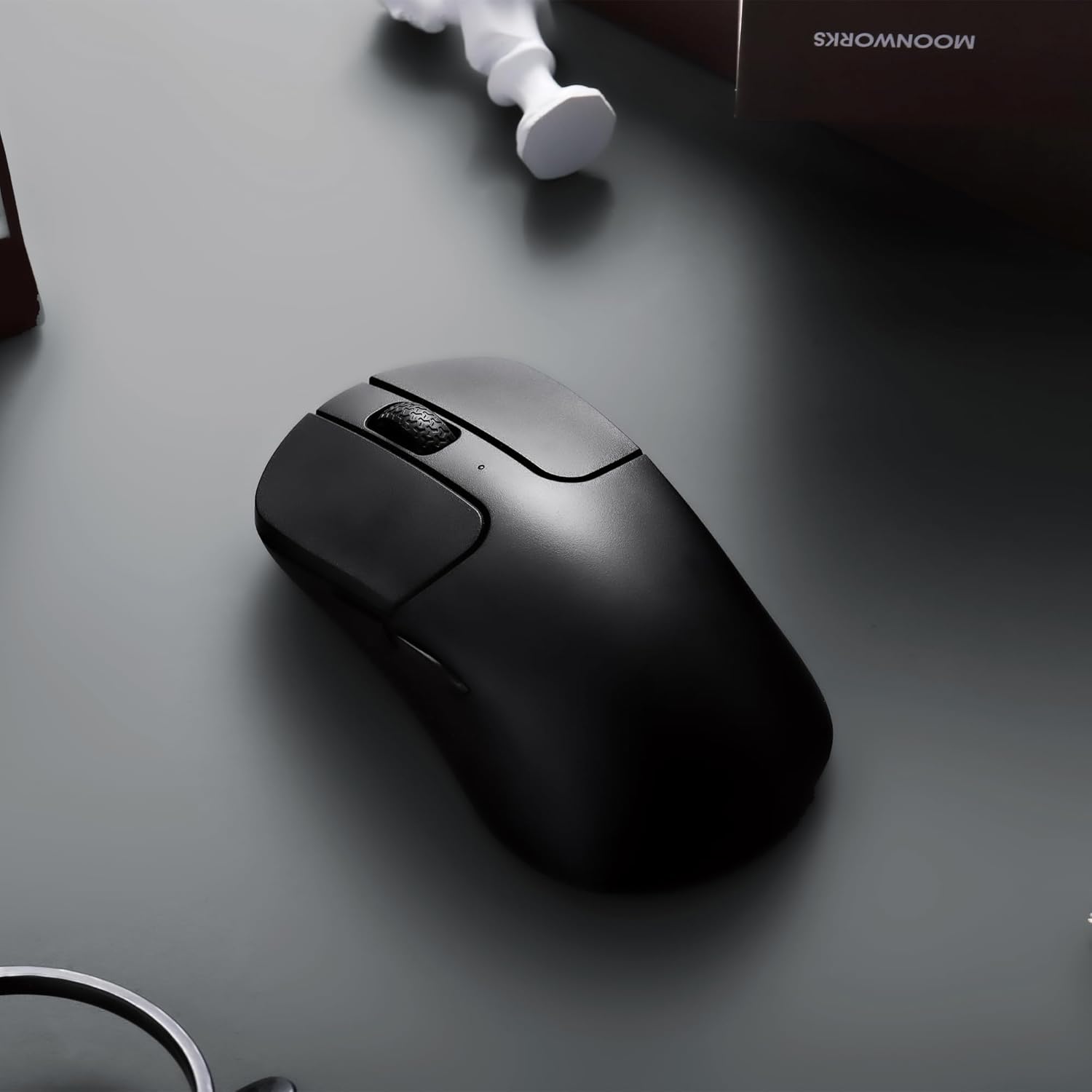
Image: The underside of the mouse, highlighting the PixArt 3395 sensor and the physical buttons for DPI and Report Rate adjustments.
Aġġustament tar-Rata tal-Votazzjoni
The mouse supports an ultra-fast 4K (4000 Hz) polling rate in 2.4 GHz mode, ensuring minimal latency.
- Locate the "Report Rate" button on the bottom of the mouse.
- Press the button to switch among 5 levels of polling rate: 125 Hz, 500 Hz, 1000 Hz, 2000 Hz, and 4000 Hz.
- The corresponding LED indicator will light up to show the selected polling rate.

Image: A diagram illustrating how to switch polling rates using the dedicated button on the mouse, with a table showing LED color indications for different frequencies (125 Hz to 4000 Hz).
Keychron Engine Software
For advanced customization, including key remapping, macros, RGB lighting effects (if applicable), and professional settings for LOD (Lift-Off Distance), polling rate, and DPI, download and install the Keychron Engine software.
- The software is compatible with Windows 11/10 and macOS.
- Żur il-Keychron uffiċjali websit biex tniżżel l-aħħar verżjoni.
- The software supports onboard memory, allowing your custom settings to be saved directly to the mouse.

Image: A visual representation of the Keychron Engine software interface, demonstrating options for personalization, key modification, shortcuts, macros, and professional settings.
Ħajja tal-batterija u Iċċarġjar
The M3 Mini 4K is equipped with a 600 mAh battery, providing up to 135 hours of continuous working time in 1K Polling Rate mode. To charge the mouse, connect it to your computer using the provided USB-C cable.

Image: Icons illustrating key features: up to 135 hours of battery life (600 mAh), ultra-lightweight at 55g, and the ability to adjust settings without software.
Manutenzjoni
Tindif tal-Maws
To maintain optimal performance and hygiene, regularly clean your Keychron M3 Mini 4K mouse.
- Uża drapp ratba u mingħajr ħelu ftit dampLaħlaħ bl-ilma jew b'soluzzjoni ħafifa tat-tindif biex timsaħ il-wiċċ tal-maws.
- Evita li tuża kimiċi ħarxa, prodotti tat-tindif li joborxu, jew solventi.
- Għas-sensor ottiku, uża swab tal-qoton imxarrab ħafifampImxarrab bl-alkoħol isopropiliku biex tnaddaf il-lenti bil-mod. Kun żgur li ma jidħol l-ebda likwidu fil-ftuħ tas-sensorju.
- Clean the scroll wheel and button crevices with a dry brush or compressed air to remove dust and debris.
- Kun żgur li l-maws ikun mitfi u skonnettjat minn kwalunkwe sors ta' enerġija qabel ma tnaddaf.
Kura tal-batterija
To prolong the battery life of your mouse:
- Evita li tiċċarġja l-batterija kompletament ta' spiss.
- Aħżen il-maws f'post frisk u niexef meta ma jkunx qed jintuża għal perjodi twal.
- Uża l-kejbil USB-C provdut għall-iċċarġjar.
Issolvi l-problemi
Kwistjonijiet ta' Konnettività
- 2.4 GHz bla fili:
- Ensure the 4K Wireless Receiver is securely plugged into a working USB port.
- Verify the mouse mode switch is set to "2.4G".
- Ipprova qabbad ir-riċevitur ma' port USB differenti.
- Kun żgur li m'hemm l-ebda interferenzi qawwija (eż., apparati oħra mingħajr fili) fil-qrib.
- Bluetooth:
- Ensure the mouse mode switch is set to "BT".
- Make sure Bluetooth is enabled on your computer.
- Remove the mouse from your computer's paired devices list and attempt to re-pair it.
- Kun żgur li l-batterija tal-maws għandha biżżejjed ċarġ.
- Wajer:
- Kun żgur li l-kejbil USB-C huwa konness sew kemm mal-maws kif ukoll mal-kompjuter.
- Ipprova uża port USB differenti fuq il-kompjuter tiegħek.
- Ittestja b'kejbil USB-C differenti jekk disponibbli.
DPI/Polling Rate Not Changing
- Ensure you are pressing the correct button (DPI or Report Rate) on the bottom of the mouse.
- Check the LED indicators on the bottom of the mouse to confirm changes.
- If using Keychron Engine software, ensure settings are applied and saved to onboard memory.
Il-maws ma jirrispondix
- Check the battery level. Charge the mouse if the battery is low.
- Ensure the mouse is powered on (mode switch is not in "OFF" position).
- Ibda mill-ġdid il-kompjuter tiegħek.
- Try connecting the mouse to a different computer to rule out system-specific issues.
Speċifikazzjonijiet
| Karatteristika | Dettall |
|---|---|
| Brand | Keychron |
| Mudell | M3 Mini 4K |
| Teknoloġija tal-Konnettività | Bluetooth 5.1, 2.4 GHz Wireless, Wired (USB-C) |
| Teknoloġija ta 'Sejbien tal-Moviment | Optical (PixArt 3395 Sensor) |
| DPI (tikek kull pulzier) | Sa 26,000 DPI |
| IPS (Pulzieri Kull Sekonda) | Sa 650 IPS |
| Ir-Rata tal-Votazzjoni | Up to 4000 Hz (2.4 GHz mode) |
| Mikro Swiċċ | Huano 80M (80 million clicks lifespan) |
| Piż | 55g (1.94 uqija) |
| Kapaċità tal-batterija | 600 mAh |
| Ħajja tal-batterija | Up to 135 hours (1K Polling Rate) |
| Kompatibilità | Windows, macOS, Linux |
| Dimensjonijiet | 7.48 x 5.31 x 2.05 pulzieri (Pakkett) |
| Data L-Ewwel Disponibbli | 6 ta’ Ġunju 2023 |
Garanzija u Appoġġ
For detailed warranty information and technical support, please refer to the official Keychron website or contact Keychron customer service directly. Keep your proof of purchase for warranty claims.
Keychron Official Websit: www.keychron.com
Ask a question about this manual
Ask about setup, troubleshooting, compatibility, parts, safety, or missing instructions. Manuals+ will review the question and use this page’s manual context to help answer it.