
1. Introduzzjoni
Thank you for choosing the Aigo AC SE 120 Water Cooler. This All-in-One (AIO) liquid cooling system is designed to provide efficient thermal management for your CPU, ensuring stable performance and extended component lifespan. This manual provides detailed instructions for installation, operation, maintenance, and troubleshooting.
Please read this manual thoroughly before installation and use to ensure proper setup and to prevent any damage to your system.
2. Informazzjoni dwar is-Sigurtà
- Always disconnect power from your computer before installing or performing maintenance on any components.
- Immaniġġja l-komponenti b'attenzjoni biex tevita l-ħsara.
- Ilbes ċinga tal-polz anti-statika biex tevita ħsara minn skarika elettrostatika (ESD) lil komponenti sensittivi.
- Do not open the sealed liquid cooling loop. Tampering with the unit may cause leaks and void your warranty.
- Ensure all cables are properly connected and routed to avoid interference with moving parts (e.g., fan blades).
- Żomm fejn ma jintlaħaqx mit-tfal.
3. Kontenut tal-Pakkett
Verify that all components are present and in good condition before proceeding with installation.
- Aigo AC SE 120 Water Cooler Unit (Pump, Radiator, Fan pre-installed)
- Mounting Hardware for Intel Sockets (LGA 2066/ 2011-v3 / 2011 / 1700 / 1366 / 1200 / 115X)
- Mounting Hardware for AMD Sockets (FM1 / FM2 / FM2+ / AM2 / AM2+ / AM3 / AM3+ / AM4)
- Pejst Termali (applikat minn qabel jew f'tubu)
- Manwal għall-Utent

Image: Aigo AC SE 120 Water Cooler unit with its fan, radiator, pump, and various mounting brackets and screws for different CPU sockets.
4. Speċifikazzjonijiet
| Socket Compatibility (Intel) | LGA 2066/ 2011-v3 / 2011 / 1700 / 1366 / 1200 / 115X |
| Socket Compatibility (AMD) | FM1 / FM2 / FM2+ / AM2 / AM2+ / AM3 / AM3+ / AM4 |
| Dimensjonijiet tal-Blokk tal-Ilma | 71 x 66.5 x 45 mm |
| Dimensjonijiet tar-Radjatur | 154 x 120 x 27 mm |
| Fannijiet Dimensjonijiet | 120 x 120 x 25 mm |
| Veloċità tal-Pompa | 3200 ± 10% RPM |
| Veloċità tal-fann | 800 ~ 1800RPM |
| Fluss tal-arja | 64.05 CFM |
| TDP (Qawwa tad-Disinn Termali) | 165W |
| Livell ta' Storbju | 30 dBA ± 10% |
| Pressjoni Statika | 1.85 mmH2O |
| Tip ta 'Bearing | Ċeramika |
| Vol ikklassifikattage | 12V |
| Metodu tat-tkessiħ | Likwidu (Ilma) |
| Apparati Kompatibbli | Desktop |
5. Setup u Installazzjoni
This section outlines the general steps for installing your Aigo AC SE 120 Water Cooler. Specific steps may vary slightly depending on your motherboard and PC case. Always refer to your motherboard and case manuals for detailed instructions.
5.1 Prepare the CPU Socket
- Sokits tal-Intel: Attach the correct Intel backplate to the rear of your motherboard. Secure the standoffs through the motherboard holes from the front.
- Sokits tal-AMD: The cooler typically uses the existing AMD backplate. Remove the plastic retention clips from the stock AMD cooler mount, leaving the backplate in place. Install the appropriate AMD standoffs.
- Kun żgur li s-CPU huwa mwaħħal sew fis-sokit tiegħu.
- Naddaf il-wiċċ tas-CPU bl-alkoħol isopropiliku biex tneħħi kwalunkwe pejst termali qadim jew residwu.
- Apply a thin, even layer of thermal paste to the center of the CPU's integrated heat spreader (IHS). If thermal paste is pre-applied to the water block, skip this step.
5.2 Install the Radiator and Fan
- Determine the optimal mounting location for the 120mm radiator in your PC case. Common locations include the rear exhaust or top exhaust.
- Mount the 120mm fan to the radiator using the provided screws. Ensure the fan is oriented to push or pull air in the desired direction (e.g., exhaust air out of the case).
- Waħħal l-assemblaġġ tar-radjatur mal-kaxxa tal-PC tiegħek billi tuża l-viti xierqa.

Immaġni: Ġenb view of the Aigo AC SE 120 Water Cooler, showing the radiator with a white fan attached, and the pump/water block unit.
5.3 Mount the Water Block
- Waħħal il-parentesi tal-immuntar korretti mal-unità tal-blokka tal-ilma/pompa.
- Carefully place the water block onto the CPU, aligning the mounting holes with the standoffs.
- Secure the water block with the provided thumb screws or nuts, tightening them in a diagonal pattern until snug. Do not overtighten.
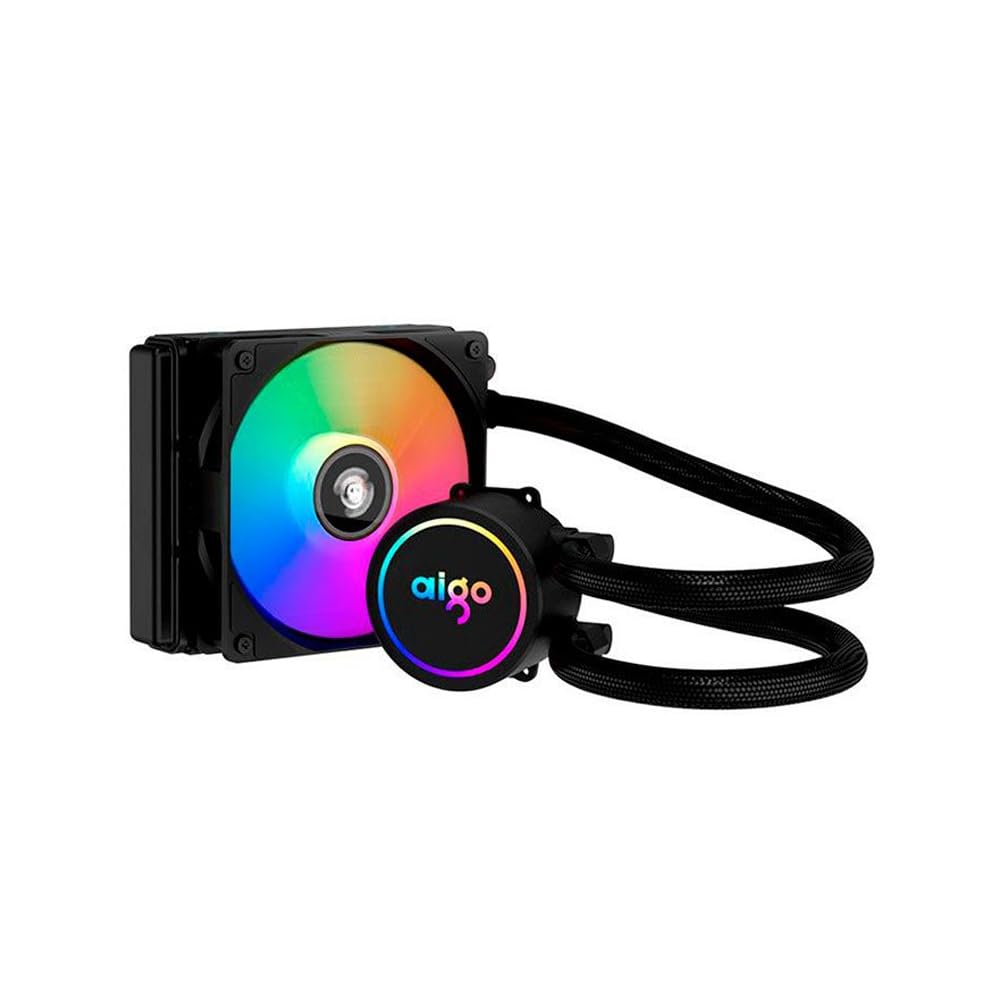
Image: The Aigo AC SE 120 Water Cooler showing the pump unit with an illuminated Aigo logo and a rainbow-colored fan on the radiator.
5.4 Qabbad il-Kejbils
- Connect the pump power cable to a dedicated AIO_PUMP or CPU_FAN header on your motherboard. If your motherboard has neither, use a SYS_FAN header and ensure it is set to run at full speed in the BIOS.
- Connect the fan power cable to the CPU_FAN header on your motherboard. If your motherboard has multiple fan headers, consult your motherboard manual for the recommended CPU fan header.
- If your cooler has RGB lighting, connect the RGB cable to a compatible RGB header on your motherboard (e.g., 3-pin ARGB or 4-pin RGB, depending on the cooler's connector type).
- Route all cables neatly to avoid obstructing airflow or interfering with other components.
6. Istruzzjonijiet Operattivi
Once installed, the Aigo AC SE 120 Water Cooler operates automatically based on your motherboard's fan control settings.
- Qawwa Inizjali Mixgħula: After installation, power on your computer. The pump and fan should start operating.
- Is-Settings tal-BIOS/UEFI: Access your motherboard's BIOS/UEFI settings to ensure the CPU_FAN and AIO_PUMP headers are configured correctly. It is recommended to set the pump header to run at full speed (100%) for optimal cooling performance. Fan speeds can be adjusted based on temperature curves for a balance of cooling and noise.
- Dawl RGB: If connected to an RGB header, the lighting effects can typically be controlled via your motherboard's RGB software (e.g., ASUS Aura Sync, MSI Mystic Light, Gigabyte RGB Fusion, ASRock Polychrome Sync).
- Monitoraġġ: Use system monitoring software to check CPU temperatures and ensure the cooler is functioning effectively.

Immaġni: Minn fuq għal isfel view of the Aigo AC SE 120 Water Cooler, highlighting the illuminated Aigo logo on the pump and the rainbow lighting of the fan.
7. Manutenzjoni
Regular maintenance helps ensure optimal performance and longevity of your water cooler.
- Tindif tat-Trab: Naddaf ix-xewk tar-radjatur u x-xfafar tal-fann perjodikament biex tevita l-akkumulazzjoni tat-trab, li jista' jfixkel il-fluss tal-arja u jnaqqas l-effiċjenza tat-tkessiħ. Uża arja kkompressata jew pinzell artab.
- Spezzjoni tal-fann: Check the fan for any signs of wear, damage, or excessive noise. Replace if necessary.
- Spezzjoni tal-pajp: Visually inspect the hoses for any kinks, cracks, or signs of leakage. While AIOs are sealed, regular checks are recommended.
- Pejst Termali: The thermal paste typically lasts for several years. If you notice a significant increase in CPU temperatures over time, consider reapplying fresh thermal paste. This requires carefully removing the water block, cleaning both surfaces, and applying new paste.
8 Issolvi l-problemi
If you encounter issues with your Aigo AC SE 120 Water Cooler, refer to the following common problems and solutions:
| Problema | Kawża Possibbli | Soluzzjoni |
|---|---|---|
| Temperaturi Għolja tas-CPU |
|
|
| Il-fann mhux qed idur |
|
|
| Pump Not Running / Unusual Noise |
|
|
| Dawl RGB Mhux Taħdim |
|
|
9. Garanzija u Appoġġ
The Aigo AC SE 120 Water Cooler comes with a 12-il xahar garanzija mid-data tax-xiri. Din il-garanzija tkopri difetti fil-manifattura u malfunzjonamenti taħt kundizzjonijiet ta' użu normali.
Il-garanzija ma tkoprix:
- Damage caused by improper installation, misuse, abuse, or neglect.
- Ħsara kkawżata minn modifiki jew tiswijiet mhux awtorizzati.
- Ħsara kkawżata minn diżastri naturali jew inċidenti.
For technical support, warranty claims, or further assistance, please contact your retailer or the Aigo customer service department. Please have your proof of purchase and product model number (ACSE120-BK) ready when contacting support.