
1. Introduzzjoni
This manual provides detailed instructions for the installation, operation, maintenance, and troubleshooting of your TouchWo 65-inch Interactive Touchscreen Monitor. Please read this manual thoroughly before using the product to ensure proper functionality and to prevent damage. Keep this manual for future reference.
2. Prodott Aktarview
2.1 Karatteristiċi ewlenin
- 10-Point Touch Screen: Supports multi-finger gestures for zooming, writing, and annotation without drivers or a stylus. Operable with gloves.
- Smart Interactive Whiteboard: Integrated Windows 10 OS (Intel i7, 8GB RAM, 256GB SSD) allows installation of various applications for meetings, classrooms, gaming, smart TV, digital signage, and live streaming.
- Plug and Play & Multi-Interface: Equipped with 4x USB, VGA, HDMI, LAN, and WiFi. Features built-in speakers and a 3.5mm audio jack. Supports real-time editing and sharing across multiple users and devices.
- Funzjonalità Avvanzata: Supports screen mirroring from mobile phones and laptops, wireless and USB connectivity for live streaming, horizontal and vertical display modes, and external camera/microphone for video conferencing.
2.2 X'hemm fil-Kaxxa
- 1 x Touchscreen All-in-One PC
- 1 x Linja tal-Enerġija
- 1 x Manwal tal-Prodott (dan id-dokument)
- 1 x Bracket immuntat mal-ħajt
- 1 x Wifi Antenna

Figure 2.1: The TouchWo 65-inch Interactive Touchscreen Monitor highlighting its 4K HDR display and 10-point touch capabilities.

Figure 2.2: The monitor's versatile functionality, integrating six devices into one unit.

Figura 2.3: Aktarview of the HD Series Touchscreen Monitor's core features.
3. Istruzzjonijiet ta' Setup
3.1 Disimballaġġ
Carefully remove the monitor and all accessories from the packaging. Inspect all components for any signs of damage. Retain the packaging for future transport or storage.
3.2 Immuntar
The monitor includes a wall-mounted bracket. Follow the instructions provided with the bracket for secure installation. Ensure the mounting surface can support the monitor's weight (approximately 85.8 pounds).
3.3 Konnessjoni tal-Periferali
Connect the power line to the monitor and a suitable power outlet (110V AC). Utilize the available ports for external devices:
- Portijiet USB (x4): For connecting keyboards, mice, external storage, or other USB devices.
- VGA & HDMI Ports: For connecting external display sources.
- Port tal-LAN: Għal konnettività ta' netwerk bil-fili.
- Antenna WiFi: Attach the included WiFi antenna for wireless network access.
- Jack Awdjo 3.5mm: Għall-konnessjoni ta' apparati awdjo esterni bħal headphones jew speakers.

Figure 3.1: Physical dimensions and key specifications for installation planning.
4. Istruzzjonijiet Operattivi
4.1 Power On/Off
Press the power button located on the monitor to turn it on or off. The system will boot into the Windows 10 operating system.
4.2 Tħaddim Bażiku tat-Touchscreen
The monitor supports 10-point multi-touch. Use your fingers for navigation, selection, zooming, and writing. Common gestures include:
- Tektek: Ekwivalenti għal klikk tal-maws.
- Pinch/Stretch: Agħmel zoom in jew out fuq il-kontenut.
- Swipe: Skrollja minn paġni għal oħra jew kontenut.
- Tektek b'żewġ swaba': Often functions as a right-click.

Figura 4.1: Eżamples of 10-point touch technology gestures.
4.3 Windows 10 OS Usage
The integrated Windows 10 operating system provides a familiar desktop environment. You can install and run standard Windows applications. Ensure all necessary drivers are updated for optimal performance.
4.4 Screen Mirroring
The monitor supports screen mirroring from compatible mobile phones and laptops. Refer to your device's instructions for initiating screen mirroring. Connectivity can be established wirelessly or via USB.

Figure 4.2: Screen mirroring functionality for displaying content from mobile devices.
4.5 Using as an Electronic Whiteboard
Utilize the pre-installed whiteboard software or download your preferred application. The 10-point touch allows multiple users to write, draw, and annotate simultaneously.
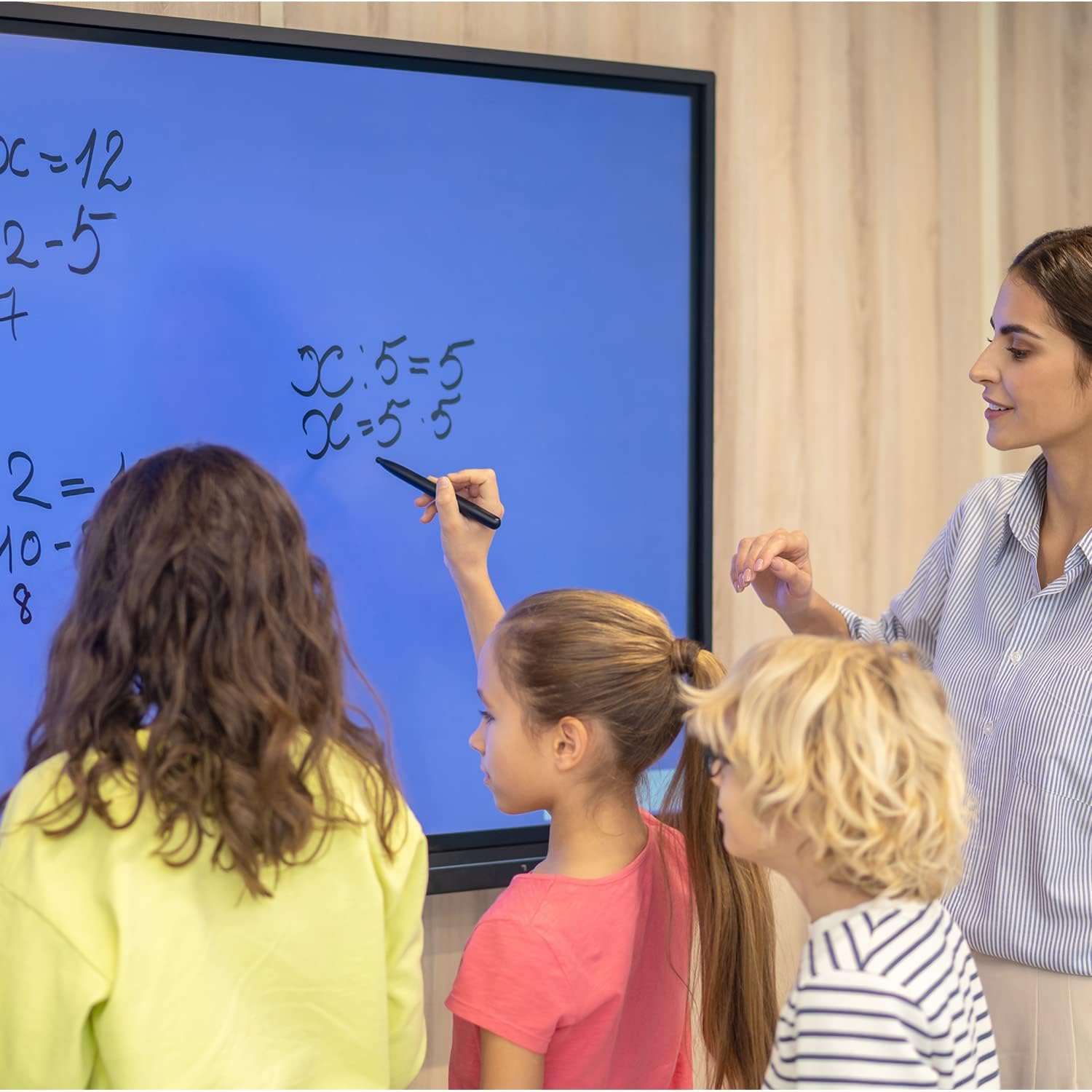
Figure 4.3: The monitor used as an interactive whiteboard in a classroom.
4.6 Multi-device Functionality
The monitor can serve various roles, including a presentation display, video conferencing hub, or digital signage. Connect external cameras and microphones for video calls.

Figure 4.4: The monitor facilitating a business presentation.

Figure 4.5: The monitor used for effective video conferencing.

Figura 4.6: Eżamples of the monitor's use in public display environments.
5. Manutenzjoni
5.1 Tindif tal-Iskrin
To clean the screen, power off the monitor and disconnect it from the power source. Use a soft, lint-free cloth lightly dampened with a non-abrasive, screen-safe cleaning solution. Do not spray liquid directly onto the screen.
5.2 Aġġornamenti tas-Software
Regularly check for and install Windows operating system updates and any specific TouchWo software updates to ensure optimal performance and security.
6 Issolvi l-problemi
If you encounter issues with your TouchWo Interactive Touchscreen Monitor, please refer to the following common solutions:
- Ebda Qawwa: Kun żgur li l-kejbil tad-dawl ikun imqabbad sew mal-monitor kif ukoll mal-iżbokk tad-dawl li jaħdem.
- Ebda Display: Check HDMI/VGA connections if using an external source. Ensure the monitor is powered on.
- L-iskrin tat-touchscreen ma jirrispondix: Restart the monitor. Ensure no foreign objects are on the screen surface. If using an external PC, verify touch drivers are installed.
- Kwalità Fqira tal-Immaġni: Check display resolution settings in Windows. Ensure cables are securely connected.
- Ebda Ħsejjes: Verify volume settings in Windows and on the monitor. Check external speaker/headphone connections if applicable.
Għal problemi persistenti, jekk jogħġbok ikkuntattja l-appoġġ għall-klijenti.
7. Speċifikazzjonijiet
| Karatteristika | Speċifikazzjoni |
|---|---|
| Brand | TouchWo |
| Numru tal-Mudell | HD650WE |
| Daqs tal-Iskrin | 65 Pulzier |
| Riżoluzzjoni | 3840 x 2160 Pixel (4K UHD) |
| Proporzjon ta' l-aspett | 16:9 |
| Luminożità tal-Immaġni | 300 lm |
| Deskrizzjoni tal-wiċċ tal-iskrin | Ċatt |
| Dimensjonijiet tal-Prodott | 3.19 x 58.46 x 33.87 pulzieri |
| Piż tal-oġġett | 85.8 liri |
| Voltage | 110 Volts (AC) |
| Portijiet USB totali | 4 |
| Sistema Operattiva | Windows 10 |
| Proċessur | Intel Core i7 |
| RAM | 8GB |
| Ħażna | 256GB SSD |
8. Garanzija u Appoġġ
8.1 Ċertifikazzjonijiet
This interactive whiteboard is FCC, CE, and RoHS certified, ensuring compliance with relevant safety and environmental standards.
8.2 Appoġġ għall-Klijent
For any usage questions, technical assistance, or quality issues, TouchWo provides 24/7 online support. Please refer to the contact information below:

Figure 8.1: TouchWo customer support contact details.
You can also visit the official seller page for more information: TouchWo Seller Page