
BOROFONE BD2
BOROFONE BD2 Smart Sports Watch User Manual
Mudell: BD2
1. Introduzzjoni u Fuqview
The BOROFONE BD2 Smart Sports Watch is a versatile wearable device designed to assist you in monitoring your health and fitness activities, as well as providing convenient smart notifications. It features a durable design with IP68 waterproof rating, making it suitable for daily use and various sports activities.
Key features include a 1.28-inch display, heart rate monitoring, Bluetooth 5.1 connectivity for call support, and robust memory for smooth operation.

Stampa 1.1: Quddiem view of the BOROFONE BD2 Smart Sports Watch, showcasing its round display and sleek design.
2. Gwida ta' Setup
2.1 Iċċarġjar tal-Apparat
Before first use, fully charge your BOROFONE BD2 Smart Sports Watch. Connect the magnetic charging cable to the charging points on the back of the watch and plug the USB end into a standard USB power adapter (5V/1A recommended). The watch display will indicate charging status. A full charge typically takes approximately 2 hours.
2.2 Installazzjoni u Tqabbil tal-App
- Niżżel l-App tal-Kompann: Fittex għal the official BOROFONE companion app (e.g., 'WearFit Pro' or similar, refer to packaging for exact name) on your smartphone's app store (Google Play Store for Android or Apple App Store for iOS).
- Ippermetti Bluetooth: Kun żgur li l-Bluetooth huwa attivat fuq l-ismartphone tiegħek.
- Iftaħ l-App: Iftaħ l-app installata u segwi l-istruzzjonijiet fuq l-iskrin biex toħloq kont jew tidħol.
- Żid Apparat: Within the app, navigate to the 'Device' or 'Add Device' section. The app will scan for available devices. Select 'BD2' or 'BOROFONE BD2' from the list.
- Ikkonferma l-Imqabbad: A pairing request may appear on both your watch and smartphone. Confirm the pairing on both devices to establish a connection.
Once paired, the watch will synchronize time and data with your smartphone. Ensure the app is running in the background for continuous data synchronization and notification delivery.

Immaġni 2.1: Ġenb view of the BOROFONE BD2 Smart Sports Watch, showing the strap and profile.
3. Istruzzjonijiet Operattivi
3.1 Navigazzjoni Bażika
- Touch Screen: Swipe left/right, up/down to navigate through menus and watch faces. Tap to select an option.
- Buttuna tal-ġenb: Press the side button to wake the screen, return to the main watch face, or access the app menu (functionality may vary based on single/long press).
3.2 Funzjonijiet Ewlenin
- Wiri tal-Ħin: The main watch face displays the current time, date, and other selected information.
- Notifiki: Receive call, SMS, and app notifications directly on your watch when connected to your smartphone. Swipe down from the main screen to view notifiki riċenti.
- Monitoraġġ tar-Rata tal-Qalb: Access the heart rate function from the app menu. The watch will automatically measure your heart rate. For accurate readings, ensure the watch is snug on your wrist.
- Traċċar tal-Attività: L-arloġġ isegwi l-passi, id-distanza, u l-kaloriji maħruqa. View il-progress tiegħek ta’ kuljum fuq l-arloġġ jew fl-app li takkumpanjah.
- Monitoraġġ tal-irqad: Wear the watch to bed to track your sleep patterns. Detailed sleep analysis is available in the app.
- Modi sportivi: Select from various sports modes (e.g., running, walking, cycling) to track specific workout data.
- Call Support: With Bluetooth connectivity, the watch supports receiving and making calls directly from your wrist.
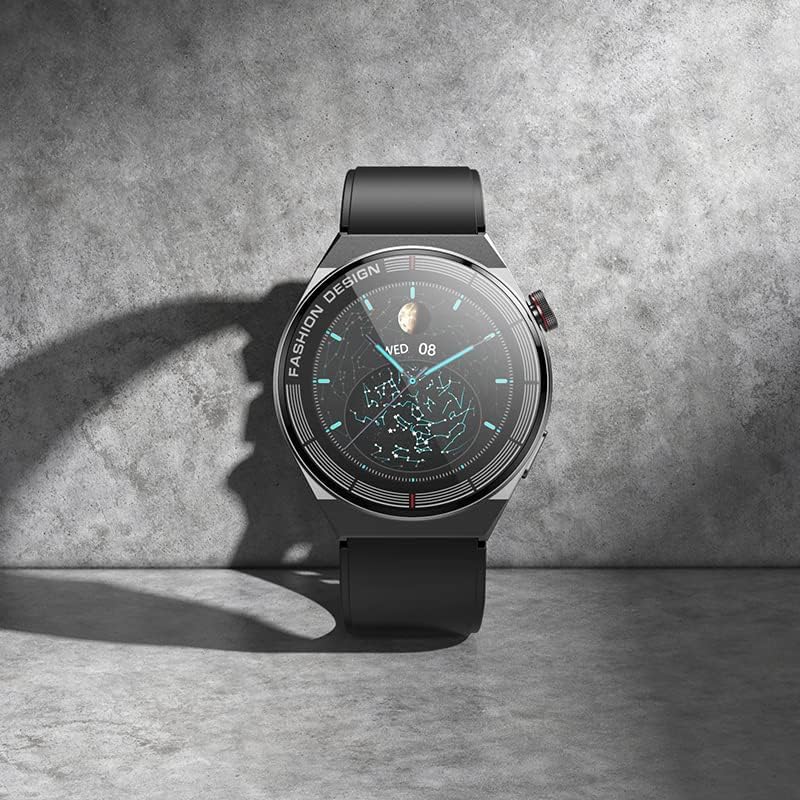
Image 3.1: The BOROFONE BD2 Smart Sports Watch resting on a surface, highlighting its display.
4. Manutenzjoni
4.1 Tindif
Regularly clean your watch and strap to prevent skin irritation and maintain device longevity. Use a soft, lint-free cloth. For stubborn dirt, slightly dampLaħlaħ id-drapp bl-ilma. Tużax kimiċi ħarxa jew materjali li joborxu.
4.2 Reżistenza għall-Ilma (IP68)
The BOROFONE BD2 is IP68 waterproof, meaning it is resistant to dust and can withstand immersion in water up to 1.5 meters for up to 30 minutes. It is suitable for washing hands, rain, and shallow swimming. However, it is not recommended for hot showers, saunas, or diving, as steam and high pressure can compromise the seals.
4.3 Kura tal-Batterija
- Evita li tiċċarġja l-batterija kompletament ta' spiss.
- Iċċarġja l-arloġġ billi tuża l-kejbil provdut u adapter tal-enerġija kompatibbli.
- Store the watch in a cool, dry place if not used for extended periods.
4.4 Aġġornamenti tas-Software
Periodically check the companion app for firmware updates. Keeping your watch's software up-to-date ensures optimal performance and access to new features.
5 Issolvi l-problemi
If you encounter issues with your BOROFONE BD2 Smart Sports Watch, refer to the following common problems and solutions:
- L-arloġġ ma jixgħelx: Kun żgur li l-arloġġ ikun iċċarġjat kompletament. Qabbad mal-ċarġer u stenna ftit minuti qabel ma tipprova tixgħlu.
- Cannot connect/pair with smartphone:
- Kun żgur li l-Bluetooth huwa attivat fuq l-ismartphone tiegħek u fuq l-arloġġ.
- Kun żgur li l-arloġġ jinsab fil-firxa tal-Bluetooth tat-telefon tiegħek.
- Ibda mill-ġdid kemm l-arloġġ kif ukoll l-ismartphone tiegħek.
- Forget the device in your phone's Bluetooth settings and try pairing again through the companion app.
- Kun żgur li l-app li takkumpanja hija aġġornata għall-aħħar verżjoni.
- Dejta mhux preċiża dwar ir-rata tal-qalb/l-attività:
- Kun żgur li l-arloġġ jintlibes sew fuq il-polz tiegħek, madwar wisa' ta' saba' 'l fuq mill-għadma tal-polz.
- Naddaf is-sensor fuq wara tal-arloġġ.
- Evita moviment eċċessiv waqt il-kejl.
- Notifiki mhux riċevuti:
- Iċċekkja jekk l-arloġġ huwiex imqabbad sew mal-app.
- Ensure notification permissions are enabled for the companion app in your smartphone's settings.
- Verify that notification settings are enabled within the companion app for specific applications.
- Il-batterija tinxef malajr:
- Naqqas il-luminożità tal-iskrin.
- Iddiżattiva l-monitoraġġ kontinwu tar-rata tal-qalb jekk mhux meħtieġ.
- Limita n-numru ta' apps li jibagħtu notifiki lill-arloġġ.
- Ensure the watch firmware is up-to-date.
If the problem persists, consider performing a factory reset via the watch settings or the companion app (note: this will erase all data on the watch). For further assistance, contact BOROFONE customer support.
6. Speċifikazzjonijiet
| Karatteristika | Dettall |
|---|---|
| Isem tal-Mudell | Borofone BD2 |
| Isem tad-Ditta | BOROFONE |
| Daqs tal-Iskrin | 1.28 Pulzier |
| Forma tal-oġġett | Round |
| GPS | L-ebda GPS |
| Komunikazzjoni mingħajr fili Standard | Bluetooth |
| Teknoloġija tal-Konnettività | Bluetooth |
| Karatteristiċi Speċjali | Waterproof, Heart Rate, Smart, Wearable, Bluetooth |
| Kapaċità tal-Ħżin tal-Memorja | 192 KB |
| Sistema Operattiva | Smartwatch |
| Numru tal-mudell tal-oġġett | BD2 |
| ASIN | B0C28PL2GJ |
| Manifattur | BOROFONE |
| Data L-Ewwel Disponibbli | 28 ta’ Mejju 2023 |
| Dimensjonijiet tal-Pakkett | 22.2 x 7.1 x 3.2 ċm; 190 g |

Image 6.1: Packaging of the BOROFONE BD2 Smart Sports Watch.
7. Garanzija u Appoġġ
The BOROFONE BD2 Smart Sports Watch is manufactured by BOROFONE. For information regarding warranty coverage, terms, and conditions, please refer to the warranty card included with your product or visit the official BOROFONE website. For technical support or service inquiries, please contact BOROFONE customer service through their official channels.
This product was first made available on 28 May 2023.
Ask a question about this manual
Ask about setup, troubleshooting, compatibility, parts, safety, or missing instructions. Manuals+ will review the question and use this page’s manual context to help answer it.