
1. Introduzzjoni
The Yitouniu TYTE-D1 Tuya WiFi Smart 16A Temperature Controller Switch Sensor is designed for precise temperature monitoring and control of various electrical appliances. It integrates seamlessly with the Tuya Smart Life app, offering remote control, energy consumption monitoring, and voice control capabilities. This device is suitable for applications such as seedling heat mats, terrestrial heat control, heating pumps, and more.
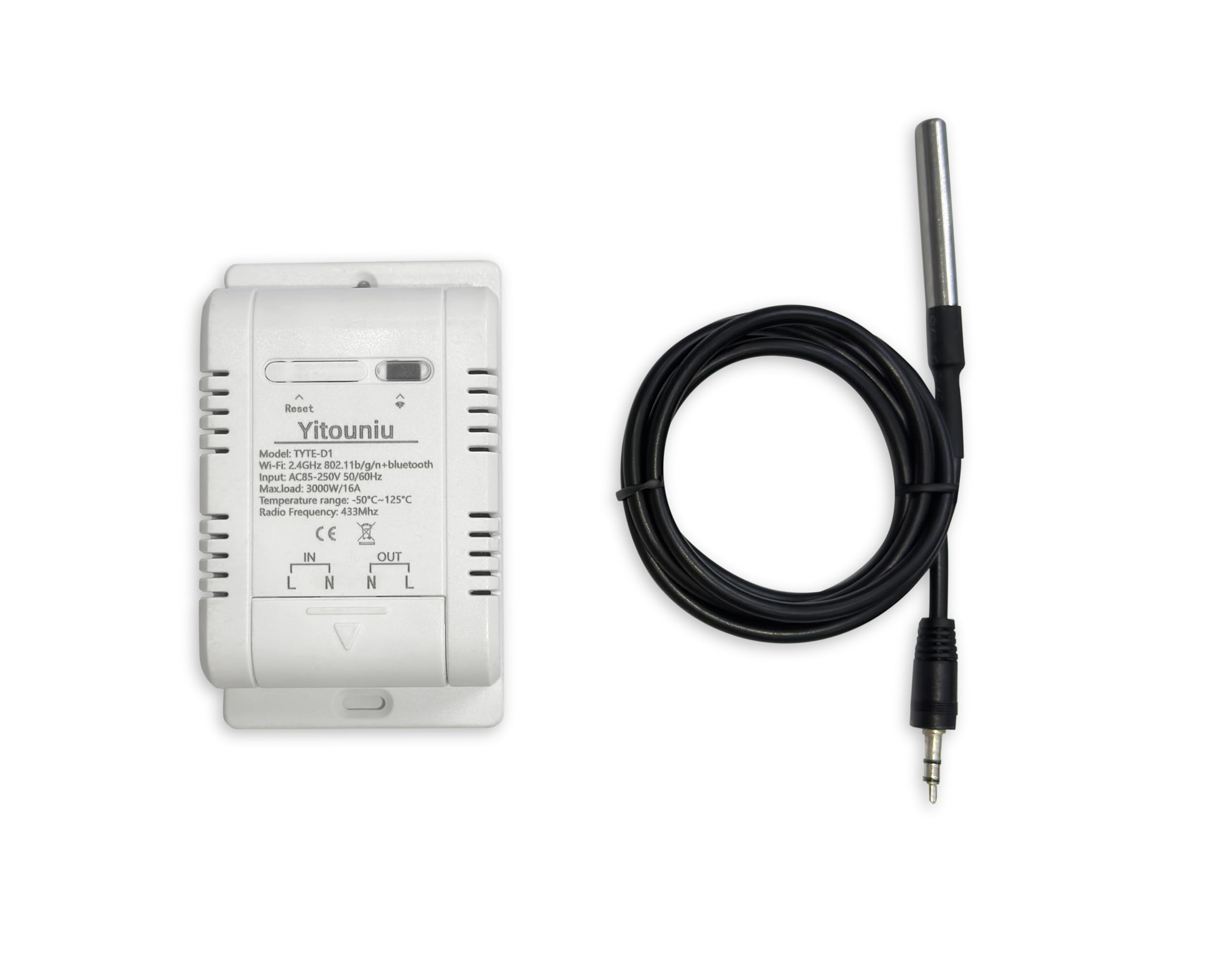
Figure 1: Yitouniu TYTE-D1 Smart Switch with key features and app compatibility.

Figura 2: Aktarview of Smart Temperature Control features including WiFi, voice control, remote access, temperature monitoring, and electricity statistics.
2. Setup
2.1 Istruzzjonijiet tal-Wiring
Proper wiring is crucial for safe and effective operation. Please follow the diagram below carefully.

Figure 3: Wiring diagram for the Yitouniu Smart Switch. Connect AC 85-250V input to 'IN' (L and N) and the appliance to 'OUT' (L and N).
2.2 App Connection (Tuya Smart Life)
To connect your device to the Tuya Smart Life app, follow these steps:
- Iċċarġja l-Apparat: First, ensure the device is powered on.
- Dawl Indikatur: Observe the indicator light on the device. If it is not flashing quickly, press and hold the button for a few seconds until it blinks rapidly.
- Iftaħ l-App Tuya: Iftaħ l-app Tuya Smart Life fuq l-ismartphone tiegħek.
- Żid Apparat: Click the '+' sign in the top right corner of the app to add a new device.
- Ippermetti Bluetooth: If the device is not automatically discovered, ensure your phone's Bluetooth is enabled. The app should then detect the device.
- Daħħal l-Informazzjoni tal-Wi-Fi: Select the discovered device, enter your Wi-Fi network password, and confirm.
- Imla Setup: Follow any remaining on-screen prompts to complete the device addition.
Video 1: Demonstrates the process of connecting a Yitouniu device to the Tuya Smart Life app, including charging, indicator light status, and adding the device via Bluetooth and Wi-Fi.
3. Istruzzjonijiet Operattivi
3.1 Remote Temperature Monitoring and Control
Once connected to the Tuya Smart Life app, you can remotely monitor the temperature and control your connected appliances.
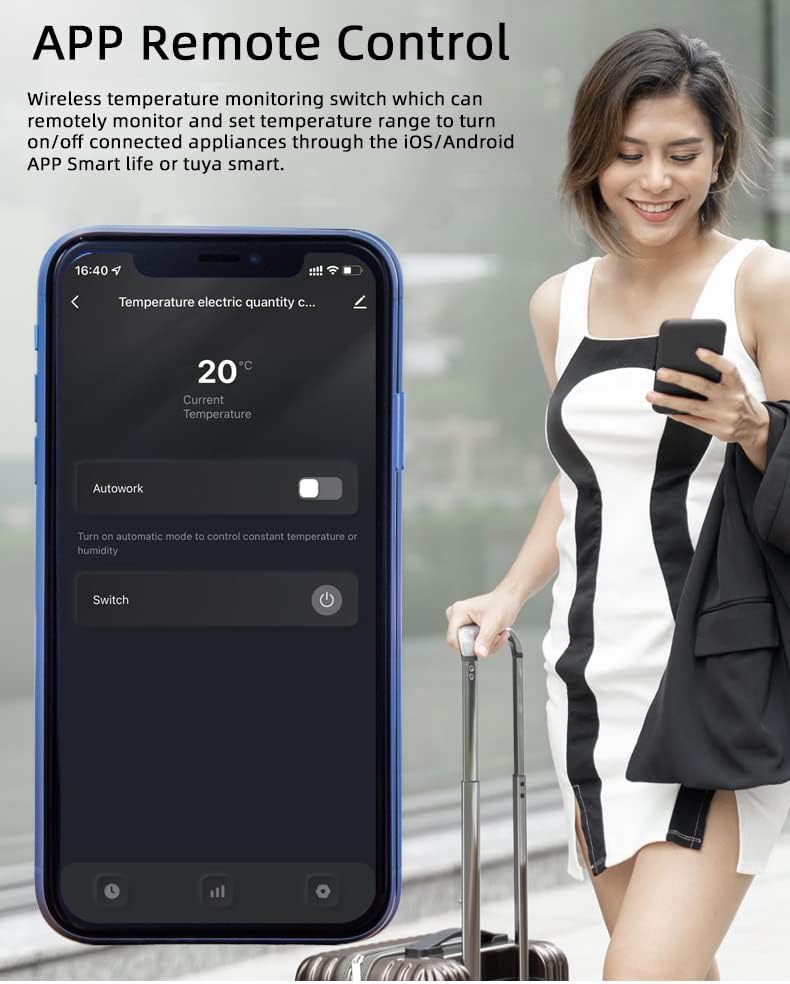
Figure 4: App interface for remote temperature monitoring and manual switch control.
3.2 Automatic Mode and Timing
Set the device to automatic mode to turn your appliances on or off based on a specified temperature range. You can also set scheduled, countdown, or loop timers.
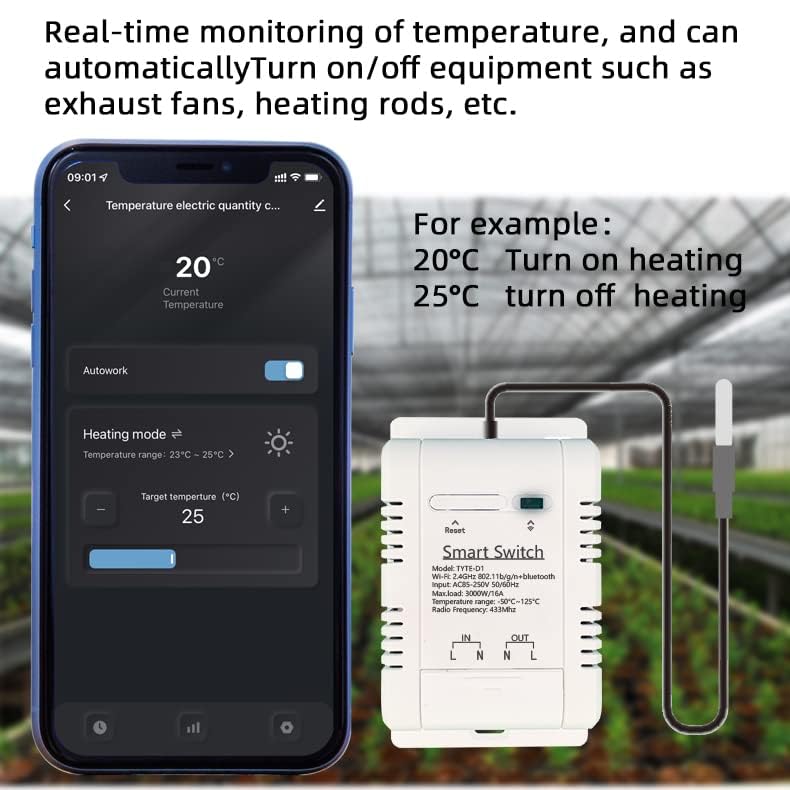
Figure 5: Real-time temperature monitoring with automatic heating mode settings (e.g., turn on heating at 20°C, turn off at 25°C).
3.3 Energy Consumption Monitoring and History
The app provides real-time monitoring of energy consumption and allows you to view historical temperature and power data by year, month, and day.
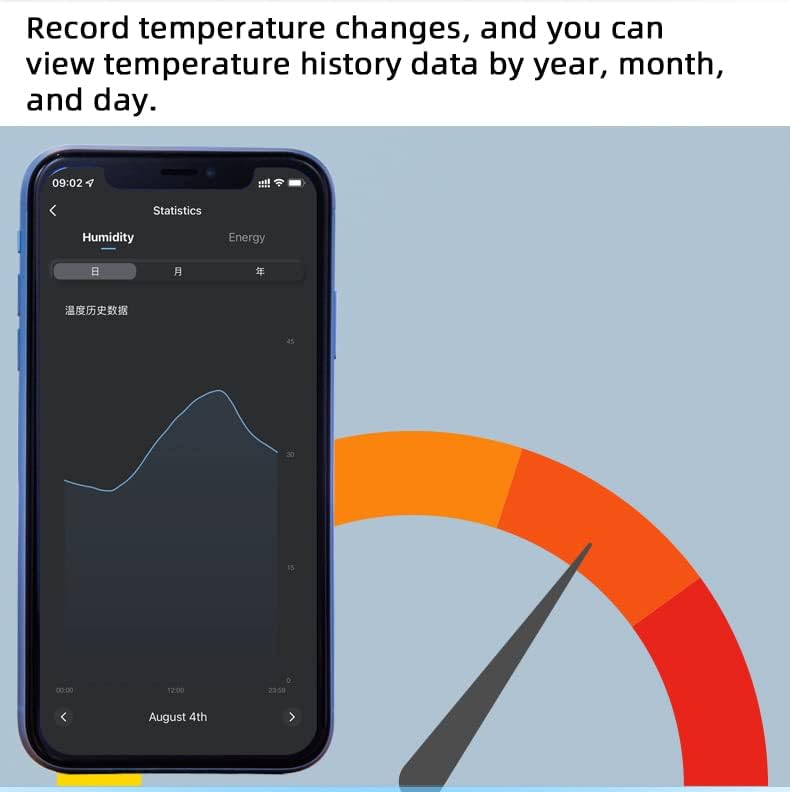
Figura 6: View historical temperature data to track changes over time.
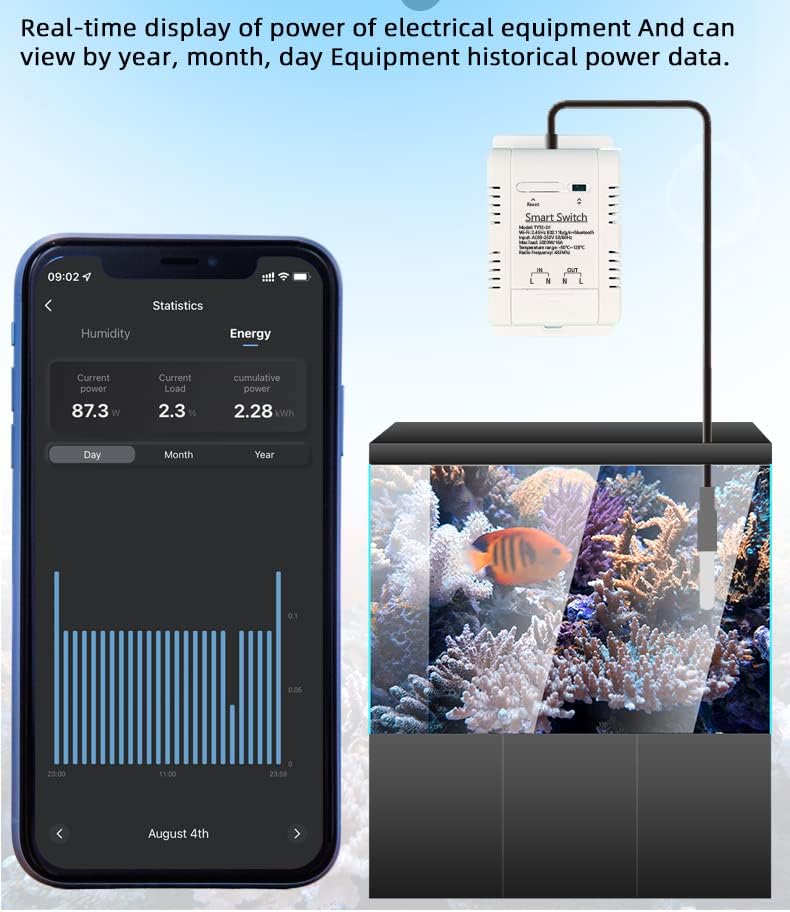
Figure 7: Real-time display of electrical equipment power and historical power data.
3.4 Kontroll tal-Vuċi
The device is compatible with smart speakers such as Amazon Echo, Echo Dot, Amazon Tap, and Google Home. You can manage your devices through voice commands by creating smart scenes in the Smart Life app.
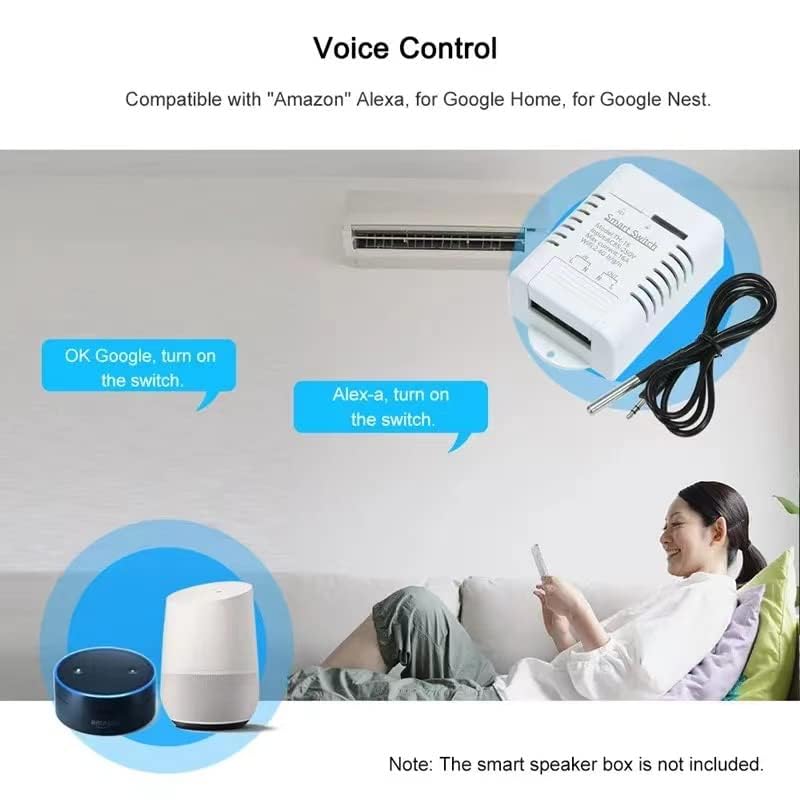
Figure 8: Voice control integration with Amazon Alexa and Google Home for convenient operation.
3.5 Kontroll tal-Ishma
Easily share control of your smart home devices with family members through the Wi-Fi app.
4. Manutenzjoni
To ensure the longevity and optimal performance of your Yitouniu TYTE-D1 Temperature Controller, follow these maintenance guidelines:
- Tindif: Regularly wipe the device with a dry, soft cloth. Avoid using harsh chemicals or abrasive cleaners.
- Kura tas-Sonda: Keep the temperature probe clean and free from debris. Although waterproof, avoid unnecessary prolonged immersion in liquids.
- Kundizzjonijiet Ambjentali: Ensure the device is operated within its specified operating temperature range (-20°C to 70°C) and away from excessive moisture or direct sunlight.
- Aġġornamenti tal-Firmware: Check the Tuya Smart Life app periodically for any available firmware updates to ensure your device has the latest features and security enhancements.
5 Issolvi l-problemi
If you encounter issues with your Yitouniu TYTE-D1 Temperature Controller, refer to the following common troubleshooting steps:
- Apparat Mhux Konnessjoni mal-Wi-Fi:
- Kun żgur li n-netwerk Wi-Fi tiegħek huwa 2.4GHz. L-apparat ma jappoġġjax netwerks ta' 5GHz.
- Iċċekkja li l-password tal-Wi-Fi li daħħalt fl-app hija korretta.
- Kun żgur li l-apparat jinsab fil-firxa tar-router Wi-Fi tiegħek.
- Reset the device by pressing and holding the button until the indicator light flashes rapidly, then attempt to re-pair.
- Qari tat-Temperatura Mhux Preċiż:
- Check if the temperature probe is securely connected to the device.
- Ensure the probe is placed correctly in the environment you wish to monitor and is not obstructed.
- Avoid placing the probe near heat sources or cold drafts that could affect readings.
- Il-Kontroll tal-App Mhux Jirrispondi:
- Check your internet connection and ensure the device is online in the app.
- Erġa' ibda l-app Tuya Smart Life.
- If the issue persists, try restarting the temperature controller by unplugging and re-plugging it.
- Kwistjonijiet ta' Kontroll tal-Vuċi:
- Ensure the device is properly linked to your Amazon Alexa or Google Home account.
- Verify the device name used in voice commands matches the name set in the Smart Life app.
- Check the internet connection of your smart speaker.
Jekk dawn il-passi ma jsolvux il-problema, jekk jogħġbok ikkuntattja l-appoġġ għall-klijenti.
6. Speċifikazzjonijiet

Figura 9: Parametri u dimensjonijiet dettaljati tal-prodott.
| Karatteristika | Speċifikazzjoni |
|---|---|
| Numru tal-Mudell | TYTE-D1 |
| Provvista tal-Enerġija | 85-250V AC |
| Max. Kurrenti | 16A |
| Max. Tagħbija | 3000W |
| Standard Wireless | Wi-Fi 2.4GHz b/g/n |
| Mekkaniżmu tas-Sigurtà | WEP/WPA-PSK/WPA2-PSK |
| Temperatura operattiva | -20°C sa 70°C |
| Firxa tat-Temperatura (Sonda) | -50°C sa 125°C |
| Materjal | RF-ABS |
| Dimensjonijiet | 9.4 x 5.84 x 3.3 ċm (3.7 x 2.3 x 1.3 pulzieri) |
| Komponenti Inklużi | Relay housing, relay module, temperature probe sensor cable |
| Ċertifikazzjonijiet | CE, FCC |
7. Garanzija u Appoġġ
For warranty information or technical support, please refer to the product packaging or contact the seller directly through your purchase platform. Ensure you have your product model number (TYTE-D1) and purchase details available when seeking support.