
1. Prodott Aktarview
The TP-Link ER707-M2 is an Omada Multi-Gigabit VPN Router designed for high-performance networking environments. It features dual 2.5 Gigabit WAN ports, a Gigabit SFP WAN/LAN port, and multiple Gigabit RJ45 WAN/LAN ports, providing flexible connectivity and high-bandwidth aggregation. This router integrates seamlessly with the Omada SDN Controller for centralized management and offers robust security features including an SPI Firewall and various VPN protocols.
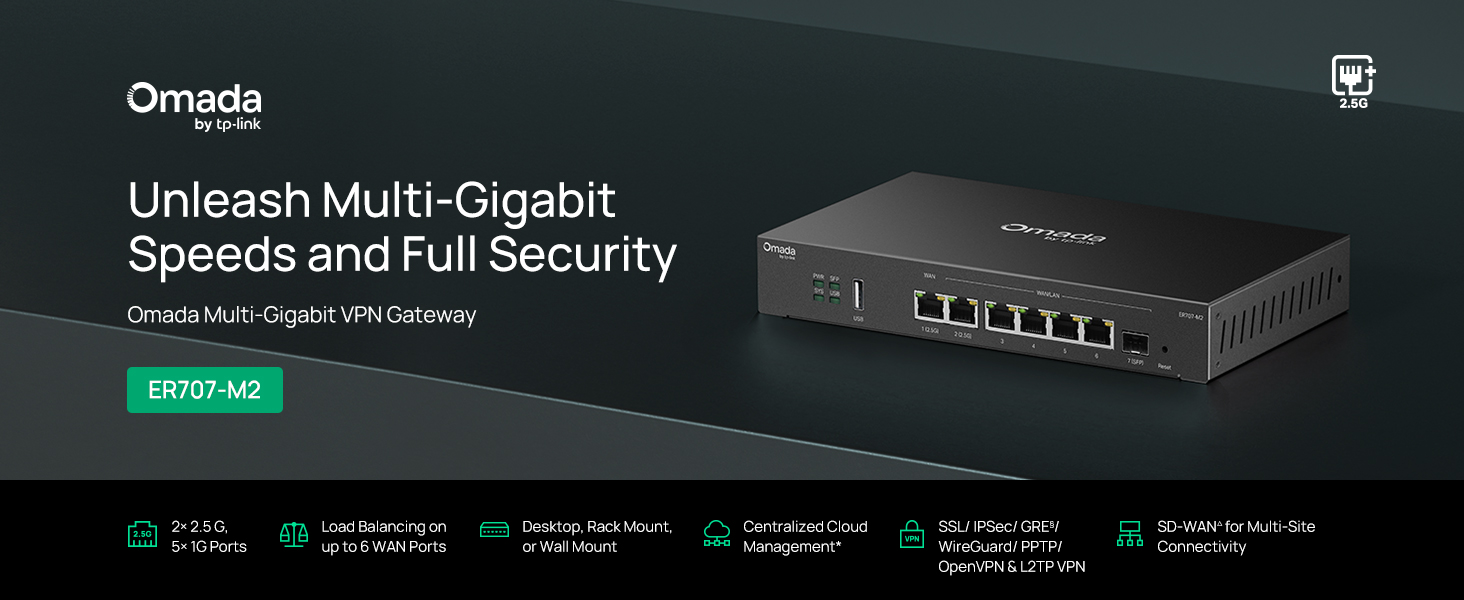
Figura 1: Quddiem view of the ER707-M2 router, highlighting its ports and indicators.
Karatteristiċi ewlenin:
- Konfigurazzjoni tal-Port Flessibbli: Includes 1x 2.5Gigabit WAN Port, 1x 2.5Gigabit WAN/LAN Port, 4x Gigabit WAN/LAN Ports, 1x Gigabit SFP WAN/LAN Port, and 1x USB 2.0 Port.
- High-Performance Network Capacity: Supports up to 500,000 concurrent sessions and over 1000 clients.
- Aċċess għall-Cloud: Centralized cloud management via Omada app and web interface.
- VPN Sikur Ħafna: Jappoġġja sa 100 konnessjoni LAN-to-LAN IPsec, 66 OpenVPN, 60 L2TP, u 60 PPTP VPN.
- Sigurtà Avvanzata: Features SPI Firewall, Policy-based Firewall, Static Routing, Policy Routing, Multi-net DHCP, Guest Portal, and VLAN support.
- Load Balance & Link Backup: Optimizes multi-line broadband efficiency and reliability.
- Port USB 2.0: Supports USB storage and LTE backup with a compatible LTE dongle.
2. Kontenut tal-Pakkett
Ivverifika li l-pakkett tiegħek fih l-oġġetti li ġejjin:
- TP-Link ER707-M2 Omada Multi-Gigabit VPN Router
- Adapter tal-Enerġija
- Gwida ta 'Installazzjoni Mgħaġġla
If any item is missing or damaged, please contact your reseller or TP-Link support.
3. Setup
3.1 Installazzjoni tal-Ħardwer
- Konnessjoni tal-Enerġija: Connect the provided power adapter to the router's power input and then to a power outlet.
- Konnessjoni WAN: Connect your modem or internet service provider's device to one of the WAN ports (e.g., WAN1 2.5G or WAN/LAN2 2.5G) using an Ethernet cable. For fiber connections, use the SFP port with a compatible SFP module.
- Konnessjoni LAN: Connect your local network devices (e.g., computers, switches, Omada Access Points) to the LAN ports (WAN/LAN2-6) using Ethernet cables.
- USB Device (Optional): If using a USB storage device or an LTE dongle for backup, insert it into the USB 2.0 port.
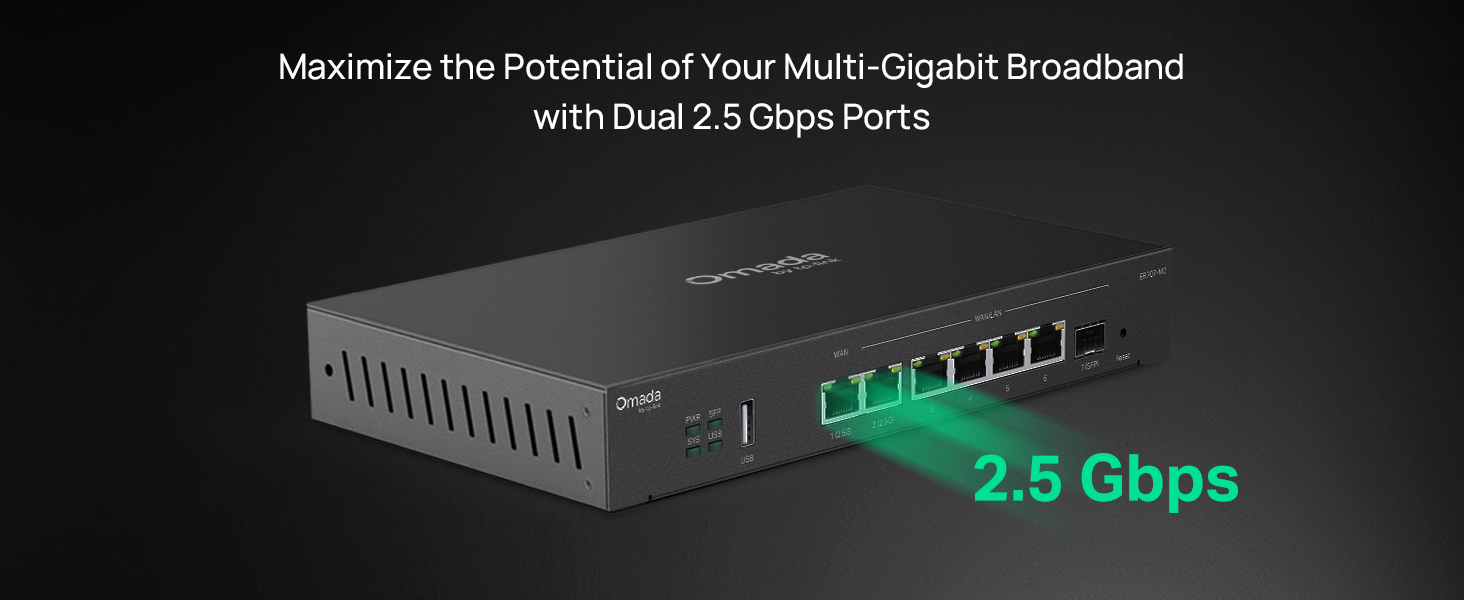
Figure 2: Illustration of the router's 2.5 Gbps ports for high-speed connectivity.
3.2 Konfigurazzjoni Inizjali
The ER707-M2 can be managed via the Omada SDN Controller or through its local web interface.
- Qabbad mar-Router: Ensure your computer is connected to one of the router's LAN ports.
- Aċċess Web Interface: Iftaħ a web browser u daħħal l-indirizz IP awtomatiku (ġeneralment
192.168.0.1or192.168.1.1) in the address bar. Refer to the Quick Installation Guide for the exact default IP and login credentials. - Segwi l-Wizard tas-Setup: The first time you log in, a setup wizard will guide you through basic internet connection settings, changing the default password, and configuring Wi-Fi (if applicable).
- Omada SDN Integration (Optional): For centralized management, adopt the router into your Omada SDN Controller. This allows for remote management and unified control of your network devices.
4. Istruzzjonijiet Operattivi
4.1 Konfigurazzjoni tan-Netwerk
The router offers extensive configuration options for your network:
- Issettjar tal-WAN: Configure WAN ports for different connection types (Dynamic IP, Static IP, PPPoE).
- Settings tal-LAN: Manage IP addresses, DHCP server, and VLANs for your local network segments.
- Multi-WAN Load Balancing: Distribute internet traffic across multiple WAN connections to optimize bandwidth and provide redundancy.
- Link Backup: Configure a secondary WAN connection (e.g., via LTE dongle) to automatically take over if the primary connection fails.
4.2 VPN Functionality
The ER707-M2 supports various VPN protocols for secure remote access and site-to-site connectivity.
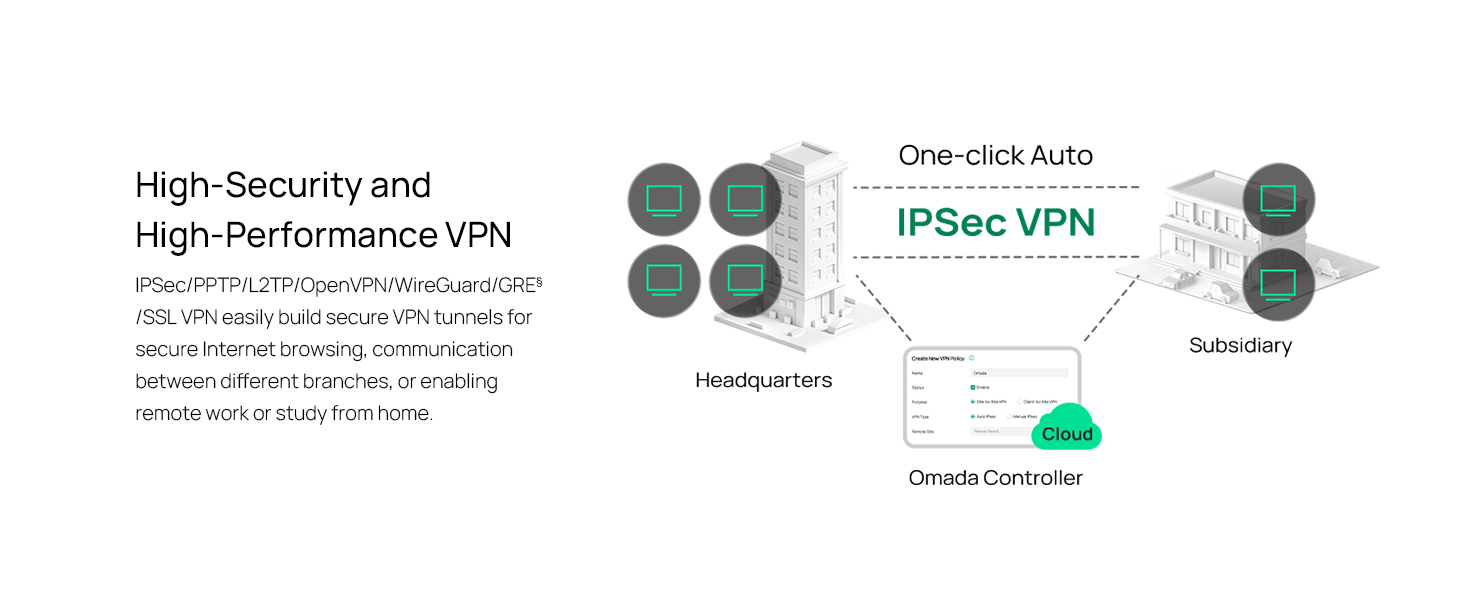
Figure 3: Visual representation of a secure VPN tunnel setup.
- VPN tal-IPsec: Establish secure tunnels between networks (e.g., office to branch office).
- OpenVPN/SSL VPN: Provide secure remote access for individual users.
- PPTP/L2TP VPN: Legacy VPN protocols for various client connections.
4.3 Karatteristiċi tas-Sigurtà
The router includes advanced security measures to protect your network:
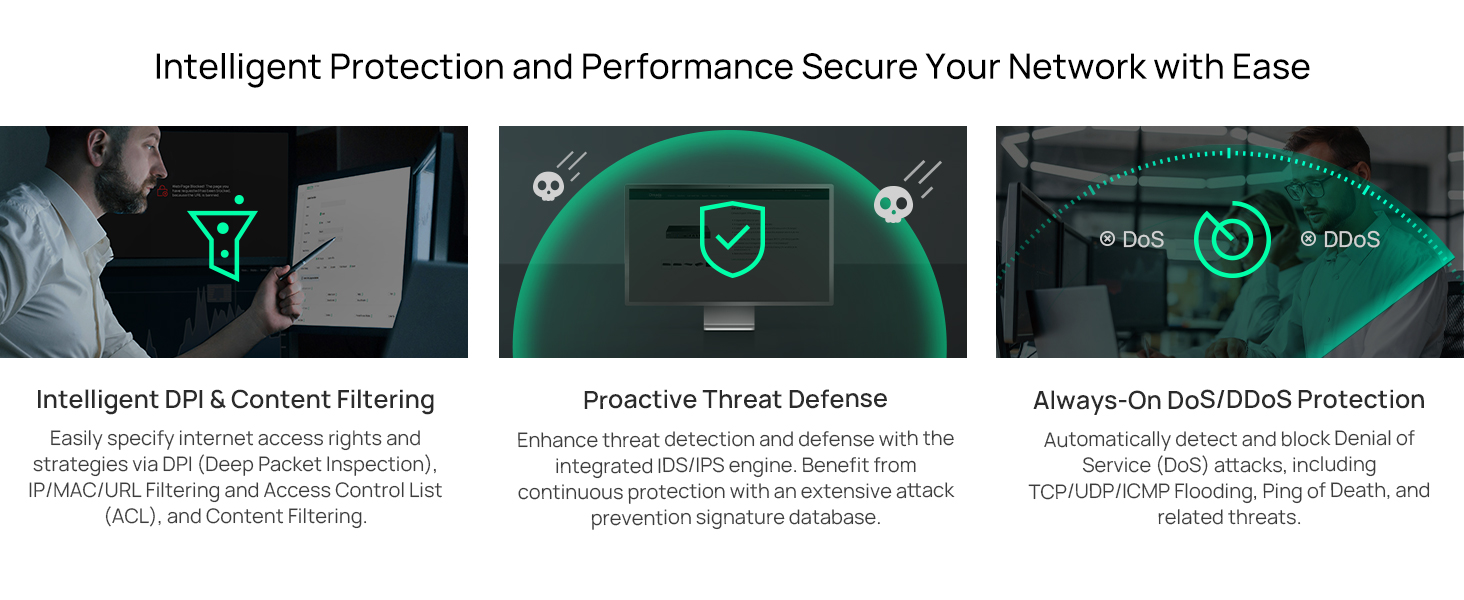
Figura 4: Aktarview of intelligent protection and performance features.
- SPI Firewall: Stateful Packet Inspection firewall for network protection.
- Policy-based Firewall: Define rules to control network traffic based on specific criteria.
- DoS/DDoS Protection: Defend against Denial of Service and Distributed Denial of Service attacks.
- Lista ta' Kontroll ta' Aċċess (ACL): Manage network access for specific devices or users.
4.4 Integrazzjoni tal-SDN tal-Omada
The ER707-M2 is part of the Omada Software-Defined Networking (SDN) solution, allowing for centralized management of your entire network.

Figure 5: How the ER707-M2 integrates into an Omada SDN network.
- Ġestjoni Ċentralizzata: Manage the router, access points, and switches from a single interface via the Omada Controller (hardware or software).
- Aċċess mill-bogħod: Access and manage your network from anywhere using the Omada app or cloud portal.
- Seamless Scalability: Easily expand your network by adding more Omada devices.
5. Manutenzjoni
To ensure optimal performance and security of your ER707-M2 router, regular maintenance is recommended:
- Aġġornamenti tal-Firmware: Iċċekkja perjodikament l-uffiċjal tat-TP-Link websit għall-aħħar verżjonijiet tal-firmware. L-aġġornament tal-firmware jista' jtejjeb il-prestazzjoni, iżid karatteristiċi ġodda, u jirranġa vulnerabbiltajiet tas-sigurtà.
- Backup tal-Konfigurazzjoni: Regularly back up your router's configuration settings. This allows for quick restoration in case of accidental changes or system issues.
- Spezzjoni Fiżika: Ensure the router is placed in a well-ventilated area, free from dust and obstructions. Check cable connections for secure fit.
- Reazzjoni tas-Sigurtàview: Perjodikament mill-ġdidview your firewall rules, VPN settings, and access control lists to ensure they meet your current security requirements.
6 Issolvi l-problemi
If you encounter issues with your ER707-M2 router, consider the following troubleshooting steps:
- Ebda Aċċess għall-Internet:
- Check all cable connections (WAN, LAN, Power).
- Verify your modem or ISP device is working correctly.
- Confirm WAN settings in the router's web interface huma korretti.
- Restart the modem, then the router, and then your connected devices.
- Ma nistax naċċessa Web Paġna ta' Ġestjoni:
- Kun żgur li l-kompjuter tiegħek huwa konness ma' port LAN tar-router.
- Verify your computer's IP address is in the same subnet as the router (e.g., if router is 192.168.0.1, computer should be 192.168.0.x).
- Ipprova neħħi l-cache tal-browser tiegħek jew uża browser ieħor.
- If the issue persists, perform a factory reset (see below).
- Veloċità baxxa tan-Netwerk:
- Iċċekkja l-veloċità tal-fornitur tas-servizz tal-internet tiegħek.
- Ensure all cables are Cat5e or higher for Gigabit/2.5Gig connections.
- Monitor network usage to identify bandwidth-intensive applications or devices.
- Verify duplex settings on connected devices and router ports.
- Irrisettjar tal-Fabbrika: If all else fails, you can restore the router to its factory default settings. Locate the Reset button on the router (often a small pinhole button), press and hold it for about 5-10 seconds until the system LED blinks, then release. This will erase all custom configurations.
7. Speċifikazzjonijiet
| Karatteristika | Dettall |
|---|---|
| Brand | TP-Link |
| Isem tal-Mudell | ER707-M2 |
| Teknoloġija tal-Konnettività | Ethernet |
| Numru ta' Portijiet | 6 (1x 2.5G WAN, 1x 2.5G WAN/LAN, 4x Gigabit WAN/LAN, 1x Gigabit SFP WAN/LAN, 1x USB 2.0) |
| Wisa' tal-Banda tal-Port LAN | 10/100/1000/2500Mbps |
| Rata ta' Trasferiment tad-Data | 2500 Megabits Kull Sekonda |
| Rata Massima ta' Trasferiment ta' Dejta 'l fuq | 5000 Megabits Kull Sekonda |
| Protokoll ta 'Sigurtà | SSL, IPSec, GRE, SSH, IKEv1/v2, PPTP, L2TP, OpenVPN |
| Metodu ta' Kontroll | App, Web Interface |
| Sistema Operattiva | ZyNOS (TP-Link Omada) |
| Piż tal-oġġett | 1.1 Kilogrammi |
| Dimensjonijiet tal-oġġett (L x W x H) | 12.9"T x 9.5"W x 3.1"Għ |
8. Informazzjoni dwar Garanzija
The TP-Link ER707-M2 Omada Multi-Gigabit VPN Router is backed by an industry-leading Garanzija ta' 5 snin mill-manifatturDin il-garanzija tkopri difetti fil-materjali u fix-xogħol taħt użu normali. Jekk jogħġbok żomm il-prova tax-xiri tiegħek għal talbiet ta' garanzija.
9. Appoġġ
For technical assistance, product information, or warranty inquiries, please contact TP-Link support:
- Appoġġ tat-Telefon: (866) 225-8139 (Disponibbli mit-Tnejn sal-Ġimgħa, mis-6am sas-6pm PST)
- Prodott Websit: myproducts.tp-link.com/us
- Appoġġ bl-Email: support.USA@tp-link.com